Boss Audio BVCP9850W troubleshooting is usually caused by wiring, settings, power, or phone connection issues.
If your Boss Audio BVCP9850W is acting up, you are not alone. This unit is feature-rich, but like many double-DIN receivers, it can seem picky when a cable is loose, a setting is off, or a phone does not pair the way it should. I have spent enough time with in-dash receivers to know that most problems are fixable with a calm, step-by-step check, and that is exactly what this guide will help you do.

49% off Today's Exclusive Deals
Limited-time Exclusive Deals. Check current discount on Amazon.
Check Price on Amazon As an Amazon Associate I earn from qualifying purchases.Common Boss Audio BVCP9850W problems and what they usually mean
The Boss Audio BVCP9850W troubleshooting process starts with identifying the symptom first. That matters because a blank screen, no sound, and Bluetooth drops all point to different causes.
In my experience, the fastest repairs come from checking the basics before assuming the unit has failed. A surprising number of issues trace back to power, ground, parking brake wiring, or a phone that needs to be forgotten and re-paired.
49% off Today's Exclusive Deals
Limited-time Exclusive Deals. Check current discount on Amazon.
Check Price on Amazon As an Amazon Associate I earn from qualifying purchases.Power problems and dead screen fixes
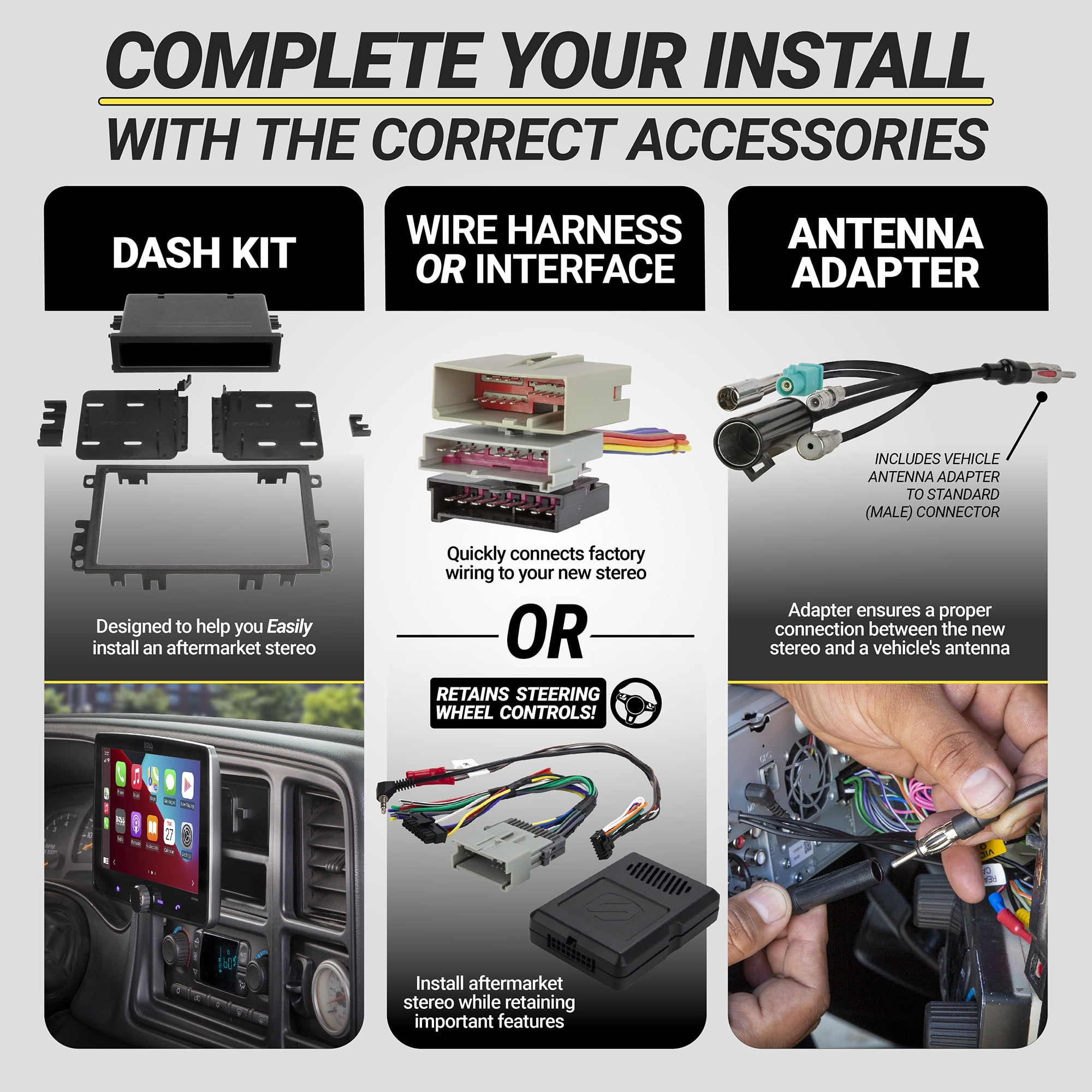
If the Boss Audio BVCP9850W will not turn on, the issue is often in the power path. Start by checking the yellow constant wire, red ignition wire, and black ground wire. If any of these are loose, reversed, or poorly crimped, the unit may stay dead or reboot randomly.
Here is the order I recommend:
- Check the vehicle fuse and the radio fuse.
- Confirm the yellow wire has constant 12V power.
- Confirm the red wire gets 12V only when the key is on.
- Make sure the black ground wire is attached to clean metal.
- Inspect any inline harness adapters for loose pins.
A weak ground is one of the most common mistakes I have seen. It can make the Boss Audio BVCP9850W behave like it is broken when it is really just starving for stable power.
If the screen lights up but stays black, try a reset. A frozen interface can happen after a voltage dip, especially if the car battery was disconnected or nearly drained. If the unit still will not respond, test the wiring with a multimeter before replacing parts.
49% off Today's Exclusive Deals
Limited-time Exclusive Deals. Check current discount on Amazon.
Check Price on Amazon As an Amazon Associate I earn from qualifying purchases.
No sound from speakers
If the screen works but there is no audio, the problem may be in the speaker wiring, amp settings, or mute state. The Boss Audio BVCP9850W troubleshooting process should include checking whether the volume is up, the source is active, and the radio is not muted.
Look at these common causes:
- Speaker wires are shorted or touching metal
- The external amplifier is not turning on
- The unit is set to a low volume or muted source
- RCA outputs are connected incorrectly
- The parking brake or setup mode is limiting access to some features
I once helped diagnose a system where the head unit looked perfect, but one rear speaker wire had been pinched behind the dash. The result was no sound and repeated protection behavior. Once the wire was repaired, the system came back to life immediately.
Also, if you use an external amp, check the blue remote turn-on wire. Without that signal, the amplifier may stay asleep while the Boss Audio BVCP9850W appears normal.
Bluetooth pairing and connection issues
Bluetooth problems are very common in Boss Audio BVCP9850W troubleshooting. If your phone will not pair, starts pairing and fails, or disconnects during calls, the cause is often saved device conflicts or outdated phone settings.
Try this:
- Delete the BVCP9850W from your phone’s Bluetooth list
- Clear old paired devices from the stereo if possible
- Turn Bluetooth off and back on
- Restart your phone
- Put the stereo back into pairing mode
- Keep the phone within a few feet during setup
A lot of people miss one simple step: removing the old pairing before trying again. Phones remember old connection profiles, and those old records can clash with a fresh setup.
If call audio sounds bad, check the phone microphone placement and the car cabin noise. The built-in mic can work well, but it needs a clear path and a clean mount location. Avoid hiding it near vents or loose trim that vibrates.
Apple CarPlay and Android Auto issues
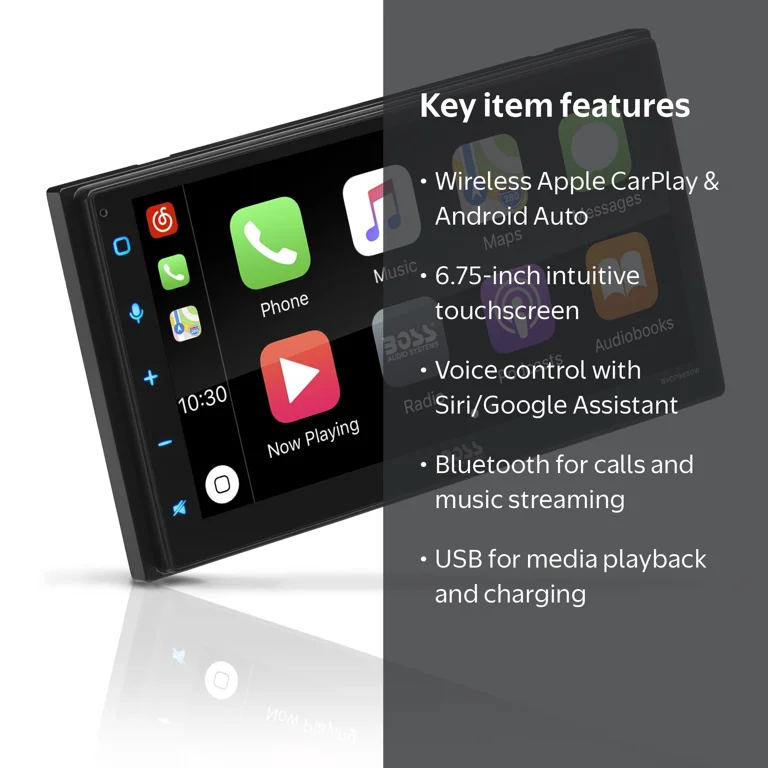
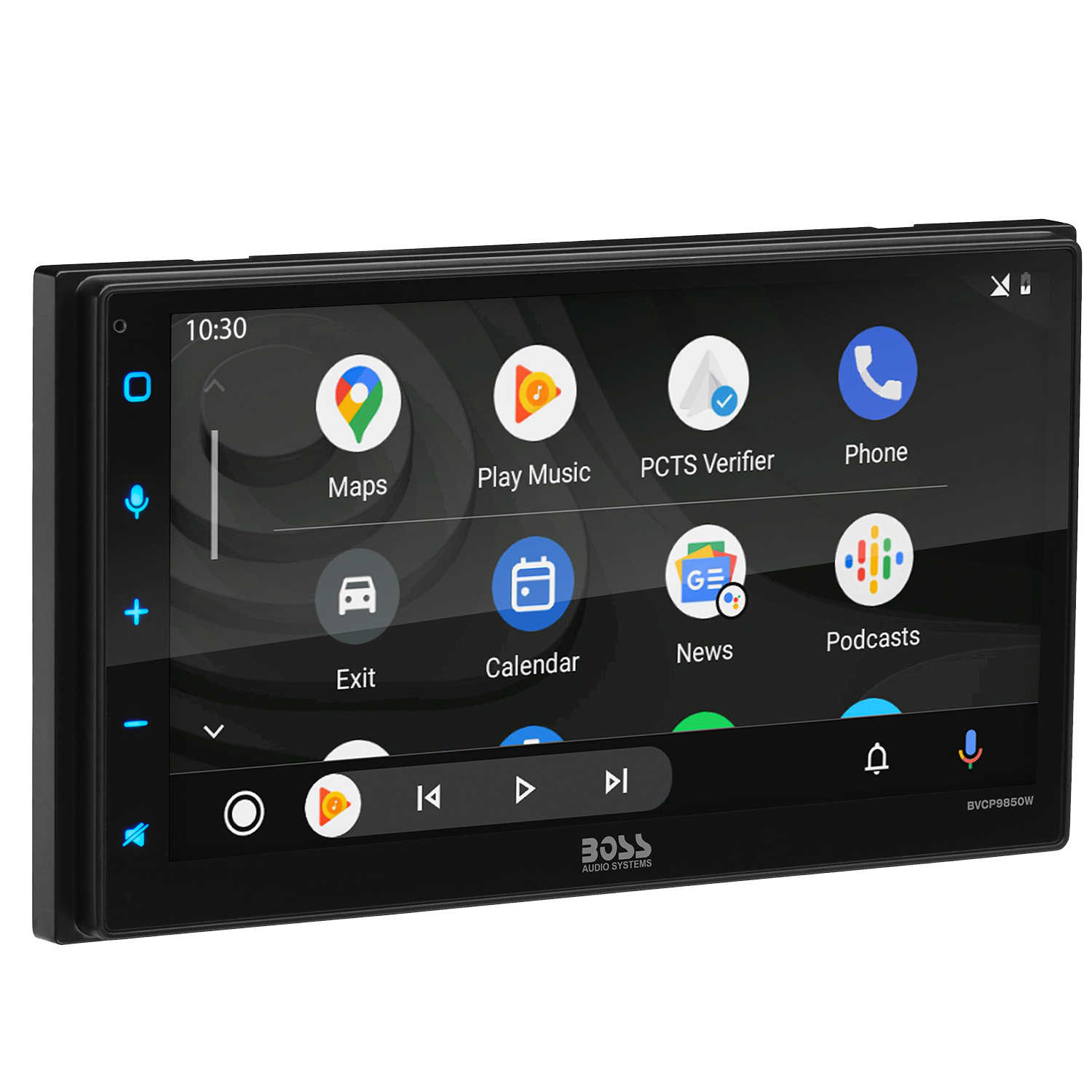
Since the Boss Audio BVCP9850W supports smartphone integration, CarPlay and Android Auto issues are another big part of Boss Audio BVCP9850W troubleshooting. If the feature will not launch, the USB cable is the first thing to inspect.
Use these checks:
- Use a high-quality data cable, not a charge-only cable
- Plug into the correct USB port
- Confirm your phone software is updated
- Check that CarPlay or Android Auto is enabled on the phone
- Restart both the phone and head unit
I have seen many cases where the stereo was blamed, but the real problem was a cheap cable. A cable can charge a phone just fine and still fail at data transfer. That is one of the most frustrating little traps in car audio.
If the app keeps disconnecting, try another cable and another phone if possible. That helps separate a stereo problem from a phone issue. In troubleshooting, isolation is your best friend.
Touchscreen not responding or acting slow
A slow or frozen touchscreen can make the Boss Audio BVCP9850W feel worse than it really is. Most of the time, this happens because of a software glitch, power instability, or a dirty screen.
Here is what helps:
- Wipe the screen with a soft, dry cloth
- Perform a reset
- Check for low battery voltage
- Avoid extreme heat during initial testing
- Remove and reconnect the harness if needed
If the screen responds only some of the time, power quality may be the real problem. Car electronics do not like unstable voltage. Think of it like a conversation with a bad phone signal; the message is there, but the connection keeps dropping.
If you recently installed the unit, review the dash fit too. Pressure from trim panels can cause odd touchscreen behavior if the display is being pushed or flexed.
Backup camera not showing
The backup camera is another area where Boss Audio BVCP9850W troubleshooting often gets tricky. If the camera does not appear when you shift into reverse, the issue may be in the reverse trigger wire, camera power, or video input connection.
Check the following:
- The camera is connected to the correct input
- The reverse wire is getting 12V in reverse
- The camera has a proper power source
- The RCA plug is fully seated
- The camera itself is working
If the screen goes blue or black in reverse, that often means the stereo is receiving the reverse signal but not the camera video. That narrows things down fast. If nothing changes at all, the reverse trigger wiring should be your next stop.
A small wiring mistake here can waste a lot of time. I always recommend testing the camera directly before tearing apart the whole dash again.
Volume, balance, and sound quality issues
Sometimes Boss Audio BVCP9850W troubleshooting is not about failure at all. It is about sound that feels weak, uneven, or muddy. In those cases, the settings may need a careful look.
Check these items:
- Balance and fade settings
- Equalizer presets
- Loudness setting
- Subwoofer output level
- Source quality from Bluetooth or USB
A bad audio file or compressed stream can sound flat even when the head unit is fine. Bluetooth is convenient, but it is not always the cleanest audio path. If sound quality matters most, test USB audio and compare it to Bluetooth playback.
If one side sounds quieter than the other, recheck speaker polarity. A reversed speaker wire can create thin, weak sound that feels like a hardware problem but is really a wiring issue.
Resetting the Boss Audio BVCP9850W safely
Resetting is one of the simplest tools in Boss Audio BVCP9850W troubleshooting. It can clear minor glitches, frozen screens, and odd pairing behavior. But it should be done after basic checks, not as a first guess every time.
Use a reset when:
- The screen freezes
- Bluetooth behaves strangely
- Settings stop responding
- The unit boots into a loop
- The interface feels stuck after a power loss
Before resetting, note any custom settings you want to keep. A reset can erase preferences, paired devices, and tuning changes. That is why I treat it like rebooting a laptop: helpful, but not something to do blindly every day.
If the unit still has problems after a reset, the issue is likely physical. That usually means wiring, vehicle power, or a hardware fault inside the unit.
Installation mistakes that cause repeated issues
A lot of Boss Audio BVCP9850W troubleshooting starts with installation errors that are easy to miss. Even a good stereo can misbehave if the install is sloppy.
Common mistakes include:
- Poor ground connection
- Loose harness pins
- Reversed speaker polarity
- Wrongly connected reverse wire
- Cheap USB extension cables
- Crushed wires behind the dash
One lesson I learned early: do not rush the final dash reassembly. I have seen systems work perfectly on the bench, only to fail once the trim was installed because a wire got pinched. Take a few minutes to test every function before closing everything up.
If you are not comfortable checking wiring, it is better to pause and verify than to force the issue. Car audio is forgiving until it is not, and then it gets expensive fast.
When the unit may need service or replacement
There is a point where Boss Audio BVCP9850W troubleshooting may not solve the issue at home. If the unit has internal damage, persistent boot failure, or a dead display after verified power and ground, service may be needed.
Consider professional help if:
- The unit has proper power but will not start
- The screen is physically damaged
- The unit overheats quickly
- There is repeated smoke, smell, or fuse failure
- Sound cuts out even with correct wiring
Be honest about what you have already tested. That saves time and avoids repeated labor. If the unit is still under warranty, check the terms before opening it up further, since some repairs can affect coverage.
Practical troubleshooting checklist
When I troubleshoot a Boss Audio BVCP9850W, I like to move in layers. That keeps the process simple and avoids random guessing.
Start here:
- Verify vehicle battery health
- Check all fuses
- Confirm power, ignition, and ground
- Test speaker output
- Re-pair Bluetooth
- Try a new USB cable
- Reset the unit
- Inspect the reverse camera wiring
- Look for pinched or loose harness wires
- Test again before reinstalling trim
This kind of step-by-step approach saves time and frustration. It also helps you spot patterns, like a problem that only appears when the engine starts, which often points to voltage drop or grounding trouble.
Frequently Asked Questions of Boss Audio BVCP9850W Troubleshooting
Why is my Boss Audio BVCP9850W not turning on?
The most common cause is a wiring or fuse issue. Check the yellow constant wire, red ignition wire, black ground wire, and the radio fuse first.
Why does my Boss Audio BVCP9850W keep disconnecting Bluetooth?
This is often caused by old saved pairings, weak signal, or phone software glitches. Delete the stereo from your phone, restart both devices, and pair again from scratch.
Why is there no sound from my Boss Audio BVCP9850W?
No sound usually points to speaker wiring, mute settings, or amplifier turn-on problems. Make sure the volume is up, the speakers are wired correctly, and any external amp is receiving a remote signal.
Why does my backup camera not show on the Boss Audio BVCP9850W?
The reverse trigger wire, camera power, or video cable is usually the issue. Confirm the camera gets power in reverse and that the RCA connection is seated properly.
How do I reset the Boss Audio BVCP9850W?
A reset is usually done with the unit’s reset function or button, depending on the installation and model setup. Use it after checking power and wiring, since it can clear saved settings and paired devices.
Why does CarPlay or Android Auto not work?
The most common cause is a bad USB cable or a phone compatibility issue. Try a certified data cable, update your phone, and confirm you are using the correct USB port.
Conclusion
Boss Audio BVCP9850W troubleshooting gets much easier when you focus on the basics first. Most problems come down to power, ground, wiring, Bluetooth setup, USB cables, or a simple reset, not a major failure.
The best approach is calm, step-by-step testing. Check the wiring, verify the source, and isolate one issue at a time until the system behaves the way it should. If you take your time now, you will save yourself a lot of frustration later.
If this guide helped, use the checklist on your own unit, compare notes with your install, and share your results with others who may be stuck on the same problem.





