Most BE7ACP issues come from wiring, settings, power, or a simple factory reset.
If you are dealing with Boss Audio Elite BE7ACP troubleshooting, the good news is that many problems are easy to trace once you know where to look. I have seen this model act up for the same handful of reasons again and again: loose connections, weak power, bad ground, phone pairing glitches, and setup mistakes after installation. In this guide, I’ll walk you through the most common faults, what they mean, and how to fix them with calm, practical steps that actually save time.

49% off Today's Exclusive Deals
Limited-time Exclusive Deals. Check current discount on Amazon.
Check Price on Amazon As an Amazon Associate I earn from qualifying purchases.
What the Boss Audio Elite BE7ACP Is and Why Troubleshooting Matters
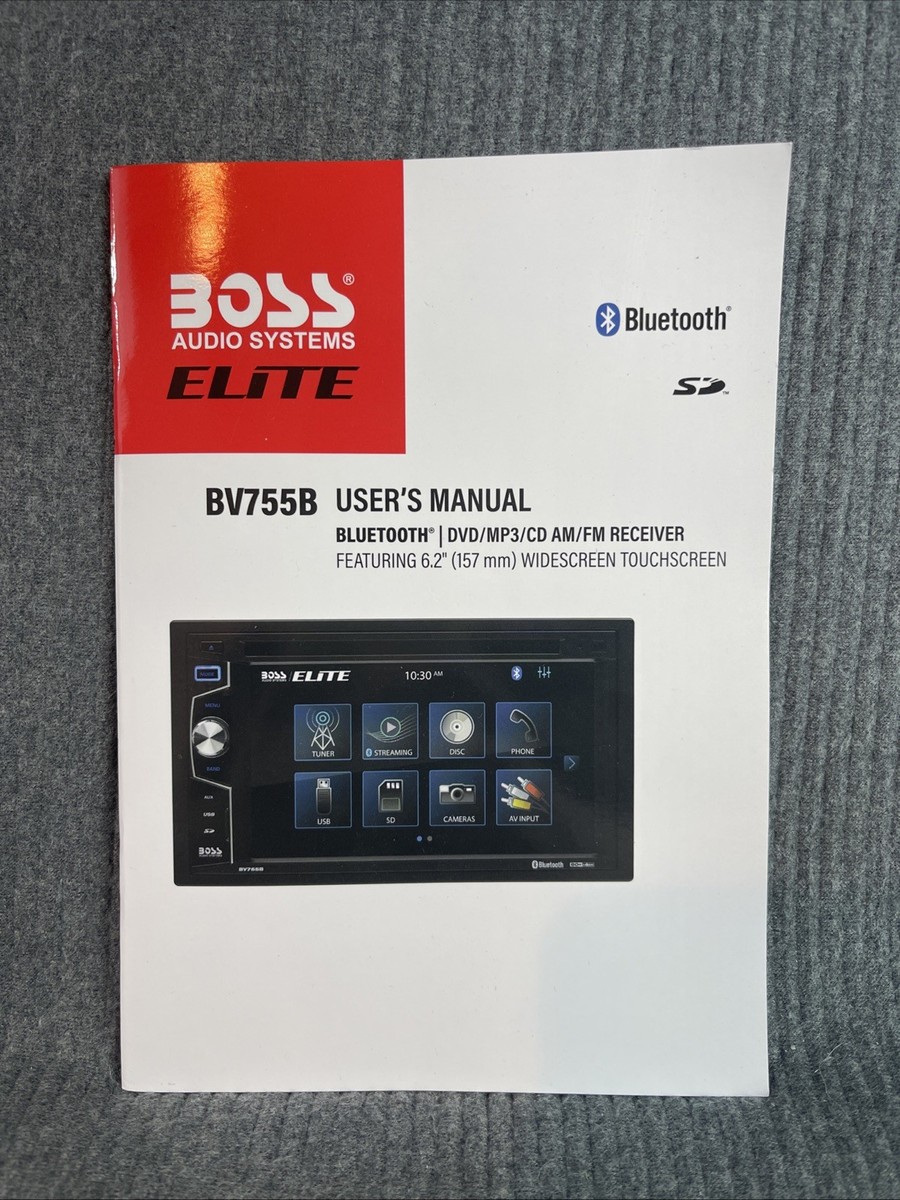
The Boss Audio Elite BE7ACP is a car multimedia receiver built for Apple CarPlay, Android Auto, Bluetooth audio, camera input, and touchscreen control. Like most modern head units, it depends on clean power, proper wiring, and correct software or phone settings to work well. When one of those pieces slips, the whole unit can seem broken even when it is not.
In my experience, people often assume the radio itself is faulty when the real issue is outside the unit. A loose harness, a weak fuse, or a phone that will not pair correctly can create the same symptoms as a dead screen. That is why Boss Audio Elite BE7ACP troubleshooting works best when you follow a simple process instead of guessing.
49% off Today's Exclusive Deals
Limited-time Exclusive Deals. Check current discount on Amazon.
Check Price on Amazon As an Amazon Associate I earn from qualifying purchases.Common Boss Audio Elite BE7ACP Problems
Most BE7ACP problems fall into a few predictable groups. Once you know the pattern, the fix gets much easier.
Unit does not turn on
This is usually a power or ground issue. The radio may have no constant 12V power, no ignition signal, or a bad ground connection.
Touchscreen is frozen or unresponsive
A frozen screen often points to a software glitch, a failed boot, or low voltage during startup. Sometimes the display is fine, but the unit needs a reset.
No sound from speakers
This can happen when the speaker wires are wrong, the amp is not turning on, or a setting like fader, balance, or volume limit is off. It can also happen if the external amplifier is not receiving a remote signal.
49% off Today's Exclusive Deals
Limited-time Exclusive Deals. Check current discount on Amazon.
Check Price on Amazon As an Amazon Associate I earn from qualifying purchases.Bluetooth will not connect
Bluetooth problems often come from old pairings, phone-side glitches, or the head unit not being put into pairing mode correctly. I have seen a simple delete-and-repair fix this more than once.
CarPlay or Android Auto will not launch
This usually comes down to a bad USB cable, the wrong USB port, phone permissions, or a phone software issue. Not all charging cables support data, so that detail matters more than people expect.
Camera does not display
Backup camera issues are often caused by wiring, reverse trigger problems, or an incorrect camera format. The camera may work, but the head unit never gets the signal to show it.
First Checks Before You Dig Deeper
Before opening panels or swapping parts, start with the basics. These checks solve a large share of Boss Audio Elite BE7ACP troubleshooting cases.
-
Check the fuse
A blown fuse can cut power to the unit completely. Inspect both the vehicle fuse and any inline fuse near the radio harness. -
Confirm the wiring harness
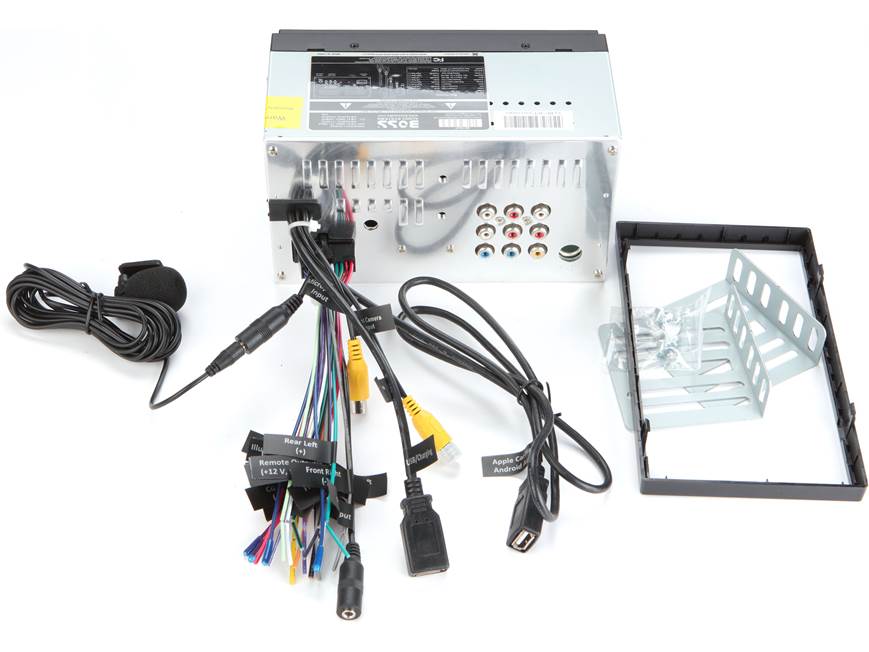
Make sure the constant power, ignition power, ground, speaker wires, and remote wire are connected correctly. A single crossed wire can create strange behavior. -
Look at the ground point
A weak ground is a classic problem. The ground wire should be short, tight, and attached to clean bare metal. -
Test the battery voltage
Low vehicle voltage can cause boot issues, screen freezes, and audio dropouts. If the battery is weak, the head unit may act unstable. -
Restart the unit and phone
Sometimes the fix is simple. Turn the car off, wait a minute, restart the receiver, and reboot your phone.
How to Fix a Boss Audio Elite BE7ACP That Will Not Power On
When the BE7ACP will not power on, I always start with power path testing. Think of it like checking water flow in a pipe: if the pressure is missing at one point, the whole system stops.
Step by step power check
-
Verify the yellow wire has constant 12V
This wire keeps memory and standby power alive. If it is dead, the unit may not retain settings or turn on properly. -
Verify the red wire has switched 12V
The red accessory wire tells the unit to wake up with the ignition. If this wire does not get voltage, the screen may stay dark. -
Check the black ground wire
If the ground is weak or painted over, the unit may not complete startup. Use bare metal and tighten the connection well. -
Inspect the fuse near the radio
Some installers miss a small blown fuse in the harness. Replace it with the same rating only. -
Test the connector pins
Bent or loose pins can interrupt power. Reseat the harness carefully.
What I learned the hard way
The first time I chased a “dead” receiver, the problem was not the radio at all. The ground screw had bite on painted metal, so the unit had just enough power to tease me, but not enough to start. That kind of fault wastes hours if you skip the basics.
How to Fix a Frozen or Blank Screen
A frozen touchscreen is annoying, but it does not always mean the unit has failed. Many times, the device is stuck in a bad boot state after low voltage or a firmware hiccup.
Try these fixes
-
Perform a reset
Use the reset pinhole if your unit has one. Press it gently with a paperclip for a few seconds. -
Turn the vehicle off fully
Remove the key, open the door, and let the unit shut down. Then restart after a short wait. -
Disconnect the battery briefly
If safe for your vehicle, disconnecting the battery for a short period may clear a locked state. Only do this if you are comfortable with the risks, since some cars lose memory settings. -
Check for unstable voltage
A weak alternator or battery can cause random freezes. Voltage swings are hard on touchscreen units. -
Inspect the display ribbon and harness
If the screen is black but the unit has power, there may be a physical connection issue inside or behind the dash.
When the screen is still blank
If the unit powers on but the display remains dark, the backlight, display board, or internal panel may need service. At that point, it is smart to contact support or a qualified installer instead of forcing parts.
How to Fix No Sound or Low Sound
Audio issues can be misleading. The head unit may look fine, but one wrong setting or wiring mistake can make the system seem dead.
Check the obvious settings first
• Make sure the volume is up
• Confirm mute is off
• Check balance and fader settings
• Review EQ and loudness options
• Make sure the source is actually playing audio
Check the wiring next
• Confirm each speaker wire is paired correctly
• Make sure no speaker wire is shorting to ground
• Check for pinched wires behind the dash
• Verify the amplifier remote wire if you use an external amp
• Inspect RCA outputs if the system uses them
Real-world example
I once helped with a BE7ACP install where the front speakers sounded silent. The problem was not the radio, not the speakers, and not the amp. The installer had accidentally reversed the front and rear pairs, so the owner kept checking the wrong channels.
Bluetooth Pairing Problems and Fixes
Bluetooth should feel easy, but it can be surprisingly stubborn. The best Boss Audio Elite BE7ACP troubleshooting method here is to clear old pairings and start fresh.
Steps to fix Bluetooth
-
Delete the pairing on your phone
Remove the BE7ACP from your saved Bluetooth devices list. -
Clear old device memory on the radio
If the unit has saved connections, remove them too. -
Put the receiver in pairing mode
Make sure the head unit is actively looking for a new device. -
Restart both devices
A simple reboot often clears hidden pairing bugs. -
Keep the phone close
Start the pairing process with the phone near the dash.
Common Bluetooth causes
• Too many saved devices
• An outdated phone software version
• Interference from nearby Bluetooth devices
• Bad initial pairing from a past setup
• A phone permission issue
If Bluetooth connects but drops out often, look at power stability first. Weak voltage can interrupt wireless features just like it interrupts the screen.
CarPlay and Android Auto Troubleshooting
CarPlay and Android Auto depend on good USB data and phone settings. This is where many people get stuck because a charging cable can look right but still fail data transfer.
What to check
-
Use a real data cable
Some cables charge but do not support data. Try a short, good-quality cable. -
Use the correct USB port
If your install has more than one USB lead, make sure you use the one meant for smartphone connection. -
Unlock the phone
Some phones need to be unlocked before CarPlay or Android Auto starts. -
Check app permissions
The phone may block the connection until permissions are approved. -
Update your phone
Old phone software can break compatibility even when the receiver is fine.
Why this matters
Industry guidance from phone and accessory makers has been clear for years: software updates, certified cables, and proper permissions solve many connection problems. That matches what I have seen in the field. The hardware gets blamed first, but the cable is often the real villain.
Camera and Reverse Input Problems
If your backup camera does not appear when shifting into reverse, do not assume the camera is bad right away. The issue may be in the trigger wire or video path.
Troubleshooting steps
• Check the reverse trigger wire connection
• Confirm the camera gets power when the car is in reverse
• Inspect the video RCA connection
• Make sure the camera format matches the unit settings
• Test the camera on a known good monitor if possible
Signs of a wiring issue
• The screen stays black in reverse
• The image flashes but does not hold
• The camera works only sometimes
• The image is upside down or mirrored incorrectly
I have seen backup camera faults caused by a loose splice near the tail light more often than by a bad camera itself. That is why it pays to trace the full path from the camera to the dash.
Reset, Firmware, and Software Tips
Sometimes Boss Audio Elite BE7ACP troubleshooting needs a reset more than a repair. Software glitches can happen after low voltage, a failed connection, or an odd phone update.
Try these software steps
-
Use the reset button
A reset can clear temporary errors without changing the full install. -
Check for firmware updates
If your model supports updates, use the proper process from the manufacturer. -
Restore default settings
If audio, display, or phone settings are tangled, a reset to defaults can help. -
Rebuild phone connections
After resetting, pair devices again from scratch.
A simple warning
Do not update firmware randomly from unverified files. Bad files can make a working receiver worse. Stick to official instructions and keep power stable during any update.
Preventing Future Problems
Good troubleshooting is helpful, but prevention saves the most time.
• Use quality crimp connectors or solder and heat shrink
• Keep the ground short and clean
• Secure the harness so it does not tug behind the dash
• Use a proper data cable for CarPlay and Android Auto
• Avoid draining the vehicle battery for long periods
• Check voltage before blaming the unit
• Save your preferred settings after installation
A clean install is like a strong foundation under a house. If the base is solid, the rest of the system is much less likely to shake apart.
When to Replace the Unit or Get Help
There comes a point where troubleshooting should stop. If you have verified power, ground, wiring, settings, and resets, then the issue may be internal.
You should seek help if:
• The unit smells burnt
• It overheats quickly
• The screen stays black after proper power is confirmed
• The audio section fails after correct wiring checks
• Physical damage is visible
• The unit works only when pressed or moved
At that stage, a professional installer or support technician can save you from replacing parts blindly. That is often cheaper than guessing.
Frequently Asked Questions of Boss Audio Elite BE7ACP Troubleshooting
Why does my Boss Audio Elite BE7ACP keep restarting?
This usually means the unit is losing power or ground for a moment. Check the battery voltage, fuse, ground connection, and accessory wire first.
Why is there no sound from my BE7ACP?
The most common causes are wrong speaker wiring, muted audio settings, or an amplifier that is not turning on. Also confirm that the speakers themselves are connected to the correct outputs.
Why won’t my phone connect to CarPlay or Android Auto?
A bad USB cable, wrong port, or phone permission issue is often the cause. Try a certified data cable, unlock your phone, and reconnect after deleting old pairings.
How do I reset the Boss Audio Elite BE7ACP?
Use the reset button if your unit has one, usually with a small pin or paperclip. If that does not help, power the vehicle off completely and restart the system.
Why does my backup camera not show when I shift into reverse?
The reverse trigger wire may not be connected, or the camera may not be getting power. It can also happen if the video cable is loose or the camera format is set wrong.
Can low car battery voltage affect the BE7ACP?
Yes, low voltage can cause screen freezes, boot problems, and random reboots. If the battery is weak or the alternator is unstable, the receiver may act unreliable.
Conclusion
Boss Audio Elite BE7ACP troubleshooting gets much easier when you work in a steady order: power, ground, wiring, settings, then software. In many cases, the issue is not a failed unit at all, but a small connection, a weak cable, or a phone setting that blocks normal operation. Once you know the patterns, the fixes feel less like guesswork and more like a clean checklist.
If you are dealing with this receiver right now, start with the simplest checks and move one step at a time. That approach saves money, cuts frustration, and helps you avoid unnecessary part swaps. If this guide helped, bookmark it, share it with a friend, or leave a comment with the issue you are seeing so you can keep troubleshooting with confidence.





