Most Kenwood KMM-BT332U problems come from wiring, pairing, settings, or a simple reset.
If you are dealing with Kenwood KMM-BT332U troubleshooting, you are not alone. I have seen this model act up in the same handful of ways again and again, from Bluetooth pairing issues to no power, no sound, and display problems. The good news is that most fixes are simple once you know where to look.

49% off Today's Exclusive Deals
Limited-time Exclusive Deals. Check current discount on Amazon.
Check Price on Amazon As an Amazon Associate I earn from qualifying purchases.
Common Kenwood KMM-BT332U Problems and What They Usually Mean
The Kenwood KMM-BT332U is a solid digital media receiver, but like most car stereos, it depends on clean power, correct wiring, and proper setup. When something goes wrong, the cause is usually not the radio itself. It is often a loose connection, a bad fuse, a phone setting, or a speaker issue.
Here are the most common symptoms I have run into while helping with Kenwood KMM-BT332U troubleshooting:
49% off Today's Exclusive Deals
Limited-time Exclusive Deals. Check current discount on Amazon.
Check Price on Amazon As an Amazon Associate I earn from qualifying purchases.- No power at all, often caused by a blown fuse or poor wiring
- Bluetooth will not connect, often caused by phone pairing conflicts
- No sound, which may point to speaker wiring or mute settings
- Display issues, which can happen after low voltage or a reset problem
- USB or aux problems, often related to the cable, device, or source setting
In my experience, people often assume the head unit has failed when the real issue is much simpler. A quick check of the power wire, ground wire, and fuse solves more cases than most people expect.

Start with the Basics Before You Replace Anything
Before digging deep into Kenwood KMM-BT332U troubleshooting, check the simple stuff first. This saves time and keeps you from replacing parts you do not need.
Use this basic checklist:
49% off Today's Exclusive Deals
Limited-time Exclusive Deals. Check current discount on Amazon.
Check Price on Amazon As an Amazon Associate I earn from qualifying purchases.- Turn the ignition key fully to accessory or on
- Check the stereo fuse and the vehicle fuse
- Make sure the yellow constant power wire has power
- Make sure the red accessory wire gets switched power
- Confirm the black ground wire is solid and clean
- Inspect the speaker wires for shorts or loose ends
I once spent nearly an hour chasing a “dead” radio only to find the ground wire was attached to painted metal. That one mistake made the whole unit look broken. A clean metal ground is small, but it matters a lot.
If the unit powers on but acts strange, try a soft reset first. Many electronic issues clear up after the radio is restarted or reset.
Kenwood KMM-BT332U Troubleshooting for No Power
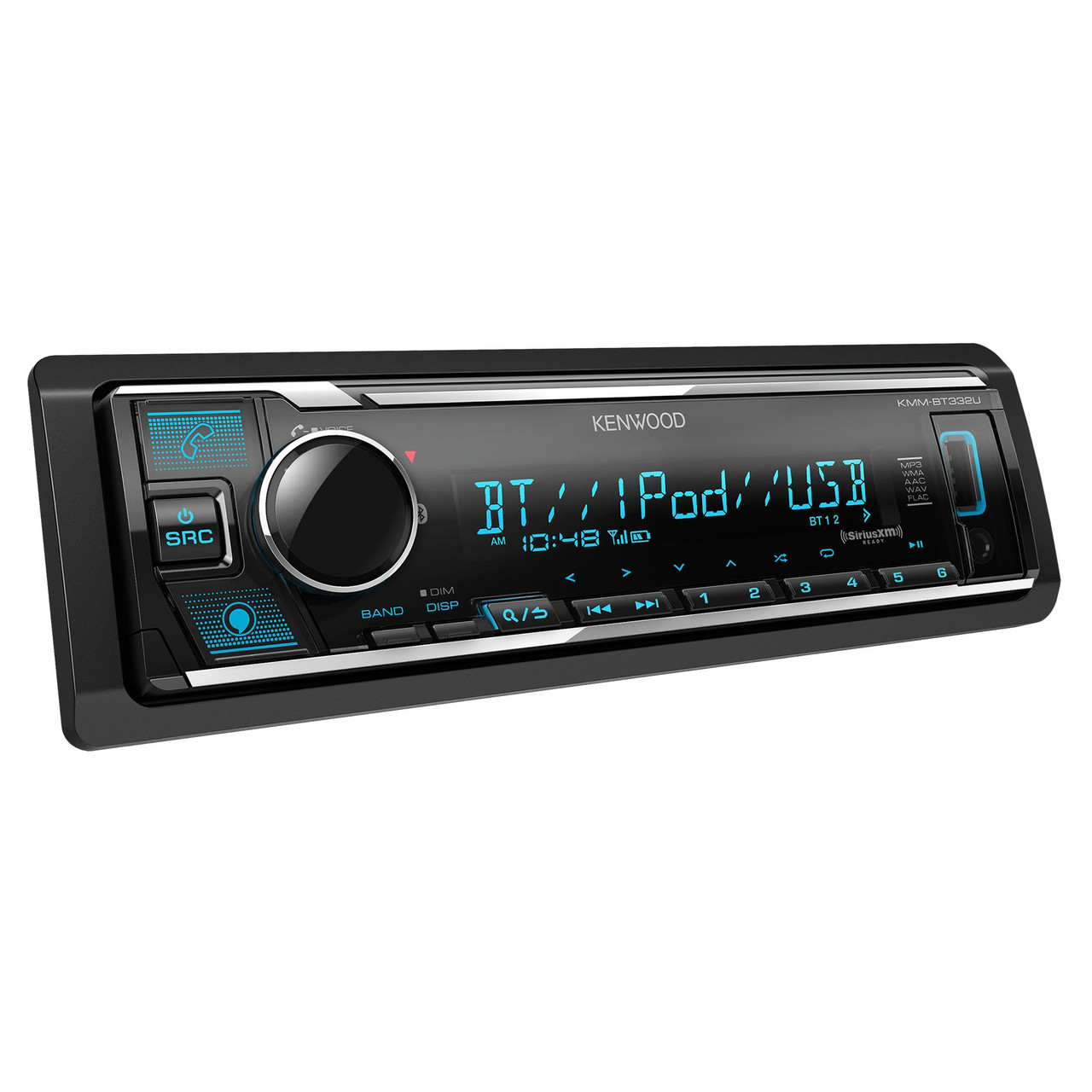
If your Kenwood KMM-BT332U will not turn on, the problem is usually in the power path. That means the issue is likely with wiring, fuses, or the vehicle’s accessory circuit.
Try these steps:
- Check the fuse on the back of the stereo
- Check the car’s fuse box for a blown radio or accessory fuse
- Test the yellow wire for constant 12V power
- Test the red wire for switched 12V power
- Test the black ground wire for a solid connection
- Look for pinched or damaged wires behind the dash
A multimeter is your best friend here. If you do not have one, even a simple 12V test light can help. The key is to confirm that power is actually reaching the unit, not just assuming it is.
A lot of no-power cases happen after an installation change, battery disconnect, or dash work. I have seen this more than once after a remote starter install or a trim panel removal. The stereo was fine. The wiring was not.
If the Fuse Keeps Blowing
If the fuse blows again right away, stop and inspect the wiring carefully. That usually means there is a short circuit somewhere.
Look for:
- Bare wire touching metal
- Speaker wires crossed or damaged
- Incorrect wire splicing
- A crushed harness behind the dash
Do not keep replacing fuses over and over. That can waste time and may hide a bigger wiring problem.
Kenwood KMM-BT332U Troubleshooting for Bluetooth Pairing Problems
Bluetooth issues are one of the most searched parts of Kenwood KMM-BT332U troubleshooting. The good news is that most pairing problems are caused by saved device history, phone settings, or a simple pairing mismatch.
Try this process:
- Delete the Kenwood unit from your phone’s Bluetooth list
- Delete the phone from the Kenwood pairing memory
- Turn Bluetooth off on other nearby devices
- Put the stereo into pairing mode
- Reconnect the phone from scratch
- Restart the phone if it still fails
Some phones hold onto old pairing data like a stubborn habit. If the connection worked before and then stopped, clearing both sides usually helps. I have had better results after removing the device from both the phone and the radio before trying again.
Also check these points:
- Make sure Bluetooth is turned on in the phone
- Confirm the stereo is in the Bluetooth source mode
- Update the phone operating system if it is very old
- Keep the phone close to the head unit during pairing
- Avoid pairing while the car battery voltage is low
If the stereo pairs but audio drops out, the issue may be interference, distance, or a weak phone connection. Keep the phone in the cabin and not buried under metal objects or in the trunk.
Kenwood KMM-BT332U Troubleshooting for No Sound
A Kenwood KMM-BT332U that powers on but makes no sound can be frustrating. This is one of those problems that feels bigger than it is, because the screen may look normal while audio stays silent.
Check these common causes:
- Volume is turned down or mute is on
- The wrong source is selected
- Speaker wires are loose or shorted
- External amp remote wire is not triggering the amplifier
- Fader or balance settings are set wrong
- The speakers themselves are damaged
Start with the easy checks. Make sure the unit is not muted and the volume is up. Then confirm the source, because a radio on Bluetooth, USB, or tuner can seem silent if the connected device is paused or disconnected.
If you use an amplifier, check the remote turn-on wire. I have seen installs where the head unit worked perfectly, but the amp never woke up. That made the whole system seem dead when the stereo was actually doing its job.
Speaker Wiring Checks
Speaker wiring problems are common after aftermarket installs. A single crossed wire can trigger protection mode or kill the sound completely.
Inspect for:
- Positive and negative speaker wires touching
- Loose crimp connectors
- Damaged insulation
- Incorrect speaker polarity
If possible, test one speaker at a time. That makes it easier to find the bad side without guessing.
Kenwood KMM-BT332U Troubleshooting for Display or Screen Issues
If the display is dim, blank, or acting odd, do not panic. A display issue does not always mean the unit is failing. In many cases, voltage or settings are to blame.
Try these steps:
- Check vehicle voltage
- Dimmer settings
- Reset the unit
- Inspect the harness connection
- Remove and reconnect the faceplate if applicable
Low voltage can make a stereo behave strangely. I have seen displays flicker when a battery was weak or when the car was first started after sitting for days. Once voltage returned to normal, the screen behaved again.
If the screen stays black but the unit has power, check the brightness or dimmer settings in the menu. Sometimes the display is not broken. It is just set too low to see clearly in daylight.
Kenwood KMM-BT332U Troubleshooting for USB and Aux Issues
USB and aux problems usually come down to the cable, the device, or the source setting. The receiver itself is often fine.
Try these fixes:
- Use a different USB cable
- Test a different phone or flash drive
- Make sure the file format is supported
- Clean the USB port gently
- Confirm the source is switched to USB or AUX
For USB playback, not every drive or file type behaves the same way. Some flash drives draw too much power or are formatted in a way the unit does not like. I have had better luck with simple drives formatted correctly and loaded with standard audio files.
If aux input is silent, make sure the connected device volume is up and the correct source is selected on the stereo. A very low phone output can sound like a stereo problem when it is really just the device volume.
When the Unit Goes Into Protection Mode
Protection mode is the stereo’s way of saying something is wrong, usually in the wiring or speaker load. This is a helpful feature because it protects the hardware from damage.
Common causes include:
- Speaker wire short
- Too low speaker impedance
- Damaged speaker
- Bad amplifier connection
- Overheating
If protection mode happens, disconnect the speaker wires and test the unit again. If the problem goes away, the issue is in the speaker side, not the radio itself. That is a useful way to narrow it down fast.
I always tell people not to ignore protection mode. It is the stereo’s warning light. Like a check engine light, it is telling you to look deeper before the real damage starts.
How to Reset the Kenwood KMM-BT332U
A reset can fix many small software or memory issues. It is a simple step, but it often gets skipped.
Use a reset when:
- Bluetooth acts stuck
- Settings seem broken
- The screen freezes
- The unit behaves oddly after a battery disconnect
Before resetting, note any custom settings you want to keep. A reset may clear saved connections and preferences. That is usually a fair trade if it brings the unit back to normal.
After the reset, set up Bluetooth again from scratch. Fresh pairing often works better than trying to force an old connection to cooperate.
Preventing Future Problems
Good Kenwood KMM-BT332U troubleshooting is not just about fixing problems. It is also about preventing them from coming back.
Here are some habits that help:
- Use proper crimp connectors or soldered joints
- Keep the ground wire short and clean
- Avoid stuffing wires tightly behind the dash
- Protect connections with electrical tape or heat shrink
- Update your phone if Bluetooth gets buggy
- Keep the battery and charging system healthy
A clean install makes a big difference. Many of the issues I have seen over the years were not product failures. They were installation issues that slowly showed up later.
Think of the radio like a kitchen appliance. If it has stable power and clean connections, it usually works without drama. When wiring is messy, the problems start showing up one by one.
When to Seek Professional Help
Some Kenwood KMM-BT332U troubleshooting can be done at home. But not every issue is worth fighting alone.
Get help if:
- The fuse blows repeatedly
- The wiring is complex or modified
- An external amplifier is involved
- You suspect a vehicle electrical problem
- The unit shows no sign of life after basic checks
A professional installer can test the harness, speakers, and voltage faster with the right tools. That can save time and prevent accidental damage.
Frequently Asked Questions of Kenwood KMM-BT332U Troubleshooting
Why is my Kenwood KMM-BT332U not turning on?
The most common cause is a power or ground issue. Check the fuses, the yellow constant wire, the red accessory wire, and the black ground wire before assuming the unit is bad.
Why won’t my phone connect to Bluetooth?
Old pairing data is usually the reason. Remove the device from both the phone and the stereo, then pair again from scratch.
Why is there power but no sound?
This often means a speaker wire issue, muted audio, or an amplifier problem. Check the source, volume, fader settings, and wiring first.
Why does the screen stay blank or dim?
Low voltage, dimmer settings, or a loose harness can cause display problems. A reset and a voltage check are good next steps.
Can a reset fix Kenwood KMM-BT332U problems?
Yes, a reset can clear stuck settings, Bluetooth glitches, and minor software issues. It will not fix broken wiring, but it is worth trying early.
Conclusion
Kenwood KMM-BT332U troubleshooting gets much easier when you work from the basics outward. In most cases, the fix comes down to power, ground, Bluetooth pairing, speaker wiring, or a simple reset. Once you break the problem into small steps, the radio stops feeling mysterious and starts acting like a system you can actually diagnose.
The main takeaway is simple: do not jump straight to replacing the head unit. Check the wiring, test the power, clear old Bluetooth pairings, and verify the source settings first. If you take your time and follow a steady process, you will solve most issues without stress.
If this guide helped, keep exploring more car audio tips, share your own Kenwood KMM-BT332U troubleshooting experience, or leave a comment with the exact problem you are seeing.





