Most Dual Electronics XRM59BT issues come from wiring, Bluetooth pairing, power, or speaker connection problems.
If you are dealing with Dual Electronics XRM59BT troubleshooting, you are probably trying to get your stereo back to normal fast. I have worked through enough head unit installs and car audio glitches to know that this model is usually easy to fix once you narrow down the cause. In this guide, I’ll walk you through the most common problems, the real fixes, and the small checks that save the most time.

49% off Today's Exclusive Deals
Limited-time Exclusive Deals. Check current discount on Amazon.
Check Price on Amazon As an Amazon Associate I earn from qualifying purchases.
Common Dual Electronics XRM59BT Troubleshooting Basics
The Dual Electronics XRM59BT is a simple digital media receiver, but simple systems still need the right setup. Most problems happen during installation, Bluetooth pairing, or power delivery. When I troubleshoot one of these units, I always start with the basics because that is where the real answer usually hides.
A good troubleshooting process should follow this order:
49% off Today's Exclusive Deals
Limited-time Exclusive Deals. Check current discount on Amazon.
Check Price on Amazon As an Amazon Associate I earn from qualifying purchases.- Check power first
- Check wiring next
- Check the speakers
- Check Bluetooth and source settings
- Check the fuse and reset the unit if needed
That order matters because many people jump straight to Bluetooth when the real issue is a loose ground wire or a blown fuse. I’ve seen that mistake more than once, and it can waste a lot of time.
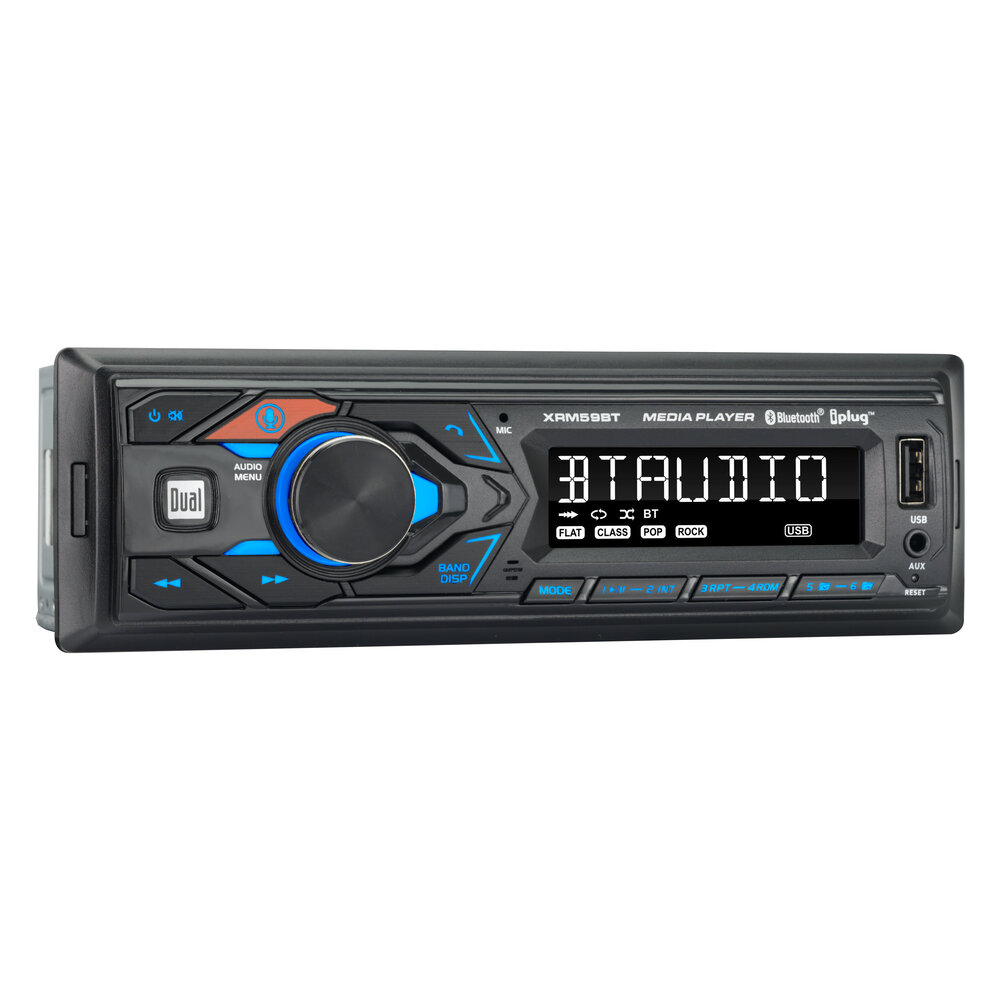
Dual Electronics XRM59BT Not Turning On
If your Dual Electronics XRM59BT will not power on, the issue is usually electrical. This often means the unit is not getting constant power, accessory power, or a solid ground. In car audio, a head unit is like a lamp with three legs; if one leg is missing, nothing works right.
Here is what to check:
49% off Today's Exclusive Deals
Limited-time Exclusive Deals. Check current discount on Amazon.
Check Price on Amazon As an Amazon Associate I earn from qualifying purchases.- Make sure the yellow wire has constant 12V power
- Make sure the red wire gets switched accessory power
- Make sure the black wire is firmly grounded to clean metal
- Check the inline fuse and the vehicle fuse box
- Inspect for pinched or damaged wiring behind the dash
If I had to name the most common mistake, it would be a weak ground. A ground that looks connected but is actually painted, rusty, or loose can make the unit act dead or unstable. Scrape the metal clean, tighten the connection, and test again.
Dual Electronics XRM59BT No Sound or Low Sound
No sound is one of the most frustrating problems because the radio looks like it is working fine. The display may light up, Bluetooth may connect, and the volume may even show movement, but nothing comes out of the speakers. That usually points to speaker wiring, mute settings, balance/fader settings, or an external amplifier issue.
Try these checks:
- Confirm the volume is up and the unit is not muted
- Reset balance and fader to center
- Verify each speaker wire is connected correctly
- Make sure speaker wires are not touching each other
- Check whether the unit is connected to an amplifier that is turned off
One lesson I learned early is that “no sound” does not always mean “bad stereo.” Many times the system is fine, but the output path is broken. If you are using an amplifier, also check the remote turn-on lead. If that wire is not sending a signal, the amp stays asleep.
Dual Electronics XRM59BT Bluetooth Pairing Problems
Bluetooth issues are very common with the Dual Electronics XRM59BT troubleshooting process. The good news is that most pairing problems are not permanent. They usually come down to old saved connections, phone settings, or a Bluetooth module that needs a fresh start.
Use this checklist:
- Delete the XRM59BT from your phone’s saved Bluetooth list
- Turn Bluetooth off and back on your phone
- Put the unit in pairing mode again
- Clear any old paired devices from the stereo, if available
- Restart both the phone and the head unit
A practical tip from real-world use: do not keep trying to pair over and over without clearing old records. Phones can “remember” bad connections, just like people remember bad directions. Start fresh, and the connection often returns right away.
Bluetooth connects but audio skips or cuts out
If the phone pairs but music stutters, the problem may be distance, interference, or phone compatibility. Keep the phone close to the receiver during testing and remove other active Bluetooth devices nearby. If the problem continues, test with a second phone to see whether the issue is with the stereo or the phone.
Dual Electronics XRM59BT Display Issues
A dim, blank, or flickering display can make the whole unit seem broken. In many cases, the unit is still on, but the screen brightness, wiring, or power supply is unstable. Temperature and voltage swings can also affect the display.
Check the following:
- Make sure the dimmer setting is not set too low
- Confirm stable power and ground connections
- Inspect the fuse and wiring harness
- Look for bent pins or loose plugs behind the unit
- Test the unit after the car has been running for a few minutes
I once saw a display flicker because the harness connector was barely seated. It looked fully plugged in, but one side was not locked. A small push solved it. That is why it helps to physically inspect every connection instead of just assuming it is fine.
Dual Electronics XRM59BT Keeps Resetting
A stereo that keeps resetting usually has a power interruption. The most common causes are a loose yellow wire, a bad accessory feed, or a failing ground. If the clock resets, presets vanish, or the unit reboots when you hit a bump, power delivery is the first thing to investigate.
Look for these signs:
- The unit resets when driving over rough roads
- Presets disappear after the car is off
- The stereo restarts when volume is increased
- The screen flickers before rebooting
A loose connection can act like a broken bridge. The power is there one second and gone the next. Recheck the harness, tighten the ground, and inspect the fuse holder for corrosion or poor contact.
Dual Electronics XRM59BT Sound Quality Problems
Sometimes the unit works, but the sound is muddy, weak, or distorted. In my experience, this often comes from speaker mismatch, poor wiring, or excessive bass settings. The XRM59BT is not meant to fix bad speakers, so weak factory speakers can still sound rough even with a working receiver.
Try these steps:
- Lower bass and loudness settings
- Check speaker polarity
- Make sure no speaker wire is shorting to ground
- Test one speaker at a time
- Use known-good speakers if possible
If distortion happens only at higher volume, the source may be clipping. Turn down bass boost and avoid maxing out the volume. A clean signal is always better than a loud but ugly one.
Dual Electronics XRM59BT USB, AUX, and Media Playback Issues
If USB or AUX input is not working, the issue may be the cable, the file format, or the input selection. This is a common part of Dual Electronics XRM59BT troubleshooting because external sources are easy to overlook. People often blame the stereo when the problem is actually the cable.
Here is what to test:
- Try a different USB cable or flash drive
- Check whether the device is formatted correctly
- Make sure the stereo is on the right source
- Test another phone or music player
- Inspect the AUX cable for damage
For USB playback, stick to common file formats and simple folder structures. Too many files or odd file names can cause trouble on some head units. Keep it simple while testing, then build up from there.
Dual Electronics XRM59BT Button or Control Problems
If the buttons stop responding or the controls feel strange, the issue may be dirt, moisture, or a frozen unit. Sometimes the faceplate or internal microcontroller just needs a reset. Before assuming the worst, do a soft reset and test the controls again.
Helpful steps include:
- Remove and reattach the faceplate if applicable
- Use the reset button if the unit has one
- Disconnect power briefly and reconnect
- Check for stuck or damaged buttons
- Avoid moisture near the front panel
The best lesson here is not to force buttons. Hard pressing usually makes things worse. Gentle testing and a proper reset are safer and more effective.
How to Reset the Dual Electronics XRM59BT
A reset can solve many small software glitches. If the unit is frozen, not pairing, or acting odd after power loss, a reset is often worth trying before deeper repairs. Think of it like restarting a phone that has gotten confused.
Follow these general steps:
- Turn the vehicle off
- Locate the reset button on the unit
- Press it carefully with a small pointed tool
- Wait for the unit to reboot
- Recheck settings, Bluetooth, and audio sources
Keep in mind that a reset may erase saved settings or paired devices. That is normal. After the reset, set the clock, reconnect Bluetooth, and test the sound again.
Preventing Future Problems
Good troubleshooting is useful, but preventing the issue is even better. In car audio, most problems start with rushed installs, weak wiring, or poor cable routing. A little patience now can save hours later.
Use these prevention tips:
- Secure all wiring with proper connectors
- Keep power and signal wires separated when possible
- Use a clean, solid ground point
- Do not overload the system with bad speakers
- Check connections after a few days of driving
- Store the unit settings after final testing
I always tell people to recheck the install after a week. Vibration, heat, and cold cycles can loosen connections that looked perfect on day one. That second look often catches the problem before it turns into a bigger headache.
When to Replace the Unit or Get Help
Not every issue is worth chasing forever. If you have confirmed power, ground, fuse, speaker wiring, and reset steps, yet the Dual Electronics XRM59BT still fails, the unit may have an internal fault. In that case, replacement or professional inspection may be the smarter move.
Consider help if:
- The unit will not power on after full testing
- The display is physically damaged
- The unit repeatedly fails after resets
- You smell burning or see melted wiring
- The internal fuse keeps blowing
At that point, safety matters more than saving time. A bad wire or damaged harness can create bigger electrical problems if ignored.
Frequently Asked Questions of Dual Electronics XRM59BT Troubleshooting
Why is my Dual Electronics XRM59BT not connecting to Bluetooth?
Most of the time, the phone has a saved pairing conflict or the stereo needs to be re-entered into pairing mode. Delete the old connection on both devices and try again from scratch.
Why does my Dual Electronics XRM59BT turn on but have no sound?
This usually points to speaker wiring, mute settings, balance/fader settings, or an amplifier issue. Start with the easiest checks before assuming the head unit is bad.
How do I fix a Dual Electronics XRM59BT that keeps resetting?
A resetting unit usually has a loose power, accessory, or ground connection. Inspect the wiring harness and fuse connections first, then test the unit again.
Can a bad ground cause Dual Electronics XRM59BT problems?
Yes, a weak ground can cause power loss, resets, noise, or a unit that will not turn on. A clean metal ground point is one of the most important parts of the install.
What should I do if the display on my Dual Electronics XRM59BT is blank?
Check power, fuse condition, brightness settings, and the harness connection behind the dash. If those are fine, perform a reset and test again.
Why does Bluetooth audio skip on my Dual Electronics XRM59BT?
Skipping can happen because of distance, interference, or a phone compatibility issue. Test with another phone and keep the device close during pairing to narrow it down.
Conclusion
Dual Electronics XRM59BT troubleshooting becomes much easier when you follow a simple process and check the basics first. Power, ground, fuse, speaker wiring, Bluetooth pairing, and reset steps solve most problems without guesswork. The key is to stay patient and test one thing at a time.
If you are working through your own setup, start with the easiest fixes and move step by step. That approach saves time, reduces mistakes, and helps you find the real cause faster. If this guide helped, keep it handy, try the steps on your unit, and share your results or questions so you can get the system sounding right again.





