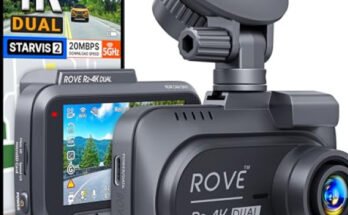
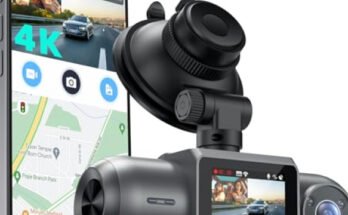
Your dash cam works hard to keep you safe on the road, capturing every important moment. But have you ever thought about how often you should replace your dash cam SD card?
Using an old or worn-out SD card can cause missed recordings or lost footage when you need it most. You’ll discover the signs that it’s time to change your SD card and learn how to keep your dash cam running smoothly.

49% off Today's Exclusive Deals
Limited-time Exclusive Deals. Check current discount on Amazon.
Check Price on Amazon As an Amazon Associate I earn from qualifying purchases.Keep reading to protect your investment and make sure your footage is always reliable.
Signs Your Dash Cam Sd Card Needs Replacement
Dash cam SD cards store important footage while you drive. Over time, these cards wear out. Recognizing signs of failure helps avoid losing valuable videos. Pay attention to errors and performance issues. They signal a need to replace the SD card soon.
Frequent Recording Errors
Sudden stops in recording happen more often. Videos may cut off or fail to save. The dash cam may show error messages about the card. These problems suggest the SD card is failing. Recording errors mean the card can no longer store data reliably.
49% off Today's Exclusive Deals
Limited-time Exclusive Deals. Check current discount on Amazon.
Check Price on Amazon As an Amazon Associate I earn from qualifying purchases.Slow Data Transfer Speeds
File transfers take much longer than before. Copying videos to your computer becomes slow or freezes. The dash cam might lag when saving footage. A slow SD card affects overall dash cam performance. This slowdown hints the card is aging or damaged.
Corrupted Files
Video files become corrupted or unplayable. Files may disappear or show errors during playback. The dash cam might report file corruption warnings. Corrupted files mean the SD card cannot save data properly. This issue risks losing important recordings forever.
Visible Physical Damage
Check the SD card for cracks, scratches, or bends. Physical damage can cause connection problems and data loss. Dust or dirt in the card slot also harms performance. A damaged card often shows recording and transfer issues. Replace the card if you see any visible damage.
Factors Influencing Sd Card Lifespan
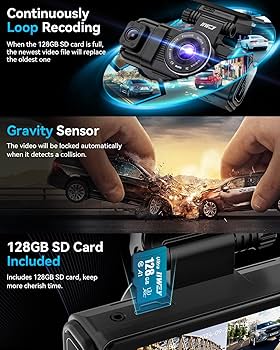
Several factors affect how long an SD card lasts in a dash cam. These factors influence the card’s performance and durability over time. Understanding them helps you decide when to replace the card.
49% off Today's Exclusive Deals
Limited-time Exclusive Deals. Check current discount on Amazon.
Check Price on Amazon As an Amazon Associate I earn from qualifying purchases.Card Quality And Brand
Higher quality cards last longer and handle more data. Well-known brands use better materials and technology. Cheap cards may fail sooner and lose data faster. Choosing a trusted brand helps avoid sudden card failure.
Storage Capacity
Larger storage cards fill up slower and reduce overwriting. Overwriting shortens the card’s life by wearing out memory cells. A bigger card gives more space before it needs replacement. Small cards wear out faster due to constant rewriting.
Recording Resolution And Frequency
Higher resolution videos use more space and write data faster. Frequent recording increases the number of writes on the card. Both factors wear out the card’s memory cells quicker. Lower resolution and less recording extend card life.
Environmental Conditions
Extreme heat or cold can damage SD cards. Constant vibrations from the car affect card stability. Moisture and dust also reduce the card’s lifespan. Keeping the dash cam in a stable, clean place helps protect the card.
Recommended Replacement Intervals
Knowing when to replace your dash cam SD card is important. It keeps your recordings safe and your device working well. The right replacement time depends on how often and how hard you use the card. This section explains the best times to change your SD card.
General Guidelines
Most experts suggest replacing your dash cam SD card every 1 to 2 years. This helps avoid data loss and errors. Even if the card looks fine, its memory can wear out with time. Regular replacement keeps your dash cam reliable and ready.
Usage-based Timelines
If you use your dash cam daily, change the SD card more often. About every year is good for heavy daily use. For occasional use, you can wait longer, up to 2 years. Always check the card for errors before deciding.
High-usage Scenarios
In high-use cases, like taxis or delivery vehicles, replace the card every 6 to 12 months. Continuous recording stresses the card’s memory faster. Using a high-quality, durable SD card also helps in these cases. Frequent replacement prevents sudden failures and lost footage.

Tips To Extend Sd Card Life
Extending the life of your dash cam SD card saves money and avoids data loss. Small steps help keep the card healthy and working longer. Simple care routines can prevent common issues and maintain performance. Follow these key tips to make your SD card last.
Regular Formatting
Format your SD card regularly to clear old files and errors. Use the dash cam’s format option, not a computer. This keeps the card clean and ready for new recordings. Formatting every few weeks helps avoid slowdowns and data corruption.
Avoid Overwriting
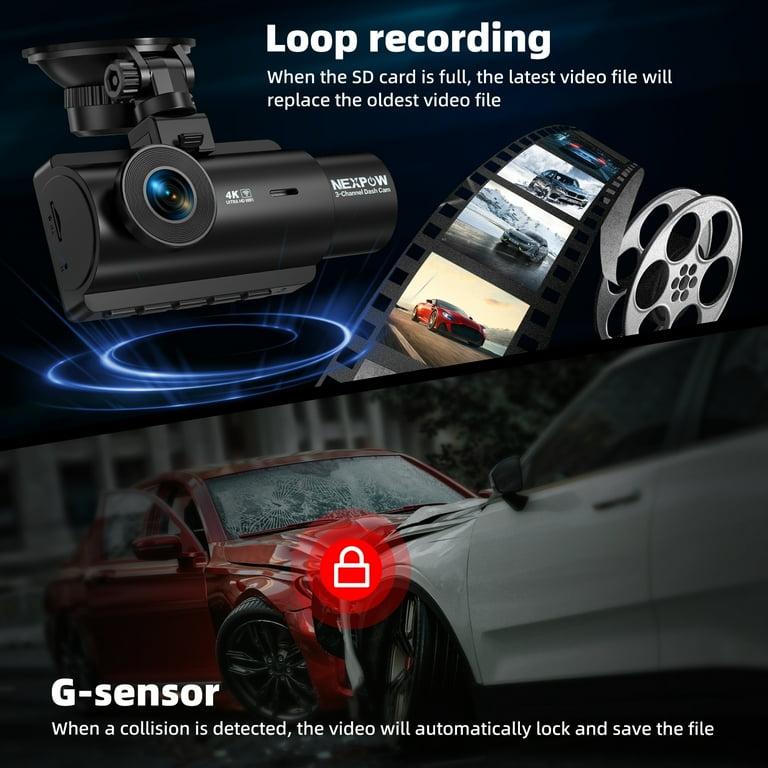
Do not fill the SD card to its limit. Overwriting files repeatedly can wear out the memory cells. Delete old videos manually or transfer them to another device. Keep some free space to allow the card to manage data efficiently.
Use High-endurance Cards
Choose SD cards designed for continuous recording. High-endurance cards handle constant writing better than regular ones. They resist heat and wear, making them perfect for dash cams. Investing in these cards increases reliability and lifespan.
Keep Firmware Updated
Update your dash cam’s firmware regularly. New updates improve how the device writes data to the card. This reduces errors and extends the card’s working life. Check the manufacturer’s website or app for the latest version.
Choosing The Right Sd Card For Your Dash Cam
Choosing the right SD card for your dash cam is important. It affects how well your camera records and saves videos. A good SD card keeps your files safe and works fast. Not all SD cards fit every dash cam. Some might slow down your camera or stop working early. Knowing what to look for helps you pick the best card for your device.
Speed Class Ratings
Speed class shows how fast the card writes data. Dash cams need cards with high speed to record clear videos. Look for cards with Class 10 or UHS Speed Class 1 or 3. These cards can handle full HD and 4K video smoothly. A slow card can cause video lag or file errors.
Durability Features
Dash cams face heat, cold, and vibration inside cars. Choose SD cards that are shockproof and temperature-resistant. Waterproof cards protect your data from moisture damage. Durable cards last longer and keep your video safe in harsh conditions.
Compatibility Considerations
Not all SD cards work with all dash cams. Check your dash cam’s manual for supported card types and sizes. Most dash cams use microSD cards up to 128GB or 256GB. Using the wrong card can cause errors or no recording. Always pick a card that your dash cam supports for best performance.
Frequently Asked Questions
How Often Should I Replace My Dash Cam Sd Card?
Replace your dash cam SD card every 6 to 12 months. Frequent rewriting wears out the card, causing data loss. High-quality cards may last longer, but regular replacement ensures reliable recording and prevents sudden failures while driving.
What Signs Indicate My Dash Cam Sd Card Needs Replacing?
If your dash cam shows recording errors or fails to save videos, your SD card may be faulty. Slow performance, corrupted files, or frequent formatting prompts are also signs. Replace the card promptly to avoid missing crucial footage.
Can I Extend My Dash Cam Sd Card’s Lifespan?
Yes, format the SD card regularly using the dash cam’s format option. Avoid removing the card while recording. Use high-endurance cards designed for constant rewriting to increase lifespan and maintain optimal performance.
Does Sd Card Quality Affect Dash Cam Performance?
Absolutely. High-quality, high-endurance SD cards handle constant video recording better. They reduce file corruption and increase reliability. Investing in a reputable brand prevents frequent replacements and ensures smooth dash cam operation.
Conclusion
Replacing your dash cam SD card regularly keeps your recordings safe. Memory cards wear out with time and constant use. Change the card every 6 to 12 months for best results. Watch for errors or slow saving speeds as warning signs.
Using a reliable brand helps avoid data loss or corruption. A fresh card ensures your dash cam captures all important moments. Don’t wait until problems happen—stay ahead with timely replacement. Your dash cam will work smoothly and protect your drives well.
Simple care keeps your footage secure and ready when needed.