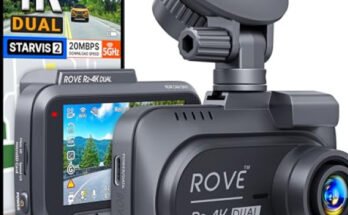
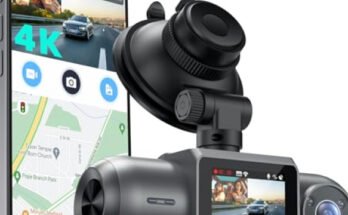
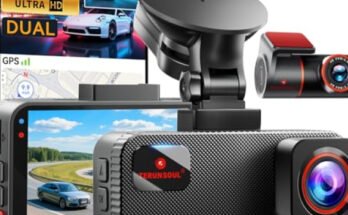
Have you ever wondered if your dash cam captures more than just video? Knowing whether dash cams record audio can make a big difference in how you use your device and protect yourself on the road.
Imagine having clear sound to back up your footage during an accident or dispute—that extra layer of evidence could save you time and stress. You’ll discover the truth about dash cam audio recording, how it works, and what you need to consider before relying on it.

49% off Today's Exclusive Deals
Limited-time Exclusive Deals. Check current discount on Amazon.
Check Price on Amazon As an Amazon Associate I earn from qualifying purchases.Keep reading to make sure you’re fully prepared and informed.
Dash Cam Audio Features
Dash cams often come with audio features that add extra value. These features help capture sounds inside and near the vehicle. Audio can provide clearer context for events on the road. Understanding these features helps users decide if audio recording fits their needs.
Built-in Microphones
Most dash cams include built-in microphones. These small microphones capture sounds inside the car. They pick up voices, engine noise, and other background sounds. The quality varies by model but usually covers normal speaking volume. Some dash cams allow users to turn the microphone on or off.
49% off Today's Exclusive Deals
Limited-time Exclusive Deals. Check current discount on Amazon.
Check Price on Amazon As an Amazon Associate I earn from qualifying purchases.Audio Recording Capabilities
Audio recording works alongside video recording. Sounds are saved with the video footage. This helps in reviewing incidents with full context. Some dash cams record audio continuously. Others activate audio only during events like collisions or sudden stops. The recorded sound can help in insurance claims or legal cases.

Legal Aspects Of Audio Recording
Audio recording with dash cams raises important legal questions. Laws vary widely by country and state. Understanding these rules helps avoid trouble. It also protects privacy for drivers and passengers.
Consent Laws By Region
Many places require consent before recording audio. Some need permission from all people involved. Others allow recording if one person agrees. This is called one-party consent. Knowing your region’s rule is crucial. It prevents illegal recording accusations. Dash cam users should check local laws carefully.
Privacy Concerns
Recording audio can invade personal privacy. People expect private conversations to stay private. Dash cams might capture sensitive talks without notice. This can cause legal and ethical issues. Respect for privacy helps build trust. Use audio recording responsibly and sparingly. Clear communication about recording promotes fairness.
49% off Today's Exclusive Deals
Limited-time Exclusive Deals. Check current discount on Amazon.
Check Price on Amazon As an Amazon Associate I earn from qualifying purchases.Benefits Of Audio Recording
Audio recording adds a new layer of information to dash cam videos. It captures sounds that video alone cannot show. This makes the footage more useful in many situations. Sounds help explain what really happened. They bring clarity to events on the road.
Enhanced Evidence In Accidents
Audio helps prove fault in car accidents. Voices, horns, and brakes provide clear context. You can hear warnings or arguments. This supports the visual evidence of the crash. It helps insurance and police investigations. Judges rely on sound to judge cases. Audio makes your claim stronger and fairer.
Capturing Roadside Interactions
Audio records conversations with other drivers or pedestrians. It catches important details during disputes. You can hear threats or apologies. This protects you from false accusations. The sound also records emergency calls or police talks. It offers a fuller picture of roadside events.

Disabling Audio On Dash Cams
Many dash cams have a feature that records audio along with video. Some drivers want to turn off the audio for privacy or legal reasons. Disabling audio on dash cams is a simple process. It helps avoid recording conversations or background sounds that might not be needed.
Settings And Controls
Most dash cams have a menu where you can change settings. Look for an option called “Audio Recording” or “Mic.” You can turn this setting off to stop audio capture. Sometimes, the button is found under “Preferences” or “General Settings.” Turning off audio does not affect video recording. It only stops sound from being saved.
Reasons To Turn Off Audio
Privacy is a main reason to disable audio. People inside the car may not want their voices recorded. Laws about audio recording vary in different places. Turning off audio avoids legal issues. Some drivers also want to save memory space. Audio files take extra room on the memory card. Disabling sound can extend recording time for videos.
Choosing The Right Dash Cam
Choosing the right dash cam is important for your safety and peace of mind. It is not just about video quality. Audio recording can also play a key role in capturing clear evidence during an incident. Understanding the options available helps you pick a dash cam that suits your needs.
Audio Recording Options
Some dash cams have built-in microphones. They record sounds inside the car clearly. This helps capture conversations or noises during an accident. Other models offer the option to turn audio recording on or off. This feature is useful for privacy reasons or local laws. Some dash cams include external microphones for better sound quality. Choose a dash cam with audio options that match your needs.
Other Important Features
Look for features like loop recording, which saves space on your memory card. G-sensors detect sudden impacts and protect important footage. Night vision helps record clear videos in the dark. GPS tracking can record your location and speed. A wide-angle lens captures more of the road around you. These features add value and improve your driving security.
Frequently Asked Questions
Do Dash Cams Automatically Record Audio?
Most dash cams have built-in microphones that automatically record audio. However, some models require manual activation to capture sound inside the vehicle.
Can I Disable Audio Recording On Dash Cams?
Yes, many dash cams allow users to disable audio recording through settings. This is useful for privacy or legal reasons in certain areas.
Is Audio Recording Legal With Dash Cams?
Audio recording laws vary by location. Always check local regulations before using dash cam audio to ensure compliance and avoid legal issues.
Does Audio Improve Dash Cam Evidence Quality?
Audio can provide additional context during incidents. It helps capture conversations or sounds that support video evidence for insurance or legal cases.
Conclusion
Dash cams can record audio, but it depends on the model. Some cameras have built-in microphones, while others do not. Recording audio may help capture important sounds during driving. Be aware of local laws about recording conversations. Always check your dash cam’s features before buying.
Using audio recording wisely can add extra safety. Choose a dash cam that fits your needs best. Simple and clear information helps you decide better. Keep your drive safe and informed with the right dash cam.