Alpine CDE-203BT troubleshooting usually comes down to power, pairing, wiring, or reset issues.
If your Alpine CDE-203BT is acting up, you are not alone. I have seen this unit go from perfect to frustrating over something as simple as a loose ground wire or a Bluetooth setting that got stuck. In this guide, I’ll walk you through Alpine CDE-203BT troubleshooting in a clear, practical way so you can find the problem faster and get your stereo working again.

49% off Today's Exclusive Deals
Limited-time Exclusive Deals. Check current discount on Amazon.
Check Price on Amazon As an Amazon Associate I earn from qualifying purchases.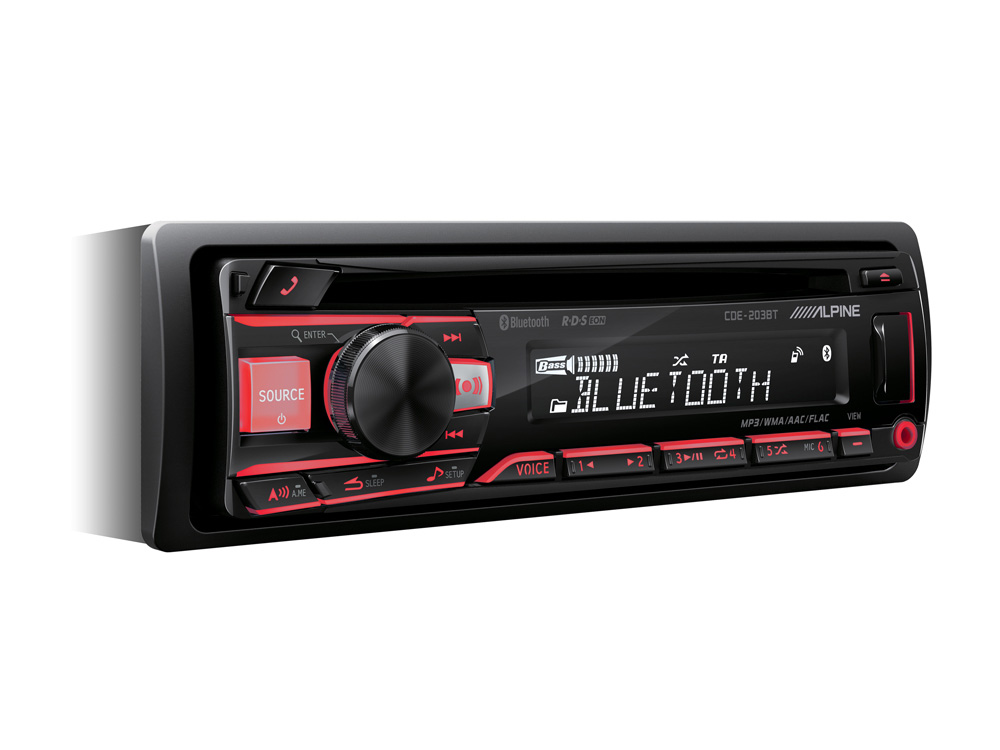
Common Alpine CDE-203BT problems and what they usually mean
The Alpine CDE-203BT is a solid head unit, but like any car stereo, it can run into a few common issues. Most problems are tied to power, speaker wiring, Bluetooth pairing, USB playback, or settings that need a reset. The good news is that many of these are easy to fix once you know where to look.
Here are the most common symptoms I see in Alpine CDE-203BT troubleshooting:
49% off Today's Exclusive Deals
Limited-time Exclusive Deals. Check current discount on Amazon.
Check Price on Amazon As an Amazon Associate I earn from qualifying purchases.- No power at all, often caused by a blown fuse, bad ground, or incorrect wiring
- The unit powers on but has no sound, which can point to speaker wire issues or mute settings
- Bluetooth will not connect, usually because of pairing memory, phone settings, or interference
- USB drive not reading, often due to file format, drive size, or port problems
- Display issues, which may come from dimmer settings or a weak power supply
- Random resets or shutdowns, often linked to voltage drops or loose connections
When I troubleshoot this model, I always start with the basics first. That saves time and prevents you from chasing the wrong problem. Think of it like checking if a lamp is plugged in before blaming the bulb.
How to troubleshoot Alpine CDE-203BT power issues
Power problems are the first thing to check because they are the most common and the easiest to rule out. If the stereo does not turn on, or it turns on only sometimes, the issue is usually in the power wiring or fuse path. I have personally fixed more than one Alpine CDE-203BT by tracing a tiny loose connection behind the dash.
Start with these steps:
- Check the fuse on the back of the stereo and the vehicle fuse panel.
- Make sure the yellow constant power wire has a steady 12V supply.
- Confirm the red accessory wire gets power when the key is in ACC or ON.
- Verify the black ground wire is connected to clean, bare metal.
- Inspect the wiring harness for loose pins, cuts, or poor crimp connections.
If the unit still stays dead, test the voltage with a multimeter. A weak battery or a bad accessory circuit can make the stereo seem broken when it is really just underpowered. In my experience, a poor ground is one of the sneakiest causes because it can make the unit behave randomly instead of failing all at once.
49% off Today's Exclusive Deals
Limited-time Exclusive Deals. Check current discount on Amazon.
Check Price on Amazon As an Amazon Associate I earn from qualifying purchases.Alpine CDE-203BT troubleshooting for no sound
If the display works but no audio comes out, the problem may not be the stereo itself. Sound loss often comes from speaker wiring, balance and fade settings, or the external amp setup if your system uses one. This is where patience pays off, because a small wiring mistake can silence the whole system.
Check the following:
- Make sure the volume is up and mute is off
- Reset the balance and fade settings to the center
- Confirm the speaker wires are connected correctly and not shorted
- Check if the unit is in a source mode with no audio output, such as paused Bluetooth or silent USB playback
- If you have an amplifier, confirm the amp remote turn-on wire is working
If only some speakers work, look for crossed wires or a damaged speaker. I once traced an issue to a rear speaker wire that had been pinched by the dash trim. It looked fine from the outside, but one tiny break killed the channel.
Fixing Bluetooth pairing and connection problems
Bluetooth is one of the biggest reasons people search for Alpine CDE-203BT troubleshooting. The pairing process can fail for simple reasons, like another phone still being connected or the stereo’s memory being full. Bluetooth is convenient, but it can also be a little moody, like a friend who answers only when it feels like it.
Try this process:
- Turn Bluetooth off on all nearby phones except the one you want to connect.
- Delete the Alpine unit from your phone’s saved devices list.
- Clear the Bluetooth memory on the stereo if needed.
- Put the stereo into pairing mode again.
- Restart both the phone and the head unit if the connection still fails.
Also check for basic compatibility issues. Some older phones and some Android versions can be picky with auto reconnect. If the unit pairs but audio drops out, move the phone closer and remove any interference from other wireless devices in the car.
Alpine CDE-203BT USB and media playback troubleshooting
USB problems are often caused by file format issues, unsupported drives, or dirty ports. The Alpine CDE-203BT is picky enough that a drive that works in your laptop may still fail in the stereo. That does not always mean the USB port is bad.
Use these checks:
- Try a smaller USB flash drive if the current one is very large
- Format the drive to a common file system such as FAT32 when possible
- Make sure music files are in supported formats
- Remove corrupted files or folders with strange names
- Inspect the USB port for dirt, bent pins, or loose fit
If the stereo reads one drive but not another, the issue is likely the drive format or file structure. I have seen playlists fail simply because a folder had too many nested subfolders. Keeping the file setup simple usually solves the problem fast.
Display, button, and menu issues
Sometimes the Alpine CDE-203BT turns on fine, but the display looks dim, frozen, or hard to read. This can be caused by brightness settings, illumination wiring, or a temporary software glitch. Button response problems are often linked to dirt, stuck keys, or the need for a reset.
Try these steps:
- Adjust the dimmer and brightness settings from the menu
- Check the orange or illumination wire if your model is tied into vehicle lighting
- Clean the faceplate carefully with a dry microfiber cloth
- Power cycle the unit by turning the car off and back on
- Perform a full reset if the menu becomes unresponsive
A frozen screen does not always mean hardware failure. I have found that a reset clears many strange menu bugs, especially after battery replacement or wiring work. Think of it like restarting a phone that got confused after too many changes.
When a reset helps and when it does not
A reset is one of the best first fixes in Alpine CDE-203BT troubleshooting, but it is not a cure for everything. It helps when the unit is stuck, the Bluetooth list is corrupted, or the settings have gone out of sync. It will not fix a blown fuse, broken speaker wire, or bad ground.
Use a reset when:
- The stereo freezes or acts slowly
- Bluetooth will not pair after repeated attempts
- Audio settings seem wrong after a power loss
- The unit behaves oddly after wiring changes
Do not rely on a reset if the stereo has no power or no sound from all sources. In those cases, the problem is almost always electrical. I always tell people to reset after checking wiring, not before, because a reset is helpful but not magical.
Wiring mistakes that cause Alpine CDE-203BT problems
Bad wiring is behind a huge number of stereo issues. Even a small mistake can cause shutdowns, no sound, poor reception, or Bluetooth instability. If you installed the unit yourself, this is the first place I would inspect.
Common wiring mistakes include:
- Reversed constant and accessory power wires
- Weak or dirty ground connection
- Speaker wires touching each other or the chassis
- Remote amp wire not connected properly
- Poor crimp joints or loose harness pins
A multimeter is your best friend here. It helps you verify that the unit is getting the right power at the right time. In my own work, I have seen more “bad stereos” that were actually bad connections than I can count.
How to tell if the Alpine CDE-203BT itself is faulty
Not every issue is fixable with wiring or settings. Sometimes the head unit has an internal failure, especially if it has been exposed to heat, moisture, or voltage spikes. Still, that should be your last assumption, not your first.
Signs the unit may be failing include:
- It has proper power, but no response at all
- The same problem happens after reset and rewiring
- The display is badly damaged or flickers constantly
- Bluetooth fails with every phone and every reset
- The unit overheats or shuts down with stable voltage
If several checks pass and the problem remains, the unit may need repair or replacement. I like to be honest here: sometimes replacing the stereo is cheaper and faster than chasing an internal fault for hours. That is especially true if the unit has already had a hard life in a hot dashboard.
Prevention tips to avoid future Alpine CDE-203BT issues
Good troubleshooting is useful, but prevention saves time and money. A clean install and regular checks can stop many Alpine CDE-203BT issues before they start. I always say a stereo is only as good as the wiring behind it.
Here are a few smart habits:
- Use proper crimp connectors or soldered joints
- Keep wires secured and away from sharp edges
- Avoid overloading the USB port with poor-quality flash drives
- Disconnect the battery before doing wiring work
- Keep firmware and phone software updated when possible
- Clean the faceplate and ports gently, not aggressively
Small habits make a big difference. A neat install is like a well-tied shoelace: boring when done right, annoying when ignored. That is especially true in a car, where heat and vibration can punish sloppy wiring.
Frequently Asked Questions of Alpine CDE-203BT Troubleshooting
Why won’t my Alpine CDE-203BT turn on?
The most common causes are a blown fuse, missing accessory power, or a bad ground connection. Check the yellow and red wires first, then test the ground on clean metal.
Why does my Alpine CDE-203BT have power but no sound?
This usually points to speaker wiring, mute settings, or an amplifier issue. Make sure the balance and fade are centered and check for shorted or loose speaker wires.
Why is Bluetooth not connecting to my phone?
Bluetooth pairing issues often happen when the stereo has old paired devices saved or your phone still remembers the unit incorrectly. Delete the old pairing on both devices, then start fresh.
Why does my USB not work in the Alpine CDE-203BT?
The USB drive may be formatted in a file system the stereo does not like, or the music files may not be supported. Try a different flash drive and keep the folder structure simple.
How do I reset my Alpine CDE-203BT?
A reset usually clears temporary glitches and helps with frozen menus or pairing errors. Use the reset procedure in the manual or the small reset button if your unit has one.
Can a weak car battery cause Alpine CDE-203BT problems?
Yes, low voltage can cause random shutdowns, dim displays, and unstable behavior. If the battery is weak or the charging system is failing, the stereo may act broken even when it is not.
Conclusion
Alpine CDE-203BT troubleshooting gets much easier when you work through the basics in a smart order. Start with power, then ground, then speaker wiring, Bluetooth, USB, and finally the unit itself. That step-by-step approach saves time and helps you avoid unnecessary guesswork.
If you are dealing with a stubborn issue, take a calm, methodical pass through the checks in this guide and note what changes after each step. A little patience goes a long way with car audio problems. If this helped, keep exploring more car stereo tips, and leave a comment with the issue you are seeing so you can narrow it down even faster.





