Most Pioneer MVH-S21BT issues come from wiring, pairing, power, or simple setting mistakes.
If you are dealing with Pioneer MVH-S21BT troubleshooting, you are not alone. This unit is reliable, but like any car stereo, small setup errors can cause big headaches. I have seen the same few problems come up again and again, and the good news is that most of them are easy to fix once you know where to look.

49% off Today's Exclusive Deals
Limited-time Exclusive Deals. Check current discount on Amazon.
Check Price on Amazon As an Amazon Associate I earn from qualifying purchases.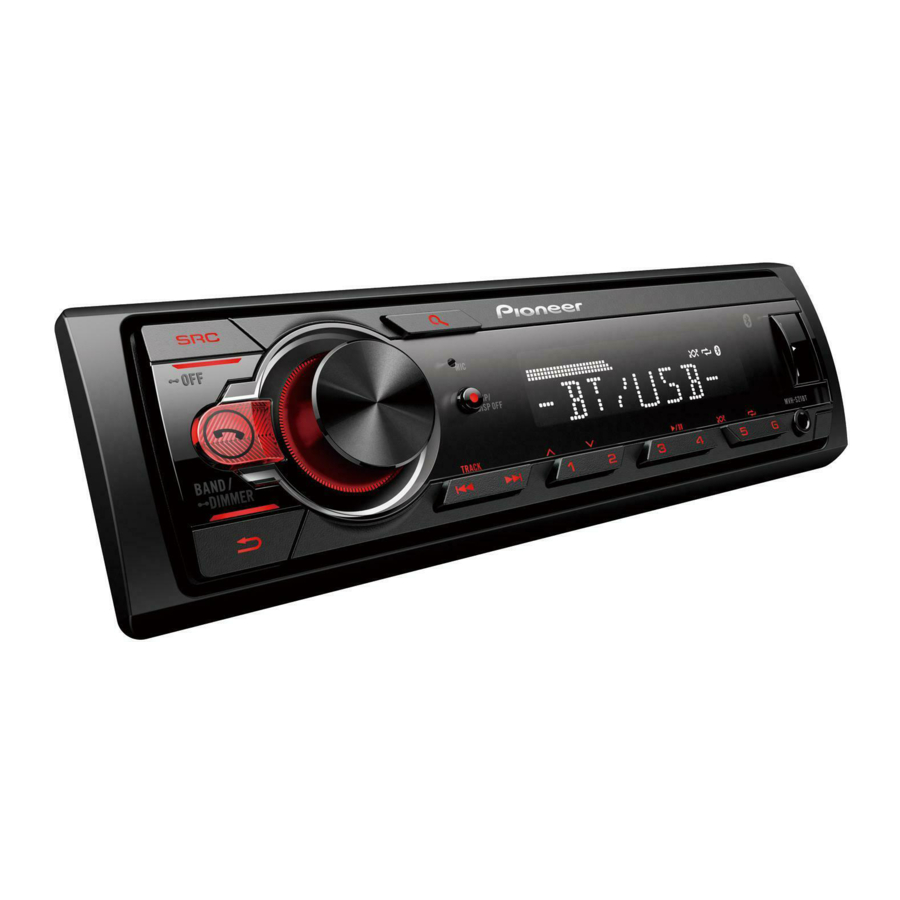
Common Pioneer MVH-S21BT Problems and What They Usually Mean
The Pioneer MVH-S21BT is a Bluetooth digital media receiver, so most problems fall into a few familiar buckets: no power, no sound, Bluetooth failure, weak radio reception, or settings that got changed by accident. When I first worked on one, the issue looked serious, but it turned out to be a loose ground wire. That is the kind of thing that makes Pioneer MVH-S21BT troubleshooting feel harder than it really is.
Here are the most common symptoms and what they often point to:
49% off Today's Exclusive Deals
Limited-time Exclusive Deals. Check current discount on Amazon.
Check Price on Amazon As an Amazon Associate I earn from qualifying purchases.- No power: Fuse issue, bad wiring, weak ground, or wrong constant and switched power connection.
- No sound: Speaker wire problem, mute mode, incorrect source, or amplifier issue.
- Bluetooth not connecting: Old pairing data, phone compatibility, or the unit not being in pairing mode.
- Radio not working well: Antenna issue, weak signal, or poor installation.
- Display acting strange: Reset needed, low voltage, or a setting conflict.
A calm, step-by-step check usually saves time. Think of it like checking the foundation before blaming the house.

How to Troubleshoot Power Issues on the Pioneer MVH-S21BT
If the Pioneer MVH-S21BT will not turn on, start with the basics. In many cases, the issue is not the unit itself but the car’s power path. I have learned that skipping straight to the stereo can waste hours when the real problem is a blown fuse or a loose connection.
Use this checklist:
49% off Today's Exclusive Deals
Limited-time Exclusive Deals. Check current discount on Amazon.
Check Price on Amazon As an Amazon Associate I earn from qualifying purchases.- Check the vehicle fuse box and the stereo fuse.
- Make sure the yellow constant power wire is connected properly.
- Confirm the red accessory wire gets power when the key is on.
- Check the black ground wire for a clean metal contact.
- Inspect the wiring harness for loose pins or damaged insulation.
If the unit powers on and off randomly, voltage may be dropping. A weak battery or poor ground can cause the Pioneer MVH-S21BT to act like it is haunted, but it is usually just starving for stable power.
Also, make sure the unit is not stuck in protect mode because of a short. If a speaker wire touches metal, the receiver may shut down to protect itself.

How to Fix No Sound or Low Sound Output
No sound is one of the most frustrating Pioneer MVH-S21BT troubleshooting problems because the screen may look normal. You can see the station, see Bluetooth connected, and still hear nothing. That usually means the signal path is broken somewhere between the receiver and the speakers.
Try these steps:
- Turn up the volume and check that mute is off.
- Make sure the source is set correctly, such as USB, Bluetooth, or radio.
- Check speaker balance and fade settings.
- Inspect the speaker wiring for shorts or disconnections.
- Verify that an external amplifier, if used, is turning on.
If sound is very quiet, the issue may be a bad speaker connection or an amp gain set too low. I once helped with a setup where one rear speaker wire was reversed, and the system sounded thin and weak. Small wiring mistakes can make a good stereo sound bad.
If your car has an amplifier, check the blue or blue/white remote wire. Without that trigger signal, the amp may stay asleep.
Bluetooth Pairing Problems and Connection Fixes
Bluetooth is one of the biggest reasons people search for Pioneer MVH-S21BT troubleshooting. The good news is that Bluetooth issues are often fixable without replacing anything. Most problems happen because the phone and head unit remember old pairing data or one device is trying to connect before the other is ready.
Try this:
- Delete the Pioneer unit from your phone’s Bluetooth list.
- Clear the phone list from the stereo, if possible.
- Turn Bluetooth off and back on.
- Put the Pioneer MVH-S21BT into pairing mode.
- Reconnect while the phone is close to the receiver.
If the connection keeps dropping, check for phone updates and keep other Bluetooth devices away during setup. Some phones get stubborn when they try to connect to multiple devices at once. I have seen this happen with a smartwatch, wireless earbuds, and the stereo all competing for attention.
If pairing succeeds but calls sound bad, the microphone placement may be the problem. A mic tucked near vents or windows can pick up too much noise.
Radio and Antenna Troubleshooting
If FM or AM reception is weak, the Pioneer MVH-S21BT may be fine and the antenna system may be the real issue. This is common in older cars or after aftermarket installations. A loose antenna plug can make stations fade in and out like a bad dream.
Check the following:
- Make sure the antenna plug is fully seated.
- Inspect the antenna cable for bends or damage.
- Confirm the antenna adapter fits your vehicle.
- Test reception in different areas to rule out weak signal zones.
If the radio only picks up a few stations, the antenna amplifier in the car may not be powered. Some vehicles need a separate antenna power lead connected correctly. This is a small detail, but it matters a lot.
Resetting the Pioneer MVH-S21BT the Right Way
A reset can solve a surprising number of issues. If the Pioneer MVH-S21BT is frozen, glitching, or acting like settings are stuck, a reset clears temporary errors and gives you a fresh start. I always treat reset as a smart first move after checking wiring.
Use a reset when:
- The display is unresponsive.
- Bluetooth acts erratic.
- Settings seem corrupted.
- Buttons stop working correctly.
- The unit behaves oddly after a power loss.
Before resetting, note any custom settings you want to keep. A reset can clear paired devices and preferences, which is helpful for troubleshooting but annoying if you forget what was saved.
If the issue returns after reset, that usually means there is still a deeper wiring, power, or hardware problem.
Sound Quality Problems and How to Improve Them
Sometimes Pioneer MVH-S21BT troubleshooting is not about a dead unit. It is about poor sound quality. Distortion, buzzing, or weak bass can come from settings, speakers, or installation choices. The stereo may be working, but not working well.
Look at these causes:
- Bass or loudness settings too high
- Speaker wires shorting to metal
- Old or damaged speakers
- Poor ground connection
- Gain settings too aggressive on an external amp
A clean signal path matters more than pushing every setting to the max. I have seen people crank bass boost to “fix” weak sound, only to create more distortion. That is like turning up the volume on a broken radio and hoping the crackle disappears.
If the noise changes with engine speed, it may be alternator whine. That usually points to grounding or routing issues, not the stereo itself.
When the Pioneer MVH-S21BT Turns Off by Itself
If the unit shuts off while driving, do not assume the receiver is failing. This problem often comes from power instability, overheating, or a wire losing contact when the car moves. Pioneer MVH-S21BT troubleshooting here is mostly about finding the weak link.
Check for:
- Loose harness connections
- Poor ground
- Overheating from blocked ventilation
- Blown or weak fuse
- Car power voltage dropping under load
If the stereo only shuts off over bumps, that is a strong clue that a wire is loose. Gently test the harness while the car is parked and running, but do not pull hard on anything. You want to find movement, not create new damage.
Best Practices to Prevent Future Issues
Good installation habits save a lot of frustration later. Most Pioneer MVH-S21BT troubleshooting problems become easier when the wiring is neat, secure, and tested before final assembly. A little extra care up front is worth it.
Use these habits:
- Test all connections before reinstalling the dash.
- Secure wires so they do not get pinched.
- Match power, ground, and speaker leads carefully.
- Keep antenna and signal cables away from noisy power wires.
- Save the manual and wiring diagram in your glove box or phone.
In my experience, the cleanest installs are the ones that rarely need emergency troubleshooting. A stereo should feel like part of the car, not a puzzle waiting to fall apart.
Frequently Asked Questions of Pioneer MVH-S21BT Troubleshooting
Why does my Pioneer MVH-S21BT not turn on?
The most common reasons are a blown fuse, a bad ground, or incorrect power wire connections. Check the yellow constant wire, red accessory wire, and black ground wire first.
Why is my Pioneer MVH-S21BT connected to Bluetooth but playing no sound?
This usually happens because the source is wrong, the volume is muted, or the speaker wiring has a problem. It can also happen if your phone is sending audio to another Bluetooth device.
How do I reset the Pioneer MVH-S21BT?
A reset is usually done with the unit’s reset button or through the menu, depending on the condition of the stereo. This can clear pairing errors, frozen screens, and small software glitches.
Why is my Pioneer MVH-S21BT radio reception poor?
Poor reception is often caused by a loose antenna connection, damaged antenna cable, or missing antenna power signal. Try reseating the antenna plug and checking any vehicle-specific adapter.
Why does my Pioneer MVH-S21BT keep disconnecting from Bluetooth?
Old pairing records, interference, or phone compatibility issues are common causes. Remove the device from both the phone and the stereo, then pair them again in a quiet Bluetooth environment.
Why is my Pioneer MVH-S21BT sound distorted?
Distortion can come from high volume, bad speaker wiring, weak speakers, or amp settings that are too high. Lower the bass boost and check the wiring before assuming the unit is faulty.
Conclusion
Pioneer MVH-S21BT troubleshooting gets much easier when you work through the basics in order. Power, ground, wiring, Bluetooth pairing, antenna connections, and reset steps solve most problems without guesswork. Once you know the likely causes, the whole process feels less like chaos and more like a simple repair checklist.
If your stereo still acts up, go back to the wiring first and test one thing at a time. That patient approach saves time, money, and a lot of stress. If this guide helped, keep it handy, explore more car audio tips, and leave a comment with the issue you are dealing with.





