Why Is Thinkware Dash Cam So Expensive?
Dash cams have become more popular over the last few years. Drivers want to protect themselves with video evidence, lower their insurance costs, and monitor their cars. But if you search for dash cams, you’ll quickly notice that Thinkware dash cams are often at the top of the price range. Some models cost two to three times more than other brands. Why is Thinkware dash cam so expensive? Is it really worth the higher price? Let’s break down the reasons behind the cost, look at what you actually get, and share tips to decide if a Thinkware dash cam is the right choice for you.
What Makes A Dash Cam Expensive?
Before diving into Thinkware specifically, it helps to know what usually drives up the price of dash cams. There are three main factors:
- Hardware quality – Better cameras, sensors, and processors cost more to make.
- Features – Advanced functions like GPS, Wi-Fi, cloud storage, and driver alerts add to the cost.
- Support and updates – Brands that provide regular firmware updates, customer service, and long warranties usually charge more.
But not all expensive dash cams are the same. Let’s see how Thinkware stands out.
Thinkware’s Brand Reputation And Position
Thinkware is a South Korean company that started making dash cams in 2007. It has a reputation for premium quality and innovation. Thinkware dash cams are widely used not just by private car owners, but also by fleet managers, ride-sharing drivers, and even law enforcement in some countries.
Being a market leader, Thinkware invests heavily in research and development. This allows them to introduce new features before their competitors. But this also means the cost of innovation is built into their products.
Some buyers are willing to pay more for a trusted name. Brand reputation gives confidence that the product will work reliably, even in tough situations. For people who can’t afford to lose video footage (like taxi drivers or truckers), this peace of mind justifies the extra price.
Superior Hardware And Component Quality
One of the biggest reasons why Thinkware dash cams are expensive is the hardware inside. Let’s look at what makes their devices different:
- Sony STARVIS image sensors – Many Thinkware models use Sony’s STARVIS sensors. These sensors are known for excellent low-light performance. This means you get clear footage even at night or in poor weather.
- High temperature tolerance – Many dash cams stop working or shut down in hot cars. Thinkware designs their cams to survive higher temperatures, sometimes up to 140°F (60°C). They use special capacitors instead of regular batteries, which are much safer and last longer.
- Advanced processors – Fast processors allow the dash cam to record high-quality video, process multiple camera feeds, and handle features like lane departure warnings without lag.
- Premium lenses – Thinkware uses multi-layer glass lenses instead of cheap plastic ones. This improves clarity and reduces distortion.
Here is a quick comparison of hardware between Thinkware and a typical budget dash cam:
| Feature | Thinkware Dash Cam | Budget Dash Cam |
|---|---|---|
| Image Sensor | Sony STARVIS | Basic CMOS |
| Lens Material | Multi-layer Glass | Plastic |
| Processor | Dual-core/Quad-core | Single-core |
| Heat Resistance | Up to 140°F (60°C) | Up to 104°F (40°C) |
| Internal Battery | Supercapacitor | Lithium-ion |
With these hardware advantages, Thinkware dash cams are less likely to fail when you need them most.
Advanced Features And Software
Thinkware doesn’t just rely on hardware; their software is packed with features that many competitors lack. Here’s what you get:
Parking Mode
One of Thinkware’s best-known features is parking mode. When your car is parked, the dash cam can keep recording if it detects motion or impact. This protects against hit-and-runs or vandalism. Thinkware’s parking mode is smarter than most:
- Energy-saving mode – Uses less power from your car battery.
- Time-lapse recording – Captures long periods with less storage.
- Impact detection – Records a short clip when your car is hit.
Cloud Services
Some Thinkware models offer cloud connectivity. This means you can view footage, get location updates, or receive impact alerts on your phone, even when you’re not near the car. This is helpful for fleet owners or parents who want to monitor driving remotely.
Driver Assistance
Many Thinkware cams include ADAS (Advanced Driver Assistance Systems) such as:
- Lane departure warning – Alerts if you drift from your lane.
- Forward collision warning – Warns if you get too close to the car ahead.
- Safety camera alerts – Notifies you about speed and red-light cameras.
These features are usually found in high-end vehicles but are available in Thinkware dash cams for any car.
Regular Firmware Updates
Thinkware is known for releasing firmware updates to fix bugs, add new features, and keep devices compatible with new memory cards. This extends the lifespan of your dash cam.
Here’s a comparison of features found in Thinkware vs. budget dash cams:
| Feature | Thinkware | Budget Dash Cam |
|---|---|---|
| Advanced Parking Mode | Yes | Partial/No |
| Cloud Connectivity | Yes (select models) | No |
| ADAS | Yes | Rarely |
| Firmware Updates | Regular | Occasional/Never |
| Mobile App Support | Full-featured | Basic/None |
Data Security And Reliability
One non-obvious reason why Thinkware dash cams cost more is their focus on data security and reliability.
- File protection – Thinkware uses advanced file systems to prevent video corruption if the device loses power suddenly.
- Secure recording – Some models support encrypted storage, so even if the memory card is stolen, your data is safe.
- Dual-save technology – Critical events are saved in a separate folder, so they’re not overwritten by normal driving footage.
Many cheaper dash cams overwrite important events, or files become unreadable after a crash. For insurance claims, having reliable footage can make a big difference.
Customer Support And Warranty
Thinkware offers strong customer support and longer warranties than most budget brands. In the US, warranties are typically 1-2 years. Their support teams are knowledgeable and often provide troubleshooting help, firmware files, and answers quickly. This level of service adds to the price but reduces stress if something goes wrong.
Compliance With International Standards
Thinkware dash cams are often certified to meet international safety and data standards. For example, they comply with:
- CE (Europe)
- FCC (USA)
- KC (Korea)
This means Thinkware spends more on testing and documentation, but you get a device that’s safe and legal in more countries. Budget brands sometimes skip these steps, risking import bans or safety issues.
The True Cost Of “cheap” Dash Cams
It might seem like a $40 dash cam is a great deal. But there are hidden costs:
- Shorter lifespan – Cheap dash cams often fail after 6-12 months.
- Poor night vision – Footage may be useless at night or in bad weather.
- No support – If there’s a problem, there’s no help or warranty.
- Missed events – Inexpensive models may not record when you need them.
Thinkware dash cams, while expensive, are built to last years. Over time, the cost difference becomes smaller.
Here’s an example of total cost over 3 years:
| Dash Cam Type | Initial Price | Replacement/Repair | Support/Warranty | Total 3-Year Cost |
|---|---|---|---|---|
| Thinkware | $250 | $0 | Included | $250 |
| Budget Dash Cam | $60 | $60 x 2 (replacements) | None | $180 |
While Thinkware is more expensive upfront, it may end up costing less—or saving you in an accident claim.
Hidden Features That Add Value
Most buyers look at basic specs, but Thinkware includes some hidden features that are easy to miss:
- Built-in GPS – Embeds speed and location data in your videos. Useful for insurance.
- Voice notifications – Alerts you to SD card errors or recording status, so you know if something’s wrong.
- Advanced file management – The app makes it easy to find, save, and share clips.
- Safety camera database – Updates so you’re warned about new speed cameras or accident zones.
Many of these features save you time and hassle—something you only notice after using the cam for a while.
Are All Thinkware Models Expensive?
Not every Thinkware dash cam is at the high end. The company offers a range of models to suit different needs and budgets. Here are a few examples:
- Thinkware F70 – Entry-level, single-channel, fewer features, more affordable.
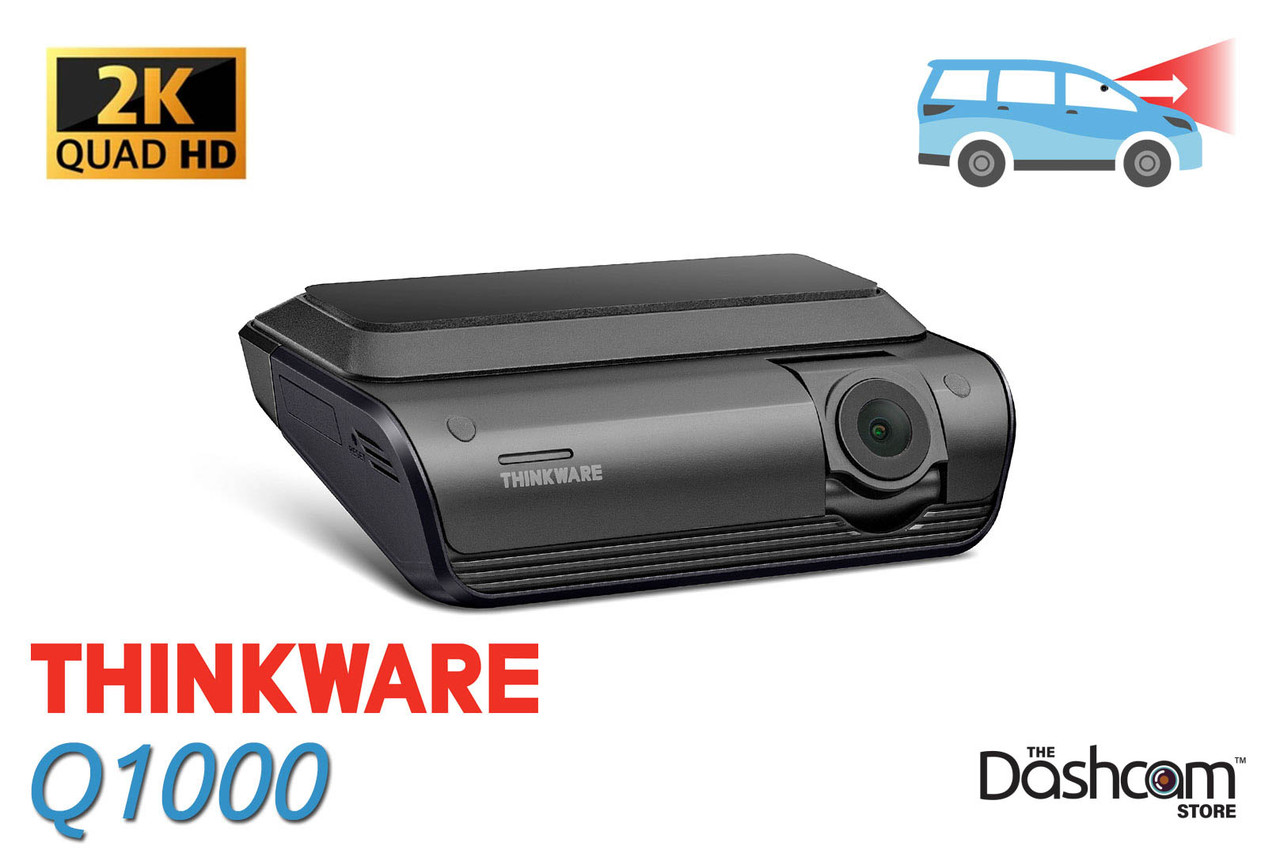
- Thinkware Q1000 – Advanced, 2K recording, cloud features, dual-channel.
- Thinkware U1000 – Top-end, 4K front and 2K rear, all features included.
The more features and higher video quality you want, the more expensive the model will be. Even the entry-level models, though, are built with higher-quality parts than most budget brands.
Who Actually Needs A Thinkware Dash Cam?
Not everyone needs a premium dash cam. You might be fine with a basic model if you:
- Drive only during the day
- Park in a secure garage
- Don’t need cloud features or driver alerts
However, Thinkware is a smart investment if you:
- Drive at night or in all weather
- Leave your car parked in public places often
- Need evidence for insurance or legal reasons
- Want advanced driver assistance features
- Manage a fleet or drive for work (Uber, Lyft, etc.)
If your main concern is reliable evidence and long-term savings, Thinkware dash cams are hard to beat.
Common Buyer Mistakes With Thinkware Dash Cams
- Buying more than needed – Some users buy the most expensive model, even if they don’t use all features. Choose based on your actual needs.
- Ignoring SD card quality – Even the best dash cam will fail with a poor SD card. Use high-endurance cards, as recommended by Thinkware.
- Not updating firmware – New features and bug fixes are released often. Keep your dash cam updated for best performance.
- Improper installation – For features like parking mode, professional installation is often required. DIY wiring mistakes can cause malfunctions.

Real User Experiences
Many Thinkware users share stories where their dash cam made a difference. For example, one user’s parked car was hit in a lot. The Thinkware dash cam’s parking mode captured the license plate, leading to a successful insurance claim. In another case, a user avoided blame in a traffic accident because the video clearly showed the other driver running a red light.
What’s less obvious is how much stress and money these cams can save. The peace of mind from knowing you have reliable evidence is hard to put a price on.
Is The High Price Really Worth It?
The main reasons Thinkware dash cams are so expensive come down to:
- Superior hardware and durability
- Advanced safety and security features
- Reliable software and regular updates
- Strong customer support and warranty
- Brand reputation and compliance
If you value long-term reliability and total protection, the extra cost makes sense. For some buyers, a cheap dash cam is enough, but for those who need to count on their device every day, Thinkware is a top choice.
Still, before buying, compare features carefully. Some mid-range brands now offer features once found only in premium models. Always check for the latest models and reviews, and remember to invest in a quality SD card.
For more details and the latest model comparisons, you can visit the official Thinkware website or check out reviews on TechRadar.
Frequently Asked Questions
Why Are Thinkware Dash Cams More Expensive Than Other Brands?
Thinkware dash cams use higher quality hardware, advanced features like parking mode and cloud connectivity, and offer better durability and support. These features cost more to develop and produce compared to budget brands.
Do Thinkware Dash Cams Work Better At Night?
Yes. Most Thinkware models use Sony STARVIS sensors, which are excellent for night vision. This means you get clearer, more detailed footage in low-light situations compared to most budget dash cams.
Can I Use Any Sd Card With A Thinkware Dash Cam?
No. Thinkware recommends using high-endurance memory cards designed for dash cams. Cheap or low-quality SD cards may fail quickly or cause recording errors.
Is Thinkware Dash Cam Installation Difficult?
Installation can be simple for basic models but more complex for features like parking mode, which may need hardwiring. Professional installation is recommended for best results.
Do Thinkware Dash Cams Offer Cloud Storage?
Some Thinkware models support cloud features, allowing remote access to footage, alerts, and tracking through a mobile app. Not all models have this, so check before you buy.
Thinkware dash cams may cost more, but for many drivers, the extra reliability, features, and support make them a smart investment. If you’re serious about protecting yourself on the road, it’s worth considering what’s really at stake.