Most JVC KD-X270BT issues come from wiring, Bluetooth pairing, power, or reset problems.
If your JVC KD-X270BT is acting up, you are not alone. I have seen this model work great for years, then suddenly stop pairing, lose sound, or refuse to power on after a simple install change. The good news is that most JVC KD-X270BT troubleshooting steps are easy, and a lot of fixes come down to a few smart checks done in the right order.

49% off Today's Exclusive Deals
Limited-time Exclusive Deals. Check current discount on Amazon.
Check Price on Amazon As an Amazon Associate I earn from qualifying purchases.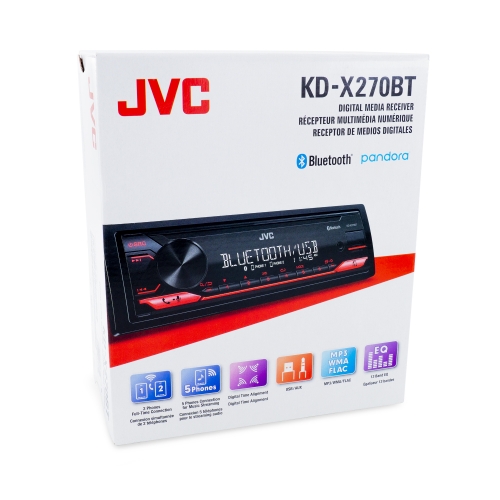
Common JVC KD-X270BT problems and what they usually mean
The JVC KD-X270BT is a solid digital media receiver, but like any car stereo, it can run into simple faults that feel bigger than they are. Most problems fall into a few buckets: power, wiring, Bluetooth, USB, radio, or settings.
When I troubleshoot this unit, I always start with the symptom, not the guess. That saves time and keeps you from replacing parts that are not the real issue.
49% off Today's Exclusive Deals
Limited-time Exclusive Deals. Check current discount on Amazon.
Check Price on Amazon As an Amazon Associate I earn from qualifying purchases.Typical trouble signs include:
- The stereo will not turn on
- The display works, but there is no sound
- Bluetooth will not connect
- Music cuts in and out
- USB does not read a phone or flash drive
- The radio has weak or no reception
- The unit keeps resetting
A lot of these issues are tied to loose connections, blown fuses, weak grounding, or a setting that got changed by accident. That is why JVC KD-X270BT troubleshooting works best when you follow a step by step process.
Start with the basics before digging deeper
Before opening panels or swapping parts, check the easy stuff first. This sounds obvious, but in real installs, the problem is often right there in front of you.
49% off Today's Exclusive Deals
Limited-time Exclusive Deals. Check current discount on Amazon.
Check Price on Amazon As an Amazon Associate I earn from qualifying purchases.Check power and ignition wiring
If the unit does not turn on, confirm the yellow constant power wire and red accessory wire both have the right voltage. I have seen many installs where the radio worked only when the key was in a certain position because the red wire was tied to the wrong source.
Make sure:
- The yellow wire has steady 12V
- The red wire gets switched power
- The black ground wire is tight and clean
- The fuse in the unit is not blown
- The car fuse for the radio circuit is intact
A weak ground can cause weird behavior, like resets, flashing displays, or random shutoffs. In my experience, a bad ground is one of the most overlooked causes of JVC KD-X270BT troubleshooting.
Inspect the fuse
The JVC KD-X270BT has a fuse that protects the unit from electrical damage. If the stereo is dead, check that fuse first before assuming the entire unit failed.
Also check the vehicle fuse related to the radio or accessory circuit. Sometimes the radio fuse is fine, but the car’s fuse panel has a separate problem.
Look for loose connectors
Pull the unit carefully and inspect the harness plugs, antenna lead, and adapter connections. A plug that is not fully seated can cause power loss, weak audio, or Bluetooth dropouts.
If the stereo was recently installed, moved, or serviced, loose connectors are one of the most common causes of failure.
Fixing no power or a dead display
A dead screen does not always mean the head unit is broken. In many cases, the stereo is not getting the right power path.
Test the voltage correctly
Use a multimeter if possible. Check for:
- Constant 12V on the yellow wire
- Switched 12V on the red wire
- Good continuity to ground on the black wire
If any of these are missing, fix the wiring before looking at the unit itself.
Check the dimmer and illumination wiring
Sometimes the display seems off because the illumination wire or brightness setting is affecting how the screen looks. If the screen is faint, dim, or only shows at certain angles, verify that the display is not just set very low.
Reset the unit
If power is present but the stereo behaves strangely, do a reset. A reset can clear minor software glitches and return the unit to a known state.
To reset safely:
- Turn the unit off
- Press the reset button using a pointed tool
- Wait a few seconds
- Power the unit back on
This is one of the simplest and most effective JVC KD-X270BT troubleshooting steps. I have fixed more than one “dead” radio with nothing more than a proper reset and a corrected power wire.
Solving Bluetooth connection problems
Bluetooth issues are among the most searched JVC KD-X270BT troubleshooting topics, and for good reason. Pairing problems can feel random, but they usually have a clear cause.
Clear old pairings
If your phone keeps failing to connect, delete the JVC unit from your phone’s Bluetooth list and delete the phone from the stereo’s paired devices list. Old pairing data can get corrupted or conflict with a new connection attempt.
Then pair again from scratch. This often solves:
- Pairing loops
- Failed connection attempts
- Devices that show “connected” but play no audio
Make sure Bluetooth is in pairing mode
The receiver must actually be ready to pair. If another phone is already connected, the unit may not accept a new device right away.
I have found that many Bluetooth problems are not hardware faults at all. They are just a busy connection list or a phone trying to connect before the head unit is ready.
Update the phone and check permissions
Modern phones use tighter Bluetooth security and audio permission settings. Make sure Bluetooth is on, the phone is discoverable, and the JVC app or audio permission is allowed if your device asks for it.
Also restart the phone. That simple step can clear a stuck Bluetooth cache.
Reduce interference
Bluetooth can get shaky if the phone is too far away or if there is heavy wireless interference nearby. Keep the device close during pairing, and avoid testing while other wireless gear is being powered on.
Dealing with no sound or weak sound
A powered-on stereo with no sound usually points to speaker wiring, mute settings, or an audio output problem. This is one of the most frustrating symptoms, because the unit looks alive but feels useless.
Check the mute and volume settings
Before assuming a deeper fault, confirm:
- The unit is not muted
- The volume is turned up
- Balance and fade are centered
- Source output is selected correctly
It sounds simple, but I have seen a few cases where the “problem” was just a forgotten mute setting after phone pairing or a voice prompt.
Inspect speaker wiring
If the unit powers on but produces no sound, test the speaker wires for:
- Shorts to ground
- Pinched insulation
- Wrong polarity
- Loose harness connections
A shorted speaker wire can cause the receiver to protect itself and stop audio output. If you recently installed speakers or adapters, double check the wiring map.
Check external amplifiers
If your setup uses an amp, make sure the amp remote turn-on wire is working. If the amplifier does not wake up, the radio may seem silent even though the source unit is fine.
When troubleshooting JVC KD-X270BT audio, I always separate the system into pieces:
- Head unit
- Amplifier
- Speakers
- Wiring
That keeps the diagnosis clean and prevents guesswork.
Fixing USB and smartphone playback issues
USB problems are common when people plug in a phone and expect instant playback. The JVC KD-X270BT can be picky about file format, cable quality, and device compatibility.
Try a different cable
A worn or charge-only cable can cause the phone to charge but not send data. If your phone charges but is not recognized, use a known good data cable.
I have personally fixed this exact issue more than once with nothing more than a better cable.
Check file and device compatibility
If you are using a flash drive, make sure it is formatted properly and loaded with supported audio files. Some units are also more reliable with smaller drives and standard file structures.
Useful checks include:
- Try another USB stick
- Use common audio formats
- Remove very deep folder trees
- Avoid damaged files
Restart the phone and reconnect
Phones can get “stuck” after a failed connection. Unplug the device, restart it, and reconnect it fresh.
If you use an iPhone or Android phone for audio, keep the operating system updated. Small software changes can affect how the device communicates with the stereo.
Solving radio reception problems
Poor FM or AM reception can make a good stereo feel broken. On the JVC KD-X270BT, reception issues are often tied to the antenna connection rather than the tuner itself.
Check the antenna plug
Make sure the antenna connector is fully inserted into the back of the unit. A loose antenna lead can cause static, weak stations, or no reception at all.
Inspect the vehicle antenna system
If your car has a power antenna or antenna amplifier, confirm that it is receiving the proper trigger signal. Without that signal, the antenna may not boost reception properly.
Test in different locations
Reception can vary by area, building size, and terrain. If the signal is poor only in one spot, the stereo may be fine and the environment may be the real issue.
When the unit keeps resetting or acting unstable
Random resets are usually a sign of power trouble. Think of it like a phone charger that keeps unplugging for a second at a time. The device never gets steady power, so it reboots.
Look for voltage drops
If the stereo resets when starting the car or playing audio loudly, check for voltage drops in the wiring. A weak battery, poor ground, or undersized power wire can cause instability.
Inspect for shorts
A short in the speaker wiring or power wiring can make the receiver shut down to protect itself. Look for crushed wires behind the dash or exposed copper touching metal.
Check the battery and charging system
A tired battery or weak alternator can create weird electronic behavior throughout the car. That includes head units, especially when the engine starts or accessory loads increase.
Best step by step JVC KD-X270BT troubleshooting process
If you want a simple process that actually works, use this order:
- Confirm the symptom clearly
- Check power, ground, and fuses
- Reset the head unit
- Test Bluetooth pairing again
- Inspect speaker and antenna wiring
- Test USB cables and devices
- Look for amp or accessory issues
- Verify vehicle battery and charging health
This order matters. Too many people jump straight to replacing the unit, when the real issue is a wire that pulled loose behind the dash.
A good troubleshooting habit is to change one thing at a time. That way, if the problem improves, you know exactly what caused it.
Preventing future problems with your JVC KD-X270BT
The best repair is the one you do not need to repeat. A little care during installation and regular use can prevent most headaches.
Helpful habits include:
- Use quality wiring adapters and crimp connections
- Secure the ground to clean bare metal
- Keep cables neat and strain free
- Avoid cheap USB cords that only charge
- Update your phone regularly
- Do not overload the unit with loose connections behind the dash
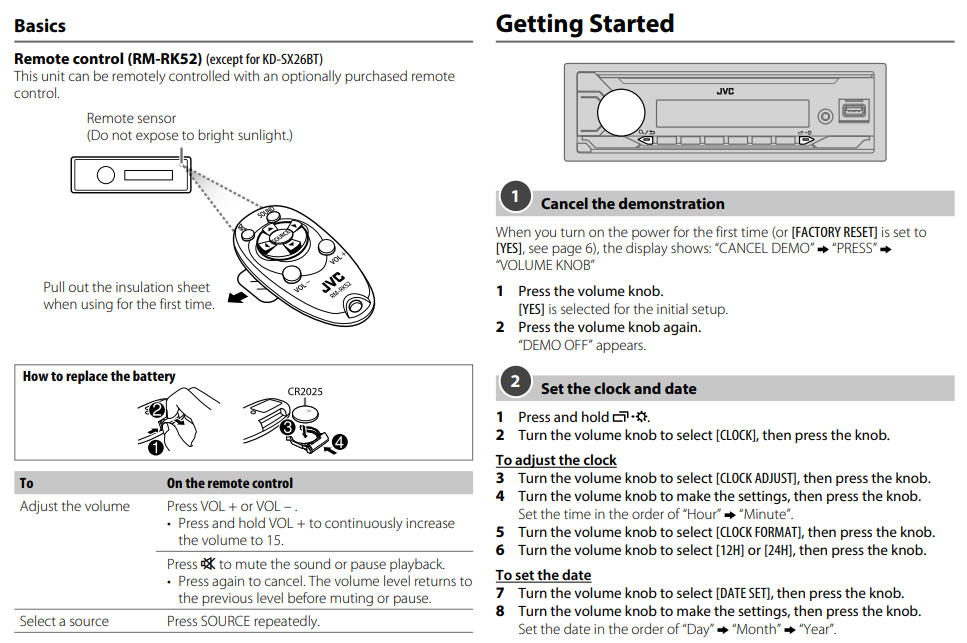
In my own work, the cleanest installs always age better. When wires are labeled, grounded well, and routed carefully, JVC KD-X270BT troubleshooting becomes much less common later on.
Frequently Asked Questions of JVC KD-X270BT Troubleshooting
Why does my JVC KD-X270BT turn on but have no sound?
This usually points to speaker wiring, mute settings, or an external amplifier issue. Check the volume, balance, and fade first, then inspect the speaker wires and amp remote wire.
Why won’t my phone connect to Bluetooth?
Old pairing data is the most common cause. Delete the saved connection on both the phone and the stereo, then pair them again from scratch.
Why does my JVC KD-X270BT keep resetting?
Random resets often mean the unit is losing steady power. Check the ground wire, fuse, battery voltage, and any loose connections behind the dash.
Why does USB charge my phone but not play music?
A charge-only cable or unsupported connection setup is usually the reason. Try a different data cable and restart the phone before reconnecting.
How do I reset the JVC KD-X270BT?
Use the reset button on the unit with a pointed tool while the stereo is powered off or in a safe state. After resetting, recheck the settings and pair your phone again if needed.
Conclusion
Most JVC KD-X270BT troubleshooting comes down to simple checks done in the right order: power, ground, fuse, Bluetooth pairing, speaker wiring, USB cable quality, and antenna connections. When you slow down and isolate each part of the system, the fix usually becomes clear fast.
If your unit is still acting strange, start with the basics from this guide and work step by step. You will save time, avoid guesswork, and have a much better shot at getting your stereo back to normal. If this helped, keep exploring car audio tips, subscribe for more practical guides, or leave a comment with the exact symptom you are dealing with.





