If you're standing next to your Tesla Model 3 with a charger problem at 11 p.m., you're not alone. It's one of the most common owner complaints, and the good news is that most causes are surprisingly minor.
The whole setup breaks into three layers: the car itself, the charging cable or wall unit, and the electrical circuit supplying power. The Mobile Connector delivers up to 32 amps (7.7 kW) on a 240V outlet, while the Wall Connector can push 48 amps (11.5 kW). Understanding which layer is failing is the entire diagnostic game.

49% off Today's Exclusive Deals
Limited-time Exclusive Deals. Check current discount on Amazon.
Check Price on Amazon As an Amazon Associate I earn from qualifying purchases.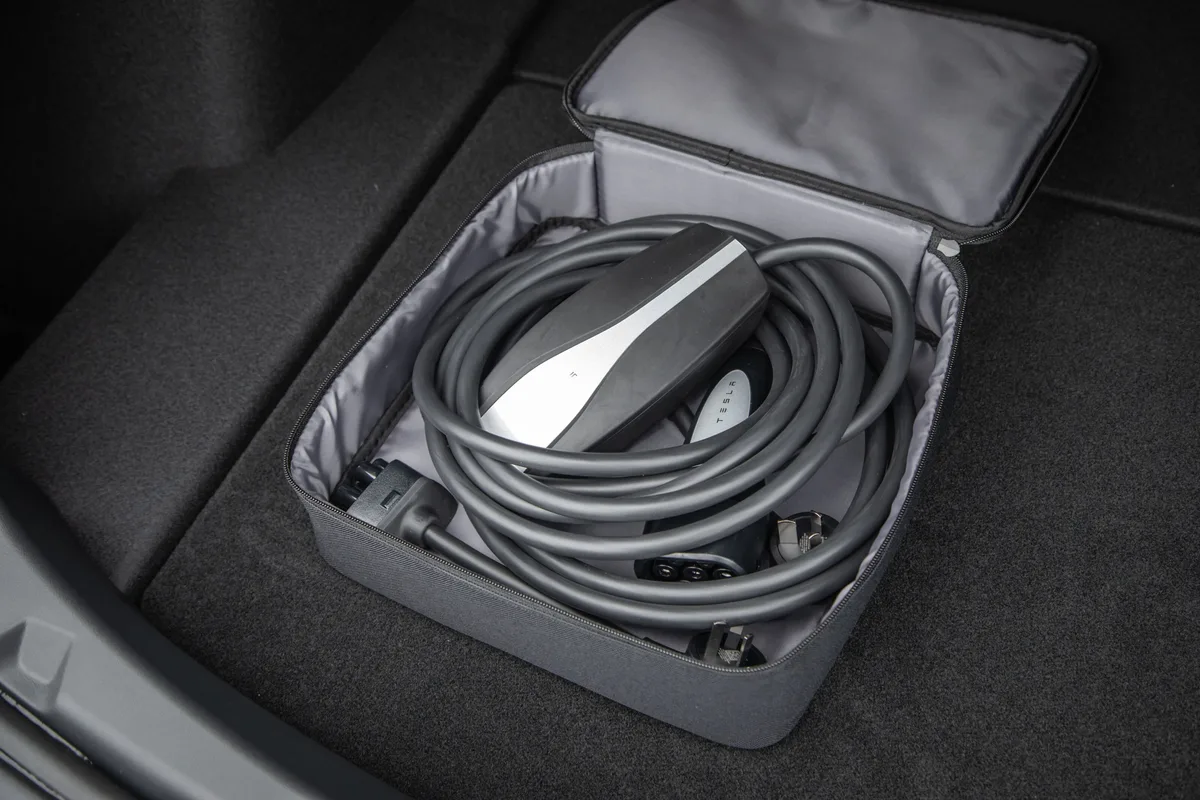
Image source: Bing (Web (fair-use with source credit))
Quick Answer
Most Tesla Model 3 charger problems start small. A loose outlet, a tripped breaker, or a stuck latch causes many of them. The charge port light tells you exactly what's wrong.
49% off Today's Exclusive Deals
Limited-time Exclusive Deals. Check current discount on Amazon.
Check Price on Amazon As an Amazon Associate I earn from qualifying purchases.Reseat the cable and check for a click. If the car still won't charge, reboot it with the scroll buttons. Test a different station before calling for help.
Start Here: Which Tesla Model 3 Charging Setup Is Failing?
Take a moment to identify which charging setup is failing. The fix for a Supercharger error is different from the fix for a home outlet that won't deliver power. Public Level 2 stations add another layer, and so does the small J1772 adapter many owners keep in the glovebox.
If you're plugged into a Supercharger, the fault is usually in the car's charge port or the cable latch. If you're charging at home, the variables expand. The outlet, the breaker, the adapter, the cable, and the car all have to cooperate.
As of 2026, every current Model 3 uses the North American Charging Standard (NACS). You don't need a separate adapter for a Tesla Wall Connector or the Mobile Connector. Older public Level 2 stations still use J1772, though, and that adapter can cause flaky connections if it's worn or dirty.
49% off Today's Exclusive Deals
Limited-time Exclusive Deals. Check current discount on Amazon.
Check Price on Amazon As an Amazon Associate I earn from qualifying purchases.Here's the branching question that decides everything: does the car respond at all when you plug in? If yes, read the status light. If no, the power path is likely dead before it reaches the charge port.
Read the Signs: Charge Port Lights, Screen Alerts, and App Error Messages
The charge port status light is your first clue. A solid green light means the car is charging. A blinking green light is part of the normal handshake before current flows.
A red light or red flashing ring points to a latch, thermal, or wiring problem. No light at all means the car isn't detecting the cable.
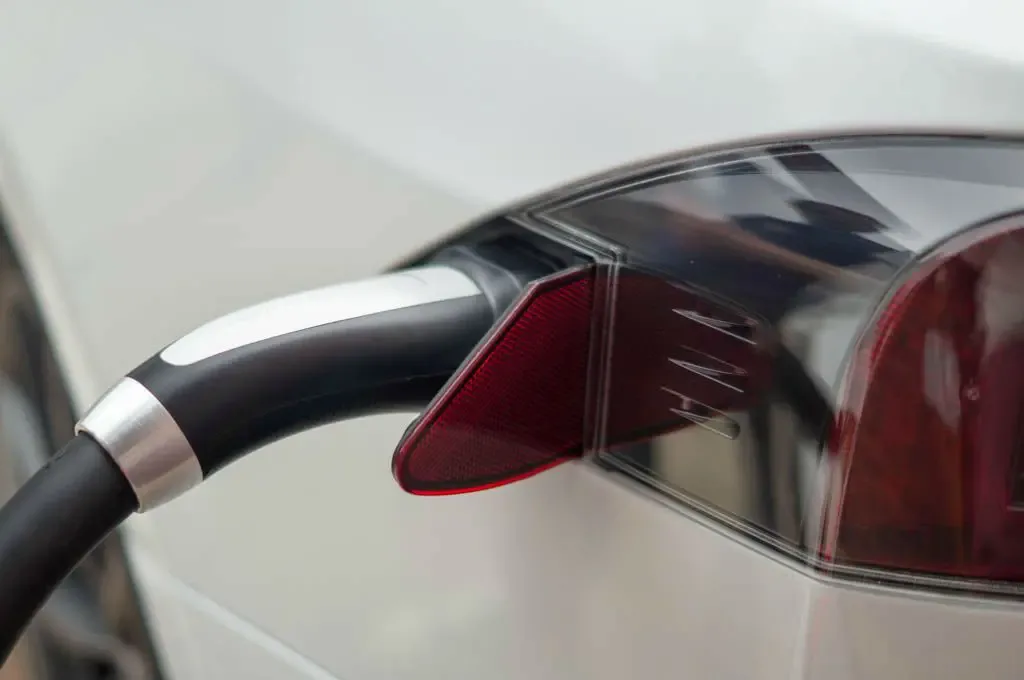
Image source: Bing (Web (fair-use with source credit))
The touchscreen adds a second layer. "Unable to charge" usually means the car and charger failed to communicate. "Charging interrupted" often means the session ended because of heat or voltage sag.
"Charge rate reduced" is a warning, not a failure. The car is protecting itself while it throttles current.
The app gives you a third layer. Open the charging menu and look for the exact error line. If it says "Connected, not charging" the car may be waiting for a schedule.
If it says "Charging interrupted," you have a live fault.
Take the light and the screen message together. Red light plus "Unable to charge" points to the latch or port electronics. No light and no message usually means the connector isn't seated fully.
Home Charging Troubleshooting Tree: Mobile Connector, Wall Connector, and Outlet Faults
The Mobile Connector is the portable unit that comes with the car. It's designed for occasional charging, not heavy daily use. When the plug gets hot, the unit reduces current or stops.
A red light on the connector usually means thermal shutdown. Unplug it, let it cool, and feel the outlet. A warm outlet is a serious warning.
The Wall Connector bolts to your garage wall and uses a different error system. One red pulse often means a ground fault. Two red pulses often mean overcurrent or a thermal trip.
Check your generation's manual for the exact blink codes.
The outlet and breaker sit behind everything. If a GFCI trips, the outlet or wiring likely has a leak. If the main breaker trips, the circuit may be shared with other appliances.
The National Electrical Code, published by the NFPA, generally requires a dedicated branch circuit for EV charging. Shared circuits cause most nuisance trips at home.
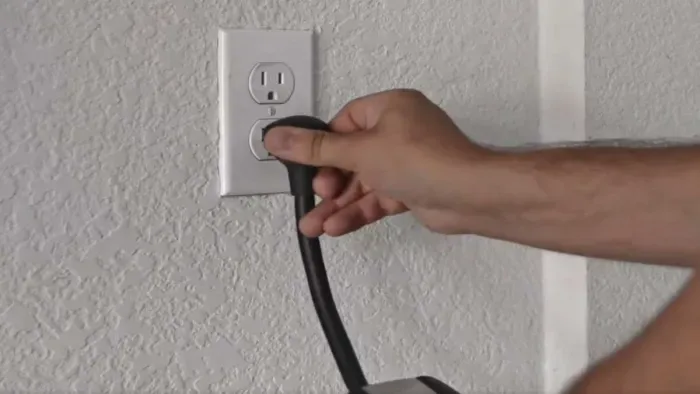
Image source: Bing (Web (fair-use with source credit))
Here's the short troubleshooting table:
| Symptom | Most likely cause | First move |
|---|---|---|
| Mobile Connector flashes red | Hot outlet or worn adapter | Stop, let it cool, test another outlet |
| Wall Connector red pulse | Ground fault or wiring issue | Check GFCI breaker and wiring |
| House breaker trips | Shared circuit or loose connection | Use a dedicated 240V circuit |
| "Charge rate reduced" warning | Cold battery or hot plug | Precondition or check plug temperature |
The Step-by-Step Reset, Inspect, and Isolate Workflow
Now run the checklist in order. Each step either fixes the problem or narrows the list of suspects.
- Unplug the cable. Brush any debris from the charge port and check the latch. A crooked latch won't let the plug lock in.
- Plug the cable back in and push firmly until you hear a click. A half-seated plug causes intermittent charging.
- Check the touchscreen. If it says "Unable to charge," move to the breaker.
- Turn the breaker off, wait 10 seconds, and turn it back on. This resets the charger and the socket's protection.
- Reboot the car. Hold both steering wheel scroll buttons for about 10 seconds until the screen goes dark and the Tesla logo returns. This clears temporary glitches in the charging controller, much like resetting a stuck gear shift in a gas car.
- Test a different charger. If the car charges at a public station, the issue is in your home equipment. If it fails there, the charge port or onboard charger is the problem.
- If nothing works, use the manual release cable in the trunk and contact Tesla Support through the official support portal.
This workflow takes about 15 minutes. It can also save you from booking a service appointment for a simple outlet issue.
Mistakes That Turn a Simple Charger Fix into a Shop Fee
Some mistakes are cheap. These aren't. One bad decision can turn a free fix into a tow truck, a new charge port, or a melted outlet.
Here's what we see most.
- Replacing the charge port before testing the latch. If the manual release cable inside the trunk opens the port, the port isn't physically broken. The latch motor is the only issue, and that's a much smaller repair.
- Using an extension cord. The Mobile Connector manual says no extension cords. They add resistance and heat, and they cause voltage drops that reduce charge current.
- Ignoring a hot plug or outlet. If the metal plug feels warm, stop charging immediately. Heat in a NEMA 14-50 outlet is a leading cause of melted receptacles.
- Resetting the breaker over and over. Two trips means a real problem. Keep resetting it and you'll hide the fault until the wiring fails completely.
- Skipping the reboot. A surprising number of "charger problems" clear after a car reboot. Skip it and you'll never know how close you were.
- Assuming it's the car. A charging fault is a lot like a worn belt. The issue is often small, local, and easy to confirm. Test a different charger before you book a service appointment.
The same logic applies when your car heater stops working. Chase the simple causes first, and you'll save both time and money.
When to Call an Electrician or Tesla Support
You've run the reset. You've tried a different charger. The problem is still there.
Time to call a professional.
Call an electrician first if the issue sits on the house side. Tripped breakers, warm outlets, no power at the socket, or a Wall Connector with persistent error lights all point to wiring. An electrician can test the circuit, verify the wiring gauge, and confirm the ground.
Per the National Electrical Code, published by the NFPA, EV charging circuits should be dedicated to the charger alone. If your electrician finds the outlet shares a circuit with a dryer or HVAC unit, that's likely your root cause. Expect a visit to cost between $150 and $400 depending on the fix.
Call Tesla Support through the app if the car side is suspect. A stuck charge port, repeated "Unable to charge" errors across multiple stations, or a red light that won't clear points to the charge port assembly or onboard charger. Tesla runs remote diagnostics before scheduling a visit.
Give each professional clear details. Tell the electrician the circuit specs: 240V, 50A, dedicated. Tell Tesla the exact error message, the charger type, and what the status light did.
One more thing: if other electrical systems are also acting up, like brake lights stuck on or dim headlights, the root cause may not be the charger at all. A dying 12V battery or a control module glitch can masquerade as a charging fault.
Quick Decision Guide: Symptom to Next Action
Use this fast lookup when you don't have time to read through the full guide. Find your symptom in the first column, then follow the action in the last column.
| Symptom | Likely cause | Next step |
|---|---|---|
| No light on charge port | Cable not seated or no power | Reseat cable, check outlet |
| Blinking green then stops | Normal handshake or schedule | Check scheduled charging in app |
| Solid red light | Latch or port fault | Use manual release, contact Tesla |
| Mobile Connector red LED | Overheating | Cool down, check outlet temperature |
| Wall Connector 1 red pulse | Ground fault | Inspect GFCI breaker and wiring |
| "Unable to charge" message | Communication failure | Reboot car, test different charger |
| "Charging interrupted" | Voltage drop or thermal event | Check wiring, avoid extension cords |
| Breaker trips repeatedly | Shared circuit or short | Call electrician for dedicated line |
| Charges at public stations only | Home equipment fault | Test Wall Connector or outlet |
| Won't charge anywhere | Onboard charger or port failure | Contact Tesla Service |
The key pattern: if the car charges fine at a Supercharger but fails at home, the problem is almost never the car. Start with the home setup and work backward.
If accessory power windows act sluggish alongside the charging fault, the 12V battery may be weak. That low voltage can corrupt the charging handshake. Fix the battery before you worry about the charger.
Frequently Asked Questions
Can a faulty wall outlet damage my Tesla?
Yes. A loose or corroded outlet creates electrical resistance, which generates heat at the plug. Over time, this can damage the Mobile Connector and, in severe cases, melt the receptacle.
If your plug ever feels warm to the touch, stop using that outlet right away.
Why does my Tesla stop charging after a few minutes?
Thermal throttling is the most common cause. A hot plug, a warm outlet, or a cold battery can all trigger the car to reduce current or stop entirely. Check the charge port temperature.
In winter, precondition the battery before plugging in.
Can I use an extension cord with my Mobile Connector?
No. Tesla's manual explicitly warns against extension cords. They add resistance and cause voltage drops that reduce charge rate and create fire risk.
A dedicated, properly wired outlet is the only safe option for regular charging.
How do I know if my onboard charger is failing?
If the car fails to charge at every public station and every home setup, the onboard charger or charge port assembly may be faulty. Tesla can confirm this with remote diagnostics. Do not attempt to open or repair the charge port yourself.
What does a flashing red light on the charge port mean?
A flashing red light usually signals a communication error between the car and the charger. It can also indicate a latch fault. Try a different cable first.
If the light persists, schedule a Tesla Service visit through the app.
Is it safe to charge overnight while I sleep?
Yes, as long as your outlet and wiring are in good condition. The battery management system controls the charge rate and stops automatically when full. A dedicated, properly rated circuit eliminates most safety concerns.
Just check the app in the morning for any overnight interruptions.