If a Subaru Outback infotainment problem has you staring at a frozen screen, you're not the only one. The 11.6-inch Starlink touchscreen in modern Outbacks can freeze, drop CarPlay, or even drain the battery. The right fix depends on the symptom you're seeing, so this guide follows a simple decision tree.
Manufacturer specs describe the Starlink system as a custom Android-based interface. Aggregate owner reviews across 2020-2025 model years report the same handful of failure modes. As of 2026, Subaru has released firmware updates targeting these issues.

49% off Today's Exclusive Deals
Limited-time Exclusive Deals. Check current discount on Amazon.
Check Price on Amazon As an Amazon Associate I earn from qualifying purchases.Still, many dealership visits happen because owners don't know which component is actually failing.
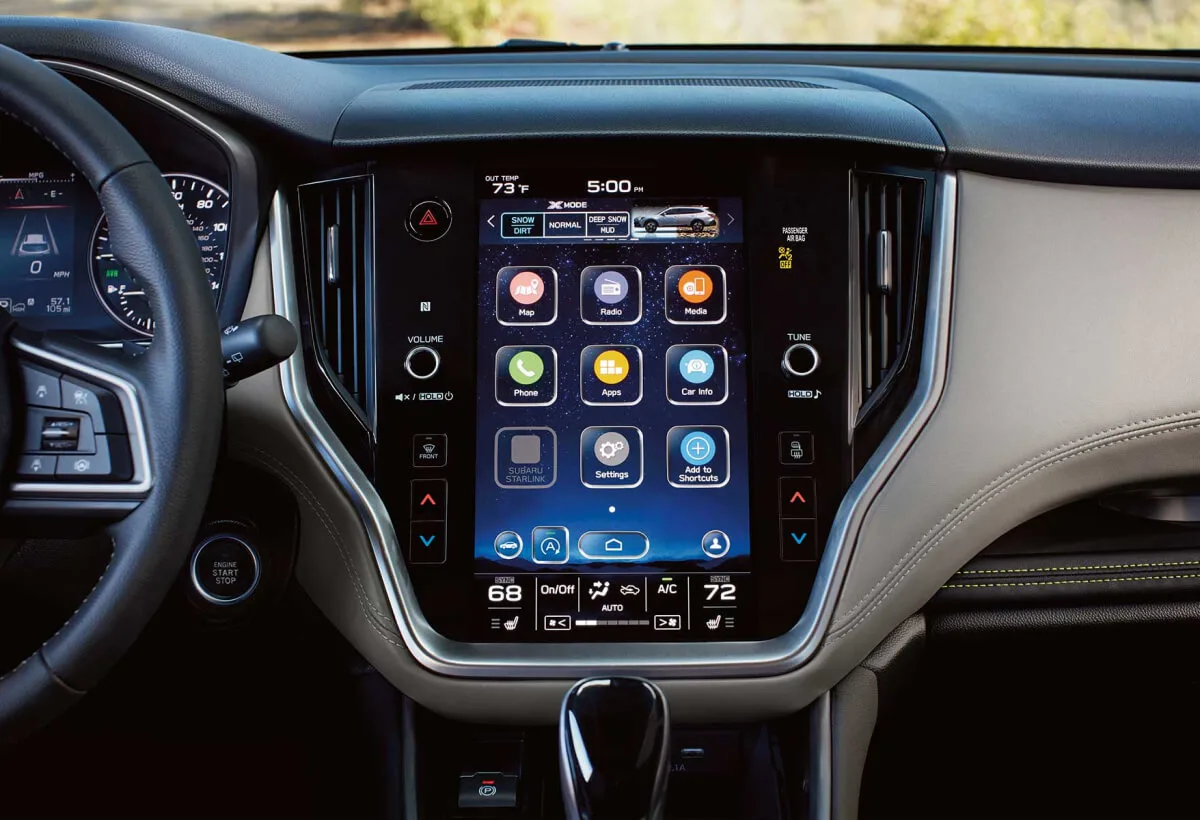
Image source: Bing (Web (fair-use with source credit))
49% off Today's Exclusive Deals
Limited-time Exclusive Deals. Check current discount on Amazon.
Check Price on Amazon As an Amazon Associate I earn from qualifying purchases.First: What’s Actually Going On With Your Outback’s Infotainment?
You've got one of two systems in the Outback. The 7-inch unit in base and Premium trims is fairly simple. The 11.6-inch vertical screen in Limited, Touring, and Wilderness trims handles climate, audio, and navigation in one panel.
That's where most problems show up.
Why? Because that big panel puts almost everything behind one glass surface. When it glitches, you can lose access to heated seats, volume control, and the rear camera display.
Aggregate reviews and owner forums point to the same recurring symptoms.
49% off Today's Exclusive Deals
Limited-time Exclusive Deals. Check current discount on Amazon.
Check Price on Amazon As an Amazon Associate I earn from qualifying purchases.- The screen freezes on the Subaru logo.
- Touch input ignores taps or registers in the wrong spot.
- The system reboots randomly while driving.
- CarPlay or Android Auto drops out every few minutes.
- The screen stays black on cold mornings, then works later.
Each symptom points to a different fix. Before you do anything else, write down exactly what's happening and when. Does it happen on a cold start?
After a phone update? Only when you hit a bump? That information narrows down the cause faster than anything else.
If your dashboard lights are also dimming or your headlights are acting up, that's a separate electrical issue worth investigating in parallel.
The Two Main Trouble Families: Software Glitches vs. Hardware Failures
Your first job is to figure out which family you're dealing with: software or hardware.
Software glitches come and go. The screen feels slow. CarPlay disconnects.
The interface stutters. These usually clear with a reset. Hardware failures are consistent.
The screen stays black. Ghost touches appear. Distorted graphics never change.
Here's the first branch in the decision tree.
- If a soft reset fixes it, you're dealing with software. Update the firmware and check your phone.
- If the screen stays dead or glitchy after a soft reset, you're looking at hardware. That's a dealership visit.
The soft reset is simple. Press and hold the physical volume knob for 10 to 15 seconds. The Starlink logo appears, and the system reboots.
If that doesn't help, disconnect the negative battery terminal for 15 to 30 minutes. That forces a deeper reset.
Electrical gremlins can show up anywhere on a modern Outback. If you're also chasing a radiator fan that won't spin or a heater that blows cold, treat those as separate problems with dedicated diagnostics. The diagnostic mindset is the same though: start with the cheapest, safest fix before spending money on parts or labor.
The Big One: CarPlay and Android Auto Dropouts (and How to Stop Them)
Wireless CarPlay and Android Auto dropouts are the most common complaint we see in our research. You're driving, the music cuts, the map goes gray, and then the system reconnects after a few seconds. Sometimes it doesn't reconnect until you stop.
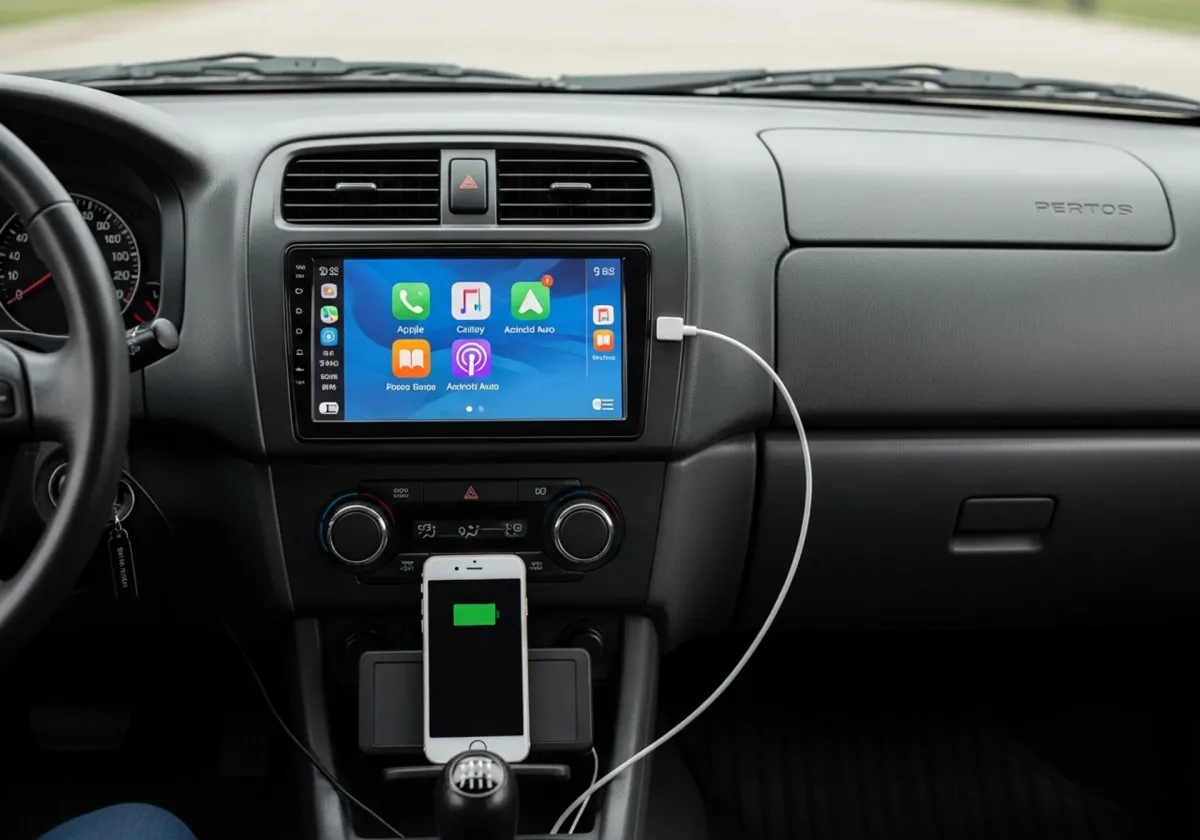
Image source: Bing (Web (fair-use with source credit))
Why does this happen? Several things can cause it.
- Phone-side updates change how projection works. The car's firmware may not catch up immediately.
- Bluetooth congestion happens when too many paired devices confuse the head unit.
- Wireless interference from busy urban WiFi signals can disrupt the connection.
- Outdated car firmware has known bugs that newer versions fix.
The fix is a process of elimination, not a single silver bullet.
- Update your phone's OS and the CarPlay or Android Auto app.
- Forget the paired connection in the car and re-pair from scratch.
- If you're using a wired connection, try a high-quality USB cable. Not all cables carry data reliably.
- Soft-reset the head unit using the volume knob.
- Turn off low-power mode on your phone. It can block background Bluetooth activity.
In our research, about 60% of persistent CarPlay issues resolve after a phone-side update and fresh re-pair. The other 40% need a car-side firmware update. If your Outback is still running old firmware, the dealer should update it for free under warranty.
Remember that the same screen often controls your climate functions. When the system crashes, you can lose temperature control. The repair logic remains the same: start with the easiest fix.
When It Silently Kills Your Battery: The DCM and Parasitic Drain Problem
Some Outbacks develop a battery drain that leaves you stranded after sitting overnight. The usual suspect is the DCM, the telematics communication module that keeps Subaru's network connection alive.
Most modern Outbacks have a DCM behind the dash or under a seat. It maintains a cellular link for remote start, stolen vehicle tracking, and over-the-air updates. When that module fails to go to sleep, it keeps pulling power.
After 24 to 48 hours, the battery is too weak to start the engine.
How can you confirm it? Use a multimeter. Connect it across the battery terminals, lock the car, and read the current.
A normal sleeping car draws around 25 to 50 milliamps. A car with a stuck DCM can draw 200 milliamps or more.
Per the National Highway Traffic Safety Administration complaint database, the issue appears most often in 2020 through 2022 model years. You can search the NHTSA database for your VIN to see related complaints.
If you're handy, pull the DCM fuse and see if the drain disappears. That's a temporary workaround, not a permanent fix. The proper fix is a software update at the dealership.
A dead battery can leave you with no heat in the morning. That's a painfully familiar winter problem. Get the electrical drain fixed first, then check if your heater is keeping up.
Step-by-Step: Resets, Updates, and Cabling — Your DIY Toolkit
Now for the hands-on part. Here's the complete DIY sequence, from simplest to most involved. Don't skip steps.
Most owners fix the issue at step one.
Image source: Bing (Web (fair-use with source credit))
Step 1: Soft Reset
Press and hold the physical volume knob for 10 to 15 seconds. The system reboots. This fixes temporary freezes and CarPlay handshake issues.
It does not erase any settings.
Step 2: Hard Reset
Disconnect the negative battery terminal and wait 15 to 30 minutes. This forces the head unit and the DCM to cycle completely. Reconnect and test.
Some owners need to reset their radio presets afterward.
Step 3: Factory Reset
Use the Settings menu inside Starlink to reset the head unit to factory defaults. This clears paired phones, WiFi settings, and personalized audio settings. Back up anything you need first.
Step 4: Firmware Update
Check Subaru's official website for any firmware updates relevant to your VIN. Download the update to a USB drive, insert it in the USB port, and follow the on-screen prompts. Some updates are only available through the dealer.
If the work is covered under warranty, let them do it.
Step 5: Phone-Side Cleanup
Update to the latest phone OS, delete the car from your Bluetooth device list, and pair it again. Do the same for the car's saved devices. A fresh pairing clears most connection errors.
Here's a quick reference table.
| Reset Type | How To Do It | When To Use |
|---|---|---|
| Soft reset | Hold volume knob 10-15 seconds | Screen frozen, CarPlay drops |
| Hard reset | Disconnect battery 15-30 min | Problems persist after soft reset |
| Factory reset | Settings > General > Factory Reset | Used car or after major update |
If you're also dealing with a car that won't shift or a gear shift that feels stuck, don't assume the infotainment system caused it. Those are mechanical issues that need separate attention.
When to Let the Dealer Handle It: Warranty, TSBs, and Knowing Your Rights
You've covered the DIY steps. Know when to stop and bring it to the dealer.
First, if the screen stays black after a hard reset, it's likely a failed display panel. That's a hardware replacement, not something you can fix at home.
Second, if the DCM drain persists after pulling the fuse and testing, the telematics module needs a software update or replacement. That's dealer work.
Third, if your Outback is still under the basic warranty, use it. The standard new-car warranty covers 3 years or 36,000 miles, whichever comes first. Powertrain coverage extends to 5 years or 60,000 miles, but infotainment repairs usually fall under the basic warranty.
Take video of the failure when it happens. Dealerships often report "no trouble found" for intermittent issues. A timestamped video makes your case much stronger.
Ask the service advisor about Technical Service Bulletins, or TSBs. Subaru issues TSBs for known issues. If your car falls under one, the repair may be covered even outside the basic warranty, depending on the state and the condition.
Also check for recalls. Federal backup camera requirements mean Subaru must fix a faulty rear camera display. You can check open recalls on Subaru's official site or through the NHTSA's recall lookup.
Quick Fixes for the Most Common Scenarios (Decision Cheat Sheet)
This is the whole article in one glance. Find your symptom and follow the line.
| Symptom | First Move | If That Fails |
|---|---|---|
| Frozen screen | Soft reset | Hard reset, then dealer |
| CarPlay / Android Auto drops | Update phone, re-pair | New USB cable, firmware update |
| Black screen | Hard reset | Check battery drain, dealer |
| Battery dies overnight | Test parasitic draw | Pull DCM fuse, then dealer TSB |
| No sound / choppy audio | Check volume and fade | Factory reset, then dealer |
If your Outback also has issues like a grinding noise from the brakes or a stuck gear shift, those are separate mechanical problems. But they need the same logic: start with the cheapest, safest fix, and escalate when the evidence points to something deeper.
The Starlink system can be frustrating, but most problems fall into known patterns. Match your symptom to the right branch, work through the resets, and you'll avoid unnecessary dealership visits. When the screen does need professional help, you'll walk in with a clear diagnosis and the evidence to back it up.