Reset the maintenance light by using the ignition/dash sequence or a simple scan tool in minutes.
I’ve worked on Toyota Land Cruisers for years and seen this light more times than I can count. This guide answers exactly How do you reset the maintenance light on a Toyota Land Cruiser? I’ll walk you through clear, tested steps for common model years, explain when a reset is appropriate, list tools you might need, and share pro tips from real service work. Read on to fix the light quickly and confidently.

49% off Today's Exclusive Deals
Limited-time Exclusive Deals. Check current discount on Amazon.
Check Price on Amazon As an Amazon Associate I earn from qualifying purchases.
Why the maintenance light comes on
The maintenance light warns you about scheduled service. It tracks time or mileage for tasks like oil change or inspection. It does not usually signal critical failures. Understanding why it lit helps decide whether to reset it or to inspect the vehicle first.

49% off Today's Exclusive Deals
Limited-time Exclusive Deals. Check current discount on Amazon.
Check Price on Amazon As an Amazon Associate I earn from qualifying purchases.When to reset versus when to service
Resetting the reminder without doing the work hides important cues. Only reset after you complete the recommended maintenance. If the light follows a repair or battery replacement, a reset can clear the reminder. If another warning lamp is on, get a diagnostic check before resetting.
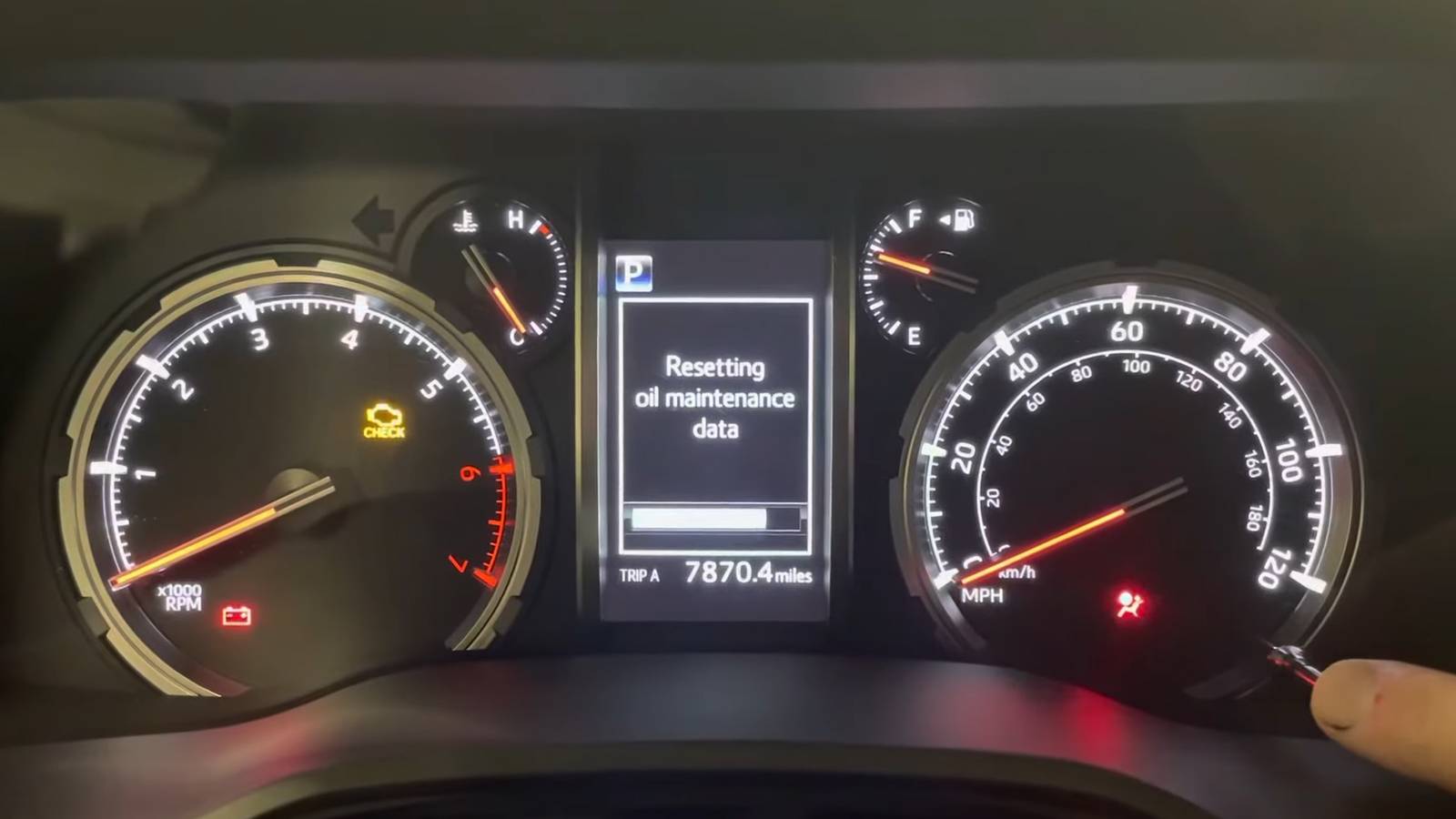
Step-by-step: How do you reset the maintenance light on a Toyota Land Cruiser?
Below are simple, model-specific methods. Follow the method that matches your Land Cruiser year. Always make sure the maintenance was done first.
Pre-2008 Land Cruiser (older analog cluster)
49% off Today's Exclusive Deals
Limited-time Exclusive Deals. Check current discount on Amazon.
Check Price on Amazon As an Amazon Associate I earn from qualifying purchases.- Turn the key to the ON position without starting the engine.
- Press and hold the trip meter reset button.
- While holding, turn the key to OFF and back to ON.
- Release the button when the maintenance light blinks and goes out.
This method clears the reminder in most older models.
2008–2015 Land Cruiser (dash display)
- Turn the ignition to ON (engine off).
- Use the multi-information display buttons to navigate to maintenance or “SETUP.”
- Find the “Oil Maintenance” or “Maintenance Reset.”
- Select Reset and confirm.
The dash menu approach is user-friendly and common for mid‑generation models.
2016 and newer Land Cruiser (advanced displays and Techstream)
- Turn the ignition to ON or start the car if required.
- Use the touchscreen or steering controls to reach vehicle settings.
- Locate maintenance or vehicle information and pick the reset option.
- If the display does not allow a reset, connect an OBD-II scanner or use Toyota Techstream to clear the code.
Modern models sometimes require a scanner when the cluster won’t let you reset manually.

Troubleshooting common reset problems
If reset fails, check these points:
• Battery state and key position can affect the reset sequence.
• A pending service code may block a simple reset. Use an OBD-II reader to view stored codes.
• If a maintenance reminder returns immediately, the system detected an unresolved issue—inspect filters, oil level, and sensors.
• Immobilizer or electronics glitches can prevent menu access. Try a full power cycle: disconnect negative battery clamp for a minute, reconnect, then attempt reset again.

Tools and tips to make the reset easier
Useful tools and tips:
• OBD-II scanner: Clears reminders and reads pending codes. Inexpensive handhelds work for many jobs.
• Toyota Techstream: Dealer-level software that resets and updates settings. Ideal for complex issues.
• Owner’s manual: Lists model-specific reset steps and maintenance intervals. Keep it handy.
• Always record the service date and mileage after reset. This keeps service history clear and honest.

Personal experience and pro tips
I once reset a reminder without changing the oil. The customer returned with engine noises two months later. Lesson learned: reset only after the actual service. When I do resets, I keep a small checklist: verify oil level, thread torque, and filter fit before resetting. A simple photo of the odometer and service sticker helps if questions come up later.

Frequently Asked Questions of How do you reset the maintenance light on a Toyota Land Cruiser?
How long does it take to reset the maintenance light on a Toyota Land Cruiser?
A manual reset usually takes one to three minutes. Using a scanner or Techstream adds a few minutes but can also clear stored codes.
Will disconnecting the battery reset the maintenance light?
Disconnecting the battery may reset some reminders but can also reset other vehicle systems and radio presets. It’s not the recommended method.
Do all Land Cruiser model years use the same reset steps?
No. Steps vary by year and instrument cluster. Older models use a trip button sequence, while newer ones use menus or diagnostic tools.
Can I reset the maintenance light without performing the service?
You can, but you should not. Resetting without doing the work hides maintenance needs and can lead to bigger repairs.
Do I need a professional to reset the maintenance light?
Not usually. Many owners can reset it themselves. If the light won’t clear, or other warnings appear, a pro or dealer scan may be needed.
Conclusion
You can reset the maintenance light on your Toyota Land Cruiser quickly with the right steps and tools. Make sure maintenance is done first, pick the method that matches your model year, and use a scanner if the dash won’t cooperate. Take one small action today: check your owner’s manual and log the next service so the reminder stays meaningful. Leave a comment with your Land Cruiser year if you want model-specific tips or share your reset experience.