Tesla Model Y headlights not working is a problem that demands immediate attention, whether one LED has gone dark or both have shut off. Driving with failed headlights is unsafe and illegal in most states. The good news is that most headlight failures on the Model Y trace back to a small set of diagnosable causes.
Several of them you can fix at home.

49% off Today's Exclusive Deals
Limited-time Exclusive Deals. Check current discount on Amazon.
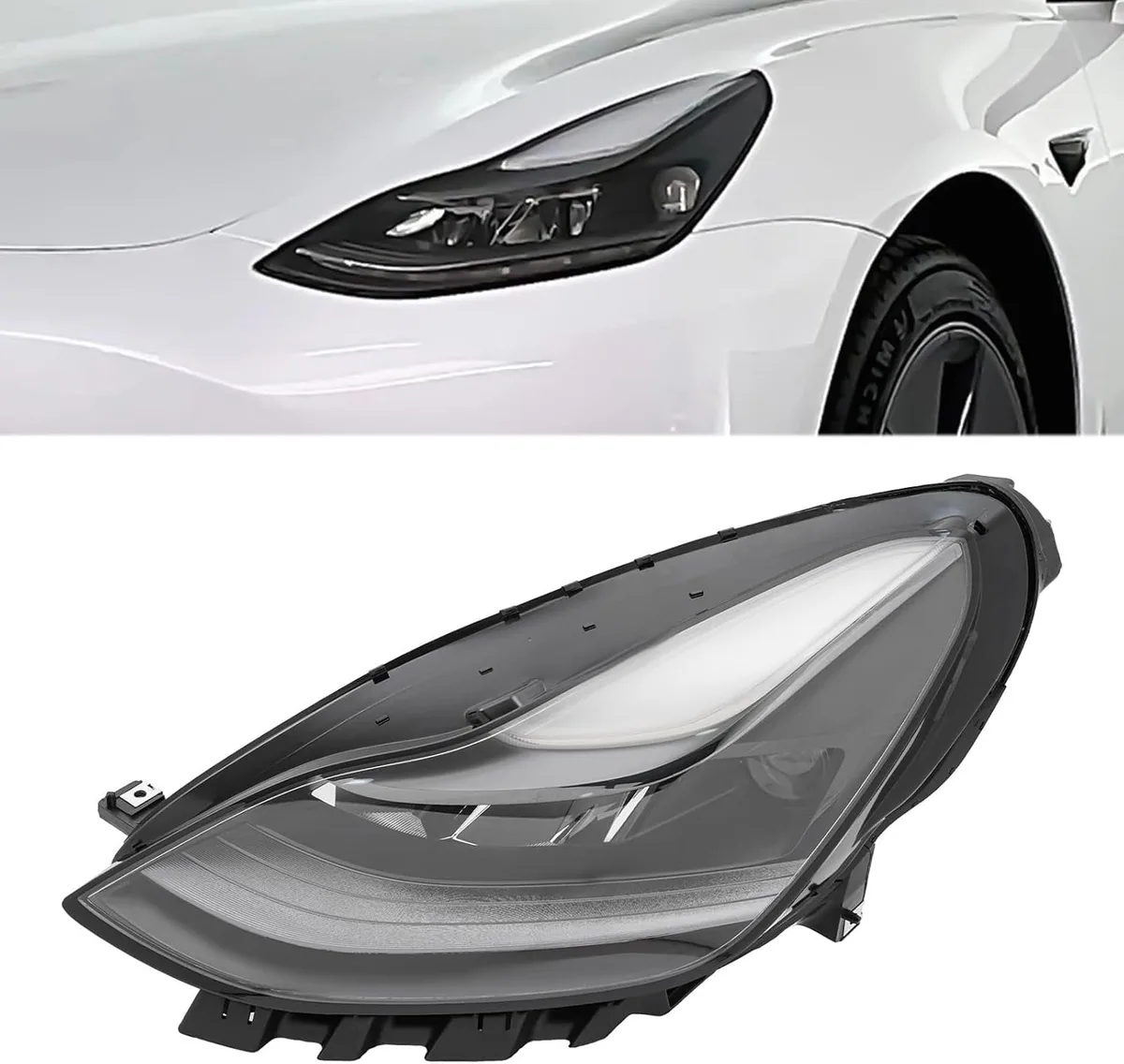
Check Price on Amazon As an Amazon Associate I earn from qualifying purchases.Per FMVSS 108, the federal lighting standard enforced by NHTSA, headlights must produce a minimum beam intensity and proper aim pattern. Tesla uses sealed LED assemblies on the Model Y, meaning there are no user-replaceable bulbs. If the LED module or its wiring fails, the entire headlight unit needs attention.
Here's how to figure out exactly what's wrong and what to do next.
49% off Today's Exclusive Deals
Limited-time Exclusive Deals. Check current discount on Amazon.
Check Price on Amazon As an Amazon Associate I earn from qualifying purchases.Image source: Bing (Web (fair-use with source credit))
Quick Answer
If your Tesla Model Y headlights are not working, the most common causes are a weak 12V auxiliary battery, a loose or corroded connector behind the headlight assembly, or a software glitch. Check the touchscreen for error banners first. A soft reboot using both steering wheel scroll wheels resolves intermittent cases.
If the issue persists, inspect the connector or schedule Tesla service.
First, Check the Screen: What the Warning Message Tells You
The Model Y displays headlight-related warnings on the center touchscreen, and the exact wording narrows the problem fast. Before you pop the hood, sit in the driver's seat and look at the top of the display.
49% off Today's Exclusive Deals
Limited-time Exclusive Deals. Check current discount on Amazon.
Check Price on Amazon As an Amazon Associate I earn from qualifying purchases.A banner reading "Headlight Fault" typically points to a problem with the headlight control module or the LED driver board. "Headlights Unavailable" often appears after a failed software update or when the Body Control Module can't communicate with the headlight. If the warning says "Auto High Beam Unavailable," the front camera may be blocked or the adaptive function has degraded.
General headlight troubleshooting follows similar logic across vehicles. The Model Y version just skips the bulb-check step entirely since there are no replaceable bulbs.
Check whether the warning appears only with low beams, only with auto high beam, or across all lighting modes. That distinction matters. A low-beam-only failure usually isolates the issue to one LED module.
A complete blackout of all forward lighting suggests a power supply problem, often traced to the auxiliary battery.
Navigate to Controls, then Lights on the touchscreen. Toggle between Auto, On, and Off. If the headlights respond to manual toggling but fail in Auto mode, the issue may be the ambient light sensor or software logic rather than hardware.
Save the exact wording of any warning. Tesla service technicians use these banners to pull the right diagnostic logs remotely, which speeds up your appointment.
The 12V Battery: The Hidden Cause Most Owners Overlook
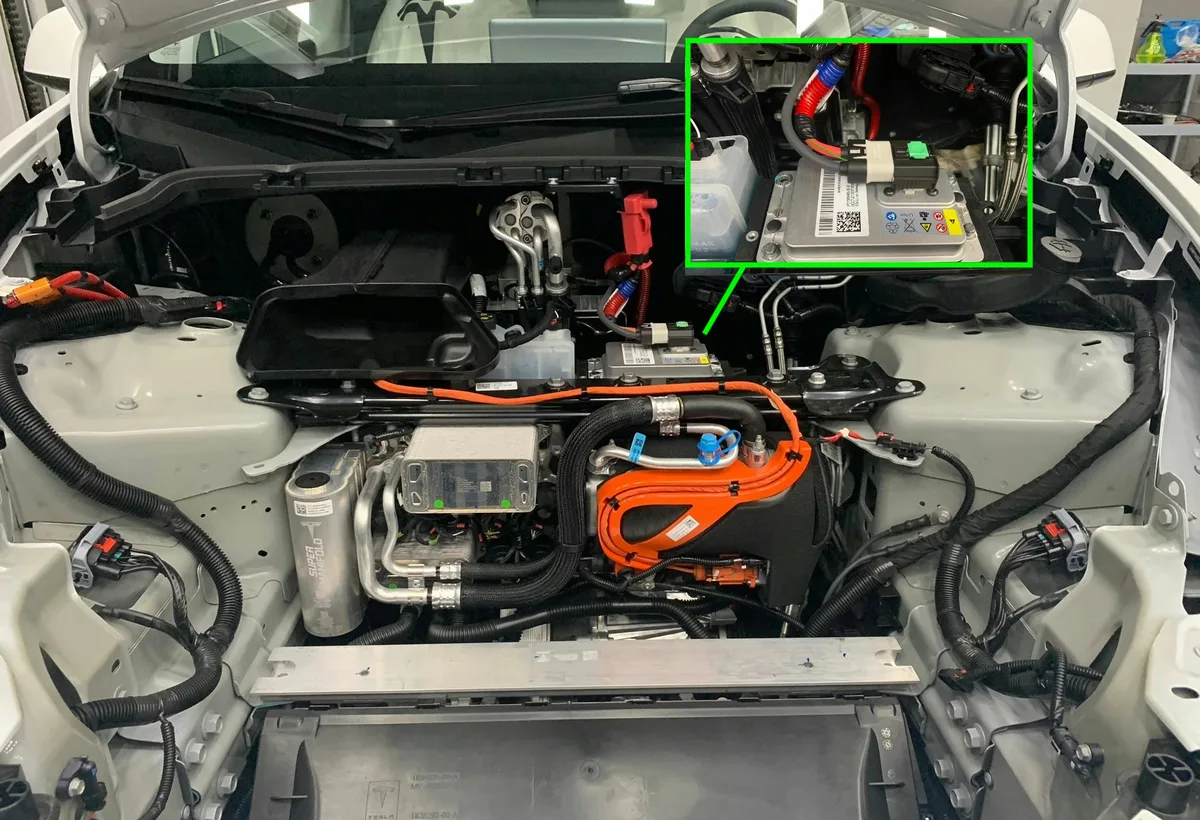
Image source: Bing (Web (fair-use with source credit))
Most people assume headlights draw from the main traction battery. They don't. On the Model Y, all exterior lighting, door locks, window motors, and the infotainment system run off a small 12V auxiliary battery.
When that battery weakens, headlights are often the first thing to act up.
Post-2021 Model Y vehicles use a lithium-ion 12V battery rated at 15.5V, replacing the older lead-acid unit. This battery typically lasts four to six years but degrades faster in extreme cold. Aggregate user reports show headlight flickering during cold starts as one of the earliest warning signs of a failing aux battery.
You can check the voltage from the touchscreen. Go to Controls, then Software, then tap the vehicle icon. A healthy battery reads between 12.4V and 12.8V at rest.
Below 12V, the battery needs charging or replacement. While driving, voltage should climb to 13.5V or higher as the DC-DC converter charges it from the main pack.
A weak aux battery also causes stuck windows and dead door locks, not just headlight problems. If you're seeing multiple electrical glitches at once, the auxiliary battery is almost certainly the root cause.
Tesla mobile service can replace the aux battery at your location. The replacement typically costs between $100 and $180 including labor as of 2026. This single fix resolves a surprisingly large share of headlight complaints.
Decision Tree: Match Your Symptom to the Fix
This is where a structured approach saves you time and money. Match what you're seeing to the cause below, then take the recommended action.
One Headlight Is Out
If only one headlight has failed, the most likely cause is an internal failure of that LED module. Since Model Y headlights use sealed assemblies with no replaceable bulbs, a single dead headlight usually means the entire unit needs replacement. Check the connector first, but expect a replacement.
A single headlight assembly runs $400 to $800 for the part. Labor adds another $100 to $200 at a service center. Under the basic four-year, 50,000-mile warranty, covered defects are replaced at no charge.
Both Headlights Are Dead
When both headlights fail simultaneously, the cause is almost never the LED modules. Look at the 12V auxiliary battery first. A weak battery can't supply enough current to power both LED drivers.
Check voltage on the touchscreen as described above.
If voltage reads normal, the next suspect is the Body Control Module. A failed BCM cuts power to all exterior lighting, including turn signals and marker lights. This requires a Tesla service center visit.
Flickering, Condensation, or Intermittent Failure
Flickering that comes and goes points to a loose connector or a failing LED driver board. Condensation inside the lens housing means the seal has failed. Both issues are covered under warranty if the vehicle is within the basic warranty period.
Intermittent failure after a car wash suggests water intrusion into the connector. Dry the area, reseat the connector, and monitor. If it recurs, the gasket needs attention.
Similar moisture-related electrical issues show up in other lighting systems too.
How to Reboot and Reset the Headlight System Yourself
Before scheduling service, try a software reboot. Many headlight faults on the Model Y are software glitches that a simple reset clears.
Soft Reboot
Press and hold both steering wheel scroll wheels simultaneously for about 10 seconds. The center screen goes black, then the Tesla logo appears. Wait for the display to fully restart.
This takes roughly 30 to 60 seconds. After the reboot, test both headlights in Auto mode and then manual mode.
Hard Reboot
If the soft reboot doesn't help, perform a hard reboot. Press and hold both scroll wheels while also pressing the brake pedal. Hold all three for about 15 seconds.
The vehicle powers down and restarts. This resets the Body Control Module along with the infotainment system. The same technique fixes stuck horns and other phantom electrical issues across many vehicles.
Service Mode Headlight Test
For a deeper check, enter Service Mode. From the touchscreen, go to Software, then press and hold the model name for five seconds. Enter the access code when prompted.
Navigate to the headlight test routine. The vehicle runs each LED module independently and reports pass or fail.
A passing result with the warning still displayed suggests a software bug. A failing result confirms a hardware issue. Either way, you now have concrete information to share with Tesla service.
Connector and Moisture Inspection: A 15-Minute DIY Check
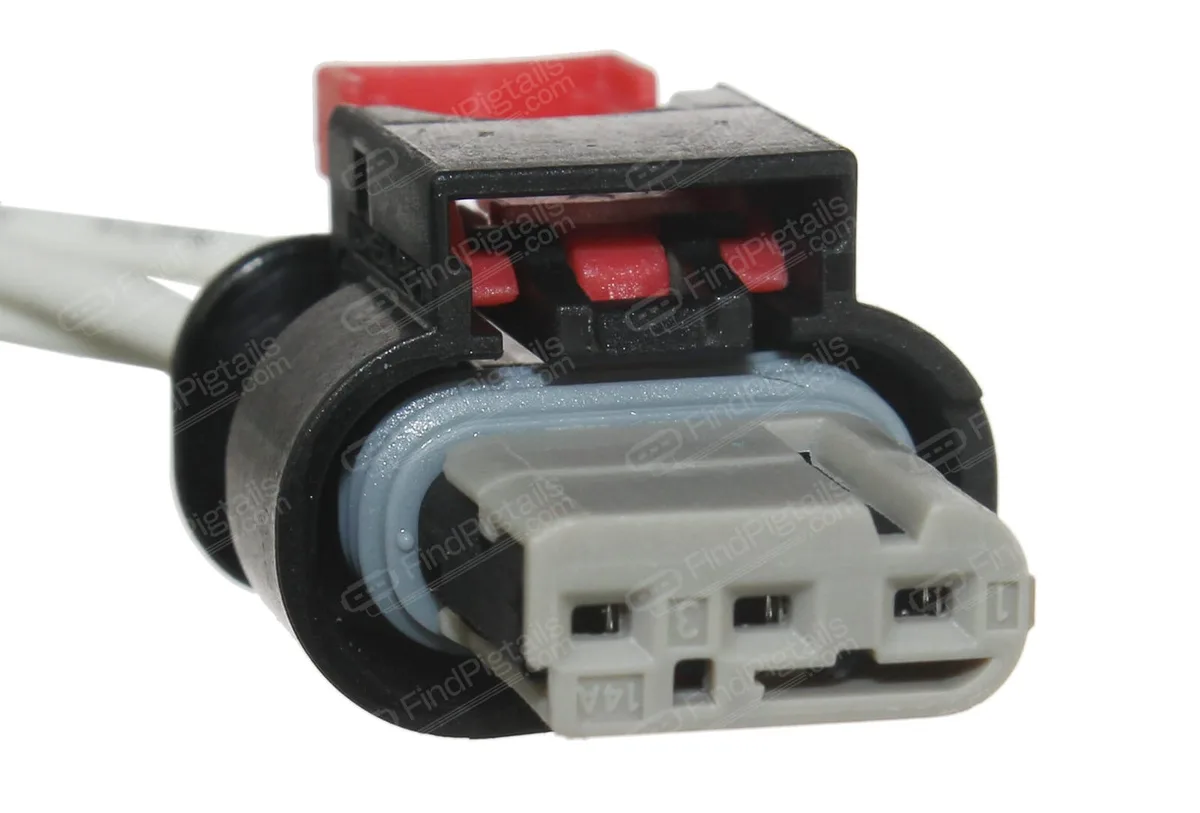
Image source: Bing (Web (fair-use with source credit))
If the reboot didn't help and the 12V battery checks out fine, the next step is a physical connector inspection. Most owners can do this at home with no special tools.
Pop the frunk and remove the plastic trim panel that covers the area behind each headlight. The headlight connector sits at the rear of the housing, secured by a locking tab. Press the tab and pull the connector straight back.
Do not yank on the wires.
Look at the connector pins for green or white corrosion, bent pins, or moisture inside the housing. In humid climates or areas with road salt, corrosion builds up on these pins over time. Clean the contacts with electrical contact cleaner spray and a small nylon brush.
Let the area dry completely before reseating.
Check the rubber gasket around the connector. If it's cracked or compressed flat, moisture can wick in. A thin coat of dielectric grease on the gasket creates a better seal going forward.
Push the connector back in until you hear and feel the latch click. A partially seated connector is one of the most common causes of intermittent headlight failure. If the gasket is damaged or the pins are corroded beyond cleaning, the assembly likely needs professional attention.
Replacement vs. Mobile Service: Cost, Warranty, and When to Stop DIY
If the gasket is damaged or the pins look corroded beyond cleaning, stop doing it yourself. Tesla fully seals the headlight housing, and opening it voids the warranty. It also ruins the waterproof seal.
In-warranty replacement costs you nothing. Basic coverage runs four years or 50,000 miles. Book through the Tesla app and mobile service can do the swap in your driveway.
That's the easiest path by far.
Out of warranty, expect $400 to $800 for the assembly. Labor adds $100 to $200. Total price depends on your Model Y's build date and whether it has matrix LED units.
Brake light faults follow a similar diagnostic path once the module is confirmed dead. The key difference is the sealed housing means no bulb swap exists here.
DIY replacement only works if you're comfortable removing bumper trim. You also need a genuine OEM part. Refurbished units usually can't calibrate the adaptive beam.
Aftermarket "beam style" lights rarely meet photometric standards. Let Tesla handle this one.
Mistakes That Make a Headlight Failure Worse
A few wrong moves turn a simple fix into an expensive repair. Avoid these patterns.
Skipping the 12V battery check. Most people jump straight to the headlight assembly. A quick voltage check on the touchscreen takes seconds. Catching a weak battery early prevents flickering and protects other electrical systems at the same time.
Forcing connectors. Pulling hard on the harness can bend the pins inside the plug. A bent pin breaks contact even after you reseat it. Intermittent electrical faults like this show up in windows too.
Ignoring condensation. Water inside the housing scatters light in the wrong places. Left alone, moisture corrodes the LED driver board from the inside. No sealant fixes that once it starts.
Driving with it for weeks. One dead headlight cuts nighttime visibility by half. It's also an easy reason for a traffic stop. Treat this as a no-drive condition until the light works again.
Frequently Asked Questions
Can I replace the headlight assembly myself?
Replacing a Model Y headlight requires removing several trim pieces and bumper fasteners. It's doable, but Tesla's service manual lists calibration steps afterward. Only attempt it with the right tools and a genuine OEM part.
Is it safe to drive with one headlight out?
No. It cuts your forward visibility by roughly half. It's also illegal on public roads in most states, since the remaining headlight casts an asymmetric beam pattern.
Limit driving to daylight hours until the fix is done.
Will a software update fix flickering headlights?
Sometimes. Tesla occasionally adjusts lighting logic in firmware, and a reboot clears transient glitches. However, if the issue comes from a weak 12V battery or a loose connector, the update won't help.
Test after each step to confirm the actual fix.
How long do Model Y headlights last?
The LED modules themselves are rated for the vehicle's lifetime. The surrounding electronics and connectors fail sooner. Aggregate owner feedback puts the first failure between 50,000 and 80,000 miles.
Cold climates and humidity bring that number down.
What does the "Headlight Fault" warning mean?
That message means the headlight control module detected a communication issue or a current reading outside the expected range. It usually points to hardware, not a software glitch. Pull the exact error code through Service Mode for more detail.





