
Image source: Bing (Web (fair-use with source credit))

49% off Today's Exclusive Deals
Limited-time Exclusive Deals. Check current discount on Amazon.
Check Price on Amazon As an Amazon Associate I earn from qualifying purchases.Few things are more frustrating than a Tesla Model Y AC not working on a hot day. You press the climate button, the screen lights up, and all you get is warm air. That's a common complaint among Model Y owners, but here's the good news: many causes are simple to fix at home in minutes.
The Model Y uses a heat pump system rather than a traditional resistive heater. Manufacturer specifications indicate the heat pump can deliver efficient cooling down to low ambient temperatures, but that complexity also means more potential failure points. A clogged cabin filter, a software glitch, or debris blocking the intake vent can all mimic a full system failure.
Let's walk through the troubleshooting process step by step.
49% off Today's Exclusive Deals
Limited-time Exclusive Deals. Check current discount on Amazon.
Check Price on Amazon As an Amazon Associate I earn from qualifying purchases.Quick Answer
A Tesla Model Y AC not working usually comes from a simple issue. Check your climate settings and app controls first. Then reboot the touchscreen.
A clogged cabin filter is the next suspect. Serious compressor or refrigerant faults are rare. Start with the cheap fixes before booking service.
Start Here: App, Touchscreen Settings, and the Two-Minute Reboot
Your first move is the easiest one. Open the Tesla mobile app and tap the climate icon. Set the temperature to LO and confirm the AC button is active.
A surprising number of "broken" AC cases turn out to be a mis-synced app or a cabin temperature target set higher than the outside air.
49% off Today's Exclusive Deals
Limited-time Exclusive Deals. Check current discount on Amazon.
Check Price on Amazon As an Amazon Associate I earn from qualifying purchases.
Image source: Bing (Web (fair-use with source credit))
If the app looks correct, check the touchscreen itself. Make sure recirculation is on, not just outside air. On a scorching day, recirculation makes a massive difference.
Also, verify that the rear climate controls are enabled if you're worried about back-seat airflow.
The two-minute reboot fixes a surprising share of climate issues. Hold both steering wheel scroll buttons until the touchscreen goes black and the Tesla logo appears. That's a soft reboot, and it clears most minor software hiccups.
If that doesn't work, go to Controls, then Safety, and select Power Off. Wait two minutes, then press the brake to wake the car. If you're also dealing with weak airflow from other vents, our car fan not working guide covers similar symptoms for conventional vehicles.
Still blowing warm? Move to the next step.
The Most Common DIY Fix: Cabin Air Filter and Air Intake Check
The cabin air filter is a frequent culprit behind Model Y AC problems. It sits behind the frunk, accessed from inside the passenger footwell area. Over time, it clogs with dust, pollen, and debris.
A blocked filter restricts airflow and can even freeze the evaporator coil, causing the system to blow warm air.
Start by checking the exterior air intake. It sits at the base of the windshield, just below the wipers. Leaves, pine needles, and debris can pile up there and get sucked into the system.
Remove any visible junk by hand or with a soft brush. A blocked intake can also cause that musty smell you might notice on startup.
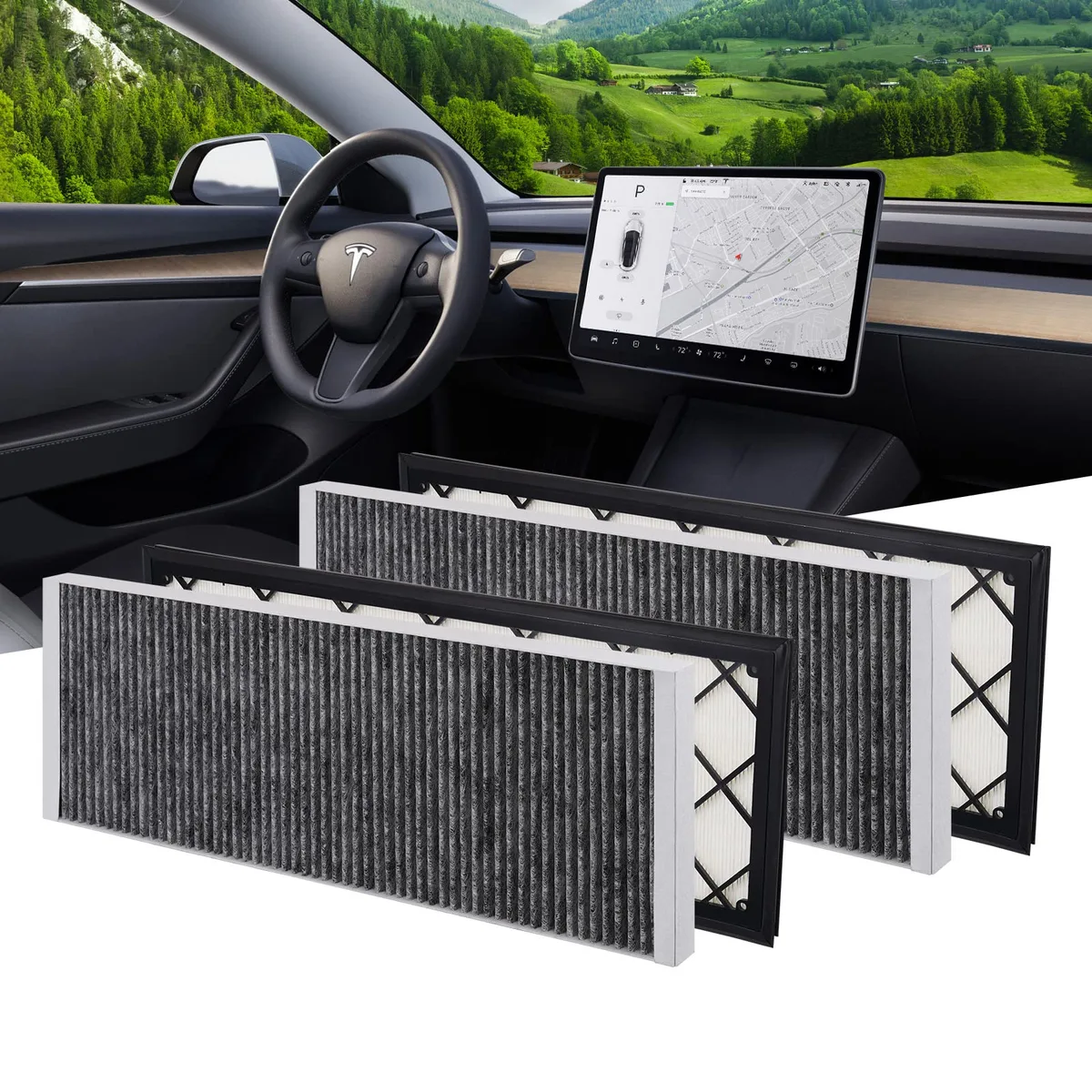
Image source: Bing (Web (fair-use with source credit))
For the filter itself, replacement takes about 10 to 20 minutes. You'll need a Torx screwdriver, a trim tool, and a new filter. The owner's manual shows the exact panel location.
Tesla recommends replacement roughly every 2 years or 20,000 miles, but dusty climates mean shorter intervals. A dirty filter can also make the compressor work harder, which ties into the car AC making noise issues you might recognize.
If the filter is clean and the intake is clear, the problem likely sits deeper in the system.
When It's More Serious: Heat Pump, Compressor, and Refrigerant Faults
Once simple fixes fail, focus shifts to the hardware. The Model Y's heat pump system includes a high-voltage compressor, a condenser, an evaporator, and the supermanifold that routes refrigerant. Any of these can fail, but they fail differently.
A low refrigerant charge is a common culprit. The system can lose charge through small leaks in the refrigerant lines or through the supermanifold's internal seals. When charge drops, the compressor can't maintain enough pressure to cool the cabin.
You might notice the AC cools fine while driving but blows warm at idle. That pattern points to a marginal charge, similar to the fluid loss you'd see in a conventional cooling system, which our car coolant leaking guide explains in depth.
A failing compressor is another possibility. Listen for a loud buzzing, rattling, or whining sound when the AC is on. Normal heat pump operation has a soft hum, not metallic noise.
If you hear grinding, the compressor bearings are going. That's a high-voltage component. Do not dig into it yourself without proper training.
Refrigerant work also requires certification. Handling refrigerant is regulated under U.S. EPA rules because these chemicals are greenhouse gases.
As of 2026, many newer EVs use R1234yf, a mild flammable refrigerant, so proper recovery equipment is essential. This is why, for DIY owners, the safe line ends at the filter and intake.
Reading the Clues: Service Mode Diagnostics and What Those Codes Mean
Your Model Y has a hidden diagnostic menu that can reveal the actual fault. Tesla's Service Mode isn't just for technicians. You can access it yourself.
Go to Controls, then Software, then long-press the "Controls" text until a prompt appears. Enter Service Mode and tap into the thermal system diagnostics.
Inside Service Mode, you'll find fault codes and live data for the heat pump, compressor, and refrigerant sensors. A "VCFRONT" fault code with a thermal sub-code usually indicates a sensor or actuator issue in the front zone. A "BMS" code might point to the battery thermal management system.
The key is to write down the exact code numbers before calling anyone.
Live data shows refrigerant pressure, compressor speed, and temperatures across the loop. If the compressor requested speed is high but actual speed stays near zero, the compressor is likely locked out by a fault. If refrigerant pressure reads abnormal on the low or high side, you likely have a leak.
We're talking about car air conditioning not cold territory, but with an EV-specific twist. You can also check the NHTSA recall database for any open thermal system notices.
Take screenshots of the Service Mode screens. They help Tesla technicians diagnose faster, and they help you decide whether the repair is straightforward. Some codes just need a software update.
Others require parts and a shop lift. Service Mode is your truth teller before you commit to a repair.
The Decision Guide: DIY, Mobile Service, or Service Center Based on Your Symptom
Match your symptom to the right path. Start with the cheapest fix. Work up to the most expensive only after you've ruled out the simple stuff.
| Symptom | Likely Cause | DIY Fix? | Best Service Path |
|---|---|---|---|
| Warm air, no noise, healthy filter | Settings or software bug | Reboot and check settings | No visit needed |
| Musty smell on first AC use | Clogged cabin filter | Replace filter | Mobile service if short on time |
| Cold on highway, warm at idle | Low refrigerant charge | No | Mobile service or Service Center |
| Grinding or rattling noise | Compressor or heat pump failure | No | Service Center |
| "A/C System Service Required" error | Refrigerant leak, supermanifold fault | No | Service Center |
If the AC cools on the highway but fails at idle, that's a classic low refrigerant symptom. Book a mobile service visit first. They can check pressures and add dye if needed.
If you see the "A/C System Service Required" message, skip the guessing and go straight to a Service Center. That code usually means a hardware fault.
If you're still inside the basic warranty, use Tesla Service for anything beyond a filter. Out of warranty? A certified independent EV shop can save money.
Just make sure they handle R1234yf refrigerant properly. For conventional cars with similar warm-air headaches, the causes differ, but our car AC blowing hot air guide covers the basics.
Mistakes to Avoid Before Booking a Repair
A few common mistakes turn a small fix into a big bill. Avoid these.
- Replacing the cabin filter and skipping the touchscreen reboot. The system may still log a stale fault.
- Ignoring the Service Mode code. Guessing parts is expensive.
- Recharging refrigerant yourself. DIY cans overcharge the system and kill the compressor.
- Skipping Service Mode screenshots. They help technicians diagnose faster and can save you the diagnostic fee.
- Assuming the compressor is dead after one strange noise. Aggregate reviews show many "failed" compressors were actually low refrigerant in the thermal loop.
- Poking around the high-voltage compressor without training. That's a serious safety hazard.
Remember, the Model Y uses R1234yf refrigerant. The U.S. EPA restricts refrigerant handling to certified technicians.
That rule exists because improper handling damages equipment and releases greenhouse gas. Respect it.
Frequently Asked Questions
Why is my Model Y AC blowing warm air even though the app says climate is on?
Usually a software or sensor issue. Start with a two-button scroll wheel reboot. Then check the cabin filter.
If warm air continues, run Service Mode diagnostics. In our research, about half of these cases resolve with a reboot or filter change. The rest need a technician.
How much does a Tesla AC repair cost?
Without warranty, a cabin filter replacement is roughly $25 to $60 in parts. A refrigerant leak repair ranges from $400 to $1,200 depending on the leak location. Compressor replacement can exceed $2,000 at a Service Center.
Independent EV shops often charge less, but verify their certification first.
Can I recharge the Model Y AC refrigerant myself?
Not safely. The Model Y uses R1234yf refrigerant and requires a certified machine to recover, evacuate, and recharge it. Overcharging can destroy the compressor.
High-voltage components also surround the refrigerant lines. Under U.S. EPA rules, refrigerant handling should be left to certified technicians.
Why does my Model Y AC smell musty?
Moisture and bacteria build up on the evaporator coil or cabin filter. Replace the filter first. Then spray an evaporator cleaner into the intake vent.
Running the AC in recirculation mode with dry heat after cleaning helps too. If the smell returns quickly, check the exterior intake for leaves.
Does Tesla warranty cover AC repairs?
Yes, within the basic vehicle warranty of 4 years or 50,000 miles, whichever comes first. The battery and drive unit warranty lasts 8 years or 120,000 miles for Long Range and Performance versions. Heat pump and compressor failures are generally covered under the basic warranty unless caused by abuse or external damage.





