Your Tesla Model 3 windshield wiper problem usually isn't a mechanical failure. In most cases, the car's autowipe system is making questionable decisions. Dry sweeps, missed rain, or blades chattering across glass are the most reported symptoms.
The fixes are quicker and cheaper than you'd expect.

49% off Today's Exclusive Deals
Limited-time Exclusive Deals. Check current discount on Amazon.
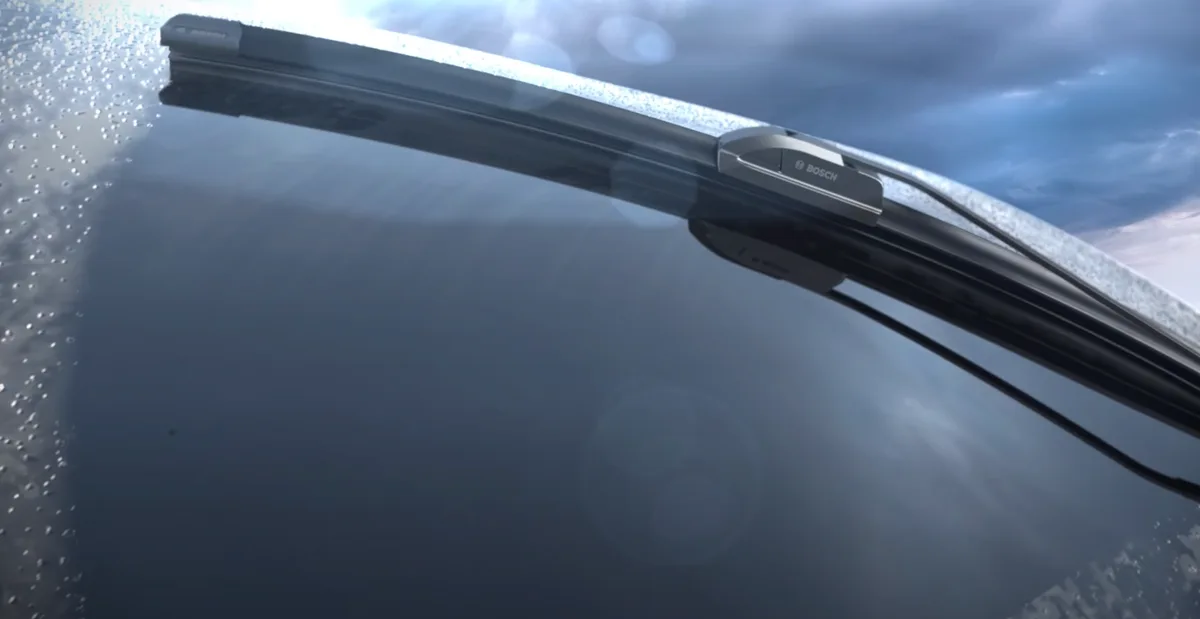
Check Price on Amazon As an Amazon Associate I earn from qualifying purchases.Manufacturer specifications confirm the Model 3 uses its forward camera cluster for rain detection. There's no traditional infrared rain sensor measuring moisture directly on the glass. Instead, the camera watches the windshield for water droplets.
That design choice drives almost every wiper quirk, and it gives you a roadmap for the fixes below.
49% off Today's Exclusive Deals
Limited-time Exclusive Deals. Check current discount on Amazon.
Check Price on Amazon As an Amazon Associate I earn from qualifying purchases.Image source: Bing (Web (fair-use with source credit))
Quick Answer
The Tesla Model 3 windshield wiper problem comes down to four common issues. These are phantom wipes, missed rain, chattering blades, and frozen wipers. Most fixes take under 15 minutes at home.
Cleaning the camera housing solves a large share of cases.
Start Here: Which Windshield Wiper Problem Do You Have?
Before booking any service, match your symptom to the cause. It saves time, money, and a trip to the service center.
49% off Today's Exclusive Deals
Limited-time Exclusive Deals. Check current discount on Amazon.
Check Price on Amazon As an Amazon Associate I earn from qualifying purchases.Autowipers wipe on a dry windshield
This is the notorious phantom wipe. Rain isn't touching the glass, but the wipers sweep anyway. The camera can't see clearly and mistakes light reflections, dust, or smudges for rain.
These wipes are aggravating but easy to stop in minutes, so start with Fix 1.
Autowipers ignore rain or respond too slowly
You're driving into rain and the glass is barely wet, yet the wipers stay silent. The camera thinks the windshield is dry when it isn't. Dirty glass, a blocked camera housing, or heavy road spray causes this lag.
Move to Fix 2.
Wipers chatter, streak, skip, or stay frozen
This branch points to mechanical wear. Chattering and streaking usually mean torn or hardened blades. Skipping often means the wiper arm has shifted.
Frozen blades happen when ice bonds the rubber to the glass. Any of these deserves Fix 3.
Wipers don't respond at all
If manual settings, the stalk button, and the touchscreen all produce nothing, you've left the autowiper problem behind. That's a physical failure, likely the wiper motor, relay, or wiring. The full checklist for a non-responsive wiper setup covers the fuse, relay, motor, and linkage.
Why Tesla's Autowipers Don't Work Like Normal Rain Sensors
Most cars use an infrared rain sensor glued to the windshield. It projects light and measures how much reflects back. Raindrops scatter that light, the sensor detects the change, and the wipers activate.
Tesla removed that component entirely. The Model 3 relies on the front camera cluster. It's the same camera behind the rearview mirror that powers Autopilot and Full Self-Driving.
The system watches the windshield through that lens. When it identifies droplets, it decides whether those droplets warrant a wipe.
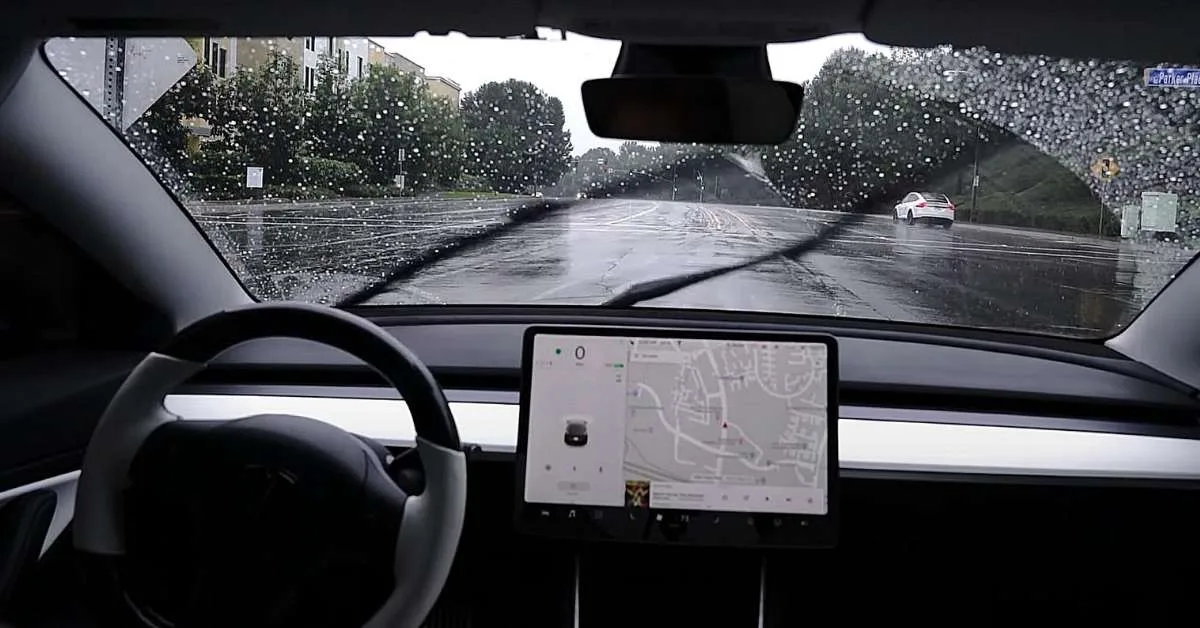
Image source: Bing (Web (fair-use with source credit))
Why that matters for your fix
Because there's no dedicated sensor, camera visibility is the whole game. If the lens is dirty, fogged, or blocked, the system guesses. Clean glass and an unobstructed camera housing give you the best possible autowiper performance.
Tesla's support site explains the same point in the Model 3 owner's manual.
The autowiper sensitivity slider
Tesla's touchscreen slider adjusts how easily the camera decides rain is present. Low settings trigger fewer wipes, but they also ignore light drizzle. High settings react fast, but they can cause phantom wipes on a lightly misted windshield.
Manual speeds 1 through 4 stay available whenever you want full control.
Here's a quick comparison of the two designs:
| Traditional rain sensor | Tesla camera system |
|---|---|
| Measures light reflection | Analyzes camera images |
| Physical sensor behind mirror | No dedicated sensor |
| Triggered by moisture directly | Triggered by pattern recognition |
| Less affected by glass dirt | Highly sensitive to smudges |
Fix 1: Stop Phantom Wipes Without Replacing Anything
Phantom wipes don't mean your blades are worn out. They mean the camera sees something that resembles rain. Usually, the culprit is a dirty camera housing, dried water spots, or an overly sensitive setting.
Clean the camera housing and windshield
Park the car and turn off the wipers. Take a clean, damp microfiber towel and gently wipe the glass directly in front of the camera. Wipe the plastic or glass cover around the camera lens assembly too, since the housing sits right behind the rearview mirror.
Avoid abrasive pads and paper towels, which can scratch the glass or leave residue. Most phantom wipes stop after this step alone.
Adjust autowiper sensitivity
If cleaning didn't fix it, lower the sensitivity slider in Controls > Autopilot > Autowipers. The system reacts less aggressively to minor glass imperfections. That stops the false triggers.
Check for software update changes
Tesla pushes over-the-air updates that occasionally adjust wiper logic. Did the phantom wiping start right after an update? Power-cycle the vehicle by holding both steering wheel scroll buttons until the touchscreen turns off.
That often clears the buggy state.
Fix 2: Make Autowipers Detect Real Rain Reliably
The opposite problem: real rain, but the wipers stay silent. If the camera doesn't see the drops, it won't act. Here's the if/then workflow.
Clear the camera view and run recalibration
First, wash the windshield thoroughly. Use glass cleaner or wiper fluid with a clean rag to strip away road film, bugs, and wax residue. Then clean the camera lens cover.
If rain still isn't detected, force a system restart by holding both steering wheel scroll buttons until the screen goes black. That reinitializes the camera and wiper control module.
When manual modes make more sense
The vision system has limits. Heavy rain, spray from a truck, or glare at sunrise can all confuse it. If you're waiting too long for the car to catch up, don't fight it.
Tap the left stalk button for a single wipe, or use the touchscreen to set a fixed manual speed. Manual override is always available for a reason.
Watch out for windshield coatings
Hydrophobic coatings, including ceramic treatments, change how water beads on the glass. The camera can misread those tight beads as a dry surface. If the problem started after applying a coating, that's likely the culprit.
As of 2026, this remains one of the most overlooked causes of slow autowipers.
Fix 3: Fix Chattering, Streaking, and Skipping Blades
This branch is purely mechanical. The wiper moves, but the blade isn't sliding smoothly across the glass. It's a blade or arm issue, not a sensor issue.
Inspect for blade damage and arm alignment
Lift each wiper blade and run your finger along the rubber edge. If it feels rough, cracked, or loose from the frame, replace both blades. Also check the wiper arm nut that holds the assembly to the car.
A loosened nut lets the arm sit at the wrong angle, and that causes streaking across the driver's vision.
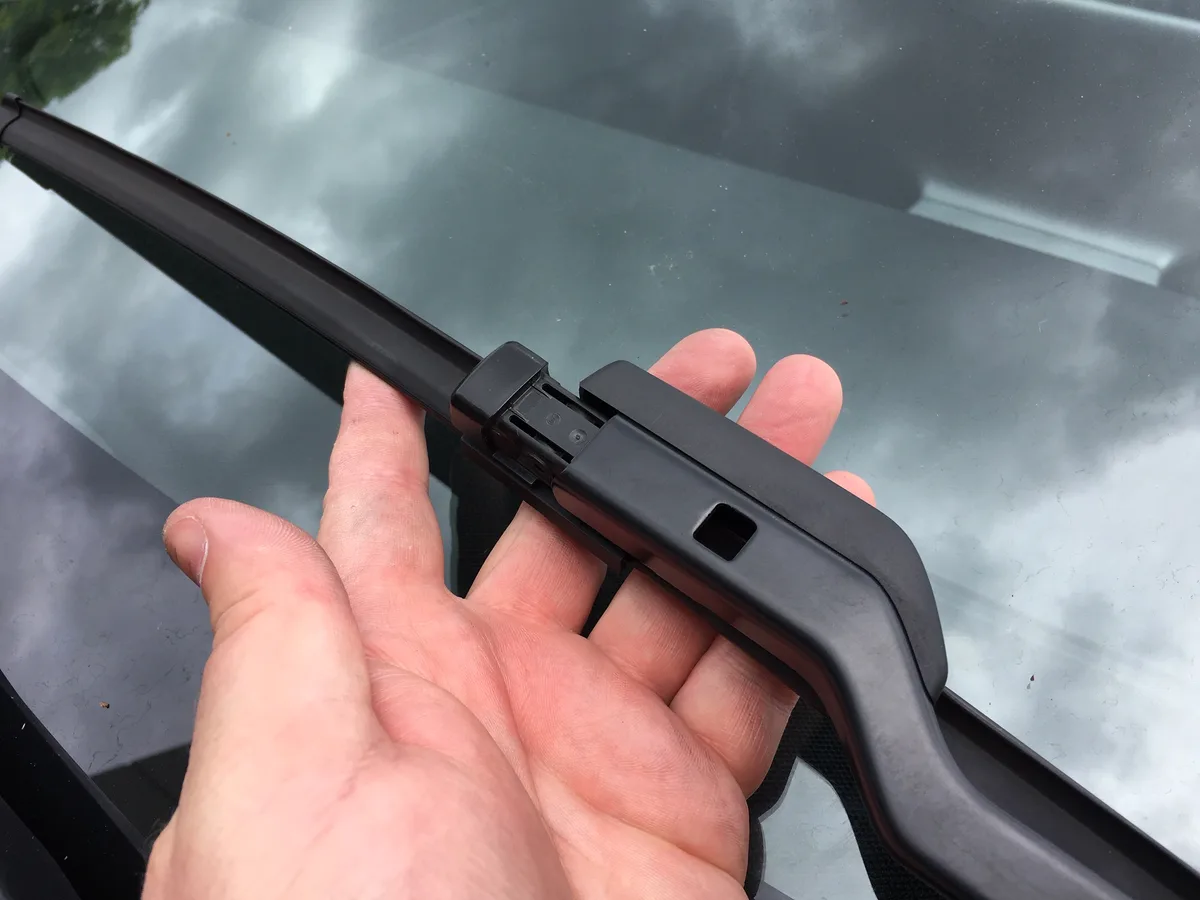
Image source: Bing (Web (fair-use with source credit))
Use Wiper Service Mode for safe replacement
Never force the wipers away from the glass to replace blades. You'll chip paint or scratch the hood. Tap Controls > Service > Wiper Service Mode.
The wipers travel up and hold in a vertical position. Then you can fold the arm away safely.
Washer fluid, ice, and winter prep
Chattering can also come from the washer system. Water spraying too high or at a bad angle dries into streaks. Adjust the nozzles if needed.
In winter, clear ice from the blade base before starting. A frozen blade strains the motor and leaves you with a screaming wiper on glass.
The Maintenance Workflow: Blades, Washer Fluid, and Winter Prep
Regular upkeep stops most wiper problems before they start. Plan on replacing blades every 6 to 12 months, depending on your climate. Driver and passenger blades have different lengths, so confirm the exact sizes in your owner's manual.
Wiper Service Mode makes the swap a five-minute job. Washer fluid matters more than most owners realize. A proper windshield washer fluid beats plain water, especially in winter.
Plain water freezes, leaves minerals, and fails to cut road grime. Top up the reservoir before long trips. It's the cheapest way to keep glass clear.
Winter prep takes less than a minute. Lift the blades off the glass when ice or snow is expected. Use Tesla's Winter Wiper Parking setting, which raises the resting position so blades don't freeze to the glass.
On frosty mornings, clear the blade base with a scraper before using the washer. If the wipers stop responding entirely, that's a different issue. Use the fuses and the motor wiring checklist before booking a visit.
Keep the camera housing clean year-round too. Auto wipers depend on that camera being spotless. Wipe the lens cover every few weeks.
It's the cheapest insurance against phantom wipes.
Mistakes That Cost Tesla Owners Time and Money
The biggest error is buying one blade size and assuming both sides match. Driver and passenger blades have different lengths. The wrong blade streaks, chatters, or leaves a gap mid-sweep.
Always confirm exact sizes before ordering. Another costly one is over-tightening the wiper arm nut. Snug is enough.
Forcing it strips the threads and turns a quick fix into a service center visit. If you loosened the arm during a blade change, tighten it gently with a socket.
Windshield coatings confuse the camera. Ceramic or hydrophobic treatments change how water beads on glass. The camera can misread tight beads as a dry surface.
If the problem started right after applying a coating, that's likely the cause. It's not a defect, so Tesla won't warranty it.
Before booking Tesla Mobile Service, do the basic DIY steps. Clean the camera, wash the glass, set sensitivity, and replace blades. Those four steps resolve most complaints.
If manual wipers still refuse to work, check the relay, motor, and electrical circuit or let Tesla inspect the system on-site. If a wiper failure creates a real hazard, report it to the National Highway Traffic Safety Administration.
Frequently Asked Questions
Why do my Model 3 wipers wipe when it's not raining?
Phantom wipes usually come from a dirty camera housing. Clean the glass and lens cover with a microfiber towel. Lower the sensitivity slider if it keeps happening.
A software update can also change behavior. Restart the car if the issue started after an update.
How do I stop Tesla autowipers from being too sensitive?
Open Controls, then Autopilot, then Autowipers. Move the slider down to reduce sensitivity. Clean the windshield and camera lens too.
Dirt and smudges make the camera overreact. If it stays aggressive, use manual wiper speeds instead of auto mode.
What wiper blades fit a Tesla Model 3?
The driver and passenger blades are different sizes. Check your owner's manual for the exact lengths, since they vary by model year. Buy beam-style blades for proper contact with the curved glass.
Tesla sells OEM replacements, but any compatible beam blade works.
Why do my Tesla wipers chatter and streak?
Chattering means the blade rubber has hardened or torn. Run your finger along the edge to check. Replace both blades if they feel rough.
Also check the wiper arm nut for looseness. A misaligned arm skips across the glass.
How do I replace Tesla Model 3 wiper blades?
Open Controls, then Service, then Wiper Service Mode. The wipers stop vertically for easy access. Fold the arm away, press the release tab, and slide the old blade off.
Slide the new one on, return the arm, and tap the button to finish. Takes five minutes.
Does Tesla Mobile Service fix wiper issues?
Yes. Tesla Mobile Service can replace blades and check wiper alignment at your location. They can also inspect the motor, linkage, and camera connections on-site.
Costs depend on warranty status. For DIY fixes, try the steps above first, since many issues don't require a technician.





