Press the trip reset button, cycle the ignition, or clear it via the settings menu to reset.
I have worked on dozens of Ford trucks and reset service lights many times. This guide explains how to reset the maintenance light on a Ford F-150 for common model years. You will get clear, step-by-step methods, quick troubleshooting tips, and real-world advice so you can finish the job fast and right.

49% off Today's Exclusive Deals
Limited-time Exclusive Deals. Check current discount on Amazon.
Check Price on Amazon As an Amazon Associate I earn from qualifying purchases.
Why the maintenance light comes on
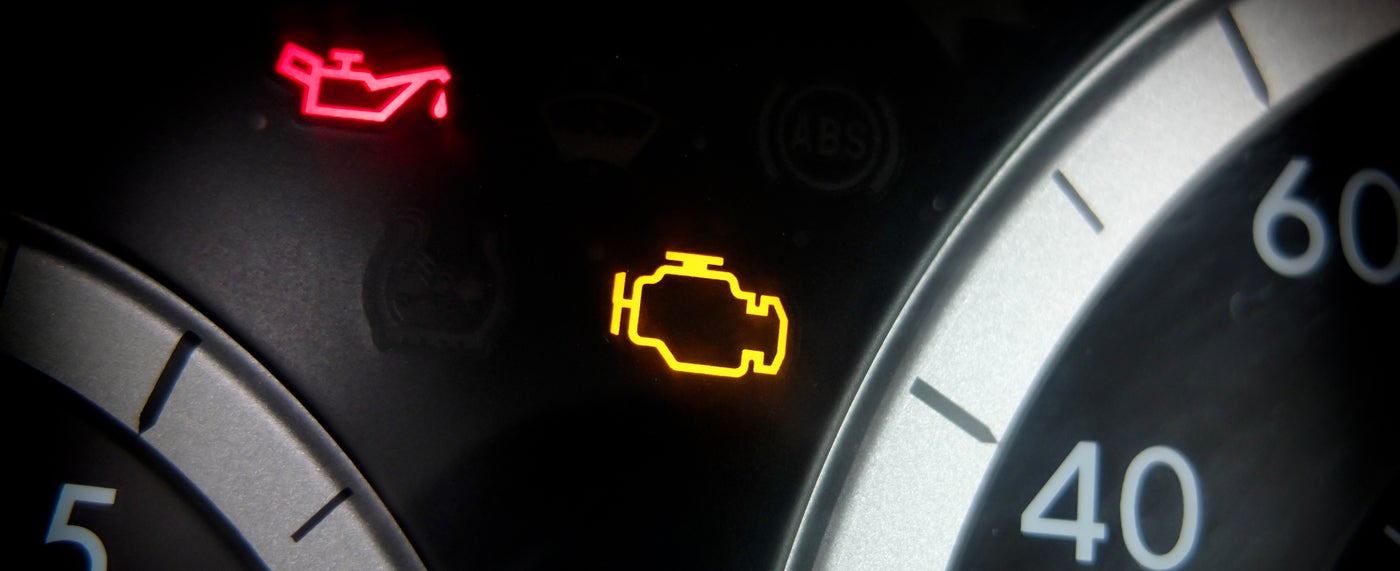
The maintenance light alerts you that routine service is due. It does not always mean a mechanical failure. Ford trucks use it as a reminder for oil changes, filter checks, or scheduled inspections. Knowing what triggers the reminder helps you decide whether to reset the light or fix an underlying issue.
49% off Today's Exclusive Deals
Limited-time Exclusive Deals. Check current discount on Amazon.
Check Price on Amazon As an Amazon Associate I earn from qualifying purchases.How to reset the maintenance light on a Ford F-150 — step-by-step
Below are simple, model-specific methods to reset the reminder. Choose the one that matches your F-150 year and follow the short steps.
Older F-150s (before about 2009)
- Turn the ignition to ON without starting the engine.
- Press and hold the trip odometer reset button on the instrument cluster.
- While holding the button, switch ignition OFF and then back to ON.
- Release the button when the maintenance message or zeros flash.
This resets the service reminder on many older models.
F-150s with electronic cluster (roughly 2009–2014)
- Turn ignition to RUN (do not start).
- Use the cluster buttons to navigate to the odometer or vehicle settings.
- Press and hold the reset or OK button until the service light clears.
- Turn the truck off and start it to confirm the light is gone.
Newer F-150s with SYNC and digital menus (2015 and later)
49% off Today's Exclusive Deals
Limited-time Exclusive Deals. Check current discount on Amazon.
Check Price on Amazon As an Amazon Associate I earn from qualifying purchases.- Turn ignition to ON.
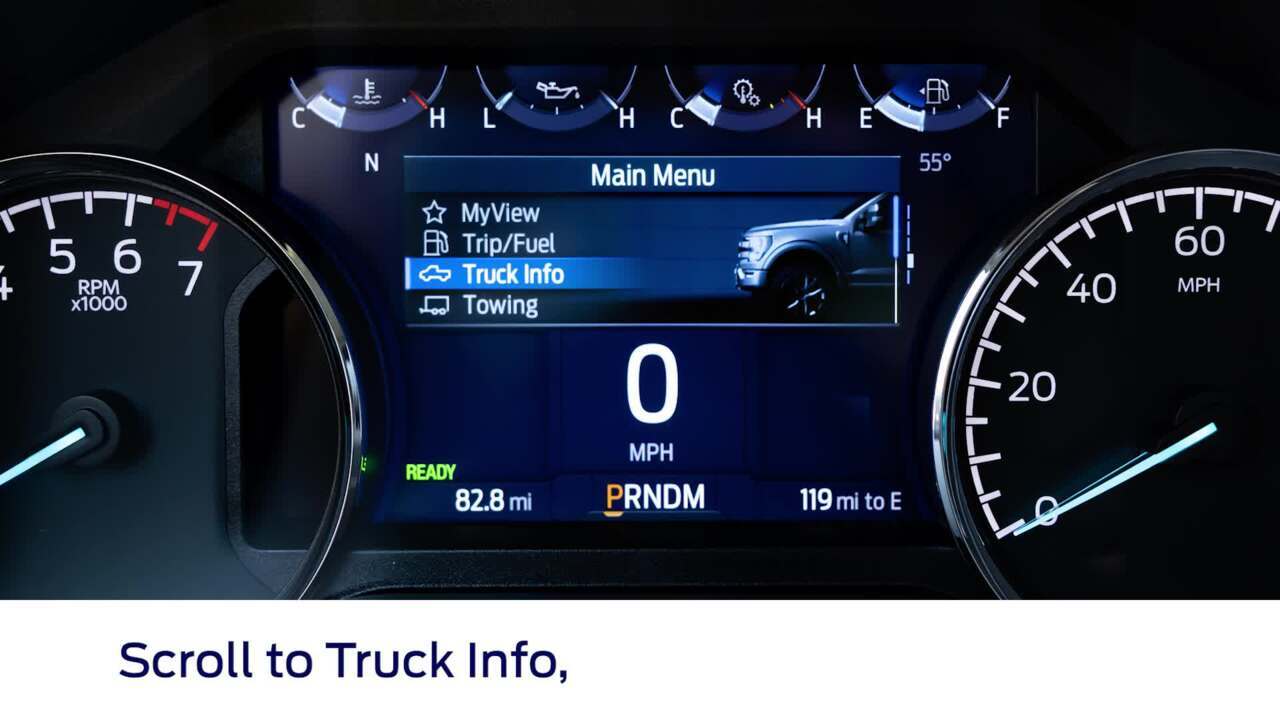
- Use the steering wheel arrows to open the vehicle info menu.
- Select Settings, then Vehicle, then Oil Life or Maintenance.
- Choose Reset and confirm.
- Start the engine to verify the maintenance light is cleared.
Using an OBD-II or service tool
- Plug an OBD-II scanner or Ford service tool into the port under the dash.
- Select the maintenance or service reminder reset function.
- Follow prompts to clear the reminder.
This works when menu methods fail or for advanced resets.
Tips for all models
- Make sure the required service is complete before resetting.
- If the light returns soon, don’t reset it again. Diagnose the issue.
- Keep the owner manual handy for model-specific steps.

Tools and things to check before resetting
Prepare these simple items to avoid repeat trips to the shop.
- Owner manual: Confirms exact steps for your model year.
- Basic tools: A flashlight and small socket set if you need to access switches.
- OBD-II scanner: Handy if the cluster menu won’t reset the reminder.
- Service records: Verify oil changes or inspections are done before clearing.
Check the oil level and filter. Low oil or overdue service can cause the light and must be fixed first.

Troubleshooting if the light won't reset
If resetting fails, follow these checks in order.
- Confirm service was performed: Some systems block resets until service is logged.
- Repeat reset steps exactly: Timing and button holds can vary by year.
- Try a different method: Use the cluster menu if the trip button method fails, or use a scanner.
- Inspect for stored codes: Use an OBD-II tool to read engine or body codes that may keep the light on.
- Battery or electrical issues: Low battery or bad ground can upset the cluster. Check battery voltage.
If none of this works, schedule a dealer or trusted shop visit to avoid masking a real problem.

My experience resetting the maintenance light on a Ford F-150
I reset the maintenance light on a 2016 F-150 after an oil change at home. I used the steering-wheel menu. It took less than a minute. On an older 2006 model, I used the trip-button method. That one needed a firm, timed press to clear. A lesson I learned: always confirm the service was completed. Resetting without fixing the issue causes repeat alerts. Keep simple tools and the owner manual in the glove box. Doing this saves time and avoids unnecessary shop visits.
Frequently Asked Questions of How do you reset the maintenance light on a Ford F-150?
How do you reset the maintenance light on a Ford F-150 with a digital display?
Turn the ignition to ON, use the steering-wheel arrows to reach Settings > Vehicle > Oil Life, then choose Reset. Confirm and start the engine to verify the light is gone.
How do you reset the maintenance light on a Ford F-150 older model?
Turn the ignition ON without starting, press and hold the trip reset button, turn ignition OFF and back ON while holding, then release when the display clears. This method works on many pre-2009 trucks.
Can I use an OBD-II scanner to reset the maintenance light on a Ford F-150?
Yes. Plug the scanner into the OBD-II port and use the maintenance reset or service reset function. This is useful when cluster methods fail.
Should I reset the maintenance light on a Ford F-150 before doing service?
No. Reset the maintenance light only after you complete the required service. Resetting prematurely hides reminders and may lead to missed maintenance.
What if the maintenance light on my Ford F-150 won’t reset?
Check that the service is done, read stored codes with an OBD-II tool, verify battery voltage, and retry the exact reset method for your year. If it still won’t reset, see a dealer or mechanic.
Conclusion
Resetting the maintenance light on a Ford F-150 is usually quick and straightforward when you use the right method for your model year. Always perform the required service first, then follow the proper reset steps or use a scanner if needed. If the reminder returns, diagnose the truck rather than repeatedly clearing the light. Try these steps on your F-150, keep a simple scanner and the owner manual in the glove box, and leave a note of the service date in your records. If this helped, subscribe for more truck tips or leave a comment with your model year and issue.