A Tesla Model 3 camera problem usually starts with a simple warning. You might see an Autopilot Unavailable alert or a black side-view camera. Suddenly, driver-assist features disappear.
Your Model 3 uses at least eight cameras for its Tesla Vision system. Manufacturer specs confirm these cameras rely on constant calibration and clear lenses to function. As of 2026, most camera failures trace back to software glitches, condensation, or dirty glass.

49% off Today's Exclusive Deals
Limited-time Exclusive Deals. Check current discount on Amazon.
Check Price on Amazon As an Amazon Associate I earn from qualifying purchases.Let's walk through the fixes, starting with the simplest.
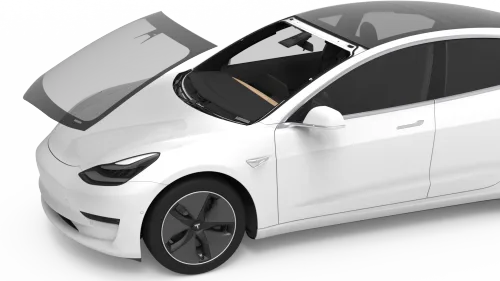
Image source: Bing (Web (fair-use with source credit))
49% off Today's Exclusive Deals
Limited-time Exclusive Deals. Check current discount on Amazon.
Check Price on Amazon As an Amazon Associate I earn from qualifying purchases.Quick Answer
Most Tesla Model 3 camera problems trace back to dirt, ice, condensation, or a software glitch. Start with a soft reset. Then clean every lens.
If a calibration message appears, drive 20 to 25 miles on a marked highway. Persistent hardware failures need a Tesla service appointment.
Start With the Symptom: Error Message, Black Screen, or Foggy Lens
Before you reboot anything, figure out what the problem actually looks like. The symptom tells you which camera is likely affected and whether it's a quick fix or something deeper.
If you see an error message: The car is telling you a specific camera is blocked, uncalibrated, or offline. Check the message text carefully. "Camera Blocked" often means dirt, ice, or condensation.
49% off Today's Exclusive Deals
Limited-time Exclusive Deals. Check current discount on Amazon.
Check Price on Amazon As an Amazon Associate I earn from qualifying purchases."Calibration Required" means the system needs to re-learn its surroundings.
If you have a black or blank screen: This points to a power, connection, or hardware fault. It's common with the rear backup camera or side repeater views. Sometimes it happens after a software update or if the car has been sitting unused for a while.
If the video is glitchy or degraded: You might notice blue streaks at night, pixelation, or a blurry image. This can mean a failing camera sensor or, more often, a dirty lens. Here's a quick diagnostic path:
- Is the lens physically clean? Gently wipe it with a microfiber cloth.
- Is the error for one specific camera? Note which one (front, left repeater, rear, etc.).
- Did it start after rain, a car wash, or cold weather? Moisture and ice are prime suspects.
The Quick Fix Ladder: Soft Reset, Power Cycle, and Overnight Deep Sleep
Most camera issues are software-related and will clear with the right sequence of resets. Always start with the least invasive option. Don't jump to a service appointment before trying these three steps in order.
Step 1: The Two-Scroll Soft Reset
This is the first tool for any frozen screen or temporary glitch. It restarts the touchscreen without interrupting the drive computer. Press and hold both steering wheel scroll buttons until the touchscreen goes black.
Wait about 30 seconds for it to reboot completely.
Step 2: The Full Power Cycle
If the soft reset doesn't work, do a full shutdown. Go to Controls > Safety > Power Off. Wait at least two minutes before pressing the brake pedal or opening a door to turn it back on.
This clears deeper system states.
Step 3: Let It Sleep Overnight
Aggregate user reports confirm that letting the car enter a deep sleep mode (parked, unplugged, and locked for several hours) can clear persistent camera errors that survive a reboot. This allows all subsystems to fully power down and reset.
When to move past the basic resets: If the problem comes back immediately or is specifically about calibration, you need to target the root cause. Software resets won't fix a misaligned camera or a dirty lens.
Diagnose by Camera: Front Module, B-Pillars, Repeaters, Rear, and Cabin
Each camera has a unique job and a common failure mode. Knowing which one is acting up halves your troubleshooting time.
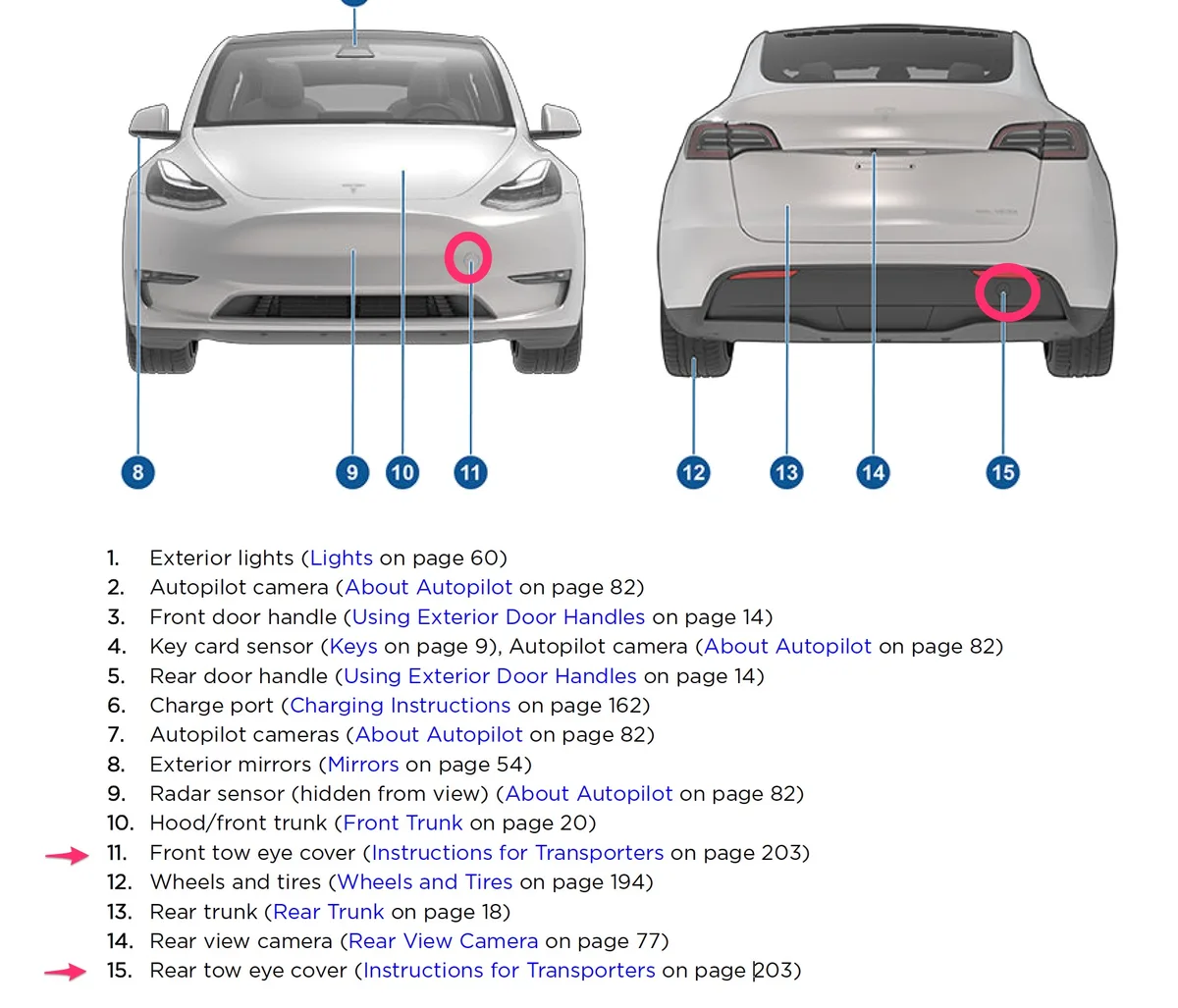
Image source: Bing (Web (fair-use with source credit))
Front Windshield Camera (Triple Module): Mounted behind the rearview mirror. It handles Autopilot, traffic light control, and speed assistance. Problems here often trigger multiple Autopilot unavailable warnings.
The most common culprit is condensation on the inside of the windshield or the lens itself.
B-Pillar Cameras: These look sideways from the pillars beside the front doors. They enable blind-spot monitoring and lane-change visualization. If one fails, you'll lose the corresponding side camera view on the turn signal.
They're exposed to rain and direct sunlight.
Side Repeater Cameras: Located on the front fenders. They provide a wide view for lane changes and blind spots. Their lower position makes them prone to road grime and splash buildup.
A quick wipe often solves a "camera unavailable" message.
Rear Camera: Sits above the license plate. It's critical for Reverse Autopilot and parking. This camera is most vulnerable to dirt, water spots, and ice buildup from road spray.
If it's black or blurry, clean it first.
Cabin Camera: Monitors driver attentiveness. Problems here usually appear as a warning to "apply slight force to steering wheel" even when you are holding it. A smudged lens from interior cleaning products is the usual cause.
| Camera | Common Problem | Likely Cause |
|---|---|---|
| Front Triple | "Autopilot Unavailable" | Internal condensation, misalignment |
| B-Pillar | Black side view on turn signal | Loose connector, water ingress |
| Side Repeater | "Camera Blocked" warning | Dirt, road tar, ice |
| Rear Backup | Blank or blue-tinted reverse view | Condensation, lens grime |
| Cabin | False attentiveness warnings | Lens smudges, interior cleaner residue |
Calibration Nightmares: Windshield Replacement, Software Updates, and Stuck Progress
This is where the real frustration begins. Camera calibration is the process where the car's computer learns to interpret the world through the lenses. It requires precise alignment and clear road markings.
Image source: Bing (Web (fair-use with source credit))
Why Calibration Gets Stuck
As of 2026, calibration is automatic but requires specific driving conditions. It often fails or gets stuck for predictable reasons:
- Poor Lane Markings: Faded, snow-covered, or absent lines prevent the system from mapping the road.
- Heavy Traffic: Constant cut-ins interrupt the calibration pattern.
- Bad Weather: Rain, fog, or heavy glare confuses the sensors.
- Recent Windshield Replacement: If the new glass or the camera mounting bracket isn't perfectly aligned, calibration will never complete.
The Step-by-Step Recalibration Process
After a windshield replacement or a major software update, you may need to force a recalibration.
- Start on a Clear Day. Find a straight, well-marked multi-lane highway.
- Enable Autopilot. The calibration status will show on the touchscreen.
- Drive Steadily. Maintain a consistent speed between 25-45 mph in your lane. Don't change lanes.
- Be Patient. It can take anywhere from 20 to 100 miles of driving to complete. Most drivers report it finishing within a week of normal driving if conditions are right.
- Use Service Mode for a Check. If it's truly stuck, a Tesla Service Center can use diagnostic tools to see exactly where the process is failing.
When to demand professional help: Per NHTSA guidance on ADAS systems, any camera calibration after a windshield replacement is a safety-critical procedure. Some states even require it by law. If the system stays stuck after 100 miles of ideal driving, book a service appointment.
This isn't a DIY job.
Don't Do These: Common DIY Mistakes That Make Camera Errors Worse
Frustration leads people to try things that often create new problems. Here's what to avoid.
Don't use chemical lens cleaners or ammonia-based sprays. The camera lenses have special coatings. Harsh chemicals can permanently damage them, leading to blurry vision that requires full camera replacement. Stick to a slightly damp microfiber cloth.
Don't force recalibration by driving aggressively. Rapid lane changes or hard braking during calibration will abort the process and start it over from zero. It requires smooth, consistent driving.
Don't ignore the cabin camera. Some owners put tape over it for privacy. This disables driver monitoring, which can cause Autopilot to disengage unexpectedly and may violate the terms of use for FSD Beta.
Don't assume it's always the camera. A problem with your car's electrical system or a failing 12V battery can cause strange electronic glitches, including camera failures. Rule out a dying battery if you notice other odd behaviors like slow window motors or dim interior lights. This kind of hidden electrical issue can also show up as failing brake lights or a dead AC fan.
Don't skip the basics. If your backup camera is dirty, clean it before scheduling a service call. You'd be surprised how often the solution is the simplest one. Similarly, check for other symptoms like stuck turn signals or a stiff gear selector that might point to a wiring problem.
When to Let Tesla Handle It: Service vs. Mobile vs. At-Home Fixes
Some camera issues are pure DIY. Dirt, ice, and software glitches all fall into that bucket. But when you've tried every reset and the error persists, it's time to bring in the pros.
First, check your warranty. If the camera failed on its own, Tesla usually covers the replacement under the basic vehicle limited warranty. That covers the camera module, plus labor.
Out of pocket, a single camera can run a few hundred dollars.
If your car was in an accident, insurance covers the repair. The same goes for a cracked windshield that damaged the front camera module. A mobile service visit can handle most swaps, but heavy wiring work or sensor alignment needs the shop.
| Option | Best For | When It Makes Sense |
|---|---|---|
| At-Home Fix | Dirty lens, frozen camera, software bug | The error is new and no hardware damage is visible |
| Mobile Service | Camera replacement, loose connector | Warranty covers it, or the fix doesn't need a lift |
| Service Center | Recalibration after glass replacement, wiring harness repair | Alignment tools are needed, or Mobile can't reach you |
Don't forget to hunt for related faults. If your turn signal lights are also acting up, the issue might be a wiring harness, not the camera. Treat persistent failures like a stuck gear shift.
They point to physical problems that need real diagnosis.
If the mobile tech can't fix it, you'll get a service center appointment. That's normal. Recalibration after a windshield replacement requires controlled lighting and specific targets.
A mobile van can't always provide that.
FAQ: Tesla Model 3 Camera Problems, Answered
Why does my Tesla say "camera blocked"?
The car detects that a lens is dirty, covered, or obscured. Ice, snow, mud, and even tree sap trigger it. Clean the lens with a microfiber cloth.
If the message returns, check for condensation inside the housing.
How long does Tesla camera calibration take?
Most cars finish calibration in 20 to 25 miles of straight, well-marked highway driving. Some take up to 100 miles if roads are poor. The process needs clear lane lines and steady speeds.
You can't rush it.
How do I reset the Tesla camera system?
Hold both steering wheel scroll buttons until the screen goes black. Let it reboot for about 30 seconds. If that fails, go to Controls > Safety > Power Off and wait two minutes.
The last option is to let the car sleep overnight.
Will Tesla charge for camera recalibration after a windshield replacement?
It depends. If Tesla replaced the glass, calibration is usually included in the invoice. If a third-party shop did the job, Tesla will likely charge for calibration.
Some aftermarket glass sits at a slightly different angle, which triggers the error.
Is it safe to drive with a camera error?
Yes, but you lose driver-assist features like Autopilot and automatic emergency braking. In practice, treat the car like it has worn brake pads and give yourself extra stopping distance. It's legal to drive, but don't rely on systems that are offline.