If the Tesla Model Y charging port problem has you standing in a dark garage staring at a stuck charge door, take a breath. It's rarely a serious failure. Most charge port issues trace back to a handful of simple causes.
And you can usually fix them yourself in under ten minutes.

49% off Today's Exclusive Deals
Limited-time Exclusive Deals. Check current discount on Amazon.
Check Price on Amazon As an Amazon Associate I earn from qualifying purchases.Manufacturer documentation and service bulletins show that software glitches, connector contamination, and a weak 12V battery cause the majority of user-reported errors. As of 2026, Tesla's North American charge port uses the SAE J3400 connector, widely known as NACS. Once you understand which symptom leads to which fix, you'll have this sorted fast.
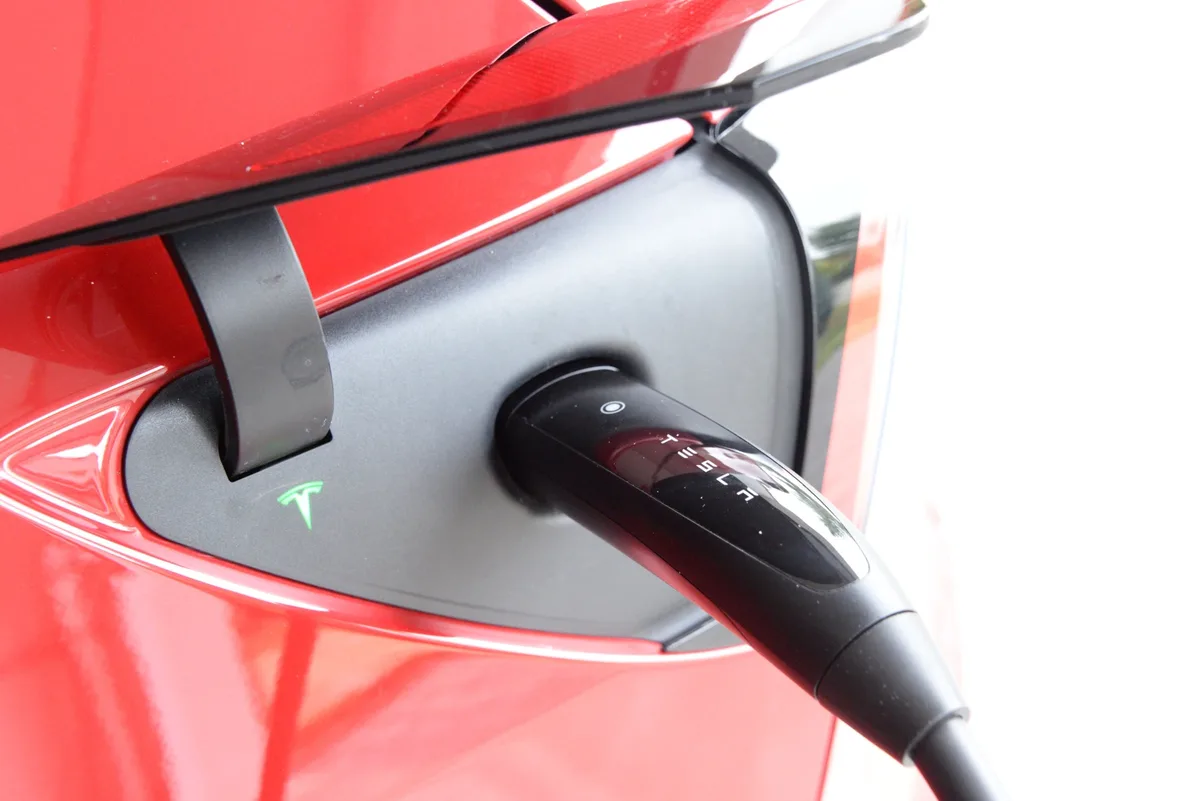
Image source: Bing (Web (fair-use with source credit))
49% off Today's Exclusive Deals
Limited-time Exclusive Deals. Check current discount on Amazon.
Check Price on Amazon As an Amazon Associate I earn from qualifying purchases.Quick Answer
A Tesla Model Y charging port problem usually traces to software, debris, or a weak 12V battery. The fix is a reboot, a cleanup, or a manual release. Hardware failures are less common.
Warranty covers charge port repairs. Call Tesla if the error persists.
The Charging Port Problem in a Nutshell
Most charge port failures are boring. That's good news. They're not expensive, and they don't require a tow truck.
Why the port fails and how to diagnose it in 2 minutes
The latch, the door actuator, or the control module are the usual culprits. Debris and ice get in the way. Software bugs lock the door.
49% off Today's Exclusive Deals
Limited-time Exclusive Deals. Check current discount on Amazon.
Check Price on Amazon As an Amazon Associate I earn from qualifying purchases.A weak 12V battery confuses everything.
| Symptom | Likely cause | Fix branch |
|---|---|---|
| Door won't open | Frozen actuator, debris, software lock | Branch 1 |
| Handle won't latch | Bent latch pin, dirty connector cavity | Branch 2 |
| Error on screen | 12V battery, charge port ECU | Branch 3 |
The one rule that saves you money
Identify before you fix. Rushing to replace parts wastes time and money. Match your symptom to the right branch below, then follow the steps in order.
Symptom Check: Match Your Issue to the Right Fix
Start with the exact symptom. Your Model Y will tell you which route to take.
Charge port door won't open
If the flap stays shut and the light is off, you're in Branch 1. It's usually a frozen actuator or a software lock. Cold weather and road grime are the usual triggers.
Charge handle stuck or won't latch
If the handle slides out but won't click, you're in Branch 2. The latch pin is probably bent or the cavity has dirt in it. Sometimes the connector just isn't seated deep enough.
Charging won't start or keeps stopping
If the port opens and the handle latches, but the car refuses to charge, you're in Branch 3. That's a power, battery, or communication issue. Intermittent drops point to a loose connection or a weak 12V battery.
Error messages like "Charge port is disabled"
This message isn't always a failure. It can appear during a software update or when the car is sleeping. Reboot the car and try again.
If it returns, check Branch 3.
Branch 1: Charge Port Door Won't Open
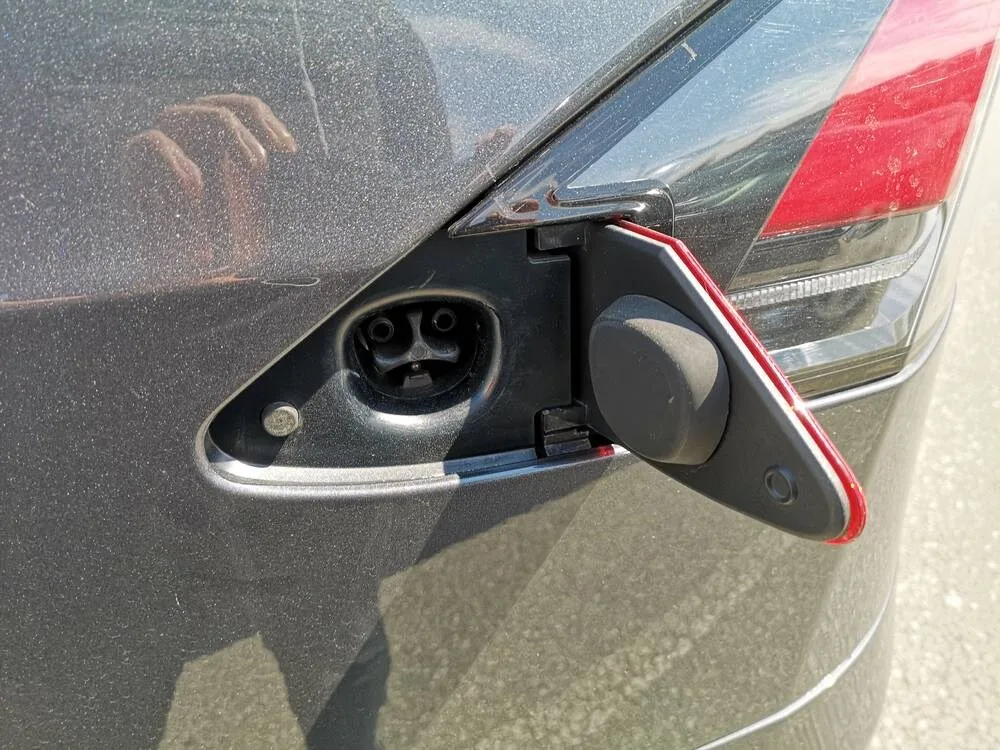
Image source: Bing (Web (fair-use with source credit))
Work through these in order. Stop when the door opens.
- Use the touchscreen. Tap Controls, then Charging. Tap the open icon. If the door moves, the actuator is fine.
- Use the mobile app. Open the Tesla app, go to Controls, and tap the open icon. This sends a different signal to the car.
- Press the door's rear edge. Push in on the rear edge and wait. The door should pop open. This trick works when the car is asleep.
- Clear ice, snow, and debris. Use a plastic scraper or your gloved hand. Don't force the door. It's a plastic part and it will crack.
- Pull the emergency release cord. Open the trunk and look for the small panel on the left side lining. Pull the cord inside. It releases the latch manually.
After every step, check the screen. The door status light should change. This process works for every Model Y variant.
It's similar to a stuck window where the motor works but the track binds.
What to avoid so you don't damage the latch
Never pry the door with a screwdriver. You'll break the plastic tabs. If the door won't open after 10 minutes of trying, book a service visit.
Branch 2: Charge Handle Stuck or Won't Latch
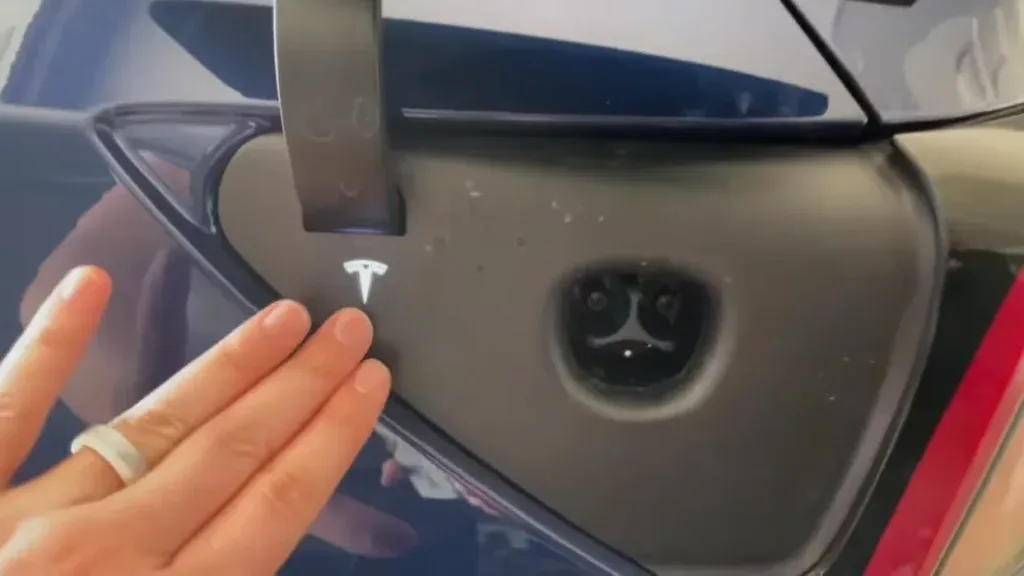
Image source: Bing (Web (fair-use with source credit))
This one involves a live connector. Stay calm and follow the order.
How to release a stuck charging handle the safe way
End the charging session from the touchscreen or app first. Wait 5 seconds for the contactors to open. Then press the handle's release button and pull straight out.
If it sticks, wiggle it gently side to side. Don't yank. Never cancel charging by pulling the handle.
That can arc and damage the pins. It's the same idea as forcing a stuck shifter without letting the linkage settle.
Fixing the latch click so charging starts
The click is the latch dropping into the port. No click means no charge. Inspect the latch pin on the port.
If it's bent, it won't catch. Look into the handle cavity too. Dirt and sand block the latch.
Clean both with a dry microfiber cloth.
The "try a different charger" test
Plug into a different charger. A Supercharger, a Wall Connector, a friend's Mobile Connector. If the second charger latches and charges, your car is fine.
The first charger was the issue.
Signs it's a hardware failure, not user error
A sagging latch, a door that rattles, or a connector that clicks but never charges. Those are hardware failures. A bent pin is common after someone drops the handle.
This is a service repair, not a DIY fix.
Branch 3: Charging Won't Start or Keeps Interrupting
Rebooting the Model Y the right way
Go to Controls, Safety, then Power Off. Wait two full minutes. Press the brake to wake the car.
That resets the charge port controller. This fixes most software lockups. It's the same reset concept as rebooting electrical accessories when they stop responding.
Checking for pending software updates
Per the Tesla owner's manual, software updates occasionally address charge port control logic. Go to Controls, Software. If an update is waiting, install it.
Then retest charging.
Why a weak 12V battery causes charging chaos
The charge port runs on the 12V system. A weak battery causes intermittent errors.
Check the 12V voltage in the service menu. It should read between 12.4V and 12.6V when idle. Below 12V means the battery is suspect.
Replace it if the car is over three years old. Aggregate reviews show this is one of the most overlooked fixes.
Testing with a different charger to rule out the car
Use a different charger. If that works, the car is fine. If it doesn't, the problem is the charge port or the onboard charging hardware.
This mirrors how you'd isolate intermittent electrical issues by swapping components one at a time.
What intermittent charging errors actually mean
Intermittent drops usually mean a loose pin, a failing latch, or a degraded charge port ECU. They will get worse over time. Book a mobile service visit.
Show them the error messages from the app.
Emergency Release, Safety Warnings, and When to Call Tesla Service
The emergency release procedure
Every Model Y has a manual release cord behind the trunk lining on the left side. Pull it, and the charge port latch releases. You can then remove the handle by hand.
Learn where this cord is now. Fumbling for it in the rain at night is miserable.
Warranty coverage, repair costs, and estimates
Tesla's basic vehicle warranty covers the charge port for 4 years or 50,000 miles. If the latch or actuator fails within that window, you pay nothing. Out-of-pocket repairs typically run $300 to $900 depending on parts and labor.
Mobile service usually costs less than a shop visit.
What a mobile service visit will and won't do
A mobile technician can replace the latch assembly, inspect connector pins, and run diagnostics on the charge port ECU. They cannot replace the entire port housing or repair deep wiring damage. Those jobs require a service center with a lift.
Common mistakes that make the problem worse
Yanking the handle mid-charge arcs the connector pins. Prying the door with tools snaps the plastic tabs. Ignoring a weak 12V battery lets the problem spread to other systems.
Skipping the recharge wastes a trip to the service center.
When DIY is smart and when it's just risky
Cleaning debris and rebooting the car is always safe. Replacing the 12V battery is straightforward for anyone comfortable under the hood. Anything involving the charge port internals or wiring, leave that to Tesla.
High-voltage components are no joke.
Frequently Asked Questions
Can I manually open the charge port if the car has no power?
Yes. Use the emergency release cord behind the trunk lining on the left side. The door pops open even if the 12V battery is dead.
You can then unplug the connector by hand.
Is it safe to keep charging if the latch feels loose?
No. A loose latch means the connector isn't locked in. It can disconnect mid-charge and arc the pins.
Stop charging and inspect the latch pin for bending. Try a different charger to rule out the cable first.
Does Tesla cover charge port repairs under warranty?
Yes, within the basic warranty period of 4 years or 50,000 miles. The charge port latch, actuator, and ECU are all covered. Cosmetic damage from misuse is not.
Check your warranty status in the app under Details.
How often should I clean my Model Y charge port?
Once every three months is enough for most owners. In dusty or coastal climates, check monthly. Use a dry microfiber cloth on the connector cavity and handle pins.
Never use water or compressed air inside the port.
Will a software update fix a stuck charge port door?
Sometimes, yes. Tesla has pushed OTA updates that address charge port control logic. If your door won't open and the car is otherwise working, check for pending updates first.
Install the update, then retest. If the door still fails, it's a hardware issue.