A Toyota Camry Bluetooth problem is one of the most common frustrations for Camry owners, especially those driving 2012 through 2024 models. Whether your phone refuses to pair, music won't stream, or calls drop to silence mid-conversation, the issue almost always traces back to a few fixable causes.
In our research across owner forums and Toyota's official documentation, these connectivity issues tend to cluster around Entune system software, phone compatibility, and pairing memory limits. The Camry's Bluetooth supports standard profiles like HFP for hands-free calls and A2DP for audio streaming, but mismatched settings or stale data can break either one. Let's walk through exactly where things go wrong and how to fix them.
49% off Today's Exclusive Deals
Limited-time Exclusive Deals. Check current discount on Amazon.
Check Price on Amazon As an Amazon Associate I earn from qualifying purchases.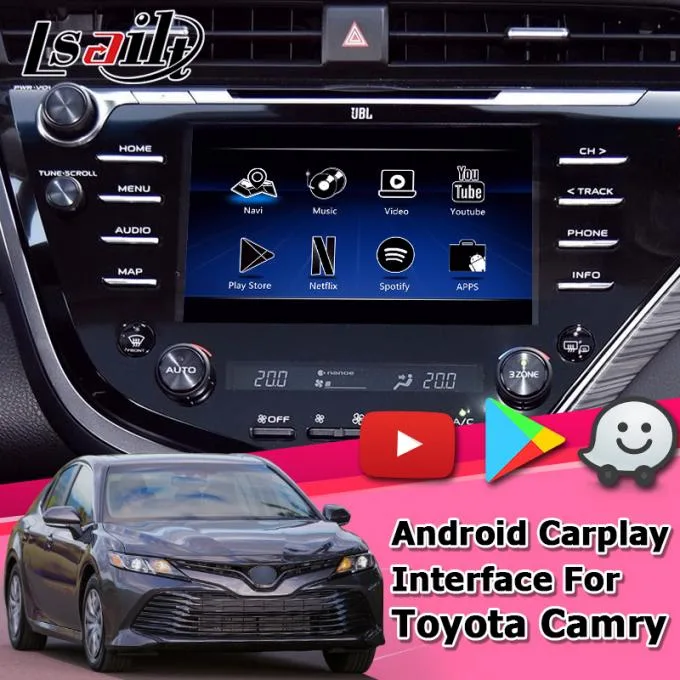
Image source: Bing (Web (fair-use with source credit))
Quick Answer
A Toyota Camry Bluetooth problem usually means your phone either won't pair or connects but delivers no audio. The fastest fix is clearing all stored devices from the car's system, then forgetting the Camry on your phone and re-pairing from scratch. Most Camry Bluetooth issues resolve after a system hard reset and a clean re-pair.
49% off Today's Exclusive Deals
Limited-time Exclusive Deals. Check current discount on Amazon.
Check Price on Amazon As an Amazon Associate I earn from qualifying purchases.Check your Entune software version and phone OS compatibility before trying anything else.
First, Let's Pinpoint Exactly What's Happening
Before we start resetting anything, figure out which specific symptom you're dealing with. The fix for a failed pairing attempt is completely different from the fix for audio that routes to the wrong place.
Your phone can't find the Camry at all. The Bluetooth menu on your phone scans but never shows "TOYOTA CAMRY" as an available device. This usually means the car's Bluetooth module isn't in discovery mode, or the Entune system is stuck in a fault state. A simple power cycle of the head unit often clears it.
Pairing starts but fails or times out. You see the Camry on your phone, tap it, enter the PIN, and then nothing happens. This often happens when the car's stored device list is full. Most Camry systems hold between five and eight devices, and a previous owner's phone might still occupy one of those slots.
49% off Today's Exclusive Deals
Limited-time Exclusive Deals. Check current discount on Amazon.
Check Price on Amazon As an Amazon Associate I earn from qualifying purchases.It connects, but there's no audio. The phone shows "Connected for calls and media," but music plays through your phone speaker, or call audio stays on the handset. This typically means the A2DP or HFP profile didn't activate properly, or your phone is defaulting to the wrong output.
It connects, then drops after a few minutes. The audio works briefly, then cuts out. This intermittent pattern often traces to Bluetooth signal interference, a software glitch in the Entune system, or your phone running a background update that interrupts the connection.
Here's a quick reference to match your situation:
| Symptom | Most Likely Cause | Where to Start |
|---|---|---|
| Phone can't find Camry | Bluetooth not discoverable | Hard reset the head unit |
| Pairing times out | Full device list or corrupted entry | Delete old devices on both sides |
| Connected but no audio | Wrong audio profile or source | Check phone audio settings |
| Connection drops intermittently | Software glitch or interference | Update Entune firmware, re-pair |
Each symptom points to a different root cause. Pinpointing yours first keeps us from guessing.
Image source: Bing (Web (fair-use with source credit))
If you've run into similar electronic glitches in other vehicles, like a comparable Bluetooth pairing issue in other vehicles or an infotainment system glitch in competing SUVs, you'll notice the troubleshooting logic follows a familiar pattern. Start with the simplest explanation, rule out easy fixes, and only move to a full system reset when the basics don't work.
Getting Your Camry's System Ready for a Fresh Start
Now that we know what's broken, let's prepare the car's system for troubleshooting. Skipping this step is the reason many Bluetooth fixes don't stick.
The hard reset (the one that actually works). Most Camry infotainment systems respond to a physical button reset. Locate the power or volume knob on your head unit. Press and hold it for 10 to 15 seconds until the screen goes black and the Toyota logo reappears.
This forces a full reboot of the Entune system without deleting your personal settings. It clears temporary glitches that commonly block Bluetooth discovery.
Accessing the Bluetooth device list. Once the system restarts, tap "Phone" or "Setup" on your touchscreen. Navigate to "Bluetooth Settings" and find the device list. You'll see every phone that's ever paired with the car.
Old phones you no longer own can occupy a pairing slot. Delete anything you don't recognize. This frees up slots and removes corrupted entries that block new pairing attempts.
Clearing phone-side Bluetooth data. Grab your phone and go to Settings, then Bluetooth. Find any entry labeled "TOYOTA CAMRY," "CAR MULTIMEDIA," or similar. Tap the info icon and select "Forget This Device." This removes old pairing credentials from the phone side, where old connection data often lingers.
The fresh pairing sequence. With both sides cleared, you're ready to pair from scratch. Make sure the car is in Accessory or ON mode. Turn your phone's Bluetooth on, open the Camry's Bluetooth menu to make it discoverable, and select it when it appears on your phone.
Accept the confirmation on both devices, then allow phonebook and media access when prompted.
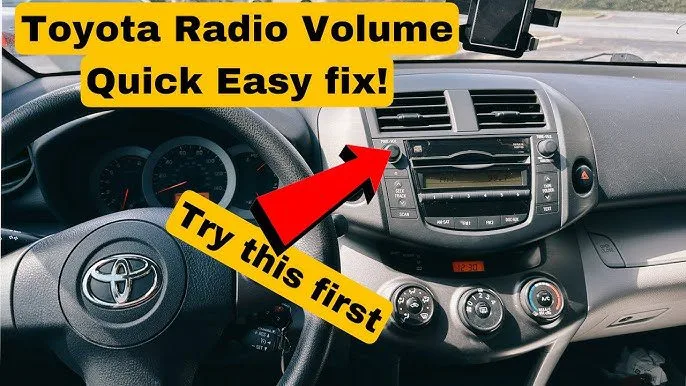
Image source: Bing (Web (fair-use with source credit))
For vehicles with persistent infotainment issues beyond Bluetooth, the same reset logic applies. Owners dealing with an infotainment display malfunction in another vehicle have found that a full head-unit reboot often resolves multiple system faults at once, since the infotainment unit runs on shared software.
The Core Fixes: Match Your Problem to the Solution
Now we get to the actual repair work. We'll work through the three most common failure modes.
Fix A: The Camry won't pair at all.
If your phone simply won't connect, we've already covered the basics (reset, clear devices, re-pair). If that didn't work, check whether your phone's operating system is current. Toyota's Entune system was designed for specific Bluetooth protocol versions.
A brand-new phone OS that hasn't been tested with older Entune software can cause pairing failures. As of 2026, the latest Entune 3.0 systems handle current iOS and Android versions without issues. Older Entune Audio systems from before 2018 may struggle with the newest phone software.
Toyota maintains a Bluetooth compatibility checker on their support site. If your phone model isn't listed, that doesn't mean it won't work. It just means Toyota hasn't verified it yet.
Pairing may still succeed.
If your OS is current and pairing still fails, try turning off Wi-Fi and cellular data temporarily during the pairing process. Some phones route Bluetooth setup through data connections, which can interfere with the initial handshake between phone and car.
Fix B: It pairs, but there's no music or call audio.
This is the scenario where the phone shows "Connected" but sound comes from the wrong place.
On your phone, open Bluetooth settings and tap the info icon next to the Camry entry. Make sure both "Call Audio" and "Media Audio" toggles are turned on. On iPhone, these appear as separate switches.
On Android, tap the gear icon to see the individual profile options.
If the toggles are already enabled, switch the audio output manually. On iPhone, open the Control Center during playback and tap the AirPlay icon, then select the Camry. On Android, pull down the notification shade and tap the audio output selector.
Still no sound? Open the Camry's audio source menu and confirm "Bluetooth" is selected as the active source. If the system is tuned to FM radio or AUX input, Bluetooth audio won't play through the speakers even though the phone is connected.
Fix C: Calls connect but audio is one-directional.
The other person can't hear you, or you can't hear them. This usually means the HFP profile didn't initialize. Restart the car, open the phone menu on the touchscreen, and place a test call.
The Entune system often needs a fresh outgoing call to activate the hands-free microphone and speaker routing properly.
For drivers dealing with broader electrical quirks alongside Bluetooth issues, similar diagnostic thinking applies. A weak car battery can destabilize the Bluetooth module, so if you notice multiple electronic glitches, testing the battery is worth your time. That same troubleshooting pattern helps when diagnosing an intermittent lock failure in your vehicle or other recurring electronic problems.
A Few Special Cases: Model Years and Phone Types
Not all Camry Bluetooth systems are built the same. Your fix might depend on which generation you're driving and which phone you're using.
Pre-2018 Entune Audio systems. If your Camry is from the 2012 to 2017 generation (XV50), it likely runs an older version of Entune Audio. These systems use Bluetooth 2.1 or 3.0 and may not recognize newer phones running the latest OS versions. Toyota released several firmware updates for these systems.
Check Toyota's official support site to see if a USB update is available for your specific head unit part number.
2018 and newer Entune 3.0 systems. Starting with the 2018 redesign, Toyota switched to Entune 3.0, which uses Bluetooth 4.0 or higher. These systems are more reliable overall but still have a known quirk: they sometimes lose pairing data after a battery disconnect or jump start. If your Bluetooth suddenly stopped working after battery service, re-pairing from scratch usually fixes it immediately.
iPhone versus Android behavior. iPhones tend to hold onto old Bluetooth profiles more aggressively than Android devices. If you've previously paired your iPhone with the Camry and are now having audio issues, check both the phone's Bluetooth settings and the Control Center audio output. Android phones sometimes require you to manually enable the "Media Audio" profile after initial pairing, while iPhones usually activate both profiles automatically.
Aftermarket head units. If you've replaced the factory stereo with an aftermarket unit from Pioneer, Kenwood, or Sony, the Toyota-specific troubleshooting in this article won't apply. Your Bluetooth troubleshooting should follow the aftermarket unit's own manual. That said, most aftermarket units pair more reliably than factory systems because they use newer Bluetooth chipsets.
If your car has related electronic issues alongside Bluetooth, like a wireless key fob that stops responding, the root cause might be a weak 12V battery affecting multiple wireless modules at once.
The Mistakes That Make It Worse (and How to Avoid Them)
It's tempting to try every fix at once when Bluetooth stops working. Some common shortcuts actually make the problem harder to solve.
Mistake: Repeatedly re-pairing without clearing old data. If you keep trying to pair your phone without first removing it from both the car's device list and your phone's Bluetooth history, you're stacking corrupted data on top of corrupted data. Always clear both sides before attempting a fresh connection.
Mistake: Resetting the head unit during a software update. If your Entune system shows an update in progress or has a progress bar on screen, do not interrupt it. Holding the power button to force a reboot during a firmware flash can corrupt the system software. Wait for the update to complete, even if it takes longer than expected.
Mistake: Ignoring the phone's OS update. A lot of owners blame the car when the real issue is a phone OS update that changed how Bluetooth profiles behave. After any major iOS or Android update, check your Bluetooth settings on both the phone and the car to make sure audio profiles are still enabled.
Mistake: Assuming it's a hardware failure. In the vast majority of cases, a Toyota Camry Bluetooth problem is software-related, not a failed Bluetooth module. Before scheduling a dealer service visit, work through the reset and re-pair steps described above. If those don't work, then a module issue becomes more likely.
Mistake: Adding new devices without deleting old ones. Most Camry systems cap out at five to eight stored devices. Adding more won't help if old entries are still occupying those slots. Delete first, then add.
A warning light that stays on after a reset often traces back to the same pattern: owners reset the system without addressing the underlying cause, then wonder why the problem returns. Bluetooth troubleshooting works the same way. Fix the root cause, not just the symptom.
Frequently Asked Questions
Why does my Camry Bluetooth disconnect every time I start the car?
This usually means the system is defaulting to a different paired phone, or the ignition cycle is resetting the Bluetooth module. Check your device list and remove phones you don't actively use. On Entune 3.0 systems, there's a "Connect Automatically" toggle in the Bluetooth settings.
Enable it for your primary phone only.
Can I update the Camry's Bluetooth software myself?
Yes, in many cases. Toyota offers USB-based firmware updates for Entune systems. Visit Toyota's official owners support page, enter your VIN, and check if an update is available for your head unit.
Download the file to a USB drive, plug it into the car's USB port, and follow the on-screen prompts. The update typically takes 10 to 20 minutes.
Will a factory reset delete all my settings?
A factory reset clears all paired devices, saved audio presets, and navigation preferences. The hard reset (holding the power button for 10 to 15 seconds) does not delete your settings. It only reboots the system.
Always try the hard reset first. Use the factory reset only as a last resort.
My new iPhone won't pair with my 2015 Camry. Is there a compatibility issue?
It's likely a software mismatch. Older Entune Audio systems sometimes struggle with Bluetooth protocols used by newer iPhones. Try updating the Entune firmware via USB first.
If that doesn't work, pair using a USB cable instead of Bluetooth. Many 2015 Camrys support USB audio even when Bluetooth pairing fails.
Is there a way to prevent this problem from happening again?
Keep your phone's OS and the Entune firmware reasonably current. Avoid pairing more devices than you actually use. When you replace your phone, always forget the old pairing from the car's device list before pairing the new one.
That single habit prevents most recurring Bluetooth issues.