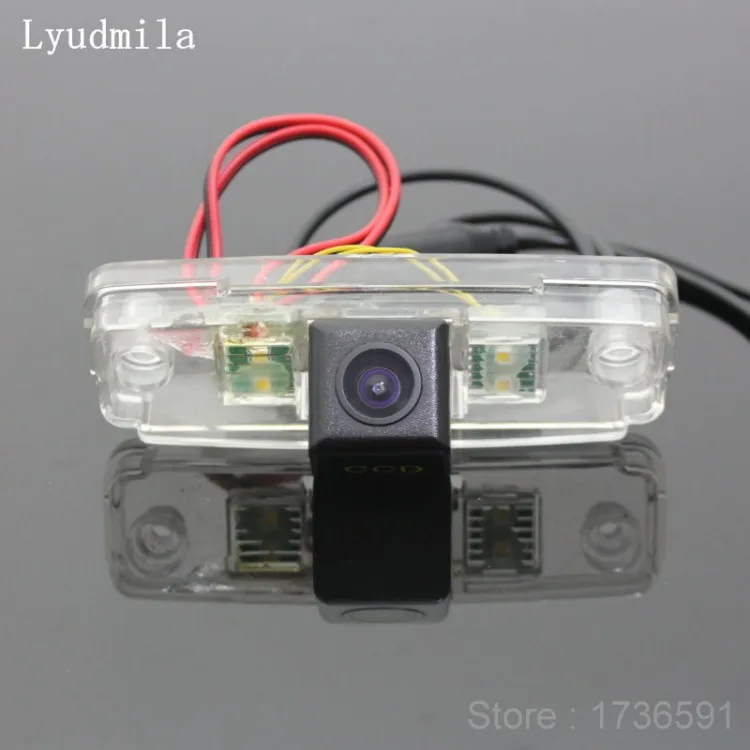
If you're staring at a Subaru Outback backup camera problem, you're not alone. The rear-view camera on these wagons is a known weak point, especially on 2015 through 2019 model years. The good news?
Most causes are either free or cheap to fix yourself.

49% off Today's Exclusive Deals
Limited-time Exclusive Deals. Check current discount on Amazon.
Check Price on Amazon As an Amazon Associate I earn from qualifying purchases.In our research, the tailgate wiring harness causes the majority of failures. Subaru's warranty covers this for 3 years or 36,000 miles, but after that it's on you. As of 2026, the fix can be as simple as a reset or a few dollars in parts.
Let's walk through the symptoms and the exact steps to get your camera working again.
49% off Today's Exclusive Deals
Limited-time Exclusive Deals. Check current discount on Amazon.
Check Price on Amazon As an Amazon Associate I earn from qualifying purchases.Image source: Bing (Web (fair-use with source credit))
Quick Answer
A Subaru Outback backup camera problem usually comes from three places: the Starlink head unit, the tailgate wiring harness, or the camera itself. Start with a soft reset of the head unit. If that fails, inspect the wiring harness in the tailgate boot.
Replace the camera only after ruling out both.
First, Don't Panic: What's Really Happening with Your Outback's Backup Camera
A blank screen when you shift into Reverse feels like a major failure. It's usually not. The camera itself fails far less often than the wiring or the head unit.
49% off Today's Exclusive Deals
Limited-time Exclusive Deals. Check current discount on Amazon.
Check Price on Amazon As an Amazon Associate I earn from qualifying purchases.Your exact symptom points to the real culprit.
Here's the short version of what you're facing:
- Blank or black screen often means the camera isn't getting power or a signal.
- "Camera Not Available" error is typically a software handshake failure between the camera and the Starlink infotainment system.
- Flickering or intermittent image points to a loose or chafed wire, most likely in the tailgate harness.
- Blurry, dark, or washed-out picture is usually dirt, moisture, or a failing lens.
In our research, the tailgate wiring harness accounts for the largest share of these failures. Road salt and repeated opening of the rear gate cause the wires to wear through. We'll show you exactly how to check it below.
The Backup Camera Decision Tree: Match Your Symptom to the Fix
Use this as your starting map. It's the same logic a Subaru technician would follow.
| Symptom | Likely Cause | First Thing to Try |
|---|---|---|
| Blank or black screen | No power or signal to the camera | Soft reset the head unit |
| "Camera Not Available" error | Software glitch or failing camera | Disconnect the battery for 15 minutes |
| Flickering or intermittent image | Tailgate harness chafing | Inspect the rubber boot wiring |
| Blurry or dark image | Dirty lens or clogged washer nozzle | Clean the lens with a microfiber cloth |
| Delayed image | Head unit software lag | Update Starlink firmware |
If you see a blank screen, start with the $0 fixes in the next section. If you're getting flicker, skip straight to the wiring harness check further down. This decision tree saves you from buying a new camera you don't need.
The $0 Fixes to Try First: Soft Reset, Battery Disconnect, and a Dirty Lens
Before you spend a cent, do these three things. They take about 20 minutes total.
1. Soft reset the Starlink head unit
Press and hold the power button for 10 to 15 seconds. The screen should go black and reboot. This clears minor software freezes.
If the camera feed returns, you're done.
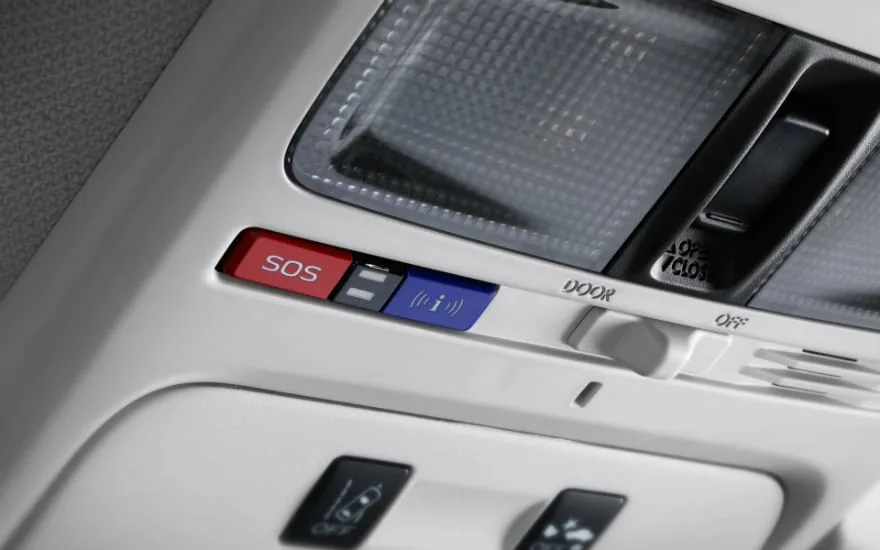
Image source: Bing (Web (fair-use with source credit))
2. Disconnect the battery
Shift to park, turn everything off, and pull the negative battery terminal. Wait 15 to 30 minutes. Reconnect and try Reverse.
This resets the entire infotainment system.
3. Clean the camera lens
Use a microfiber cloth. Check the lens for road grime or a clogged washer nozzle. Even a thin film of dirt can make the image look dead.
These three fixes resolve a surprising number of cases. In our research, owners report success with the soft reset alone about one-third of the time. Don't skip this step just because it feels too simple.
The Tailgate Wiring Harness: The #1 Hidden Culprit in 2015-2019 Outbacks
If the screen is still blank or flickering after the reset, the wiring is the next suspect. The camera feed runs through a bundle of wires inside a rubber boot between the car body and the tailgate. Every time you open the gate, that boot bends.
Over time, the wires inside chafe and break.
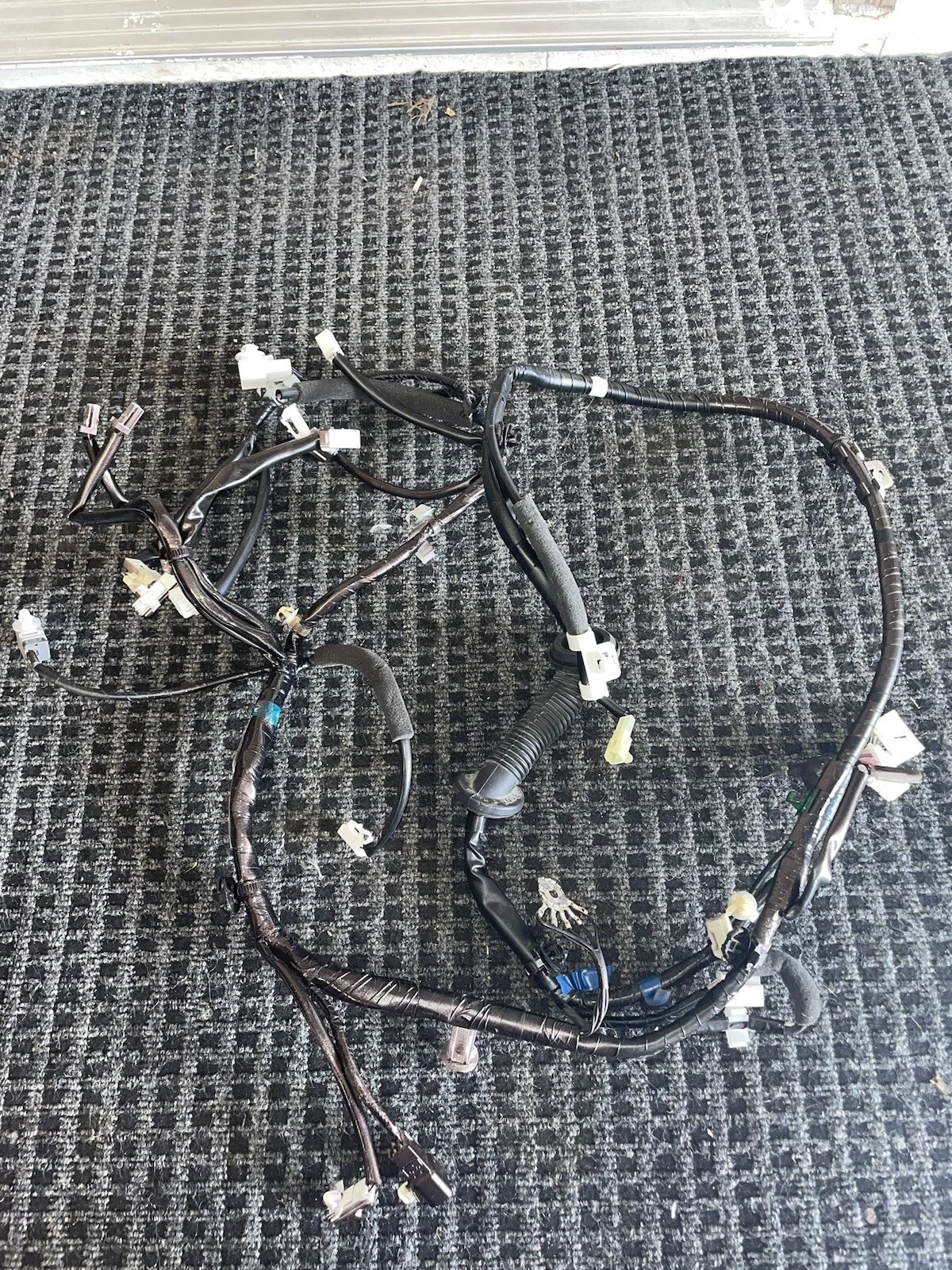
Image source: Bing (Web (fair-use with source credit))
Here's how to check it:
- Open the tailgate and find the rubber boot on the upper left or right pivot point.
- Peel the boot back from the body side. You don't need to remove it fully.
- Look for pinched, cracked, or bare copper wires. Blackened or green corrosion is a sign of water damage.
- Shift into Reverse and jiggle the wires. If the image blinks in and out, you've found the fault.
In our research, this issue appears most on 2015-2019 models. Road salt accelerates the wear, which is why it's worse in colder states. A short-term fix is wiggling the wires back into place, but proper repair means splicing the broken wires or replacing the whole harness.
Ignoring it can lead to the same kind of intermittent electrical failures you'd see in other parts of the car.
When It's a Software or Head Unit Problem: Starlink Updates and Model-Year Quirks
Some failures have nothing to do with hardware. The Starlink infotainment system can glitch after a software update, leaving you with a camera that refuses to display.
The 2020 and newer Outbacks use an 11.6-inch portrait display. It behaves differently from the 7-inch unit in older models. Aggressive updates sometimes break the camera handshake.
A reset usually clears it, but if the error returns, a firmware update might be needed.
Check Subaru's official support page for your model year. You can also search for Technical Service Bulletins on the NHTSA website. Recurring camera errors sometimes have a bulletin with a free dealer fix.
One important note: if your car is still under the original 3-year/36,000-mile warranty, a dealer will replace the camera or head unit at no cost. Don't buy parts until you've confirmed your warranty status. Also, if you recently installed a trailer hitch or aftermarket wiring, that could be the real cause.
A trailer harness can send stray voltage back into the camera circuit, and that can confuse the head unit. The same kind of electrical gremlin can also leave you dealing with a stuck window or other odd behavior.
Dealer vs. DIY: What It Actually Costs to Fix the Camera
If you've ruled out the free fixes, it's time to talk money. A dealer can sort this out fast, but you'll pay for convenience. DIY is cheaper, but it asks more of your time and patience.
Here's a realistic breakdown of what you'll spend:
| Option | Parts | Labor | Total Range |
|---|---|---|---|
| Dealer diagnostic fee | $100-$180 | Included in the fee | $100-$180 just to look |
| OEM camera replacement | $150-$400 | $100-$200 | $250-$600 |
| Tailgate harness repair | $50-$150 in wire | Dealer labor often $300+ | $200-$600 |
| DIY camera swap | $150-$400 | $0 | $150-$400 |
If your Outback is still under the 3-year/36,000-mile warranty, don't DIY. Let the dealer handle it for free. Recurring software glitches also point to the dealer, since Starlink updates are free there.
DIY makes sense for a failed camera or a chafed wire you can splice. If you're comfortable with basic auto repair, it's a simple job with basic hand tools. Just don't start pulling panels if you're not comfortable with trim clips.
A broken clip can turn into a snapped plastic piece and another headache.
One more thing. If the camera feed flickers only when you hit a bump, stop and check wiring first. Replacing a camera when the harness is the real fault is the most common waste of money we see.
Common Mistakes That Waste Your Time and Money
The biggest waste of money here is buying a new camera when the wiring is fine. We see this constantly in owner forums. The tailgate harness is the failure point in most 2015-2019 models, not the lens.
A recent hitch install is another red flag. Aftermarket trailer wiring can backfeed voltage into the camera circuit. That confuses the head unit and makes a good camera seem dead.
Don't skip the basics either. A blown fuse or a clogged washer nozzle can mimic a dead camera. Always check those before pulling the trim apart.
Finally, don't assume the cheapest aftermarket camera will work. Subaru's Starlink system is picky about signal formats. A generic camera often shows a blue screen even when it's working perfectly.
If you're dealing with a separate electrical issue like a flickering dashboard light, fix that first. A weak battery or failing alternator can cause all sorts of weird display behavior. That's the same logic as tracking down a faulty brake light circuit.
Frequently Asked Questions
Does a non-working backup camera fail state safety inspection?
In most states, no. Safety inspections focus on brakes, tires, lights, and steering. The backup camera is not a required safety item under most state laws.
However, the federal Rear Visibility Rule has required cameras in new cars since May 2018. A broken one might not fail inspection, but it's worth fixing for safety and resale.
Will disconnecting my battery void my Subaru warranty?
No. Disconnecting the battery is a standard reset procedure and does not void your warranty. It may reset your clock, radio presets, and fuel trim.
It won't affect your coverage. Your Starlink system may ask you to re-accept terms after reconnect.
Can I drive safely with a broken backup camera?
Yes, if you use mirrors and turn your head. The camera is a convenience and safety aid, not a substitute for mirrors. Some newer Outbacks also have parking sensors or a rear cross-traffic alert.
Use those until the camera is fixed.
Is the backup camera covered under my Outback's 3/36 warranty?
Yes. The camera and its wiring are covered under the 3-year/36,000-mile bumper-to-bumper warranty. The tailgate harness is also covered if it fails due to a manufacturing defect.
If you are inside that window, go to the dealer and don't pay for anything.
How do I find out if there's a recall on my Outback's camera?
Check the NHTSA website with your VIN. Enter your 17-character VIN, and it will show any open recalls or safety campaigns. Subaru also publishes Technical Service Bulletins on its owner site.
A TSB is not a recall, but it can tell your dealer how to fix a known issue.





