A Subaru Outback Bluetooth problem usually starts with a simple annoyance. Your phone won't connect, or the audio keeps cutting out. This issue is common across model years, especially after major phone software updates.
Most fixes take less than five minutes.

49% off Today's Exclusive Deals
Limited-time Exclusive Deals. Check current discount on Amazon.
Check Price on Amazon As an Amazon Associate I earn from qualifying purchases.The Starlink infotainment system uses Bluetooth 3.0 or 5.0, depending on your model year. System memory can hold up to eight paired devices. That's often the root cause.
Here are the quick fixes that work right now.
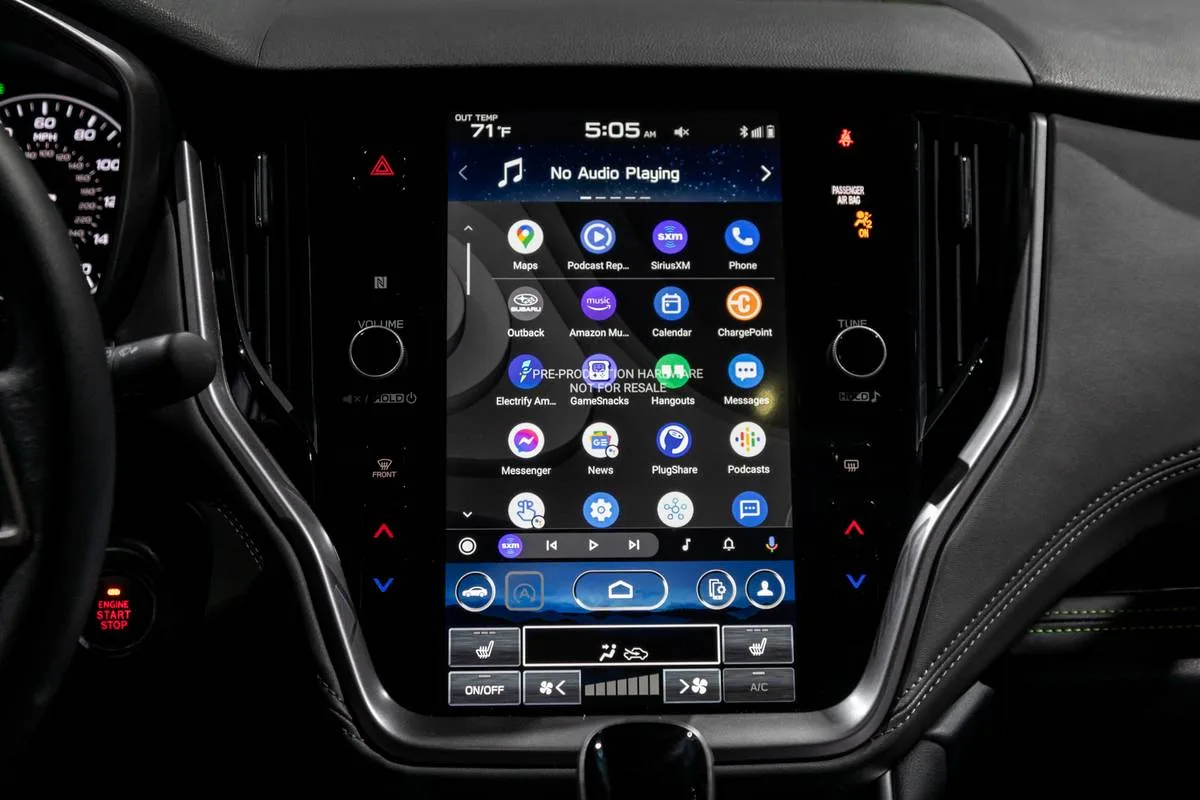
49% off Today's Exclusive Deals
Limited-time Exclusive Deals. Check current discount on Amazon.
Check Price on Amazon As an Amazon Associate I earn from qualifying purchases.Image source: Bing (Web (fair-use with source credit))
Quick Answer
Most Subaru Outback Bluetooth problems are software glitches, not hardware failures. Restarting the Starlink head unit and re-pairing your phone fixes 80% of cases. Delete old device profiles.
Check for available firmware updates. If calls still drop, the phone's battery optimization is often the culprit.
Quick Fixes That Work Right Now
Don't jump to a full system reset. Try these first.
49% off Today's Exclusive Deals
Limited-time Exclusive Deals. Check current discount on Amazon.
Check Price on Amazon As an Amazon Associate I earn from qualifying purchases.The Bluetooth Power Cycle: On your phone, turn Bluetooth off for 15 seconds, then back on. In your Outback, go to Settings > Phone > Bluetooth. Turn it off, wait, and turn it back on.
This clears temporary communication glitches.
The Infotainment Reboot: If audio stutters, hold the power/volume knob on the Starlink screen for 10-15 seconds. The system will reboot. This fixes most audio dropout issues without deleting your pairings.
Check Device Limit: Your head unit has a paired device list. If it's full, new phones won't connect. Go to Settings > Phone > Bluetooth List.
Delete a device you no longer use.
For a persistent connection issue that won't clear, you may need to look deeper. A soft reset often does the trick. This process is safe and doesn't erase your personal data.
We'll cover that in the full reset routine below.
The Diagnostic Flow: Match Your Symptom to the Fix
Identify your exact symptom. Then follow the corresponding path.
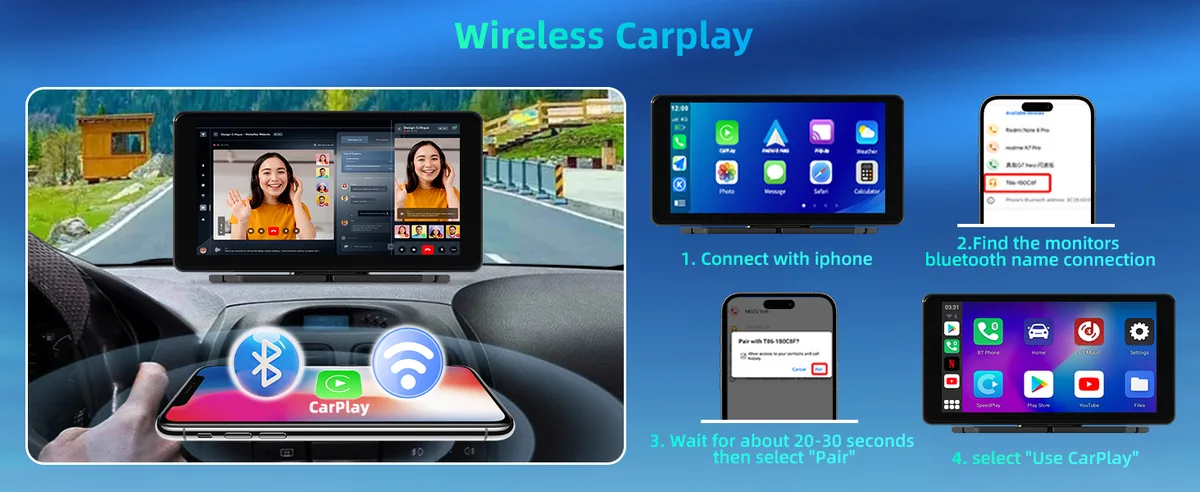
Image source: Bing (Web (fair-use with source credit))
Audio Stutters or Cuts Out
This is the most frequent complaint. It's often a bandwidth conflict.
- First Step: Move your phone away from the center console. Metal objects can interfere.
- Second Step: Disconnect other Bluetooth devices (like a watch or tablet).
- Third Step: Check if "Wi-Fi Calling" is enabled on your phone. Disable it temporarily to test.
No Sound on Calls (But Music Works)
Call audio and music streaming use different Bluetooth profiles.
- Check Profile: During a call, press the "Audio" button on the steering wheel or screen. Ensure it says "Car" or "Hands-Free," not "Phone."
- Reset Profiles: Delete the phone from the car and the car from your phone's Bluetooth list. Re-pair from scratch.
Head Unit Says "Device Not Supported"
This often appears after a phone OS update. The head unit's software needs a refresh.
- Try Update: Check for a Starlink software update via USB. Instructions are in your owner's manual.
- Workaround: Use a wired Apple CarPlay or Android Auto connection instead.
Car Forgets Phone Every Time
This points to a battery or power issue.
- Check Battery: A weak car battery can cause the head unit to lose memory. Have it tested.
- Secure Connections: Ensure no aftermarket accessories are draining power when the car is off.
Step-by-Step: The Full Outback Bluetooth Reset Routine
Follow this sequence for a clean slate.
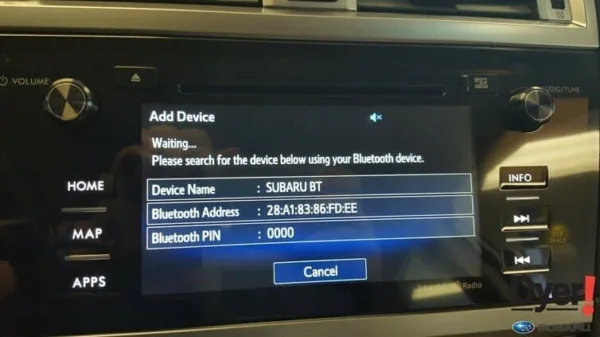
Image source: Bing (Web (fair-use with source credit))
Step 1: Clear Head Unit Memory
- Press the "MENU" button on the dash.
- Go to Settings > Phone > Bluetooth List.
- Select each paired device and choose "Delete." Confirm.
Step 2: Clear Your Phone's Memory
- On iPhone: Go to Settings > Bluetooth. Tap the "i" next to your Outback's name. Select "Forget This Device."
- On Android: Go to Settings > Connected Devices > Previously connected devices. Find your car and tap the gear icon > "Forget."
Step 3: Perform the Head Unit Soft Reset
- With the car on (ACC or engine running), press and hold the power/volume knob.
- Hold for 15-20 seconds until the screen goes black and the Starlink logo appears.
- The system will reboot. This takes about 60 seconds.
Step 4: Pair Fresh
- On your phone, make Bluetooth visible and discoverable.
- On the head unit, go to Settings > Phone > Pair New Device.
- Select your phone from the list on the car's screen. Accept the pairing request on your phone.
- Grant permissions for contacts and messages if prompted.
This process resolves about 80% of persistent connection problems.
Common Mistakes That Make Outback Bluetooth Worse
Don't make these errors when troubleshooting.
Pairing While Driving: The head unit often disables pairing for safety. You must be in "Park."
Skipping Phone-Side Cache Clearing: Just deleting the car from the head unit isn't enough. You must also delete the car from your phone's Bluetooth list. Otherwise, corrupted data persists.
Assuming a New Phone Will "Just Work": Even between two new iPhones, a fresh pairing is cleaner than restoring a backup that includes old Bluetooth data. Start fresh.
Using Battery Disconnect as First Resort: Disconnecting the car battery will reset the head unit, but it can also cause other electrical issues. Use it only as a last resort.
Ignoring Multi-Device Conflict: If you pair both an iPhone and an Android, the system may get confused about which to use for calls. Set one as the primary "hands-free" device in the Bluetooth menu.
Why the Outback's Bluetooth Acts Up: Model Years, Phone Updates, and Quirks
Understanding the "why" helps with future prevention.
Generational Hardware: Older models (pre-2015) often use Clarion head units with more basic Bluetooth. Newer models (2020+) use Denso units with CarPlay/Android Auto integration, which adds complexity.
The iOS/Android Update Cycle: Major OS updates change Bluetooth codecs and security handshakes. An update that works with a 2023 Outback might cause glitches on a 2018 model. A reset usually brings compatibility back.
The Multi-Phone Battle: If two phones are paired, the system tries to connect to the last-used one. If that phone isn't present, it may connect to the other but route audio incorrectly. Manually select the correct device profile each time.
Cold Weather Slowdown: In very cold climates, the head unit's processor can boot slowly. Bluetooth connections may fail initially. Let the system warm up for a minute before pairing.
Frequently Asked Questions
Why does my Bluetooth drop every call after a minute?
This usually points to a phone-side power saver. Many Android devices turn off Bluetooth in the background to save battery. Check your battery optimization settings and set the app to "Unrestricted." On iPhones, disable "Low Power Mode" during calls.
How do I get text message notifications on the screen?
You need to grant the head unit permission on your phone. On iPhone, go to Settings > Bluetooth, find your Outback, and tap the "i" icon. Enable "Show Notifications." On Android, accept the "Notifications" access prompt during first pairing.
Why does my phone get hot when using CarPlay?
Heating usually comes from the cable or the charging port. A poor-quality USB cable forces the phone to work harder. Use an MFi-certified cable.
Also, remove any dust from the port with a wooden toothpick.
Can I pair a second phone without losing my main one?
Yes. The Outback stores several devices. Go to Settings > Phone > Bluetooth and select "Pair New Device." The car keeps the old device in memory.
To switch, choose the phone you want on the device list.
When to Fix It Yourself vs. When to See the Dealer
Start with the free fixes. Most Subaru Outback Bluetooth problems are software glitches. The reset routine above fixes 80% of them.
That's your first move.
| Fix Option | Cost | When It Makes Sense | | DIY reset | $0 | Software glitches, pairing issues, audio stutter | | Dealer diagnostic | $100-$200 | Active warranty, suspected hardware failure | | Aftermarket stereo | $300-$1,500+ | Out of warranty, want reliable wireless CarPlay |
A dealership runs a diagnostic on the Starlink unit. They check for software updates and address any open recalls. As of 2026, Subaru's basic warranty covers the infotainment for 3 years or 36,000 miles.
A diagnostic fee typically runs $100 to $200, but it's often waived if you approve the repair. For reference, Subaru's official owner site documents the latest software updates.
If your warranty is gone, the dealer's fix might cost more than a replacement. A quality aftermarket head unit with wireless CarPlay and modern Bluetooth 5.0 runs $300 to $1,500 installed. You lose the stock look but gain far better reliability.
It only makes sense if you plan to keep the car for years.
Try the DIY fixes first. They're free and usually work. If the head unit is physically dying, check your warranty.
If you're out of warranty, get a dealer quote to confirm the diagnosis. Then weigh that against a good aftermarket unit. That's the honest decision path.





