Planning charging stops for a Tesla Model Y is one of those things that sounds complicated until you actually do it. The good news? It's simpler than most people expect, and the car does most of the heavy lifting for you.
We're going to walk through exactly how Tesla Model Y charging stops work, how many you'll need on a typical road trip, and how to plan them so you spend less time plugged in and more time driving.

49% off Today's Exclusive Deals
Limited-time Exclusive Deals. Check current discount on Amazon.
Check Price on Amazon As an Amazon Associate I earn from qualifying purchases.What most guides miss is the actual charging math. A Model Y Long Range can pull up to 250 kW from a V3 or V4 Supercharger, so a 10% to 80% charge takes roughly 20 to 25 minutes under ideal conditions. But that number changes with weather, speed, elevation, and battery temperature.
Let's dig into what really determines your stop count, because it's not just about range.
Quick Answer
A typical Tesla Model Y road trip needs a charging stop every 150 to 200 miles. Expect each stop to last 15 to 25 minutes.
49% off Today's Exclusive Deals
Limited-time Exclusive Deals. Check current discount on Amazon.
Check Price on Amazon As an Amazon Associate I earn from qualifying purchases.The Tesla Trip Planner selects the best Supercharger stations automatically. It balances charging speed, distance, and arrival state of charge.
Plan to arrive at each charger with 5% to 15% battery remaining. Leave between 70% and 80% to minimize total trip time.
Your actual stop count depends on speed, temperature, elevation, and trailer load.
The Real Variables That Change Your Stop Plan
There's no single magic number for how many stops you'll make. A 600-mile trip in summer on flat interstate might need three stops. The same route in winter with a headwind and a roof box might need four or five.
49% off Today's Exclusive Deals
Limited-time Exclusive Deals. Check current discount on Amazon.
Check Price on Amazon As an Amazon Associate I earn from qualifying purchases.Here are the main factors that shift the equation.
Driving speed matters more than anything else. At 75 mph, your efficiency drops roughly 8% compared to 65 mph. Push it to 80 mph and you're losing another 5% on top of that. The Model Y's EPA range assumes mixed driving, not sustained freeway speeds.
Our research shows that at 75+ mph, real-world range lands closer to 240 to 270 miles, not the advertised 310.
Cold weather hits range hard. When temperatures drop below freezing, the battery needs to keep itself warm, and cabin heating draws power too. Drivers in cold climates report 15% to 30% range loss in winter. That means a stop that worked in July might leave you stranded in January.
Elevation changes work both ways. Climbing mountains drains extra energy, but you get some back on the descent through regenerative braking. The tricky part is that your Trip Planner accounts for this, but the elevation profile matters more than total miles.
Wind and precipitation aren't in the EPA numbers. Strong headwinds can cut efficiency by 10% or more. Heavy rain adds rolling resistance. Both extend your charging needs.
Towing or carrying cargo changes everything. A trailer can halve your range. Roof boxes add drag and hurt efficiency at highway speeds. Even a full car of passengers with luggage eats into your margin.
If/then rule of thumb: If it's warm, you're driving at 70 mph, and the route is flat, plan for stops every 180 to 200 miles. If it's cold, you're towing, or you're in the mountains, cut that to 120 to 150 miles and don't cut it close.
Before heading out on any long trip, it's also worth making sure the rest of the car is in solid shape. Nothing ruins a charging plan faster than a mechanical issue that leaves you stranded between stations. A quick check of your braking system and transmission health can prevent surprises.
How to Plan Charging Stops With the Tesla Trip Planner
Your Model Y's navigation system is the most underrated tool in the car. When you enter a destination, the Trip Planner automatically adds Supercharger stops along your route. It doesn't just guess; it calculates based on your current battery level, real-time charging speeds at each station, and the distance between chargers.
Here's how to use it effectively:
- Set your destination in the navigation system. Don't just type a city. Use the exact address or point of interest.
- Let the Trip Planner suggest stops. It will pick stations that minimize your total travel time, not just your driving distance.
- Check the arrival state of charge. The car aims to arrive at each Supercharger with about 10% battery. You can adjust this in the trip settings.
- Precondition the battery. The car warms the battery automatically as you approach a Supercharger. This is crucial for hitting peak charging speeds.
- Monitor the route as you drive. The Trip Planner recalculates if you miss a stop or if a charger is down.
A common mistake is overriding the Trip Planner's recommendations. Sure, you might see a closer Supercharger on the map and think it looks better. But the car knows things you don't: which stations are V3 or V4, which ones have high usage, and how the charge curve will behave at each stop.
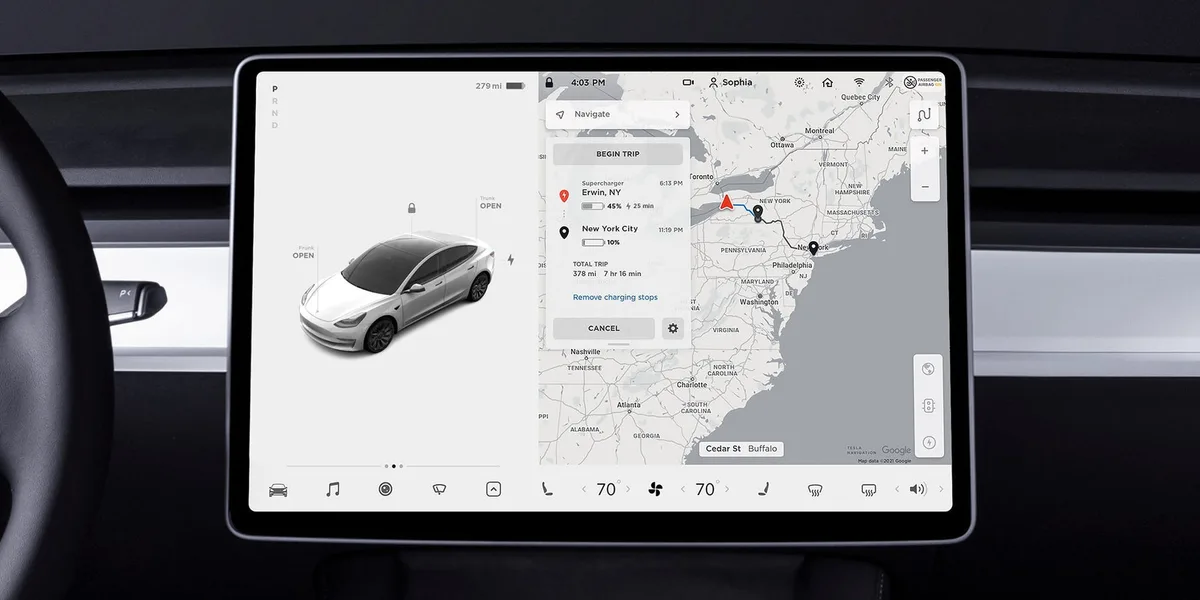
Image source: Bing (Web (fair-use with source credit))
A practical tip: If you're driving at higher speeds than the Trip Planner assumes, tell the car. Use the speed limit override in the navigation settings. The planner will adjust its predictions accordingly.
Another tip: If you're in an area with sparse Supercharger coverage, add a buffer. The car's "arrival 10%" target is fine on well-covered interstates, but on remote routes, aim for 15% to 20% arrival. You don't want to be stuck if a station is unexpectedly full or down.
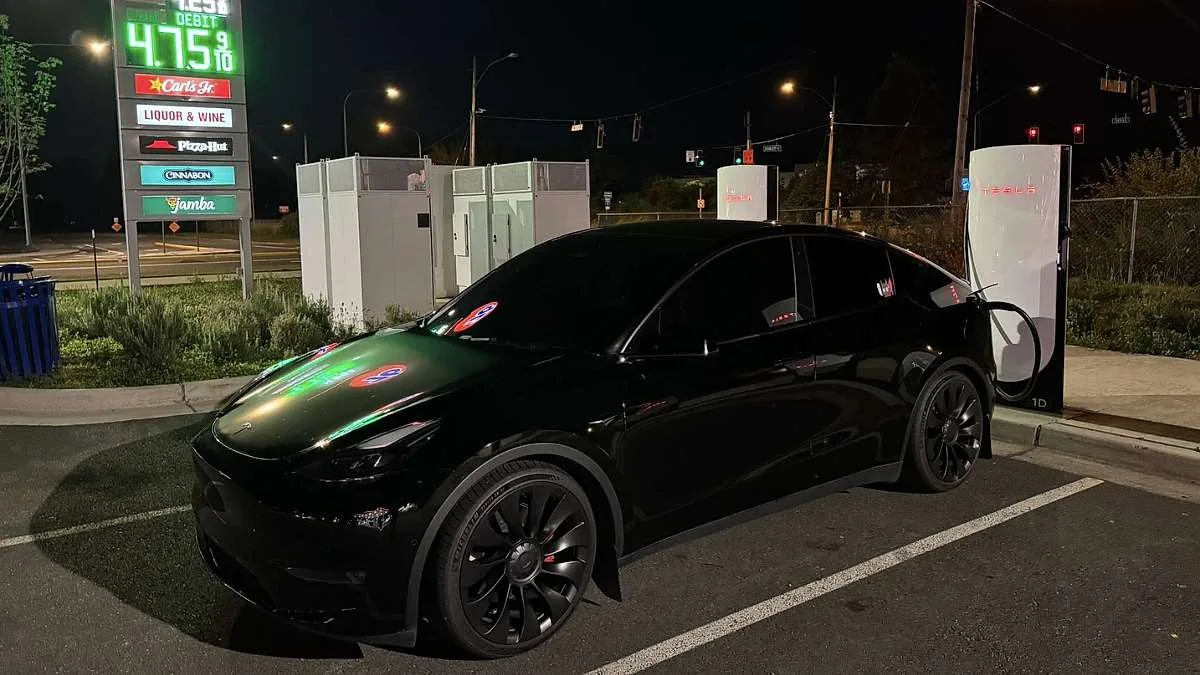
Image source: Bing (Web (fair-use with source credit))
How Long to Charge at Each Stop: The 80% Rule and Charge Curve
This is where most new owners get it wrong. They charge to 100% at every stop, assuming more range is always better. It's not.
The Model Y's battery charges fast up to about 50%, then the speed drops off sharply. Charging past 80% wastes time.
Here's the real-world charge curve behavior on a 250 kW Supercharger:
| State of Charge | Charging Speed | Time to Add 10% |
|---|---|---|
| 5% to 20% | 180–250 kW | ~2 minutes |
| 20% to 50% | 150–250 kW | ~3 minutes |
| 50% to 70% | 80–150 kW | ~5 minutes |
| 70% to 80% | 50–80 kW | ~7 minutes |
| 80% to 100% | 15–50 kW | ~15–20 minutes |
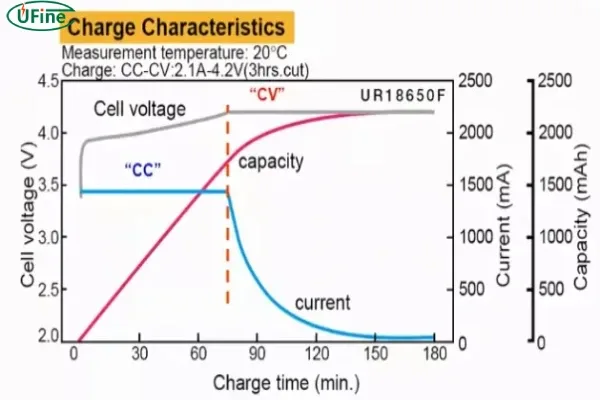
Image source: Bing (Web (fair-use with source credit))
So what's the practical rule?
- If you're passing a Supercharger anyway, charge to 70% or 80% and move on.
- If the next Supercharger is far away, charge to 85% or 90% as a safety margin.
- Only charge to 100% when you absolutely need it, like heading into a remote area with no chargers for 200 miles.
And always precondition the battery. The Tesla navigation system starts warming the battery about 20 to 30 minutes before you arrive at a Supercharger. This is critical. A cold battery charges at half the speed or less.
Real Scenarios: Cold Weather, Towing, Mountain Routes, Holiday Traffic
Let's make this practical with real-world scenarios. These are the situations where charging strategy matters most.
Scenario 1: Winter road trip from Denver to Vail
This is a classic ski trip route with major elevation gains and cold temperatures. The distance is only about 100 miles, but the climb is over 4,000 feet. In winter, you'll need a top-up at Silverthorne, not because you can't make it, but because you'll arrive with single-digit percentage left and then need to make it back down.
Scenario 2: Towing a small trailer
Here's the painful truth. A trailer cuts your range by 40% to 50%. A 250-mile day turns into two or three stops.
On a 400-mile trip, expect to charge three times instead of once. The Trip Planner handles this, but you need to set the trailer in the vehicle's towing settings so it adjusts its range estimates.
Scenario 3: Holiday travel on I-95
Everyone's on the road, and Supercharger congestion goes way up around Thanksgiving, Christmas, and the Fourth of July. The wait times at popular stations can hit 45 minutes or more. Your best strategy is to charge slightly earlier than the Trip Planner suggests, picking less busy stations slightly off the main route.
Scenario 4: Mountain passes and long descents
Regenerative braking is your friend. Descending a 6% grade for 20 miles can add meaningful range. Use this to your advantage.
If you're heading up a mountain pass, arrive with more buffer. The climb will drain your battery faster than the distance suggests.
Scenario 5: Extreme cold and remote routes
In the upper Midwest or northern Canada, temperatures can drop far below freezing. Your range can be cut by 30% or more. You should also expect that Supercharger stations might have reduced capacity in extreme cold.
The best advice is to charge to 90% whenever you have the chance and don't rely on the next station being available.
| Scenario | Range Impact | Stop Frequency |
|---|---|---|
| Summer, 70 mph, flat | Minimal | Every 180–200 miles |
| Winter, 0°F, snow | High | Every 120–150 miles |
| Towing a 3,000 lb trailer | Severe | Every 100–120 miles |
| Mountain driving | Variable | Plan for elevations |
| Holiday traffic | Congestion risk | Charge earlier |
Common Charging Stop Mistakes to Avoid
One of the biggest mistakes is charging to 100% at every stop. The last 20% charges at a fraction of the speed. You're better off making one extra quick stop than waiting through that slow taper.
Another common error is dismissing the Trip Planner's suggestions. The car accounts for charger speeds, elevation, and traffic patterns. Aggregate owner reports show that overriding the planner almost always adds time, not saves it.
Skipping battery preconditioning hurts too. If you drive to a Supercharger without setting it as your destination, the battery stays cold. A cold battery cuts charge speeds dramatically, especially in winter.
Don't ignore Supercharger congestion either. On holiday weekends, popular stations fill up fast. The in-car map shows live stall availability, so check before you commit to a long charging session.
Finally, don't cut your arrival buffer too close on remote routes. A 5% arrival target is fine on busy interstates. On sparse corridors, aim for 15% to 20% so one closed station doesn't ruin your trip.
And before any long drive, make sure the car is roadworthy. Hitting the highway with worn brake components or faulty lights turns a simple charging plan into a much bigger problem.
Charging Stop FAQs
How many charging stops do I need for a 500-mile trip?
Two to three stops in most cases. In warm weather at 70 mph, plan for a stop every 180 to 200 miles. In winter, expect three to four shorter stops.
Towing cuts your range further, so add even more stops.
Should I charge to 100% at a Supercharger?
Only when you truly need the extra range. Charging from 80% to 100% takes 15 to 20 extra minutes because the battery slows down dramatically. Stop at 70% to 80% unless the next Supercharger is over 150 miles away.
How long does a Model Y take to charge at a Supercharger?
From 10% to 80%, plan on 20 to 25 minutes at a 250 kW Supercharger stall. Charging speed slows dramatically as the battery fills past 50%. That's why shorter stops at lower states of charge are more efficient than one long charge.
Can I skip a charging stop the Trip Planner suggests?
Yes, but the car instantly recalculates your route. You'll likely need a longer stop further down the road or risk arriving with a very low battery. Stick with the planner's picks unless the station is clearly full or offline.
Why is my Model Y charging slow in cold weather?
A cold battery accepts power at a much slower rate, sometimes half speed or worse. The navigation system preconditions the battery as you approach a Supercharger. That's why setting the charger as your destination matters, especially in winter.
Final Decision Guide: Your Best Stop-by-Stop Strategy
Here's your stop-by-stop playbook. Set your destination in navigation and let the Trip Planner map the route. Arrive at each charger with 5% to 15% battery, then charge to 70% or 80%.
If the weather is cold, add 15% to 20% to your arrival targets. If you're towing, expect stops every 100 to 120 miles. If it's a holiday weekend, check live stall availability before picking a station.
The golden rule is simple: arrive low, leave quick. A 10-minute charge at 15% adds more range per minute than a 25-minute charge at 80%. The charge curve rewards short stops, so don't fight it.
As of 2026, the Supercharger network along major corridors is dense enough that you can stay flexible. The Department of Energy's fuel data hub tracks charging station locations nationwide, which is a handy backup if you're venturing off the beaten path.
Keep an eye on the Energy app too. It shows real-time consumption and updates your arrival estimate. If you're using more energy than planned, charge a little longer at your next stop instead of cutting it close.





