If you're dealing with a Tesla Model Y charging problem, you're probably somewhere between mildly annoyed and genuinely worried. That's fair. Here's the thing: most charging faults are simple to diagnose, and many are just software glitches or environmental quirks, not hardware failures.
Let's walk through the symptoms and fixes step by step.

49% off Today's Exclusive Deals
Limited-time Exclusive Deals. Check current discount on Amazon.
Check Price on Amazon As an Amazon Associate I earn from qualifying purchases.As of 2026, the Model Y uses the NACS connector (also called SAE J3400) in North America, which makes charging compatibility much simpler. Manufacturer specifications show a Long Range Model Y gains roughly 44 miles of range per hour on a properly installed Tesla Wall Connector. Knowing what normal looks like helps you spot what isn't.
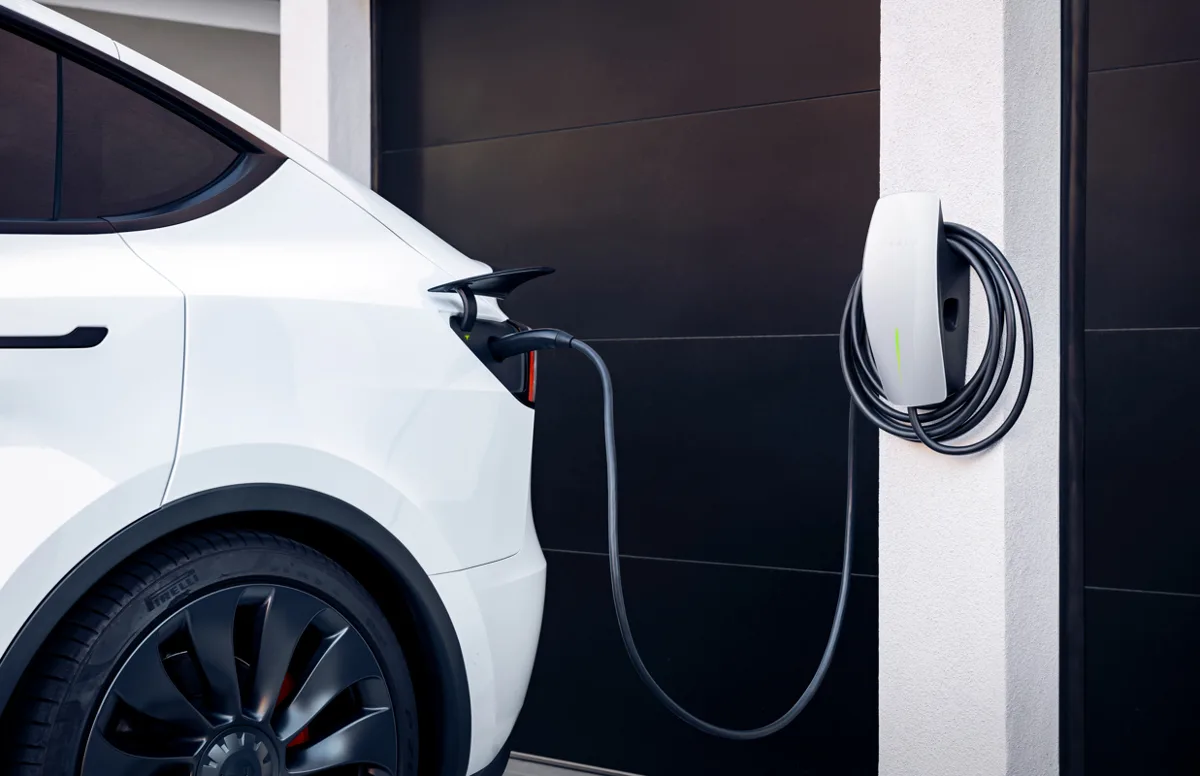
Image source: Bing (Web (fair-use with source credit))
49% off Today's Exclusive Deals
Limited-time Exclusive Deals. Check current discount on Amazon.
Check Price on Amazon As an Amazon Associate I earn from qualifying purchases.Quick Answer
Most Model Y charging problems come from a few common causes. Loose cables, tripped breakers, cold batteries, or outdated software. Check the Tesla app error message first.
Then re-seat the cable and reboot the car. That fixes most issues.
First, Let's Define "Charging Problem" (Most People Are Worried About Nothing)
Not every charging hiccup is a real fault. A cold battery, a shared circuit, or a simple scheduling setting can all look like a broken car. Your Model Y gives you clues before you ever open the app.
The charge port LED status is your first diagnostic tool.
49% off Today's Exclusive Deals
Limited-time Exclusive Deals. Check current discount on Amazon.
Check Price on Amazon As an Amazon Associate I earn from qualifying purchases.| LED Status | What It Means |
|---|---|
| Solid green | Charging actively |
| Blinking green | Charge complete or paused |
| Solid amber | Waiting to charge (schedule or conditioning) |
| Red | Fault, check cable or outlet |
If the car says it's charging but the miles aren't climbing, that's not a failure. That's normal DC fast charging taper above 80% or AC charging on a weak circuit.
AC vs DC Charging in Plain Language
Level 1 and Level 2 charging run through the onboard charger. DC fast charging bypasses it entirely. That's why "slow" means different things depending on where you plug in.
A 120V outlet delivers about 3 miles of range per hour. A Level 2 Wall Connector delivers up to 44. Superchargers can push 250 kW on V3 stalls.
If you expect Level 2 speeds at a Supercharger, you'll be disappointed. If you expect Supercharger speeds at a Wall Connector, you'll be confused. Understanding the difference helps you spot a real fault faster.
How Model Y Charging Works: The 5 Parts That Can Fail
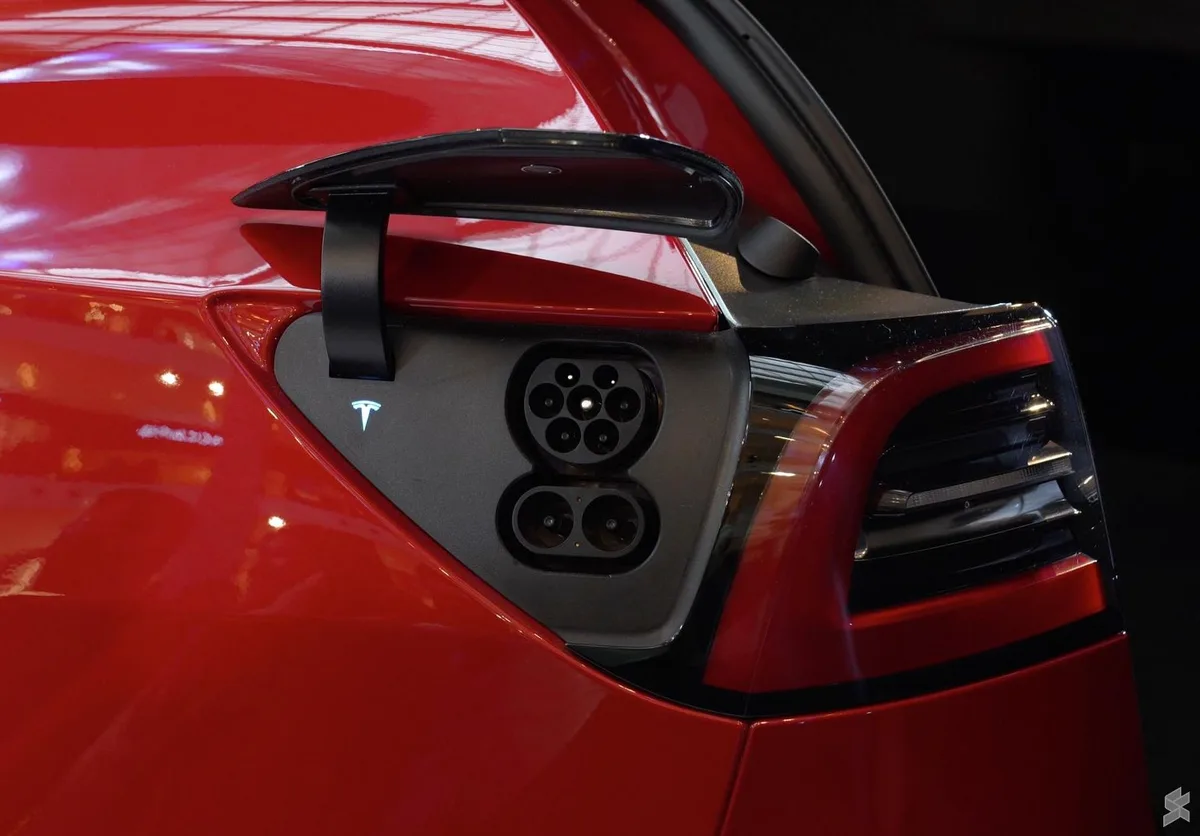
Image source: Bing (Web (fair-use with source credit))
Every time you plug in, the Model Y runs a coordinated routine between five components. A failure in any one can stop charging or slow it down.
- The charge port door and latch. The door is servomotor-controlled. It can freeze shut or refuse to open.
- The connector and cable. Bent pins, debris, or a frayed cable break continuity.
- The onboard charger. Converts AC to DC for Level 1 and Level 2. It can fail or throttle under heat.
- The electrical supply. Your outlet, breaker, and wiring all matter. A loose neutral or a voltage drop is common.
- The software and BMS. This manages charging speed, supervision, and temperature limits. A bug here causes phantom errors.
If the port latch fails, the car won't detect the cable. If the onboard charger overheats, it drops to a lower amp rate. If the electrical supply is unstable, the car aborts charging.
If the BMS is confused, a reboot often fixes it. That's why the reset list works so often.
Fixes to Try Before You Call Anyone: The 60-Second Reset List
Before you book a service appointment, run this fast checklist. It resolves a surprising number of faults. No tools needed, just a few minutes.
- Reboot the touchscreen. Press and hold both scroll wheels for about ten seconds until the Tesla logo appears. This clears most software glitches, including phantom charging errors.
- Check the circuit breaker. If the breaker tripped, the outlet is dead. Reset it and try again. If it trips again, there's an electrical problem.
- Re-seat the cable. Pull the connector out, inspect the pins, and push it back in until it clicks. A loose connection triggers the "cable not securely inserted" warning.
- Confirm charging amps in the app. The app lets you lower the current. If someone set it to 5A, that's your slow charge. Set it back to your circuit's maximum.
- Update the software. Tesla pushes over-the-air fixes for charging bugs. Check Settings > Software for pending updates.
The same troubleshooting discipline applies to any sudden vehicle electrical fault, whether it's a warning light or a dead component. Sometimes the answer is a simple reset, just like with brake system warnings after the car sits too long. But if nothing here works, move to the symptom tree below.
The Decision Tree: Match Your Symptom to the Real Problem
Now match what you're seeing to the right branch. If your symptom doesn't fit, start with the most common one: the cable isn't fully inserted.
Charge Port Won't Open or Cable Won't Click In
If the door is stiff, try pressing the manual release inside the trunk. That's the emergency cable behind an access panel. If the door opens but the latch won't engage, inspect the socket for ice, dirt, or a bent pin.
Clear it with a plastic tool. Never force the connector in.
Charging Starts, Then Stops
This is usually an electrical supply issue. Check the outlet for heat, smell, or discoloration. A warm outlet means loose wiring or an overtaxed circuit.
If it's on a GFCI that trips, one appliance on the same circuit can be the culprit.
Charging Is Slower Than Expected
Check the app's amp setting. A shared circuit or long extension cord causes voltage drop. Also expect slower speeds above 80% state of charge.
That's the battery protecting itself.
Supercharger Says Unavailable or Derated
Try another stall. If all stalls show the same error, your vehicle's battery might be below the temperature threshold for fast DC. Navigate to the Supercharger in the car's map at least 30 minutes ahead so preconditioning can warm the pack.
Use the same diagnostic mindset you'd apply to any car system. Identify the symptom, then isolate the cause. That's how you separate a real failure from a simple scheduling quirk.
Why Winter Slows Your Model Y's Charging (And When It's Actually Normal)
Cold weather is the biggest cause of slow DC charging. The Model Y's BMS limits current when the battery is below a certain temperature. That protects the cells from lithium plating, but it feels exactly like a fault.
The fix is preconditioning. If you set your destination to a Supercharger in the car's navigation, the thermal management system warms the battery along the way. The car also draws heat from the battery, not the cabin.
You'll see a snowflake icon on the battery indicator when it's too cold.
For home charging, a cold battery doesn't matter as much. Level 2 charging is slower anyway, and the onboard charger warms the pack as it charges. You can still wake up to a full battery.
If you want to maximize efficiency in winter, set a departure schedule. The car will warm the cabin and battery using grid power before you leave.
Tesla's official charging documentation notes that cold temperatures reduce charge rates until the pack warms. Persistent cold can also freeze debris into the charge port. If the latch sticks, use a hair dryer on a low setting to melt ice.
That's normal seasonal behavior, not a service issue.
Charging Mistakes That Cause Real Damage
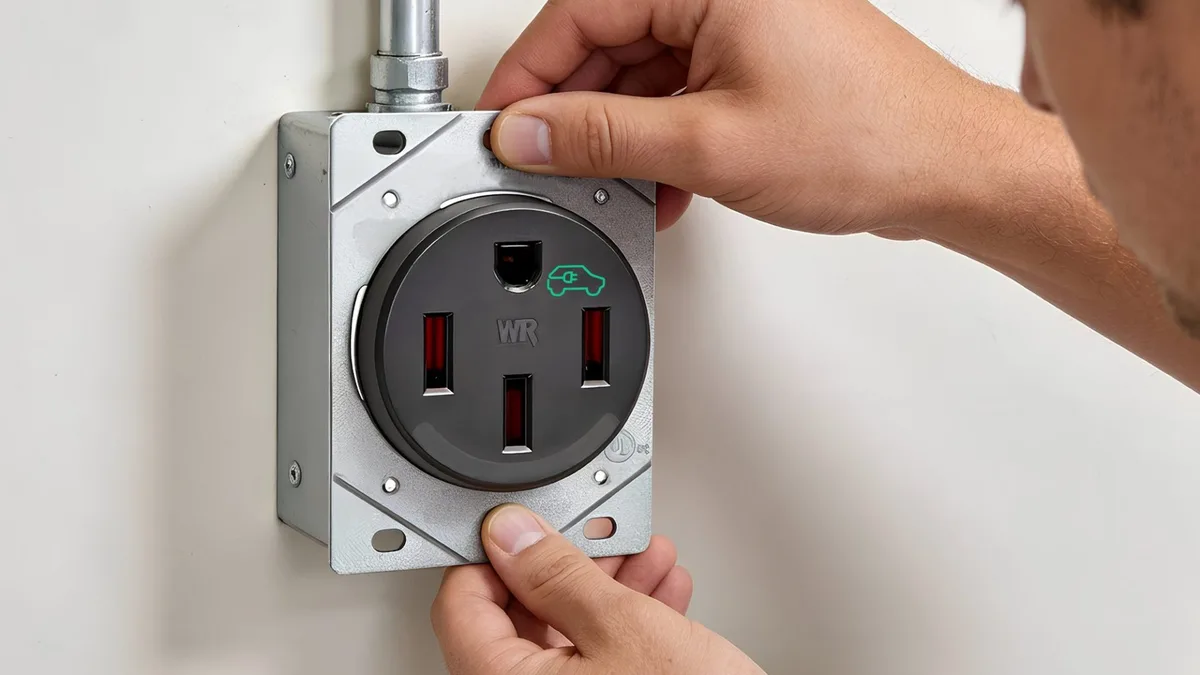
Image source: Bing (Web (fair-use with source credit))
Some charging habits turn minor annoyances into expensive repairs. A melted NEMA 14-50 outlet is one of the most common issues we see. The National Electrical Code caps continuous loads at 80% of the circuit's rating.
That's why a 50A outlet delivers only 40A continuous.
Using a household extension cord or a worn adapter increases resistance. Resistance creates heat. Heat softens plastic and burns contacts.
Aggregate owner reports indicate household extension cords fail even sooner. They aren't rated for hours of high current draw.
Charging to 100% daily is another quiet mistake. Tesla recommends 80% for everyday use. The battery pack degrades faster when it sits at full charge.
Set a charge limit in the app and forget about it.
If your outlet feels warm, get an electrician to inspect the wiring. That warmth is a warning, just like a faulty brake light switch that drains your battery overnight. Ignore it, and you'll replace more than a socket.
When to Book Tesla Service: Warning Signs You Shouldn't Ignore
Some problems refuse to resolve with a reset. If you smell burning plastic, see a swollen plug, or notice smoke, stop using that charger now. Call Tesla Service or a licensed electrician immediately.
Repeated charge port latch failures also need attention. If the door won't open even with the manual release, the actuator is broken. Persistent errors like "Unable to charge" after a reboot point to the onboard charger.
That's not a DIY fix.
Book an appointment through the Tesla app. Describe the exact error message and include photos. Tesla's remote diagnostics can inspect most hardware before you visit.
That saves everyone time.
A burning smell is the same red flag as grinding brakes. It won't heal itself. And like transmission slippage, ignoring it turns a small repair into a big one.
A quick service trip beats a stranded car.
Frequently Asked Questions
Why did my Tesla stop charging at 80%?
Your charge limit is set to 80%. That's the recommended daily level. The car stops charging when it reaches that setting.
Move the slider in the app to charge higher.
How fast should a Model Y charge on a regular outlet?
A standard 120V outlet adds about 3 miles of range per hour. A 240V mobile connector connection adds roughly 30 miles per hour. A wired Wall Connector can add up to 44 miles per hour.
Is it safe to leave my Model Y charging overnight?
Yes, when the outlet and charger are in good condition. The battery management system monitors everything. It stops charging when full.
Check the outlet for warmth in the morning.
Can I use a non-Tesla charger with my Model Y?
In North America, yes. The Model Y uses the NACS connector natively. A CCS adapter unlocks most other DC fast chargers.
In Europe, the Model Y uses CCS2 as standard.