The Tesla Model Y steering problem is a serious safety issue you shouldn't ignore. If you've seen a "Steering Assist Reduced" warning on your screen, you're not alone, and you're right to take it seriously.

49% off Today's Exclusive Deals
Limited-time Exclusive Deals. Check current discount on Amazon.
Check Price on Amazon As an Amazon Associate I earn from qualifying purchases.Image source: Bing (Web (fair-use with source credit))
As of 2026, aggregate owner reports and NHTSA complaint data show a clear pattern of electric power steering (EPS) failures across multiple Model Y model years. The system relies on electronic sensors and a motor to help you turn the wheel. When something fails, your steering can suddenly feel heavy, stiff, or unresponsive.
That's not an inconvenience. It's a safety-critical fault. Here's exactly what you need to know, what to do, and how to handle Tesla service without getting stuck in limbo.
49% off Today's Exclusive Deals
Limited-time Exclusive Deals. Check current discount on Amazon.
Check Price on Amazon As an Amazon Associate I earn from qualifying purchases.Quick Answer
A Tesla Model Y steering problem is a safety-critical fault. The most common cause is a failed torque sensor or steering rack. If you see a steering warning, stop driving and contact Tesla Service.
Check for active recalls using your VIN first. Repairs typically cost $2,000 to $4,500 out of warranty.
Is It Serious Right Now? (Immediate Safety Triage)
The first thing to figure out is whether your car is safe to keep driving. Your Model Y doesn't hide steering faults well. When the EPS system detects a problem, it usually throws a warning on the touchscreen and reduces or removes assist.
What the Warning Messages Actually Mean
If you see "Steering Assist Reduced" in yellow, the system is still helping you turn, but with less force than normal. The wheel feels heavier, especially at low speeds or when parking. You can probably still drive, but get to a safe location and schedule service soon.
49% off Today's Exclusive Deals
Limited-time Exclusive Deals. Check current discount on Amazon.
Check Price on Amazon As an Amazon Associate I earn from qualifying purchases.A red warning or a message saying "Steering Assist Unavailable" is a different story. That means the electric motor has stopped helping entirely. The wheel becomes extremely stiff.
You lose most of your ability to steer quickly. Pull over as soon as it's safe and don't drive until it's checked.
If Steering Locks or Goes Stiff While Driving
This is the scariest scenario, and you need to know what to do before it happens. Stay calm. Don't slam on the brakes.
Ease off the accelerator and gently apply the brakes. Turn on your hazard lights. Steer gently and deliberately.
The EPS failure removes power assist, but the steering column and rack are still physically linked to the wheels. You can still turn the car. It just requires serious effort.
Slow down gradually and pull off the road completely. Once you're stopped, turn the car off and on again. Sometimes a temporary software glitch clears with a reboot.
If the warning returns, don't drive. Call for a tow.
If you've experienced sudden loss of control before, you know how important it is to understand your vehicle's braking behavior too. A soft brake pedal can compound a steering failure in a dangerous way.
Why the Model Y Steering System Works Differently
Gas-powered cars have used hydraulic power steering for decades. A belt-driven pump pushes fluid into the steering gear, which helps you turn the wheels. The Model Y doesn't do this.
Tesla uses electric power steering (EPS), a system that's cleaner and more efficient but also more electronics-heavy.
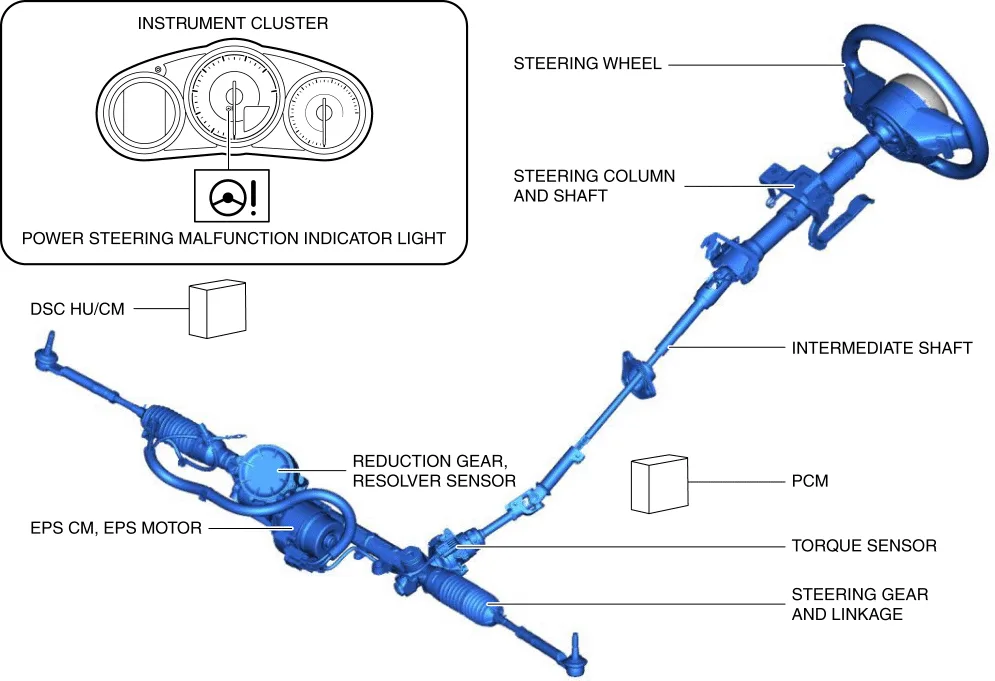
Image source: Bing (Web (fair-use with source credit))
The Core Components
The EPS system has four main parts. The steering wheel connects to a steering column. The column houses a torque sensor that measures how hard you're pulling on the wheel.
The system also includes an electric motor and a steering rack, which converts rotational input into lateral movement.
The steering control module reads the torque sensor data and commands the motor to apply assist. It's a closed-loop system that reacts in milliseconds. When the sensor fails or the motor stops responding, the module detects a fault and limits or cuts assist entirely.
Why Diagnostics Are Complicated
Because the EPS system is software-driven, Tesla can update its behavior over the air. A steering feel change might be intentional. A steering fault might be a software bug.
That overlap makes diagnosis tricky.
That's why you need to approach any steering complaint methodically. A wheel alignment won't fix a torque sensor. A new steering rack won't fix a software glitch.
The system needs proper diagnostics, and that's exactly what a Tesla Service Center handles best.
Smaller issues like a slight pull to one side can often be resolved with routine alignment work. If you're dealing with any unusual braking noise or vibration at the same time, tell the technician. It helps them narrow down the root cause faster.
What Actually Goes Wrong
Tesla doesn't publish detailed failure-rate data for steering components. But NHTSA complaints, service bulletins, and owner forum reports paint a fairly consistent picture. Here's what commonly fails and the symptoms each one produces.
Torque Sensor Failure
This is the most frequently reported steering issue. The torque sensor sits in the steering column and measures how much force you're applying to the wheel. When it fails or sends erratic readings, the steering module doesn't know how much assist to give.
The result is a steering wheel that feels inconsistent. It might feel fine at highway speed but heavy and notchy during parking. You might also see the "Steering Assist Reduced" warning appear intermittently.
Aggregate forum reports suggest this is a leading cause of that exact warning.
Steering Rack Binding or Wear
The steering rack is a precision mechanical assembly. It contains gears and bearings that wear over time, especially at higher mileage. When the rack binds internally, you'll feel resistance as you turn the wheel.
It's often worse in one direction than the other.
A worn rack can also produce a clunking or knocking noise when you turn at low speed. That's a distinctly mechanical sound, different from the "notchy" feel of a failing sensor. If you hear a clunk and feel vibration through the steering wheel, the rack is a prime suspect.
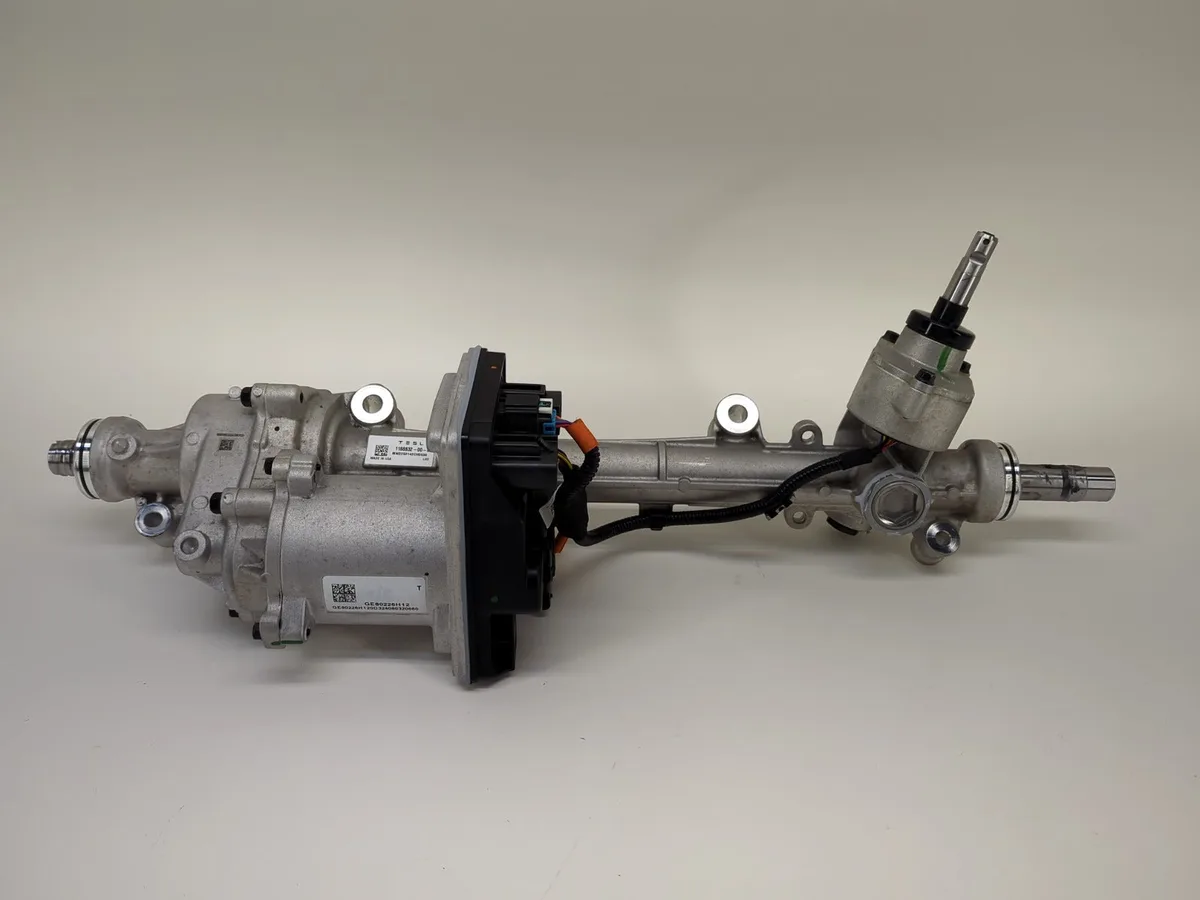
Image source: Bing (Web (fair-use with source credit))
Software Glitches and Phantom Warnings
Not every steering issue requires a physical repair. Tesla's software updates have occasionally introduced bugs that trigger false steering warnings. A simple reboot often clears these.
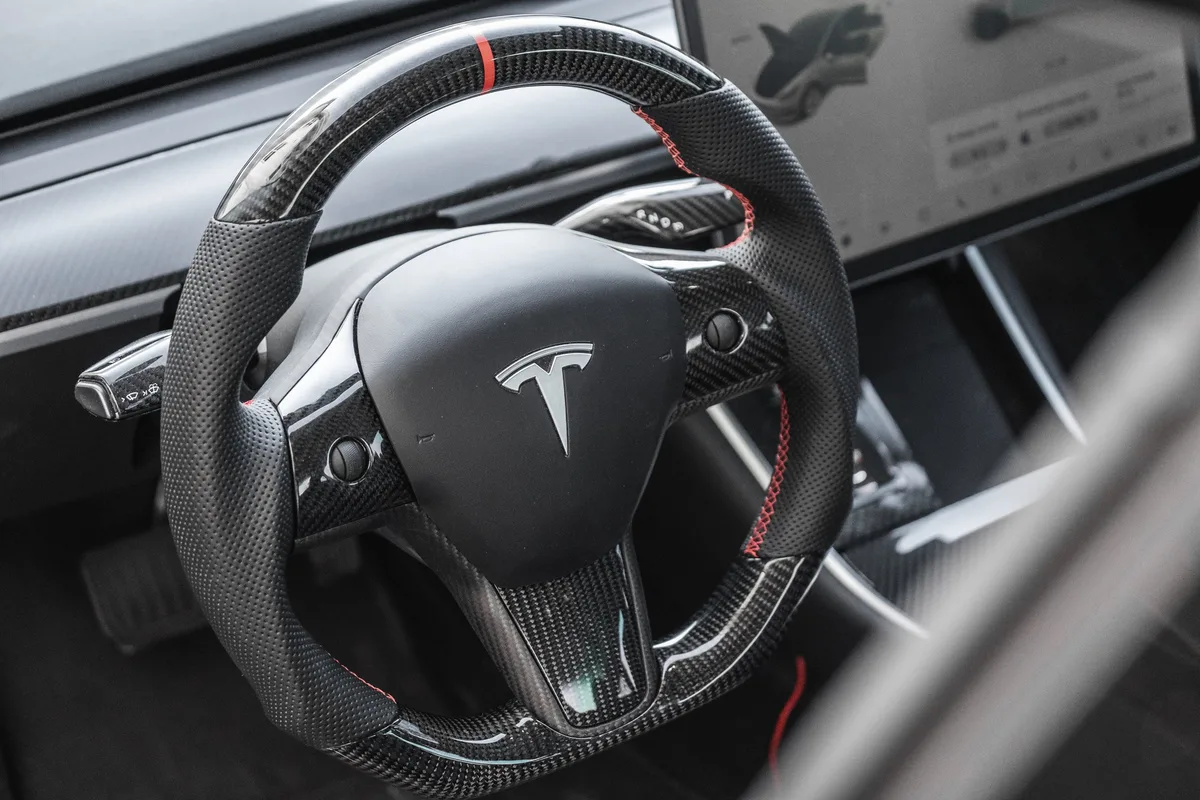
To reboot, hold both scroll wheels on the steering wheel until the screen goes black and the Tesla logo appears. Wait for the system to restart. If the warning reappears, the issue is likely hardware, not software.
How to Tell Steering from Suspension Problems
A pull to one side, a vibration, or a clunk at low speed can come from a steering component or from the suspension. Worn control arm bushings, a bad wheel bearing, or an out-of-balance tire can mimic steering faults.
If your warning light isn't on but the car doesn't feel right, start with the cheaper checks: tire pressure, tire wear, and a possible alignment issue. If those check out, then it's time to dig deeper into the EPS system.
Intermittent Failures Are the Hardest to Diagnose
If your steering works fine most of the time but fails occasionally, you're in the worst situation for getting it fixed. Intermittent faults are hard to reproduce. A technician might drive the car and find nothing wrong.
Document every occurrence. Take a video of the warning message. Note the exact conditions: temperature, speed, road surface.
Write down whether the steering felt heavy at that moment. This documentation helps the service team identify the fault and protects you if you need to escalate with Tesla support.
Step-by-Step: What to Do Before You Call Tesla
Dealing with Tesla Service can feel intimidating, but preparation makes a huge difference. Follow this process before you even open the app.
Check for Active Recalls Using Your VIN
This is your first step, and it takes two minutes. Go to the NHTSA recalls page and enter your vehicle identification number. If there's an active recall related to steering, Tesla must fix it for free.
You don't need a special appointment, just book one through the app.
Tesla has issued steering-related recalls in the past, and the Model Y has been subject to safety investigations. Checking your VIN is the single fastest way to find out if your issue is already a known problem.
Document Everything Like a Professional
Take photos and videos of your dashboard warning messages. Note the date, time, outside temperature, and driving conditions when the issue occurred. Write down whether the steering felt heavy, made noise, or pulled to one side.
This documentation is your proof. It helps your case if you need to escalate with Tesla support or a lemon law attorney. If you're dealing with other electrical gremlins, like turn signals cutting out or dashboard warnings piling up, document those too.
They may be related or they may strengthen a pattern of repeated defects.
Try the Reboot (Only When It's Safe)
A steering warning that appears while parked is the safest time to try a system reboot. Hold both scroll wheels on the steering wheel for about ten seconds. Release them when the screen goes black and the Tesla logo appears.
This resets the infotainment system and often clears low-level software glitches. If the warning reappears after the reboot, the issue is almost certainly a hardware problem that needs professional diagnosis.
Book Service in the Tesla App Correctly
Open the Tesla app, tap Service, and describe your issue accurately. Don't write "steering feels weird." Write exactly what happened, including the warning message and when it occurred. A specific description helps the system route your request and helps the service team prepare.
Tesla doesn't charge a diagnostic fee if the car is under warranty. Out-of-warranty visits typically cost a few hundred dollars just for evaluation. If you're weighing whether the repair is worth it, consider the full picture.
Steering repairs are expensive enough that some owners have to compare them against the cost of other major failures like a worn transmission.
What to Tell the Service Advisor
Be direct and factual. Say, "I received the 'Steering Assist Reduced' warning. The wheel felt stiff when I parked.
This happened three times this week." Share your documentation.
Don't ask for a specific part to be replaced. That's their job. Give them the facts and let them diagnose.
If they seem dismissive, mention that you've checked for recalls and documented the issue. That usually gets their attention.
What Does a Fix Cost — and Who Pays?
Once Tesla confirms the issue, you need to know what you're dealing with financially. Costs vary depending on warranty status, the failed component, and your location.
Typical Repair Costs
A steering rack replacement is the most expensive common fix. Aggregate repair data indicates the total cost, including parts and labor, typically lands between $2,000 and $4,500. The exact number depends on your model year and whether you need a full rack assembly or just a rebuild.
A torque sensor replacement is more affordable. It typically costs between $800 and $1,500 at a Tesla Service Center. Labor rates vary by region, so expect higher costs in metro areas.
Warranty Coverage: What's Included
The Model Y comes with a basic warranty covering four years or 50,000 miles, whichever comes first. It covers steering components, including the rack, torque sensor, and EPS motor. If you're within that window, the repair is free.
Tesla also offers a separate battery and drive unit warranty. It does not cover steering components, so don't assume it does.
Tesla Service Center vs. Independent EV Shops
Tesla Service Centers have specialized diagnostic tools and direct access to service bulletins and parts. They're your safest bet for complicated steering issues. Independent EV shops can be less expensive, but they may not have Tesla's proprietary software.
For a safety-critical system like steering, we lean toward the official service center. The exception is if your local independent shop has a documented track record with Tesla steering repairs and you're out of warranty.
If you're also dealing with other symptoms like a grinding noise from the brakes or unusual transmission sounds, mention them. You may be able to bundle multiple concerns into a single diagnostic visit.
How to Request a Loaner or Rental
Tesla doesn't guarantee loaners. Availability varies by location and demand. Politely ask when you book your appointment.
Say, "My car isn't safe to drive. I need a loaner or rental while it's in service."
If you have a documented safety concern, you're more likely to get one. You can also ask for reimbursement if you're forced to pay for a rental out of pocket. Tesla usually only approves that in specific warranty situations.
Be ready to push back and escalate if you're being asked to drive a car with a known steering fault.
Frequently Asked Questions
Is it safe to drive my Model Y with the steering warning on?
If the warning is yellow and "Steering Assist Reduced," you can probably drive to a safe location. The steering will feel heavy. If the warning is red or says "Steering Assist Unavailable," don't drive.
Pull over safely and call for a tow.
How long does a steering rack replacement take?
Most Tesla Service Centers complete a steering rack replacement in two to four days. Parts availability can extend the timeline. Ask the service advisor for an estimated completion date when you drop off the car.
Can a software update fix a steering problem?
Sometimes. Tesla has pushed over-the-air updates that resolved steering assist glitches in certain model years. However, most steering hardware failures need physical repair.
If a reboot doesn't clear the warning, assume it's hardware.
What should I do if my steering fails on the road right now?
Ease off the accelerator. Apply the brakes gently. Turn on your hazard lights.
The mechanical connection to the wheels is still intact, so you can steer, but it takes much more effort. Slow down gradually and pull off the road. Stop the car and don't drive it again until it's repaired.
Does a steering repair affect my warranty or resale value?
A properly documented steering repair through Tesla Service doesn't negatively affect your remaining warranty. For resale, a clean service record actually helps. Hiding a steering problem is what kills resale value.