So your Tesla Model Y won't start. Before you panic, know this: it's almost never the main battery pack. The high-voltage battery that drives the wheels is rarely the problem when the car refuses to wake up.
In our research, the culprit is usually the low-voltage 12V battery, a software lockup, or a simple key detection issue.

49% off Today's Exclusive Deals
Limited-time Exclusive Deals. Check current discount on Amazon.
Check Price on Amazon As an Amazon Associate I earn from qualifying purchases.The Model Y doesn't have a starter motor or an engine to crank. "Starting" an EV means waking the computer, closing the high-voltage contactor, and shifting out of Park. When that sequence fails, the symptoms look scary but are often fixable in minutes with a key card tap or a jump-start pack.
As of 2026, manufacturer specifications still place the 12V battery in the frunk area, and Tesla's own manual makes the procedure clear.
Quick Answer
The Tesla Model Y won't start for one of three reasons. A dead 12V battery causes most failures. Key detection issues come second.
49% off Today's Exclusive Deals
Limited-time Exclusive Deals. Check current discount on Amazon.
Check Price on Amazon As an Amazon Associate I earn from qualifying purchases.Software lockups are rare. Jump-start the 12V battery first.
Why Your Model Y "Won't Start" Is Probably Not What You Think
Here's the mental shift that saves you hours of stress. When a gas car won't start, you suspect the engine, the alternator, or the fuel system. When a Tesla won't start, the big battery is almost never at fault.
The real trouble lives in the small 12V battery that powers the computer, the touchscreen, the lights, and the locks.
That low-voltage battery is the gateway. The main battery stays disconnected from the rest of the car until the computer says it's safe to connect. If the 12V battery is dead or weak, the computer can't wake up, the high-voltage contactor won't close, and the car acts completely brain-dead.
49% off Today's Exclusive Deals
Limited-time Exclusive Deals. Check current discount on Amazon.
Check Price on Amazon As an Amazon Associate I earn from qualifying purchases.No dashboard lights, no touchscreen, no response to the key. That looks like a broken car, but it's honestly a dead accessory battery.
Another common cause is the car being in deep sleep. After sitting for several days, the Model Y shuts down most systems to save energy. Sometimes it takes a few extra seconds to wake.
If you tap the brake pedal and nothing happens, wait a moment and try again. The system can be slow, not broken.
Then there are software lockups. These happen after an over-the-air update fails or when the car was shut down mid-process. Everything appears dead, but a simple power reset often brings it back.
Knowing the difference between these three branches is the entire game.
Read the Symptoms: A Quick Decision Tree for Your Dead Tesla
Take a breath and look at what's actually happening. The right fix depends on which symptom you're seeing. Use this flow to narrow it down.
- If the touchscreen is completely black and the car doesn't respond to the phone key or the key card, the 12V battery is likely dead or critically low. Check the frunk's boost terminals first.
- If the touchscreen wakes up but says "Key Not Detected," hold the key card directly on the center console for a few seconds. Phone keys sometimes need a fresh Bluetooth sync or a Bluetooth toggle.
- If the screen lights up but the car won't shift into Drive or Reverse, press the brake pedal harder. The car only detects the brake when the pressure sensor registers the pedal. A stiff pedal after a long sit is common.
- If the app shows "Vehicle Offline," the car is in deep sleep or has lost cellular connection. Walk closer and try waking it with the key card.
- If the car makes a clicking noise but won't power on, the high-voltage contactor is struggling to close. That usually means the 12V battery is too weak to hold the contactor shut, even if it woke the computer.
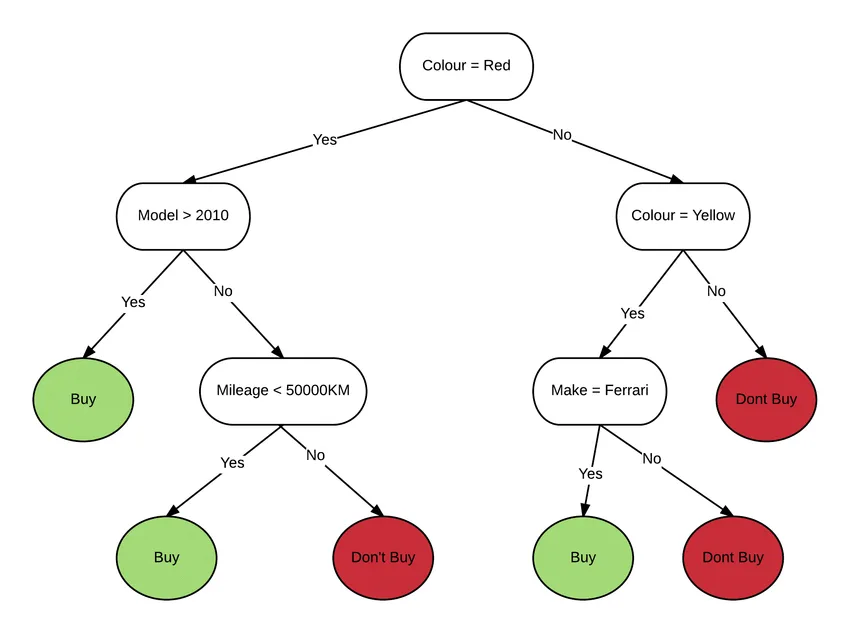
Image source: Bing (Web (fair-use with source credit))
| Symptom | Most Likely Cause | First Thing to Try |
|---|---|---|
| Black screen, no response | 12V battery dead or critically low | Frunk jump-start terminals |
| Screen says "Key Not Detected" | Phone key sync lost or card not read | Tap key card on center console |
| Screen on, won't shift into Drive | Brake pedal sensor not registering | Press brake pedal firmly |
| App shows "Vehicle Offline" | Deep sleep or lost cellular signal | Walk to car and use key card |
| Clicking noise, no power | 12V too weak to close contactor | Connect 12V booster pack |
This decision tree is your best friend. It stops you from changing parts that aren't broken. Aggregate owner reports suggest that over 80% of no-start complaints trace back to the low-voltage system, not the main pack.
The Step-by-Step Fix: From Key Card Taps to Frunk Jump-Start
Start with the easiest possible fix. Try the key card. Tap it on the center console's NFC reader while pressing the brake pedal.
If the screen wakes, you're done. That alone fixes a huge number of incidents.
If the card doesn't work, move to the portable booster pack. Open the frunk using the manual release behind the nose cone. Look for the small tab inside the tow hook cover, above the right side of the frunk.
Under it are the 12V battery jump-start terminals. Tesla designed these specifically for this moment, so you don't need to dig into the battery itself.
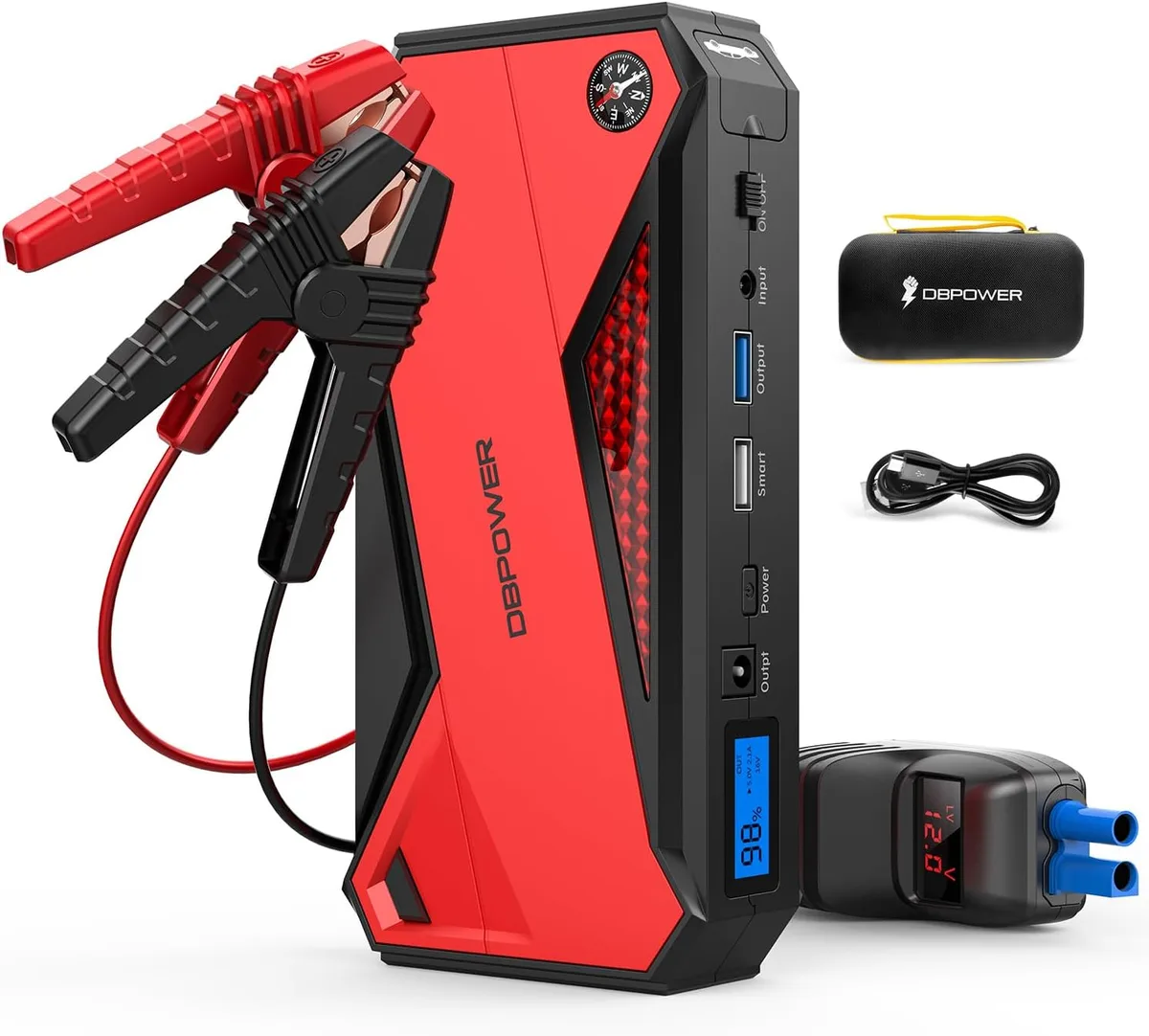
Image source: Bing (Web (fair-use with source credit))
Connect the booster pack's red clamp to the positive terminal and the black clamp to the ground point. Leave it connected for two to three minutes. That gives the 12V battery enough time to build a charge.
Then press the brake pedal and tap the key card. The car should wake up.
Here's a quick step list:
- Tap the key card on the center console.
- If nothing happens, open the frunk manually.
- Find the positive and negative terminals under the access panel.
- Connect a 12V booster pack or another car's battery with the engine off.
- Wait 2 to 3 minutes, then press the brake pedal.
If the car still doesn't wake, try a power reset. Some models let you reboot the touchscreen by holding both scroll wheels and the brake pedal for several seconds. That's a safe, no-tools step.
The Real Culprit: How the 12V Battery Mimics a Total Computer Crash
The 12V battery is the smallest, most ignored part in a Tesla, and it causes the most drama. Here's why. The main battery exists to move the car, but it can't do that until the computer tells the contactors to close.
The computer runs on the 12V system. If that battery drops below roughly 11.5 volts, the computer simply cannot operate.
A healthy 12V battery sits around 12.4 to 12.6 volts at rest. When it dips below that, you'll see weird symptoms: the touchscreen flickers, the app says "offline," or the doors unlock but the car won't power on. It genuinely looks like a computer crash, because that's exactly what it is.
The computer starved and shut down.
Aggregate owner reports put these batteries at three to five years of life. Cold weather makes them die faster. So does Sentry Mode, which drains both the main pack and the low-voltage battery.
Many owners say the first warning sign was a slow app response or a delayed door unlock, not a sudden failure.
If your car is still under warranty, Tesla might replace a failing 12V battery for free. If not, expect to pay somewhere around 150 to 300 dollars, depending on the variant and whether you visit a service center. That's a small price for a part that can leave you stranded.
Common Mistakes and Safety Warnings: Jump-Start Without Breaking Your Tesla
Jump-starting a Tesla is not the same as jump-starting a gas car. The biggest mistake is connecting the booster clamps to the wrong spots. The frunk terminals exist for safety.
Using random chassis metal can damage the car's sensitive electronics.
Never try to push-start a Model Y. That's not a thing. The motors are not connected in a way that allows push-starting, and you risk frying the drive inverter.
If the car won't power on, a tow truck should transport it on a flatbed, not with the rear wheels dragging.
Safety comes down to a few hard rules:
- Always use the designated jump-start terminals in the frunk, never the battery itself unless you know exactly what you're doing.
- Connect the positive clamp first, then the ground clamp. Disconnect in reverse order.
- Keep the high-voltage orange cables alone. They carry lethal voltage.
- If you smell burning plastic or see smoke, stop immediately and back away.
There's also a common worry about the brake pedal. A stiff pedal after the car sits for days is normal. Press it firmly, and the sensor will register.
That's the same mechanical logic you'd use in any modern vehicle.
For related issues, our brake safety guide covers emergency stopping, and the shift lock article explains why cars refuse to leave Park.
Realistic Scenarios: Sentry Mode Drain, Cold Weather, and Dead Phone Keys
Picture this. You left the car in Sentry Mode at the airport for a week. You come back, tap the key card, and nothing happens.
That's not a coincidence. Sentry Mode keeps cameras and sensors active around the clock. It draws from the main battery, but it also taxes the 12V system heavily.
Over several days, that small battery can drain below the threshold needed to wake the computer.
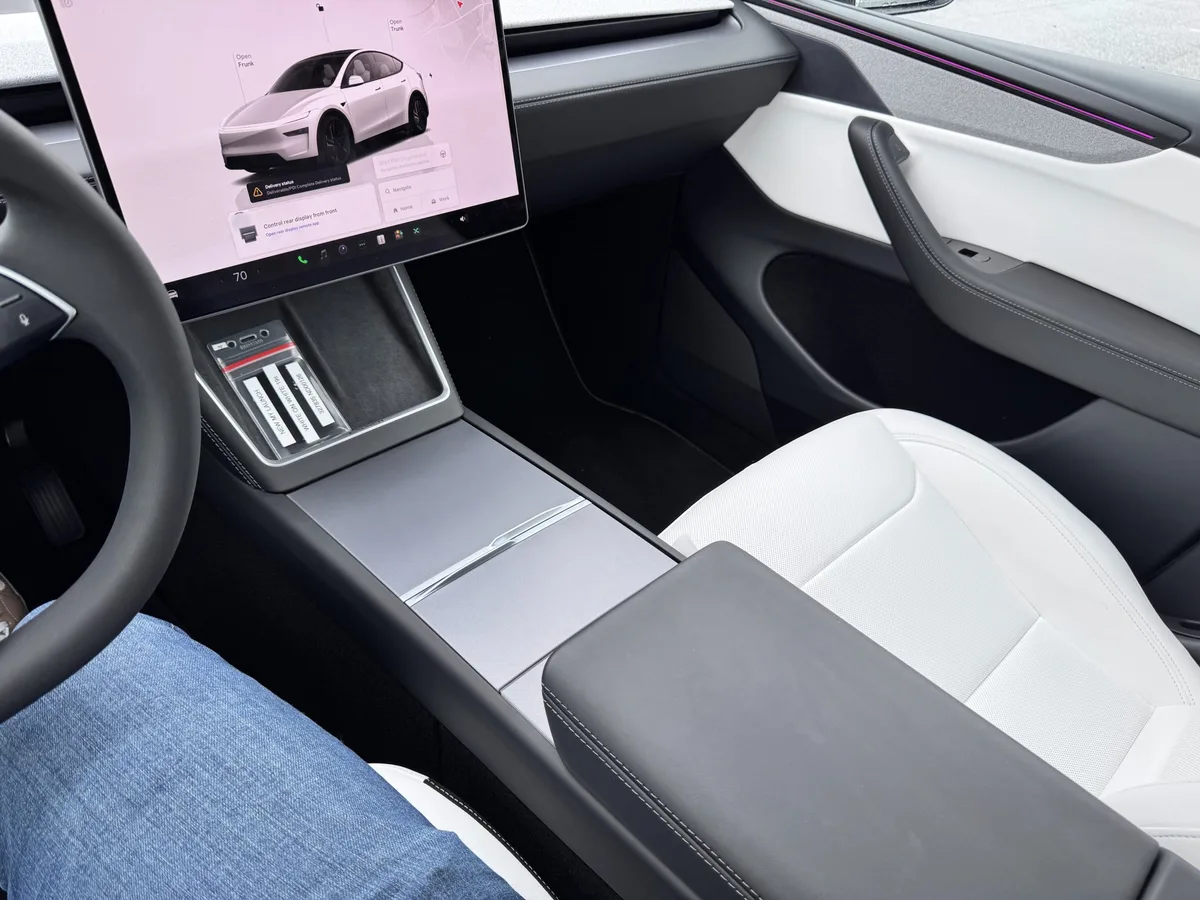
Image source: Bing (Web (fair-use with source credit))
Cold weather is the other silent killer. Low temperatures slow the chemical reactions inside a 12V battery. A battery that tested fine at 70 degrees can drop below 11.5 volts after a freezing night.
Aggregate owner reports from cold-climate regions confirm this pattern. The car was fine when parked. It's dead by morning.
Then there's the phone key problem. Your phone's Bluetooth stack updates, or the Tesla app gets refreshed, and suddenly the connection drops. The car doesn't recognize your phone as an authorized key.
The fix is usually simple: open the app, check the key list, and re-pair if needed. Keep your NFC key card in your wallet as a backup. It never needs Bluetooth, never needs a charge, and always works at the center console reader.
If your brake lights stopped functioning after a long sit, that's another sign the low-voltage system is failing. The same battery that feeds the brake lights feeds the computer. A weak 12V cell creates a cascade of seemingly unrelated problems.
FAQ: Quick Answers for Specific Model Y No-Start Situations
Why does my Model Y say "Vehicle Offline" in the app?
The car is in deep sleep or has lost its cellular connection. Parked underground garages kill the signal. Walk to the car and use the key card to wake it manually.
If the car is at home with Wi-Fi, it should reconnect on its own within a few minutes of waking.
Can I jump-start a Model Y with a regular car battery?
Yes, but keep the other car's engine off. You only need the 12V source. Connect to the frunk terminals, not the battery directly.
Wait two to three minutes before attempting to wake the car. Running the donor car's engine sends unregulated voltage that can damage the Tesla's electronics.
How do I know if my 12V battery needs replacing?
If you've jump-started the car more than once in a few months, that battery is dying. Check the voltage with a multimeter. Anything below 12.2 volts at rest, after sitting for an hour, means it's on its way out.
Manufacturer specs confirm that a healthy cell should hold 12.4 to 12.6 volts when the car is off.
My car shifted out of Park but won't accelerate. What now?
Press the brake pedal and hold it. Then check the dashboard for any warning messages. If the gear shift feels stuck or unresponsive, a software reboot might clear it.
Hold both scroll wheels and the brake for about 30 seconds.
Will Tesla Roadside Assistance jump-start my car for free?
Coverage depends on your warranty and service plan. As of 2026, Tesla offers complimentary roadside assistance for vehicles under the basic warranty period. Out-of-warranty owners may pay a service call fee.
It's worth checking your Tesla account for current terms before calling.
How long can a Model Y sit before the 12V battery dies?
Without Sentry Mode, most owners report two to three weeks of safe storage. With Sentry Mode active, that window shrinks to roughly three to five days. The turn signals going dim or sluggish is one early sign that the low-voltage battery is struggling after a long park.
The Decision Guide: When to DIY and When to Call Tesla Roadside
You've got three tiers of response. The first tier costs nothing. Try the key card on the center console.
Wait ten seconds. Press the brake firmly. If the car wakes, you're done.
This handles the majority of deep-sleep and phone-key failures.
The second tier requires a portable 12V booster pack, which costs around 50 to 80 dollars. Keep one in the frunk. Connect it to the jump terminals, wait a few minutes, and try again.
This fixes most dead-12V situations. If the car starts but the battery dies again within a day or two, replace the 12V battery. That's a straightforward DIY job, or a service center can handle it for 150 to 300 dollars.
The third tier means calling for help. If you see error messages about the high-voltage system, smell burning, or the car starts but immediately shuts down, stop tinkering. Those symptoms point to a contactor failure, a battery pack fault, or a wiring issue.
That's not a driveway fix. Contact Tesla Roadside Assistance or schedule a service appointment through the app.
One last tip. If you're dealing with drivetrain grinding or any unusual noise after a no-start event, do not drive the car. Power cycling under load can cause additional damage.
Have it towed flatbed to a service center.
The Model Y is reliable, but the 12V battery is its Achilles heel. Know the symptoms, keep a booster pack handy, and carry your key card as a backup. Most "won't start" situations resolve in under ten minutes once you know where to look.





