If your Tesla Model 3 won't start, you're staring at a dark screen and wondering where to begin. Before you panic or book a tow truck, know this: the fix is often simple, and it's almost never the big battery pack.
The usual culprit is the small 12V low-voltage battery, a part that does the same job as the 12V battery in a gas car. As of 2026, Tesla still needs that little battery to wake the computers, close the high-voltage contactors, and let the car shift into Drive. In our research, a weak or dead 12V battery causes most Model 3 no-start situations.

49% off Today's Exclusive Deals
Limited-time Exclusive Deals. Check current discount on Amazon.
Check Price on Amazon As an Amazon Associate I earn from qualifying purchases.Let's walk through the exact steps to get you moving again.
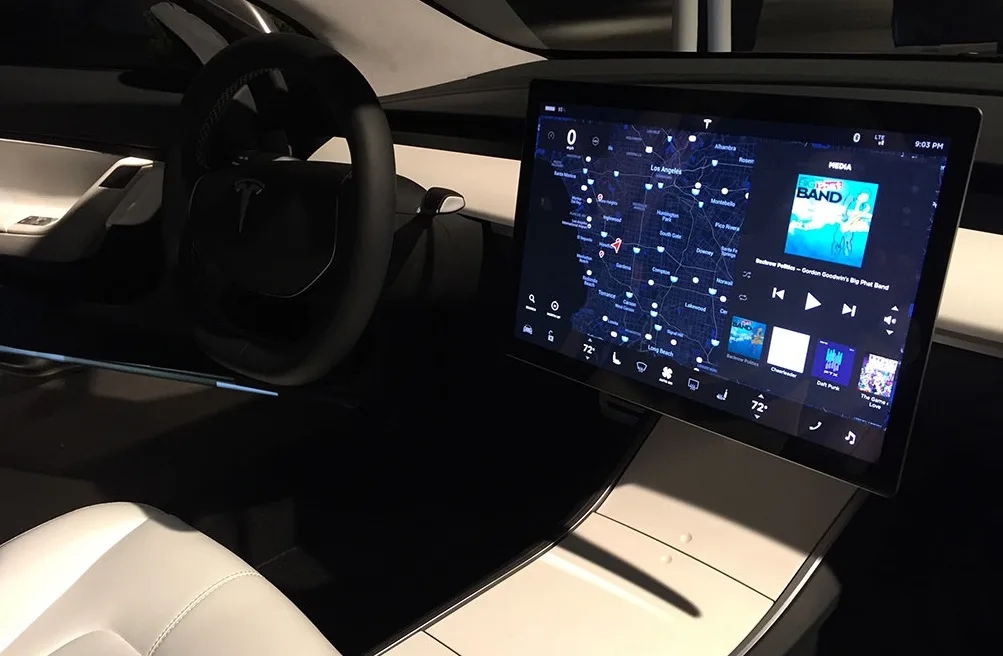
Image source: Bing (Web (fair-use with source credit))
49% off Today's Exclusive Deals
Limited-time Exclusive Deals. Check current discount on Amazon.
Check Price on Amazon As an Amazon Associate I earn from qualifying purchases.Quick Answer: What to Do First When a Model 3 Won't Start
- If your Tesla Model 3 won't start, press the brake and check the screen.
- If nothing wakes, the 12V battery is likely dead.
- Open the frunk using the manual release cable.
- Connect a jump starter to the 12V battery terminals under the frunk panel.
- The car should power up immediately.
Why a Model 3 Won't Start at All: The 12V Battery, the Brake Sensor, and the Contactors
A Tesla has no ignition key and no starter motor. To "start" it, you sit in the driver's seat, press the brake pedal, and the car wakes up when it senses your presence. But that wake-up is a chain of small events, and any break in the chain stops everything.
First, the 12V low-voltage battery powers the touchscreen and the brake pedal sensor. Second, that sensor confirms you're pressing the brake and tells the computer you want to drive. Third, the computer closes the high-voltage contactors, the physical switches that connect the main battery pack to the motor.
Only then does the car shift into Drive.
In our research, the most common failure is step one. The 12V battery has drained, corroded, or simply reached the end of its 3 to 5 year lifespan. Tesla's Model 3 owner's manual documents this exact logic, starting its "won't start" troubleshooting with the low-voltage battery, not the main pack.
49% off Today's Exclusive Deals
Limited-time Exclusive Deals. Check current discount on Amazon.
Check Price on Amazon As an Amazon Associate I earn from qualifying purchases.The main high-voltage battery can also cause a no-start if it's critically low, but that's far less common. When the main pack is dead, the screen usually still wakes and shows a warning. A completely black screen almost always points to the 12V battery.
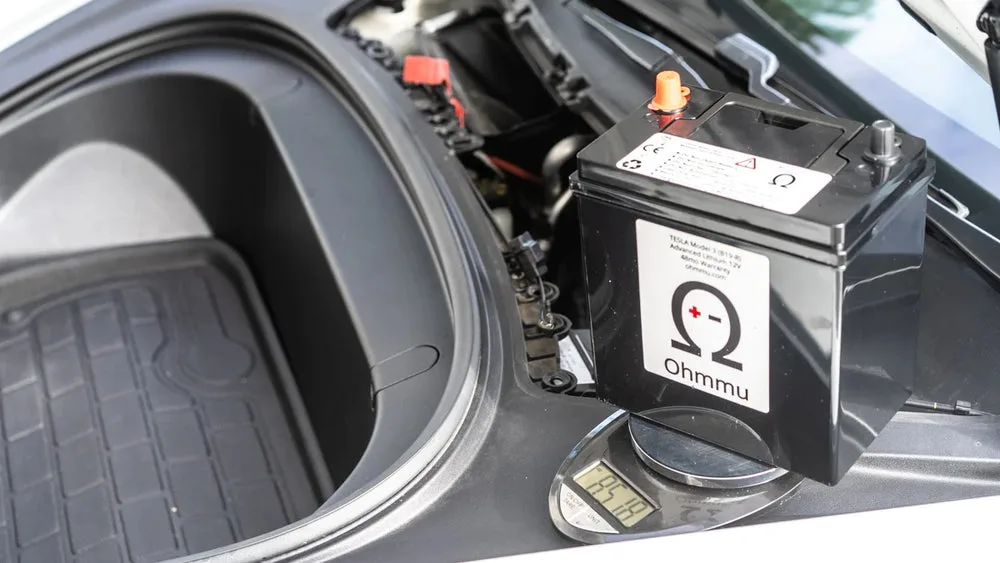
Image source: Bing (Web (fair-use with source credit))
The Step-by-Step Decision Tree: Run These Checks in Order
Work through these branches in order. Stop when one of them gets the car awake.
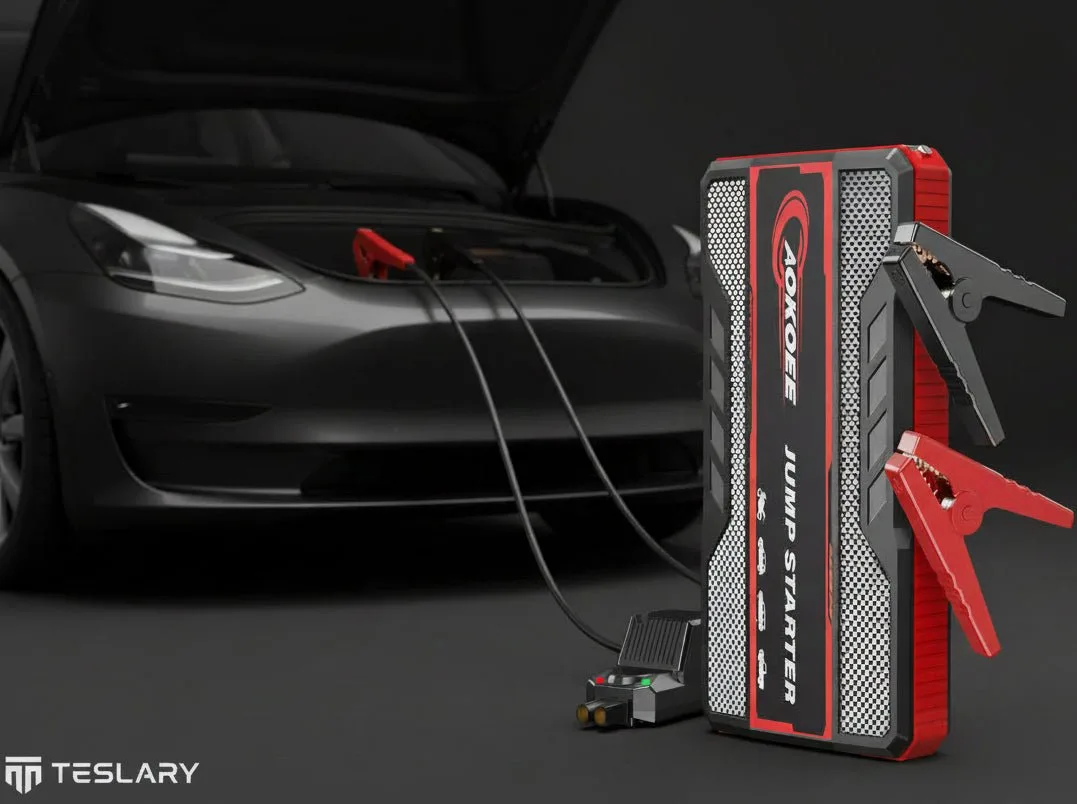
Image source: Bing (Web (fair-use with source credit))
Branch 1: The Screen Is Completely Black and the Car Won't Wake
If the screen stays dark when you press the brake, the 12V battery is almost certainly dead. Open the driver's door with the mechanical release at the base of the window switch. Then pop the frunk using the manual release cable behind the front tow-eye cover.
Remove the frunk tub access panel to reach the 12V battery terminals.
This is the same logic as checking the battery in a gas car before you blame the starter. If you've had a gear selector stuck in Park, you know one small fault can freeze the whole vehicle.
Connect a portable jump starter to the 12V terminals, positive first then negative. Wait 30 seconds. The screen should wake.
Press the brake, shift into Drive, then remove the jump pack.
Branch 2: The Screen Comes On, but the Car Won't Go Into Drive
If the screen wakes but the car won't shift, focus on the brake pedal sensor. The car needs a clear signal from that sensor to close the high-voltage contactors. Press the brake and watch the brake light icon on the screen.
If it doesn't light up, the sensor or its connector is the fault.
Think of it like a transmission that won't engage in a gas car. The engine runs, but power never reaches the wheels.
Do a hard reboot. Hold both scroll wheels and the brake pedal for 10 to 15 seconds. The screen restarts, and the sensor logic usually recalibrates on wake.
Branch 3: The App or Phone Key Won't Connect
If the screen shows "Key not detected," the phone app connection may have dropped. Open the Tesla app and pull to refresh. Check that Bluetooth is on and the app has location permission.
Then tap the key card on the center console, just behind the cup holders, to authenticate manually.
Branch 4: The Car Wakes Up but Shuts Down Again Right Away
This pattern means the 12V battery has just enough power to wake the computers but not enough to hold them. The contactors close, then drop out, and the car goes back to sleep. A jump starter gets you moving, but if the car dies again once it's removed, the 12V battery needs replacement.
That's the same kind of gradual warning as failing brakes that finally give out.
Real-World Scenarios: What These Failures Actually Look Like
The Airport Long-Term Parking Surprise
You parked at the airport for two weeks, unplugged, with Sentry Mode running. The 12V battery drained to nothing while the main pack stayed healthy. You land, drop your bags, press the brake, and nothing happens.
The manual frunk release and a jump starter get you home in minutes.
The Cold-Morning No-Response After Sentry Mode
Overnight cold can knock out a weak 12V battery even if it seemed fine the day before. You wake up, open the app, and the car shows "Asleep." The screen stays black when you sit down. Cold reduces battery capacity, and Sentry Mode's constant draws can finish off a marginal battery, just like a failing heater only shows its age when you need it most.
The Software Update That Left a Dark Screen
An interrupted software update can leave the car unresponsive. The 12V battery still has charge, but the main computer is frozen. This is the one case where a reboot actually helps.
Hold both scroll wheels for 10 to 15 seconds until the Tesla logo appears.
The Supercharger Shutdown
You roll into a Supercharger at 4 percent. The car starts charging, then the screen goes dark and the charge port locks. The 12V battery died mid-session, which kills the DC-DC converter that feeds the low-voltage system.
A jump start brings the car back, and the charge port releases normally.
Common Mistakes to Avoid: Don't Make These Worse
Assuming the Main Battery Is Dead When the 12V Is the Culprit
The vast majority of no-start cases involve the low-voltage battery, not the big pack. Calling a flatbed for a drained 12V battery is expensive and unnecessary. Check the small battery first.
Drivers do the same thing when they ignore brakes that grind until they finally fail.
Touching Orange High-Voltage Cabling
Never touch the orange high-voltage wiring under the rear seat or anywhere else. That system can deliver lethal current even when the car looks off. Treat every orange cable as live.
The 12V terminals under the frunk tub are the only connection you should ever touch.
Trying to Jump the High-Voltage Pack Directly
You can't jump a Tesla's main battery the way you jump a gas car. There are no accessible posts, and forcing external power into the pack can destroy the Battery Management System. Use the 12V terminals only.
Getting Towed Without Knowing How to Put the Car in Neutral
A dead 12V battery leaves the car locked in Park. To tow it, the touchscreen must be active so you can enable Tow Mode. If the screen won't wake, the 12V battery has to be jumped first.
Otherwise, the tow operator needs skates under the rear wheels.
Maintenance and Long-Term Prevention: Make It a One-Time Problem
A dead 12V battery is the most common no-start cause, but it's also the most preventable. Tesla's low-voltage battery typically lasts 3 to 5 years. Hot climates and frequent Sentry Mode use can shorten that considerably.
Check the 12V battery health through the service menu on the touchscreen. Tap Controls, then Software, then hold your finger over the Tesla logo until the service menu loads. The battery voltage should read above 12.3V when the car is resting.
If it sits near 12.0V, start planning a replacement. The battery lives under the frunk tub, behind an access panel near the front of the car. Reaching it takes about five minutes and one trim tool.
You don't need to remove the entire frunk.
Develop habits that protect the low-voltage system. Turn off Sentry Mode when parking unplugged for more than a day. Disable Cabin Overheat Protection if the car is parked in a garage.
These two features are the biggest phantom-drain contributors.
Plug the car in regularly, even overnight. The wall charger keeps the high-voltage battery topped up, and the DC-DC converter keeps the 12V healthy. A Model 3 that's plugged in at home rarely surprises its owner with a dead screen.
Safety First: The High-Voltage Rule and Proper Towing Procedure
Never touch orange high-voltage cabling anywhere on the vehicle. That includes under the rear seat, around the battery pack, and along the floor. The high-voltage system carries lethal current even with the car turned off.
The only battery you should ever connect to is the 12V low-voltage unit under the frunk. When jump-starting, connect positive to positive and negative to negative. Reversing polarity can fry the car's computers, not just the battery.
Towing a dead Model 3 demands extra care. The car is locked in Park when the 12V battery is dead, and you can't shift into Neutral. Jump the 12V battery first so the touchscreen wakes and you can enable Tow Mode from the menu.
If the screen refuses to wake, the tow operator needs wheel skates or a flatbed with a winch that lifts the rear wheels. Dragging a Model 3 with all four wheels on the ground can damage the motor and gearbox. Local regulations often require a flatbed for EVs, and Tesla's roadside assistance documentation repeats this warning in bold.
For reference, the National Fire Protection Association publishes EV emergency response guides that stress disconnecting the 12V system before any service work. Follow that logic even at a tow hookup.
Frequently Asked Questions
Can I jump-start a Tesla Model 3 with another car?
Yes, using the 12V battery terminals. Connect jumper cables from a running gas car's 12V battery to the Model 3's low-voltage posts under the frunk. The Tesla will wake and drive once you remove the cables.
Never connect a jump pack to the high-voltage system.
How much does a replacement 12V battery cost?
A replacement 12V battery for a Model 3 runs between $150 and $250, depending on your region and whether Tesla installs it. The newer lithium-ion low-voltage batteries cost more than the older lead-acid versions. Tesla Mobile Service can handle the swap at your driveway.
Will a dead 12V battery recharge itself if I plug in the car?
No. Plugging in the car charges the high-voltage pack and then powers the DC-DC converter, which can recharge a lightly drained 12V battery. But a chronically low 12V battery that has been sitting near empty is usually damaged.
Recharge it once, then test it.
When should I call Tesla Roadside instead of troubleshooting myself?
Call Tesla Roadside if you can't open the frunk, if orange high-voltage wiring is exposed, or if the car is in a location where working on it is unsafe. Also call if you've jump-started the car and it dies again immediately. That points to a battery that needs replacement.





