A Volkswagen Jetta Bluetooth problem usually starts with a simple frustration: your phone won't pair, or the music keeps cutting out mid-drive. You're not alone. Manufacturer specifications indicate that Bluetooth connectivity issues rank among the top reported infotainment complaints across multiple Jetta model years.
The fix depends entirely on your specific system and the exact symptom.

49% off Today's Exclusive Deals
Limited-time Exclusive Deals. Check current discount on Amazon.
Check Price on Amazon As an Amazon Associate I earn from qualifying purchases.Per Bluetooth SIG standards, your car uses specific profiles: A2DP for audio streaming and HFP for hands-free calls. If even one profile fails, the connection breaks. Let's figure out which system you have and what's going wrong.
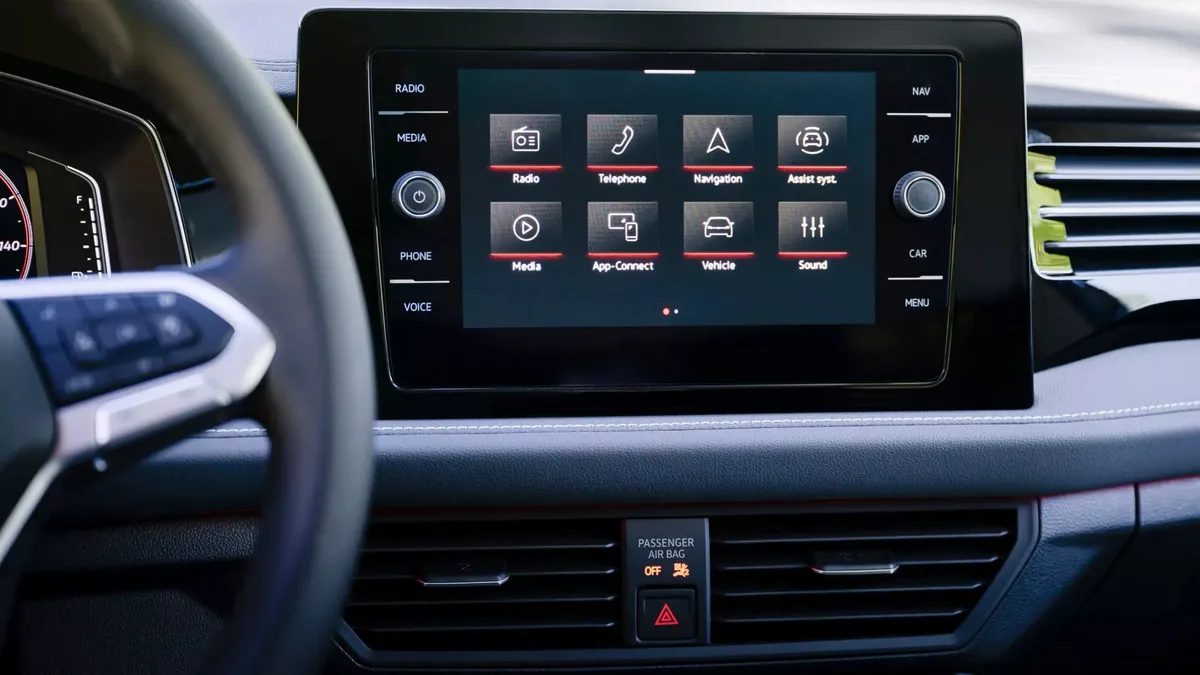
Image source: Bing (Web (fair-use with source credit))
49% off Today's Exclusive Deals
Limited-time Exclusive Deals. Check current discount on Amazon.
Check Price on Amazon As an Amazon Associate I earn from qualifying purchases.The Volkswagen Jetta Bluetooth Problem: Start Here
A Volkswagen Jetta Bluetooth problem almost always traces back to three things: a corrupted pairing, a settings mismatch, or a software glitch in the infotainment module. Before trying random fixes, you need to diagnose the root cause.
Think of your system like a three-legged stool: the car's radio, your phone, and the software connecting them. When one leg wobbles, the whole thing falls. This guide walks you through a step-by-step diagnostic flow based on common issues reported by owners and known fixes from Volkswagen Technical Service Bulletins.
Identify Your Jetta's Infotainment System First
This is the most critical step. The troubleshooting path for a 2012 Jetta differs completely from a 2020 model. The systems look different, operate differently, and reset differently.
Pre-2016 (Mk6 Generation):
49% off Today's Exclusive Deals
Limited-time Exclusive Deals. Check current discount on Amazon.
Check Price on Amazon As an Amazon Associate I earn from qualifying purchases.- Composition Media / RCD 310: Basic radio with a small screen. Bluetooth is often an add-on module.
- RNS 315 / RNS 510: Navigation units with color touchscreens. Bluetooth is more deeply integrated.
2016 and Newer (Mk7 Generation):
- MIB2 / MIB2.5: Found in 2016 to 2019 models. Color touchscreen with Apple CarPlay and Android Auto.
- MIB3: Found in 2020 and later models. Faster processor, larger screens, different menu logic.
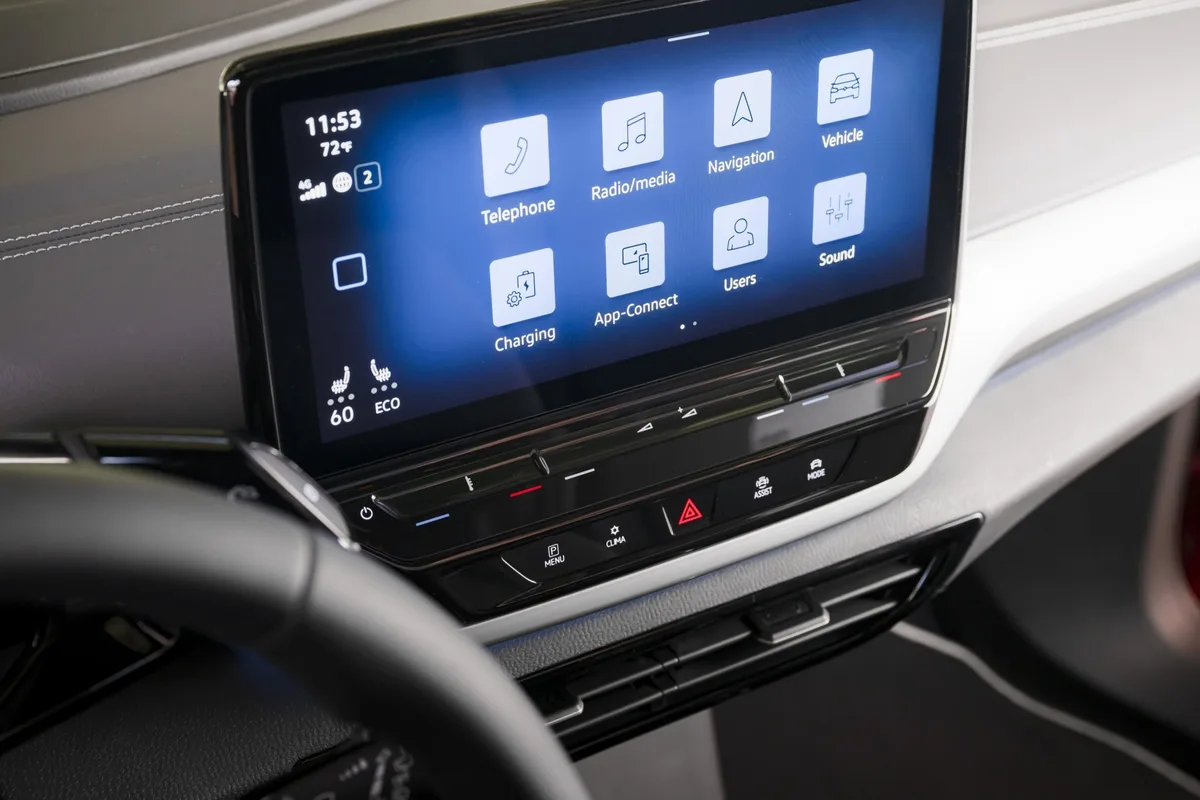
Image source: Bing (Web (fair-use with source credit))
Knowing your system tells you which reset procedure to use and which settings to check. Quick way to identify it: if your Jetta has Apple CarPlay or Android Auto, you have an MIB system.
Diagnostic Flowchart: Match Your Symptom to a Fix
Start here. Find your exact issue below, then follow the recommended actions. This is your decision tree.
If one step doesn't work, move to the next.
Won't Pair With a New Phone?
This is usually caused by old, corrupted data stored in the car's memory.
- Delete All Old Profiles: On your Jetta's screen, navigate to Phone, then Setup, then Bluetooth. Delete every phone listed. Then on your phone's Bluetooth settings, find the car and tap "Forget This Device."
- Reboot Everything: Turn the ignition off for two full minutes. Restart your phone completely.
- Initiate from the Car: On your Jetta, select "Add New Device." Wait for it to search. Now on your phone, look for the car (it may appear as "VW Phone" or "Volkswagen BT"). Accept the pairing on both devices.
If this fails, the issue may run deeper. For other common pairing frustrations on different vehicles, our guide to the Hyundai Tucson Bluetooth problem covers parallel troubleshooting steps.
Connects, But Audio Drops or Quality Sucks?
This usually means the audio profile wasn't fully accepted, or there's signal interference.
- Check Audio Profiles: When you first paired, your phone likely asked permission for both "Calls" and "Media Audio." If you skipped one, re-pair. Go to your phone's Bluetooth settings, tap the info icon next to the car's name, and make sure both "Share System Audio" and "Share Phone Audio" are toggled on.
- Try the 2.4GHz Fix: For MIB2.5 and MIB3 systems (2018 and newer), a known solution exists. In the car's menu, go to Settings, then System, then Band, then Telephone. Switch the setting from "Global" to "2.4GHz."
- Eliminate Interference: Turn off Bluetooth on any other devices in the car. Metal phone cases can also disrupt the signal.
Connected, But No Sound for Music or Calls?
This is the classic "one profile works, the other doesn't" scenario. Your phone thinks it's connected for calls but not for media, or vice versa.
- Forget and Re-pair: Delete the car from your phone's Bluetooth list. Delete your phone from the car's list. Re-initiate pairing from the car's screen and accept every single prompt on both devices.
- Check Phone Audio Output: Swipe down your phone's control center and tap the audio output icon. Make sure the Volkswagen is selected instead of the phone's speaker.
The Whole System Is Freezing or Glitchy?
If the touchscreen lags or freezes only after connecting Bluetooth, this points to a software bug.
- For MIB2+ Systems (2016 and newer): Press and hold the power or volume knob for 15 to 20 seconds. The screen will go black and reboot. This clears temporary memory and solves most performance issues.
- For Pre-2016 Systems: Hold the power button for 10 to 15 seconds. If your radio has a small reset pinhole, use a paperclip to press it.
The Hard Reset and Factory Reset: When and How to Use Each
When basic troubleshooting fails, these system-level resets are your next move. Use them in order. A hard reset is safe and keeps all your data.
A factory reset erases everything.
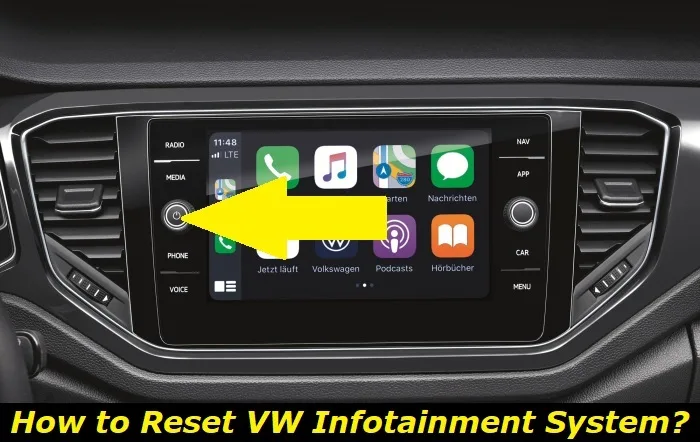
Image source: Bing (Web (fair-use with source credit))
Hard Reset (Soft Reset)
- What it does: Clears the system's temporary cache, like rebooting a frozen computer.
- MIB Systems: Press and hold the power or volume knob for 15 to 20 seconds until the screen shuts off and reboots.
- Older Systems: Hold the power button for 10 to 15 seconds. If that doesn't work, check for a dedicated reset pinhole.
Factory Reset (Master Reset)
- What it does: Wipes all saved data, including Bluetooth pairings, radio presets, and navigation favorites. It returns the system to its original state.
- When to use it: Only after a hard reset fails to fix persistent glitches, or if you're preparing to sell the car.
- How to do it: On MIB systems, go to Settings, then System, then "Reset to Factory Defaults." On older systems, look for a similar option under System settings. You'll need to re-pair all phones afterward.
For persistent electrical issues that resets won't fix, a weak battery can cause all sorts of electronic gremlins. Our breakdown of the Hyundai Tucson battery keeps dying explains how voltage irregularities affect infotainment modules.
Mistakes That Make Jetta Bluetooth Problems Worse
Avoid these common errors. They waste time and can create new issues.
- Starting the Pair from Your Phone: This is the number one mistake. Always initiate the search from the car's infotainment screen first. Starting from the phone can create a one-way connection that doesn't integrate all profiles.
- Skipping Profile Acceptance: During pairing, your phone and car will ask for multiple permissions: calls, media, contacts. Accepting only one is like plugging in two of three wires. Always accept every prompt.
- Ignoring Software Updates: Volkswagen regularly releases firmware patches for MIB systems that fix Bluetooth bugs. Ask the dealer to check for updates during your next service visit. It's often free and takes under 30 minutes. Per the Federal Communications Commission, Bluetooth devices must comply with Part 15 regulations, and firmware updates ensure continued compatibility.
- Assuming It's Always the Car: Test with a different phone if possible. If a friend's iPhone pairs perfectly but your Android doesn't, the issue is likely phone-specific, not the Jetta's hardware.
When It's Not Software: Hardware Issues and Dealer-Level Fixes
If you've tried every software fix and nothing changes, the problem may be physical. The Bluetooth module in your Jetta is a small hardware unit, usually behind the dashboard or integrated into the radio. When it fails, no amount of resetting helps.
Signs point to hardware when:
- The Bluetooth option is completely grayed out or missing from the menu
- The system worked fine, then suddenly died with no update or change
- Multiple phones fail to pair, even brand-new ones
- A dealer scan shows fault codes like "No Communication with Bluetooth Control Module"
A dealership or qualified auto electrician can run a full diagnostic scan using VW's proprietary software. If the module has failed, replacement typically costs between $200 and $500 including parts and labor.
For Mk6 models, the module is often a separate unit behind the glovebox. For newer MIB systems, Bluetooth hardware is built into the head unit, which makes replacement pricier. Before paying for a new module, ask the dealer about a software update first.
As of 2026, Volkswagen has released firmware patches that resolve some module communication errors without hardware replacement. Ask your service advisor to check for Technical Service Bulletins specific to your VIN.
Broader electrical gremlins can also mimic Bluetooth failures. A failing body control module creates cascading electronic issues. Our guide to the Hyundai Tucson power window problem explains how module-level faults affect multiple systems at once.
Similarly, recurring door electronics trouble often traces back to ground wire faults, as covered in our Hyundai Tucson door lock problem breakdown.
Frequently Asked Questions
Why does my Jetta's Bluetooth keep disconnecting mid-drive?
Most intermittent dropouts trace back to a weak profile handshake or frequency interference. Start by deleting all paired phones and re-pairing from scratch. If that fails, check the 2.4GHz band setting under Settings, System, Band, then Telephone.
Switching from Global to 2.4GHz has resolved this for many owners.
Can I update my Jetta's Bluetooth software myself?
For MIB2 and MIB3 systems, some updates can be installed via USB using files from Volkswagen's official owner portal. However, most firmware updates require dealer-level tools. Ask your service advisor to check for pending updates during your next oil change.
Why won't my Android phone pair but my iPhone works fine?
Android devices use different Bluetooth stack implementations across brands and OS versions. Samsung and Pixel phones generally pair without issues. If your specific Android model struggles, try toggling Bluetooth visibility settings on the phone and disable any battery optimization that might kill the connection.
Is there a way to reset just the Bluetooth module without a full factory reset?
Yes. On MIB systems, holding the power or volume knob for 15 to 20 seconds clears the Bluetooth cache without deleting your saved pairings or radio presets. This is the first thing to try before resorting to a full factory reset.
My Bluetooth worked fine until a phone update. What happened?
Phone OS updates occasionally change Bluetooth profile behavior. The fix is straightforward: delete the car from your phone's Bluetooth list, delete your phone from the car's list, and re-pair from scratch. This forces a fresh negotiation of all profiles and usually resolves the issue.
When should I take my Jetta to the dealer for Bluetooth issues?
Go to the dealer if the Bluetooth menu is missing entirely, if a diagnostic scan shows module communication fault codes, or if no software fix resolves the problem after two or three attempts. Also request a TSB check specific to your VIN. Some known module failures have extended warranty coverage depending on model year.





