If your Tesla Model Y's estimated range starts dropping faster than your actual driving habits, you've hit the Tesla Model Y range problem. You're not imagining it. The car's computer is telling you something, and the key is figuring out what that message means.
Our research pulls from EPA-rated range numbers, Tesla's own owner documentation, and aggregated reports from owners across real climates. As of 2026, many Model Y variants show 20 to 40 percent less range in cold weather than their official labels suggest. That part is normal.

49% off Today's Exclusive Deals
Limited-time Exclusive Deals. Check current discount on Amazon.
Check Price on Amazon As an Amazon Associate I earn from qualifying purchases.The frustrating part starts when range disappears for no obvious reason.
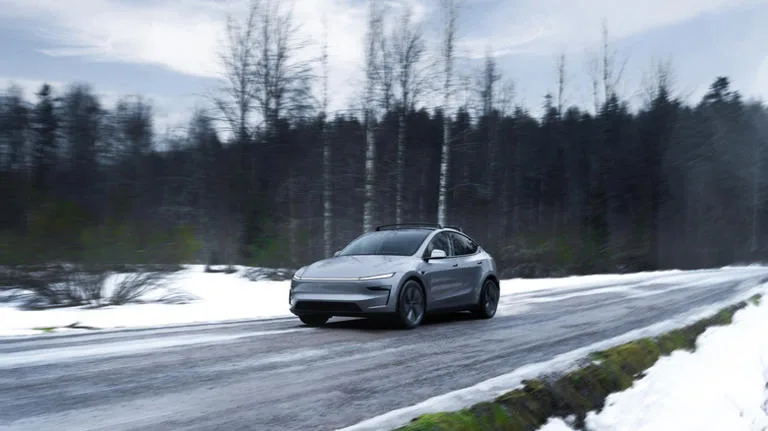
Image source: Bing (Web (fair-use with source credit))
49% off Today's Exclusive Deals
Limited-time Exclusive Deals. Check current discount on Amazon.
Check Price on Amazon As an Amazon Associate I earn from qualifying purchases.Start Here: Why Your Displayed Range Doesn't Match Real Miles
Your displayed range can fall under three main conditions: phantom drain, driving conditions, and battery state. You need to know which one is stealing your miles before you change anything.
The EPA publishes its official range ratings at fueleconomy.gov, but your dashboard estimate is a live number. It learns from your driving style and adjusts. That means the range shown after a full charge is rarely the same as the sticker range.
It's a projection, not a promise.
Start by opening the Energy app on your touchscreen. It shows energy use over the last 30 minutes and your average Wh/mi. High average consumption explains a short predicted range.
49% off Today's Exclusive Deals
Limited-time Exclusive Deals. Check current discount on Amazon.
Check Price on Amazon As an Amazon Associate I earn from qualifying purchases.Stable consumption with a low battery percentage points toward a charging or battery health issue.
Here's the mental shortcut. If you lose range while parked, focus on Branch One. If you lose range on every drive, focus on Branch Two.
If the percentage drops faster than the trip's distance but consumption looks normal, focus on Branch Three.
The Range Diagnostic Tree: Three Main Branches That Decide Your Next Move
Think of this like a medical flowchart. You don't treat the symptom until you know the cause.
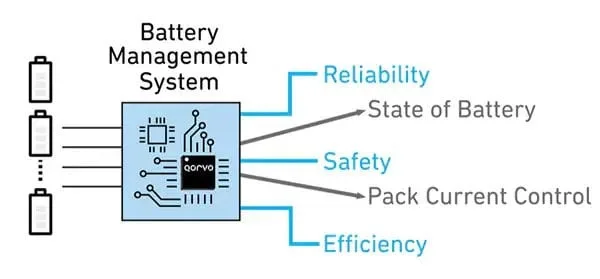
Image source: Bing (Web (fair-use with source credit))
- If the battery percentage drops while the car sits overnight, you're on the phantom drain branch. Sentry Mode and Cabin Overheat Protection are the usual suspects.
- If the battery drops while you drive and the Energy app shows a high Wh/mi, you're on the driving conditions branch. Speed, winter tires, towing, and roof loads are the main causes.
- If the percentage falls faster than your trip distance while the car reports normal consumption, you're on the battery health branch. That points to BMS calibration or actual degradation.
Let's be clear about one thing. A short-term range drop is not the same as a permanent one. Most climate and drain issues are temporary.
A genuine capacity loss is slow and permanent.
| Symptom | Branch to Check | What to Look For |
|---|---|---|
| Parked overnight, battery slips | Phantom drain | Sentry or climate draw |
| Driving kills range quickly | Driving conditions | High Wh/mi in Energy app |
| Battery % falls faster than miles | Battery health | Normal consumption, fast drop |
Branch One: Phantom Drain and Climate Control: Sentry Mode, Cabin Overheat Protection, and Preconditioning
Phantom drain is the easiest cause to track. If your car loses charge overnight while parked, record the percentage before you leave it. Check it again in the morning.
A loss of more than 1 to 2 percent a day with no use is usually preventable.
Sentry Mode is the biggest offender. It keeps cameras recording around the car, and that consumes power. Owners report anywhere from 1 to 5 percent drain every 24 hours with Sentry on.
Parking near a busy sidewalk makes it worse.
Cabin Overheat Protection can also run frequently in hot climates. It cools the cabin when the interior gets too hot, which uses the AC compressor. Disable it if you park in a garage or somewhere shaded.
The battery will thank you.
Preconditioning helps when you're plugged in. Use Scheduled Departure inside the app so the car warms or cools the cabin while connected to shore power. If you precondition while unplugged, the car draws energy from the battery, and your displayed range drops accordingly.
If the cabin never gets warm, that's more like a heater fault than a range problem. And if your cooling system struggles to keep up, that's another reason to check the climate unit first.
Branch Two: Driving Conditions: Highway Speeds, Winter Tires, Towing, and Roof Loads
Driving conditions are the biggest source of daily range surprises. The Energy app will show 250 to 350 Wh/mi on a typical drive. That number jumps with speed and load.
- Highway speeds above 65 mph drastically cut efficiency. The EPA rating assumes a balanced mix of city and highway driving. At 75 mph, expect 15 to 25 percent less range.
- Winter tires increase rolling resistance. Combined with cold air and snow, they can reduce range by another 5 to 10 percent.
- Towing and roof racks break the car's smooth airflow. Roof boxes especially drag your range down quickly.
- Tire pressure matters more than most people think. Low tires increase rolling resistance and can quietly steal 3 to 5 percent.
Check your tire pressure against the door placard once a month. If you hear grinding or squealing when you brake, have a mechanic inspect the brake system. A dragging brake caliper will increase consumption and ruin efficiency.
It's the kind of brake failure that feels fine when you stop but quietly eats your range.
Branch Three: Battery Health and BMS Accuracy: Real Degradation vs Software Guesswork
Battery health becomes a concern when the percentage drops faster than your miles. That can mean two things: the battery has lost capacity, or the Battery Management System's estimate is off.
Real degradation happens slowly. A Model Y battery usually stays above 90 percent capacity after 100,000 miles under normal use. Tesla's warranty covers excessive capacity loss, typically if the battery falls below 70 percent during the warranty period.
BMS misreadings are more common than most owners expect. The battery estimates its state of charge from voltage, temperature, and current. If you routinely charge only to 80 percent and rarely let the car drop below 20 percent, the BMS can drift.
That leads to a sudden-looking range drop that isn't real.
Try this calibration process:
- Drain the battery below 10 percent.
- Charge it to 100 percent.
- Leave it plugged in for another hour to allow cell balancing.
- Repeat only if the issue returns.
On Standard Range models with LFP batteries, charge to 100 percent regularly. That keeps the BMS accurate. Long Range models use NMC cells and are better at 80 to 90 percent for daily use.
A deep calibration once every few months is fine. If you have a transmission concern or anything affecting drivability, address that separately with a qualified shop before blaming the battery.
The Fix Workflow: What to Do for Each Diagnosis (Step-by-Step)
Now that you know which branch applies, here's what to do about it. Each path has a specific fix sequence.
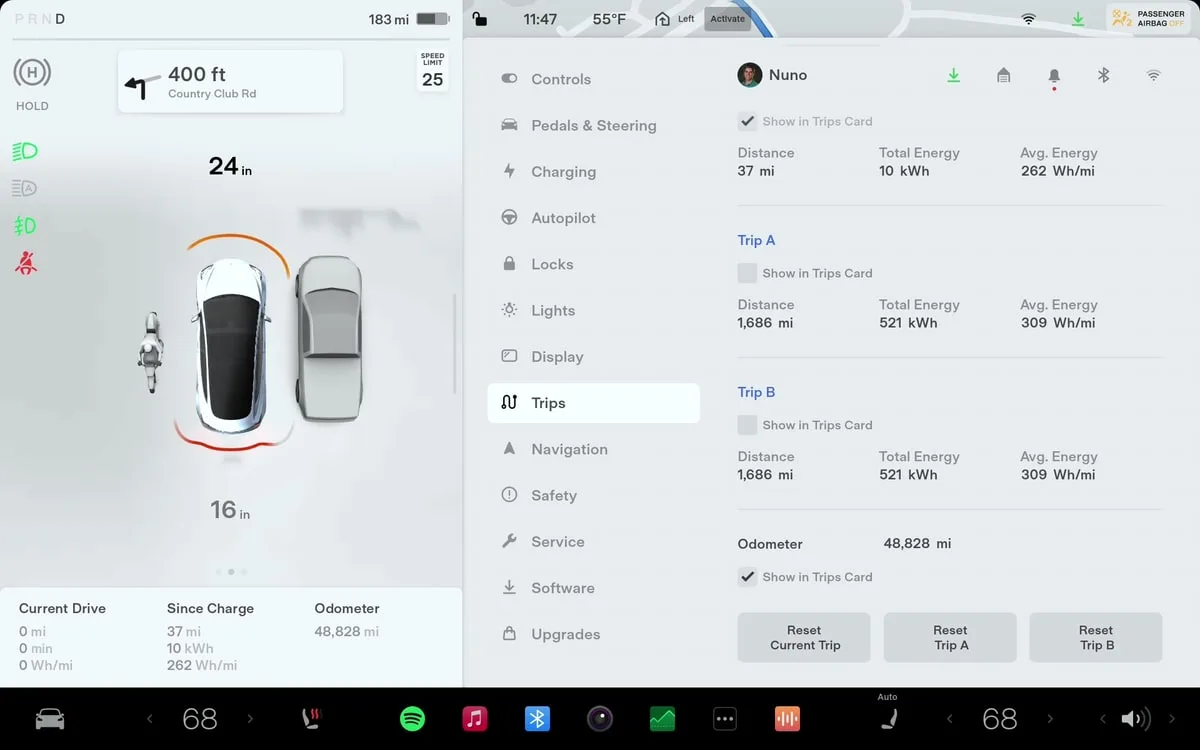
Image source: Bing (Web (fair-use with source credit))
If Phantom Drain Is Your Problem
- Turn off Sentry Mode at home or trusted parking spots. Leave it on only where you genuinely need it.
- Disable Cabin Overheat Protection if you park in shade or a garage.
- Use Scheduled Departure in the Tesla app. Precondition while plugged in, not on battery.
- Check which third-party apps have access to your car. Too many pinging the server causes extra wake cycles.
- Recheck overnight drain after each change. One to two percent in 24 hours is normal. Anything higher means something is still drawing power.
If Driving Conditions Are Your Problem
- Open the Energy app mid-drive. Watch your real-time Wh/mi. Numbers above 300 at highway speed mean aerodynamic drag is high.
- Lower your cruise control by 5 to 10 mph. That alone often recovers 10 to 15 percent.
- Check tire pressure against the door placard. Fill to spec.
- Remove roof racks and cargo boxes when you don't need them. They destroy airflow.
- If you tow, accept the range cut. There is no workaround for trailer drag.
If Battery Health Is Your Problem
- Check your battery percentage versus displayed miles. If miles drop faster than percentage, try a BMS recalibration.
- Drain below 10 percent, charge to 100 percent, and leave plugged in for one to two hours.
- On LFP Standard Range cars, repeat this monthly. On NMC Long Range cars, do it every few months.
- If range loss persists after recalibration, check your warranty status. Tesla's battery warranty covers capacity below roughly 70 percent during the coverage period.
Common Mistakes: What Wastes Your Time and Can Actually Lower Range
Some troubleshooting steps feel logical but backfire. Here are the ones that trip people up most.
- Obsessing over EPA rated range. That number is a lab result. Your real-world range depends on speed, weather, and load. Chase efficiency, not a sticker number.
- Running the BMS recalibration constantly. One deep cycle per month on LFP or every few months on NMC is enough. Stressing the pack with constant full cycles accelerates wear.
- Ignoring tire pressure. Aggregate owner reports show 3 to 5 percent range loss from low pressure alone. Check it monthly.
- Using battery percentage and displayed miles at the same time. Pick one and stick with it. Switching back and forth creates confusion because the two estimates use different logic.
- Leaving Sentry Mode on everywhere. It's useful in unfamiliar areas. At your own garage, it's just draining the battery for no reason.
- Preconditioning while unplugged. Always do it while plugged in. The car's Scheduled Departure feature exists for exactly this purpose.
If your car's brakes are dragging or making noise, that causes hidden consumption too. A sticking caliper or clutch problem won't show up on the Energy app as a specific fault, but you'll see higher Wh/mi numbers.
FAQs: Tesla Model Y Range Questions, Answered
Is 1 to 2 percent overnight drain normal for a Tesla Model Y?
Yes, that's within normal range. The car's computer, thermal management, and cell balancing all draw small amounts of power. Anything above 2 to 3 percent per night with no use deserves investigation.
How much range does cold weather actually take away?
Aggregate owner reports and National Renewable Energy Laboratory research show 20 to 40 percent loss in severe cold. Heat pump equipped Model Y models handle cold better than older resistive-heater EVs, but the penalty is real.
Should I charge my Model Y to 100 percent every day?
It depends on your battery type. Standard Range models use LFP cells, and Tesla recommends charging to 100 percent regularly. Long Range and Performance models use NMC cells.
Daily charging to 80 or 90 percent extends long-term battery health.
Why does my range drop fast on the highway but fine in the city?
Aerodynamic drag increases with the square of your speed. City driving uses more regenerative braking, which recovers energy. Highway driving at 75 mph demands far more power than the EPA test assumes.
That's the single biggest cause of highway range disappointment.
Does towing really kill that much range?
Yes. Towing a trailer can cut your range by 40 to 50 percent. The added weight and frontal area create enormous drag.
There is no software setting or driving trick that fixes this. Plan your charging stops accordingly.
When should I contact Tesla service about range loss?
If your range drops significantly after a software update, contact Tesla through the app. Also reach out if recalibration doesn't help and the car is under warranty. A serious brake problem that affects safety should be addressed immediately by a qualified mechanic, not a software fix.