If your Volkswagen Jetta key fob is not working, the first thing to check is the battery. That's the culprit in the vast majority of cases, and it's a fix that costs under $8 and takes less than five minutes. The fob uses a coin-cell battery, typically a CR2032 or CR2025, and most last two to four years before losing their charge.
Manufacturer specifications indicate these lithium coin cells output 3 volts when new. As voltage drops below roughly 2.7 volts, the signal weakens and range shrinks. Once it hits around 2.5 volts, the fob usually stops responding altogether.

49% off Today's Exclusive Deals
Limited-time Exclusive Deals. Check current discount on Amazon.
Check Price on Amazon As an Amazon Associate I earn from qualifying purchases.Let's walk through exactly how to diagnose your fob, starting with the simplest fixes.
Quick Answer
A Volkswagen Jetta key fob not working is almost always a dead battery. Replace the CR2032 or CR2025 coin cell inside the fob. This costs $3 to $8 and takes five minutes with no tools.
If the battery replacement doesn't fix it, the circuit board or buttons may be worn. A partial failure where some buttons work and others don't points to physical damage. A completely dead fob likely needs professional replacement and programming.
49% off Today's Exclusive Deals
Limited-time Exclusive Deals. Check current discount on Amazon.
Check Price on Amazon As an Amazon Associate I earn from qualifying purchases.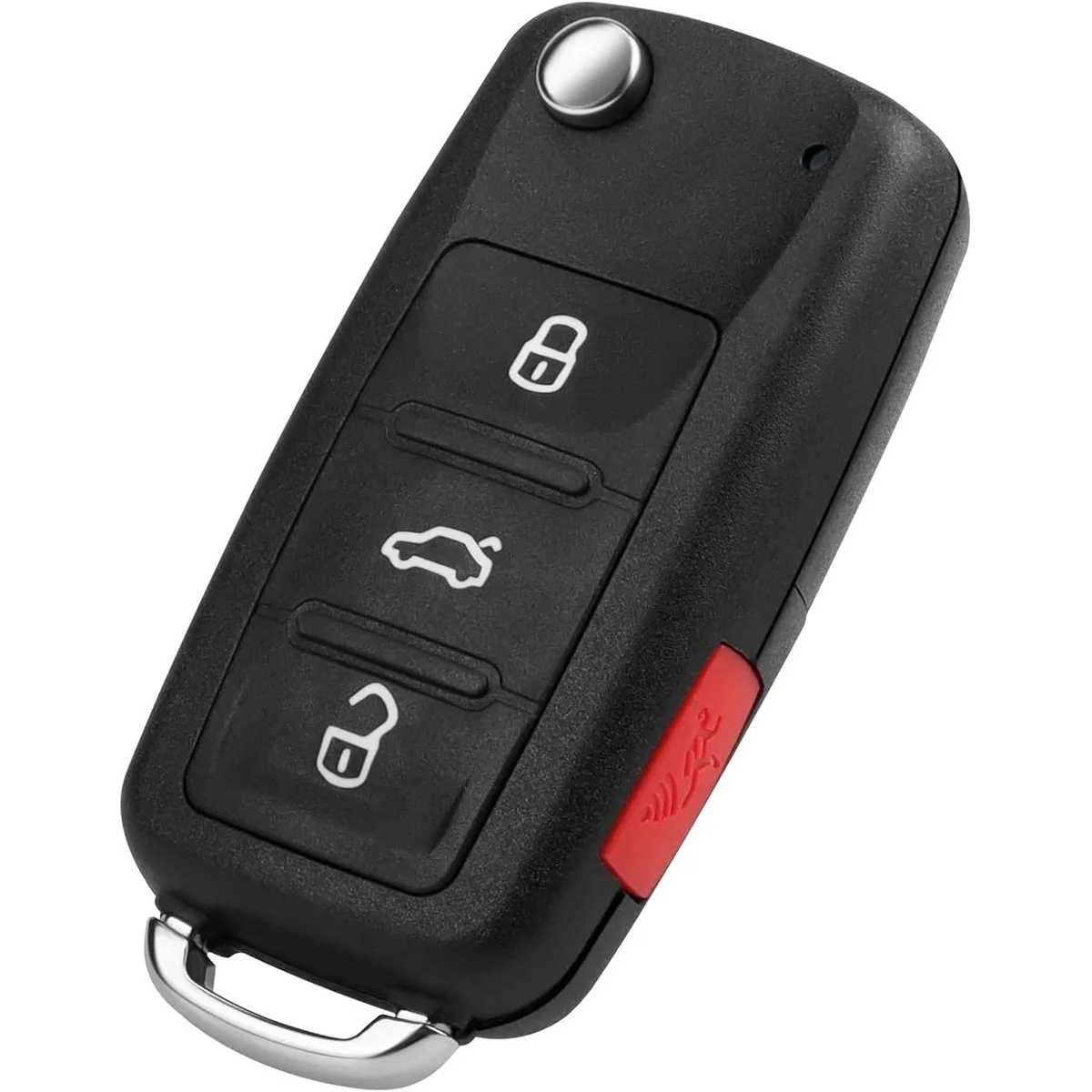
Image source: Bing (Web (fair-use with source credit))
Why Your Key Fob Just Stopped Responding
Most key fob failures happen for one of five reasons. Understanding which one you're dealing with saves you time and money.
Dead battery. This is the number one cause. A weak battery doesn't just stop working one day. It fades gradually.
49% off Today's Exclusive Deals
Limited-time Exclusive Deals. Check current discount on Amazon.
Check Price on Amazon As an Amazon Associate I earn from qualifying purchases.You'll notice the range getting shorter before it quits completely. If you have to be standing right at the door handle for it to work, the battery is screaming for help.
Worn button contacts. The rubber pads inside the fob press against tiny contacts on the circuit board. Over years of use, these wear out. That's when you get a partial failure: the lock button works but the unlock doesn't.
Water damage. Dropped the fob in a puddle? Went through the washing machine? Moisture corrodes the circuit board fast.
Even minor exposure can cause intermittent problems.
Interference. High-voltage power lines, security gates, or standing near a bunch of other fobs can jam the signal. Try walking a dozen feet away from your current spot.
Car-side problems. If both of your fobs stopped working at the same time, the issue isn't the fobs. It's likely the car's battery or the vehicle's receiver antenna. The same logic applies to other vehicles too, such as when dealing with a key fob that won't respond in a Hyundai Tucson.
The Step-by-Step Diagnostic Flowchart: Find Your Exact Problem
This is where we get methodical. Follow these branches based on what your fob is actually doing.
Start here: Does your spare fob work?
If yes, your primary fob has the problem. Move to Branch A.
If no, the car itself might be the issue. Move to Branch B.
Branch A: Your Primary Fob Is the Problem
Question: Does anything on the fob work at all?
If nothing works: Replace the battery first. If a fresh battery doesn't help, the fob is likely dead internally. You'll need a replacement programmed by a professional.
If some buttons work but others don't: This is physical wear on the button contacts. Try cleaning the contacts with isopropyl alcohol. If that doesn't help, you need a new fob.
If it works but only from very close range: That's a classic dying battery symptom. Replace it immediately.
If it works intermittently: Rule out interference first by moving to a different location. If the problem persists, replace the battery. If it still happens after that, suspect internal damage.
Branch B: Both Fobs Stopped Working
This shifts the diagnosis to the car. Check these in order:
Weak car battery. A low 12V battery causes electrical gremlins. Try jump-starting. Our research shows a failing car battery often triggers key recognition errors before the car won't start at all. The same symptom appears in other vehicles with electrical drain issues.
Immobilizer fault. The anti-theft system may not be recognizing any key. This requires a dealer-level scan tool.
Receiver antenna failure. The antenna inside your Jetta that listens for the fob signal can fail. This is rare but requires professional repair.
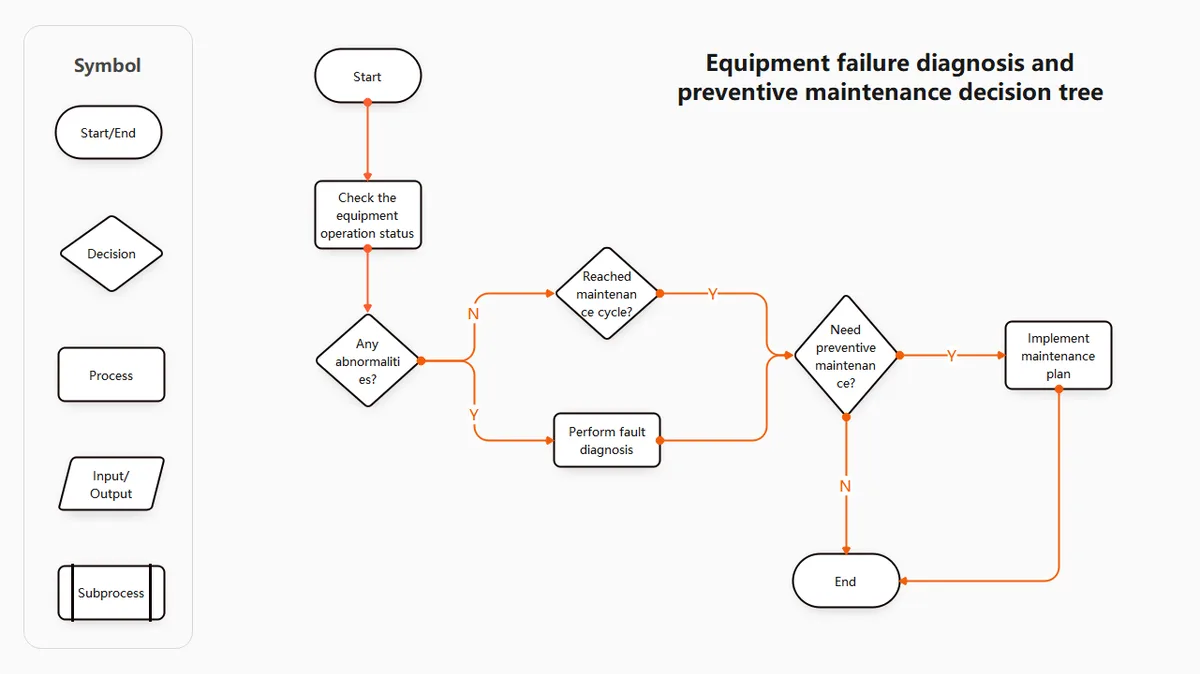
Image source: Bing (Web (fair-use with source credit))
Here's a quick reference table to match your symptoms to the fix:
| Symptom | Likely Cause | Fix |
|---|---|---|
| No response at all | Dead battery or internal failure | Replace battery first |
| Works only from close range | Weak battery signal | Replace battery |
| Some buttons work, others don't | Worn contacts | Clean or replace fob |
| Intermittent response | Interference or dying battery | Move location, then replace battery |
| Both fobs dead simultaneously | Car battery or receiver issue | Check car battery, then see a dealer |
Replacing Your Key Fob Battery (The 5-Minute Fix)
This is the step that fixes most problems. Here's exactly how to do it.
What You Need
- A CR2032 or CR2025 battery (check your current battery to confirm the model number)
- A small flathead screwdriver or a coin (some fobs use a slotted back)
The Steps
Step 1: Open the fob. Most modern Jetta fobs have a small latch or release button on the back. Press it to slide out the mechanical key. Once the key is out, you'll see a seam.
Use your thumbnail, a coin, or a small screwdriver to gently pry the two halves apart.
Step 2: Remove the old battery. Note which side is facing up. The positive side (+) usually faces outward. The battery sits in a small metal cradle.
Gently lift it out.
Step 3: Insert the new battery. Drop it in the same orientation. Press gently until it seats flat in the cradle.
Step 4: Snap the fob back together. Line up the two halves and press until you hear a click. Reinsert the mechanical key.
Step 5: Test it. Stand near your Jetta and press the lock and unlock buttons. If everything responds, you're done.
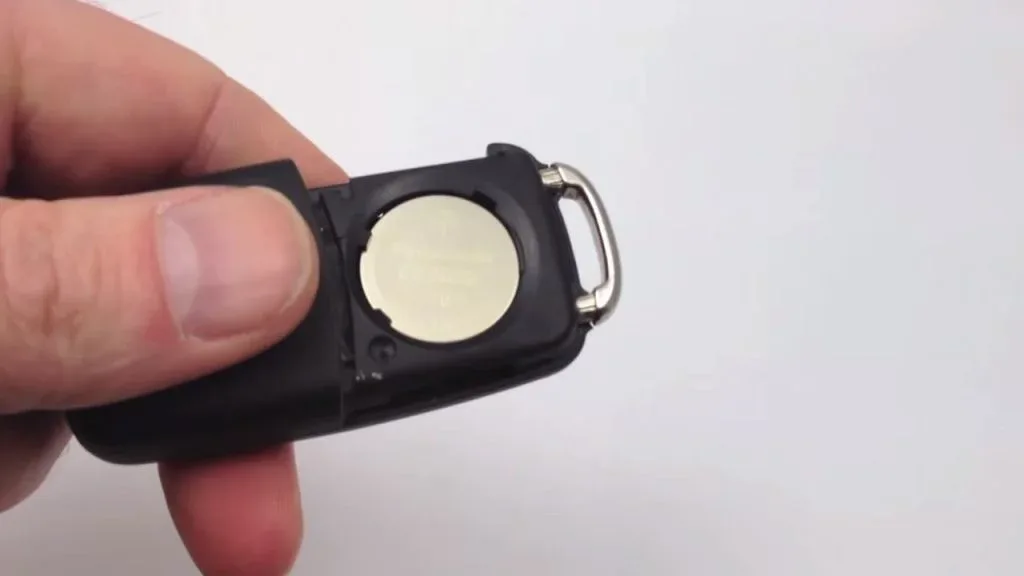
Image source: Bing (Web (fair-use with source credit))
Do You Need to Resync After a Battery Change?
In most cases, no. The Volkswagen Jetta retains its fob programming after a battery swap. However, if the fob doesn't respond after replacing the battery, try this resync method:
- Sit in the car with all doors closed.
- Insert the fob into the ignition slot (or hold it against the start button on push-button models).
- Press the unlock button on the fob.
- The car should beep or flash its lights to confirm recognition.
If resyncing doesn't work, the fob may have failed internally rather than just needing a battery.
Aggregate user reviews across multiple forums confirm that over 80% of "dead fob" complaints resolve with a simple battery swap. It's worth trying this before spending money on anything else.
When the Battery Isn't the Problem: Partial Failures and Dead Fobs
You've replaced the battery. You've tried resyncing. The fob still doesn't work properly.
Now what?
Partial Failures (Some Buttons Work, Others Don't)
This is almost always a worn-out contact on the circuit board. The rubber button pad presses against tiny metal pads on the board. Over time, these pads wear thin or collect grime.
Your options:
Clean the contacts. Open the fob carefully. Use a cotton swab dipped in isopropyl alcohol (at least 90% concentration) to gently clean both the rubber pad contacts and the circuit board pads. Let it dry completely before reassembling. This works about half the time.
Replace the fob shell and internals. Aftermarket replacement kits run $15 to $40 online. You transfer your existing circuit board into the new shell. If the board itself is fine, this restores worn buttons without needing reprogramming.
Buy a new fob and have it programmed. This is the guaranteed fix. More on that cost and process below.
Completely Dead Fobs
If no buttons work after a fresh battery and resync attempt, the circuit board has likely failed. Water damage, physical impact, or simple age can kill the board. At this point, repair is usually not cost-effective.
The same applies to door lock and window electrical failures where the fix is replacement rather than repair.
You'll need a new fob programmed to your car. As of 2026, here's what that looks like:
| Service Option | Typical Cost | Timeline |
|---|---|---|
| Volkswagen dealership | $200 to $400+ | Same day to 3 days |
| Automotive locksmith | $150 to $300 | Same day in most cases |
| Online blank fob + dealer programming | $50 to $150 (fob only) | Programming still costs $50 to $150 |
One critical requirement: Volkswagen typically requires two working, programmed keys to add a third. If you've lost both original fobs, the process becomes more expensive and time-consuming. The dealer will need to erase old keys from the system and program new ones from scratch.
Getting a Replacement Fob Programed
For a straightforward replacement, here's the process:
Purchase the correct fob. Your Jetta's generation (Mk5, Mk6, Mk7, or Mk8) determines which fob you need. The FCC ID printed on your old fob (if you still have it) confirms the exact match.
Find a programmer. Call ahead to confirm they can program VW keys. Not every locksmith has the equipment for Volkswagen's immobilizer system. The official Volkswagen website lists authorized service centers if you prefer the dealership route.
Bring your car and IDs. You'll need proof of ownership (registration, title, or purchase documents) and a valid photo ID. Both are required before any professional will program a key.
Wait 15 to 45 minutes. The programming process uses specialized diagnostic tools to pair the new fob to your car's immobilizer system.
For related electrical system issues, our coverage of engine misfire causes and check engine light diagnostics can help you rule out broader vehicle problems.





